✦ AI EFFECTS
GTA 6 NIGHT DRIVE AI VIDEO GENERATOR
Add one photo and get the GTA 6 Night Drive as a 14 second vertical or 16 second wide cut, you at the wheel. No prompt.
ONE PHOTO, ONE DRIVER14S VERTICAL OR 16S WIDESAME PRICE, TWO FRAMESUSUALLY 5 TO 15 MINUTES
TEMPLATE
Your video carries this template's own sound.
YOUR PHOTO
One clear, front-facing photo with the whole head in view, person or pet. That face becomes the driver on whichever cut you pick. The couple in the back seat and the officer in the patrol car keep the faces the template filmed, and your photo's background is never used for the street.
ASPECT RATIO
Your video lands here
Pick the vertical boulevard or the wide chase, drop one photo in, tick the box, press generate.
NEON CONVERTIBLE NIGHT DRIVE RENDERS FOR 700 CREDITSPOLICE CHASE CUT RENDERS FOR 700 CREDITSPLANS FROM $4.99/MOPACKS FROM $9.99
SEE PRICING →- WHAT YOU ADD
- One photo, one face
- WHAT YOU PICK
- Neon Convertible Night Drive or Police Chase Cut
- WHAT COMES BACK
- A 14s vertical or 16s wide clip, sound kept
- WHAT IT COSTS
- 700 credits, either frame
- HOW LONG IT TAKES
- Usually 5 to 15 minutes
- IF IT FAILS
- Credits come back, on our side
UP-FRONT PRICING
Recommended packs start at $9.99 and stay valid while your account is active. Memberships start at $4.99 a month. One balance covers every image and video tool. Either frame costs the same, and the console shows it before you render.
Standard Pack
$9.99
700CREDITS
≈ 350images
≈ 30SOTA images
≈ 88svideo
≈ 43sSOTA video
A full issue's worth of art, plus videos for the launch.
ONE PAYMENT · NEVER EXPIRE
Pro Pack
$19.99
1,600CREDITS
≈ 800images
≈ 69SOTA images
≈ 208svideo
≈ 100sSOTA video
Batch season. Whole chapters and the videos that sell them.
ONE PAYMENT · NEVER EXPIRE
STANDARD MEMBERSHIP
$4.99/ month
1,000CREDITS EVERY MONTH
For weekly creators and side projects.
≈ 500images
≈ 43SOTA images
≈ 128svideo
≈ 62sSOTA video
NO LOCK-IN · CANCEL ANY TIME
PRO MEMBERSHIP
$19.99/ month
5,000CREDITS EVERY MONTH
For daily image and video production.
≈ 2,500images
≈ 217SOTA images
≈ 664svideo
≈ 312sSOTA video
NO LOCK-IN · CANCEL ANY TIME
Membership credits are available while the membership is active. Unused membership credits expire when the membership ends.
Image estimates use Flux 3 Klein at 1K, the lowest-priced run on the site. Video estimates use 8-second Veo 3.1 Lite videos at 720p, or Wan 3.0 at 480p for the SOTA row. The console shows the exact cost before every run.
GTA 6 Night Drive
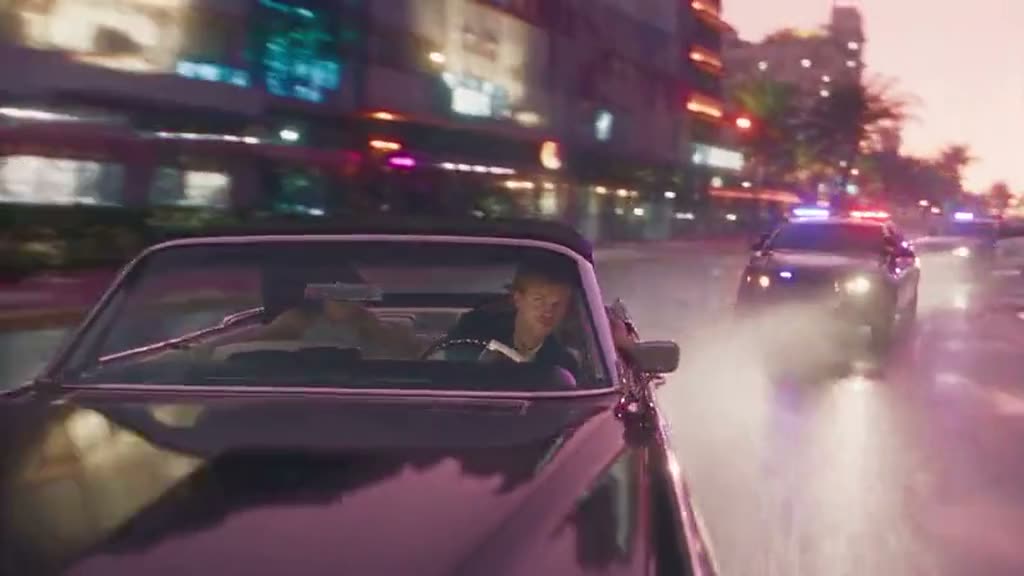
The night drive recast is a face swap with a mood attached: an old black convertible rolls down a palm-lined boulevard after dark, wet asphalt holding pink, purple and cyan neon, a couple drinking in the back seat, and whoever edits it puts their own face on the driver. Ours comes in two shapes. Neon Convertible Night Drive is the 14 second vertical cut, close enough on the driver to read every grin. Police Chase Cut runs the same car and the same strip 16 seconds wide, with a patrol car sliding up alongside, lights working, and water kicking up beside the car. The frames below are from the wide cut.
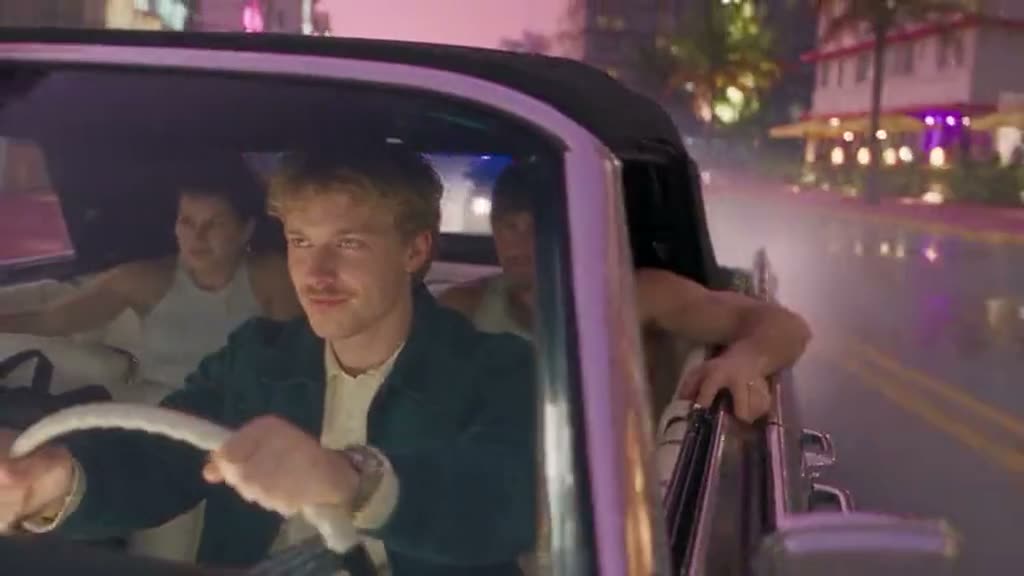 01
Water Off The Wheel Arch
The wide cut opens with both hands on the pale wheel and a spray of water lifting along the car's flank, the neon frontages running past behind it.
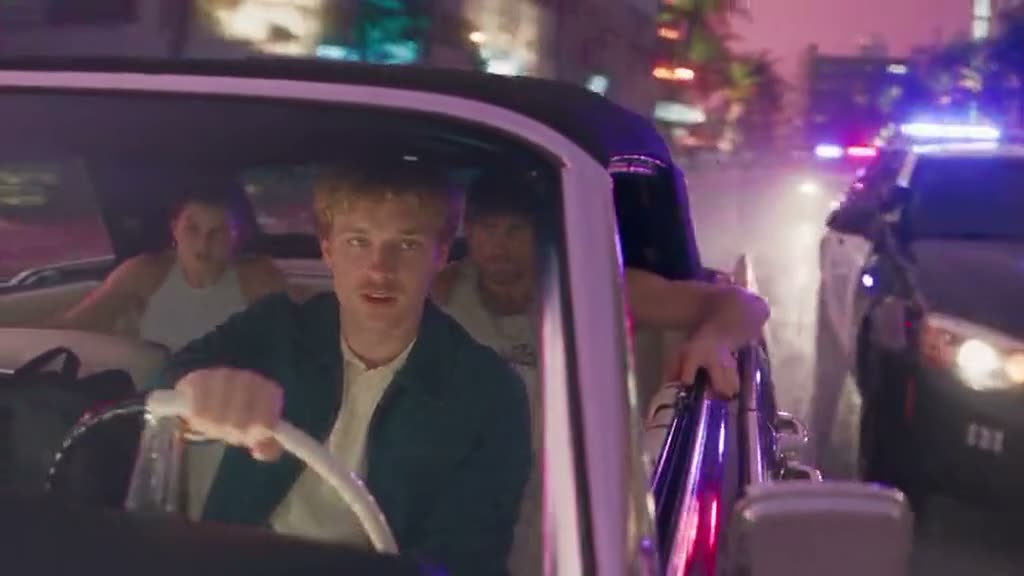 02
The Patrol Pulls Up
By about 5.6 seconds a marked patrol car with a light bar flashing blue and red closes in next to the convertible, and the driver turns toward it, shouting.
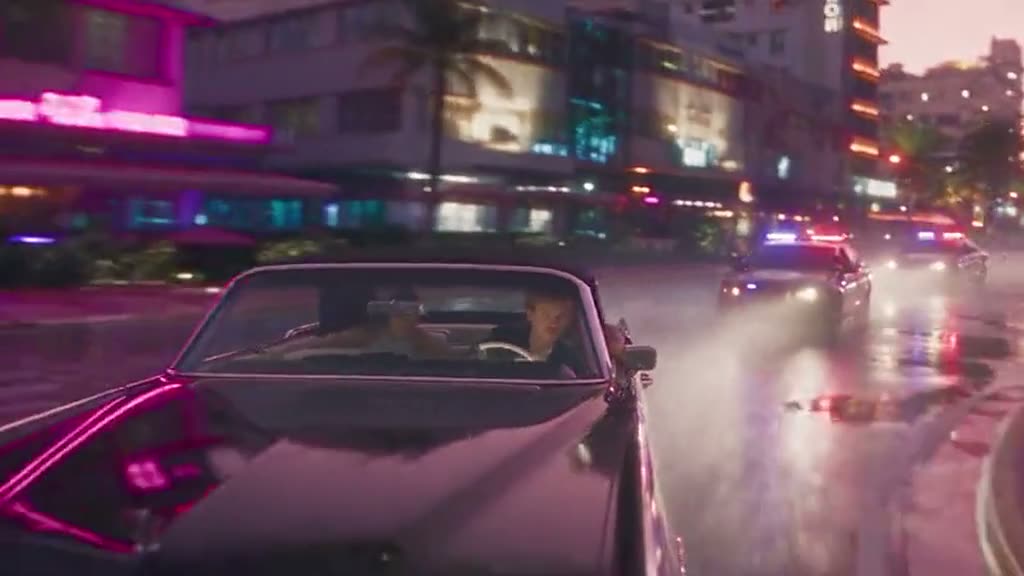 03
Two Cars Under The Signs
Near 9.6 seconds the two run side by side down the strip, palms and lit facades sliding past, the couple still on the back seat of the convertible.
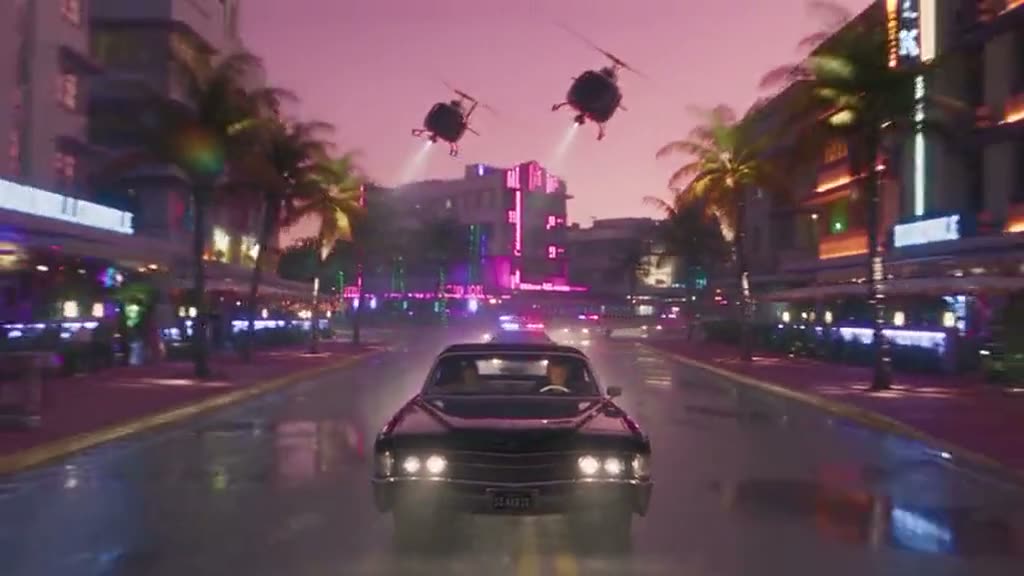 04
Under The Searchlights
From about 13.6 seconds the car comes toward the camera head on, headlights lit, with two helicopters and their searchlights crossing the pink sky above the boulevard, and the clip ends there at 16 seconds.
Same drive, two frames
Every clip here comes straight from a template, so the boulevard, the car, the cut order and the timing are what you get back. Neon Convertible Night Drive delivers 14 seconds in 9:16: the driver close in frame, the couple with the bottle in the back seat, a hand on the pale wheel, the car pulling away at the end. Police Chase Cut delivers 16 seconds in 16:9 with the patrol car added to the frame. One photo, 700 credits, either one.
Three steps, no prompt
- NEON CONVERTIBLE NIGHT DRIVE · 14S · 9:16
- POLICE CHASE CUT · 16S · 16:9
RATIOPER CUTQUALITY480PPick the frame
Neon Convertible Night Drive gives you 14 seconds in 9:16 for phone feeds. Police Chase Cut gives you 16 seconds in 16:9 for anything shown on a screen. Same photo, same price, and the console locks the ratio to the cut you chose.
✓you.jpg
✓I own this photo or have permission to edit it
Add your photo
One clear, front-facing shot with the whole head in frame. That face lands on the driver only: the two in the back seat and the officer in the patrol car keep the faces the template filmed.
police-chase-cut.mp4✓ 16S · 16:9 · SOUND KEPT
Render it
Tick the permission box, read the cost the console shows, then generate. The cut comes back vertical or wide with the template's own engine noise and music, usually inside 15 minutes.
What makes a clean swap
- 01The driver is shot close, so give the model a real face to work with: front to the lens, even light, nothing over the brow. Sunglasses read as a face with no eyes.
- 02The jacket, the pale wheel and the bottle in the back seat are the template's. A photo of your own car changes nothing about the car in the clip.
- 03A pet photo works on either cut, and the animal keeps its own muzzle, ears and coat at the wheel. The two in the back seat stay two people.
- 04The wide cut is the one with the patrol car in it, and the driver has to read against a hard side light there. A photo with half the face in shadow goes flat in that frame.
- 05Ask the person first. The console makes you confirm permission before it generates, and a neon street with patrol lights next to it is a story to put someone's face on.
EVERY TOOL, ONE BALANCE
Trend pages on this site all run the same rails: photos in, one fixed template cut out, the price on screen before anything is charged.
One face changes, two frames share it
GTA 6 Night Drive AI is PixQuill's console for the neon boulevard recast: one photo in, a finished trend clip out, no editing app and nothing to prompt. It is a fan-made recreation of a trend look, with no affiliation to, sponsorship from or endorsement by any game publisher, studio or account that started it, and the template uses no game footage, characters or logos: the boulevard, the car and the patrol cruiser are our own template footage.
Your photo is the only source for the driver's head, and for the driver alone. The couple in the back seat and the officer in the patrol car keep the faces the template filmed, the dark jacket and the pale steering wheel stay, and nothing from your photo's background is dropped into the street. A pet photo gives you a pet at the wheel, muzzle and ears included.
Everything else is fixed: 14 seconds in 9:16 on Neon Convertible Night Drive, 16 seconds in 16:9 on Police Chase Cut, roughly six cuts per clip, the wet reflections, the neon frontages and the last shot of the car coming back toward the camera under two searchlight helicopters. Sound is the template's own, kept by instruction, so the engine note and the music land where the trend had them. No caption, logo or watermark is added, and the signage already lit along the street stays as it was lettered.
Nothing installs on your device. The photo is uploaded and rendered by a video model on our servers, so the job keeps running after you close the tab, and finished clips stay in your account and remain downloadable while your account is active. A render that fails on our side puts its credits back on your balance.
Before you render
▸ Do I have to write a prompt?
No. Each cut carries its own prompt, written and locked on our side. You pick a frame, add one photo and press generate.
▸ What is the GTA 6 Night Drive trend?
A short neon driving clip that fan editors use as a body swap: an old black convertible on a palm-lined boulevard after dark, wet road holding pink and cyan signage, a pair of friends drinking in the back seat, and about six cuts of the driver grinning, shouting and pulling away. The wide version adds a patrol car that comes up alongside with its light bar going. This page remakes it from one photo, vertical or wide.
▸ Vertical or wide: which cut should I take?
The 14 second vertical cut fills a phone screen and keeps the driver big in frame. The 16 second wide cut shows the boulevard, the patrol car and the water spray, which is the shot you want on a monitor or in an embed. Same photo, same price, and the ratio follows the cut rather than a setting you change.
▸ Does my face go on anyone else in the clip?
No. The binding is one person deep: only the driver behind the wheel is redrawn from your photo. The two in the back seat and the officer in the patrol car keep the faces the template filmed, so nobody in your clip turns into you twice.
▸ Can the driver be my dog?
Yes, on both cuts. The slot accepts a person or a pet and the species follows the photo, so a dog gives you a dog's own head, ears and coat sitting in the driver's seat in the same dark jacket. The back seat pair stays two people either way.
▸ Does the video have a watermark?
PixQuill stamps nothing on the result: no logo, no caption, no handle. Lettering that is already part of the set, on the shopfront signs down the boulevard, stays in the frame because it was filmed there.
▸ Does the finished clip keep the template's sound?
Yes. Your file carries the template's own track, engine note and music included, timed to the same cuts, so the drive still lands on the beat instead of arriving silent.
▸ What does it cost?
700 credits for either cut. The wide one runs two seconds longer and costs the same, so pick by frame rather than by price. The console quotes it before you generate, new accounts start with free credits, and packs sit on pricing.
▸ How long does rendering take?
Plan on 5 to 15 minutes. Staying on the page is optional: the render finishes on our side and the clip waits in your account history.
▸ Is this an official game product?
No. It is a fan-made template that recreates a driving look and uses no game assets, with no affiliation to, sponsorship from or endorsement by any game publisher. Single-photo trend pages like GTA Wanted Poster and Dog Playing GTA 6 follow the same rule.
▸ Can I post it commercially?
See the terms and privacy notice for what you can do with renders and what happens to the photos you upload.
Take the wheel on the neon strip
One photo, one fixed cut, 14 vertical seconds or 16 wide ones of you driving while a patrol car keeps pace. Free credits on signup, and either frame is quoted in the console before you render.