✦ MAGNIFIC AI UPSCALER
MAGNIFIC AI UPSCALER UP TO 4K NO SUBSCRIPTION
Creative detail rebuilding for portraits and AI art, up to crisp 4K. Pay per run, start free.
SOURCE PHOTO
Drop a photo here, or click to browse
PNG / JPG, up to 5 MB
MODEL
Your result lands here
Pick a model and resolution, then hit generate.
- SKIN, HAIR AND TYPE THE FILE NEVER STORED
- REBUILD
- SMALL HEADSHOTS UP TO CRISP 4K
- SCALE
- THE MONTHLY BILL OTHER UPSCALERS SEND
- SKIP
- PORTRAITS READY FOR PRINT AND PROFILE
- SHIP
THE FACES YOU CAN'T RETAKE
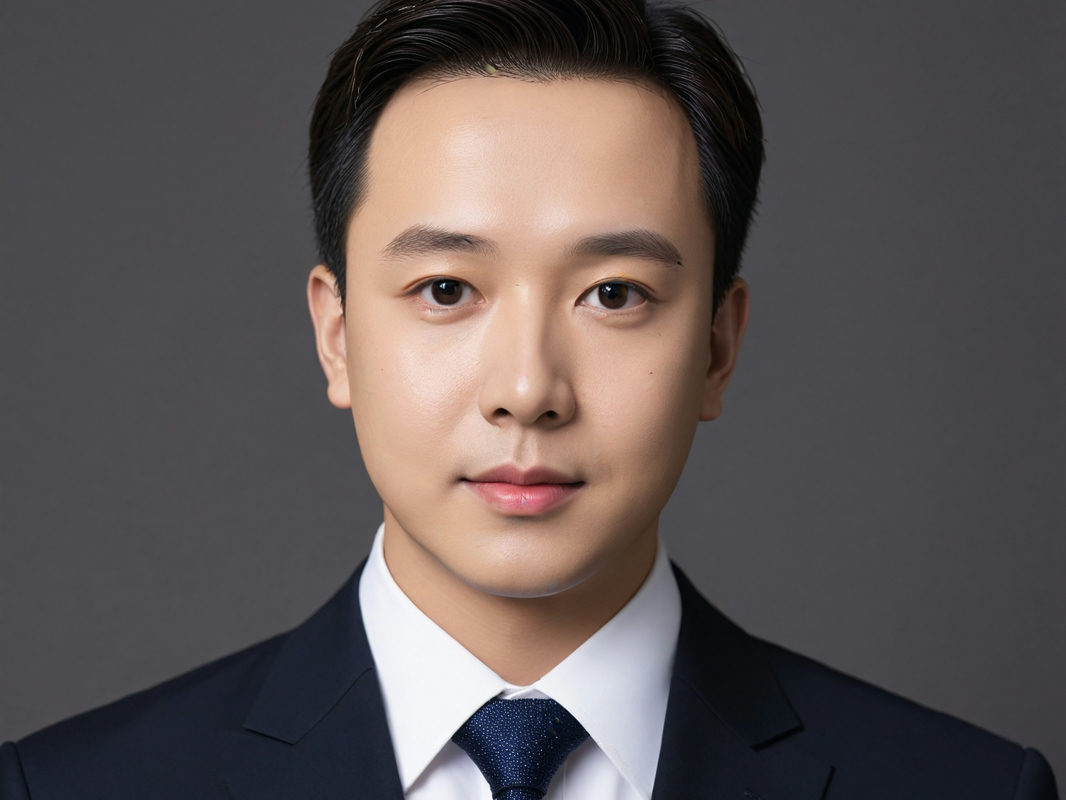
Magnific built its name on portraits, so that is where this tool gets judged. Drag the handle: left is the file that came in, right is what came back.
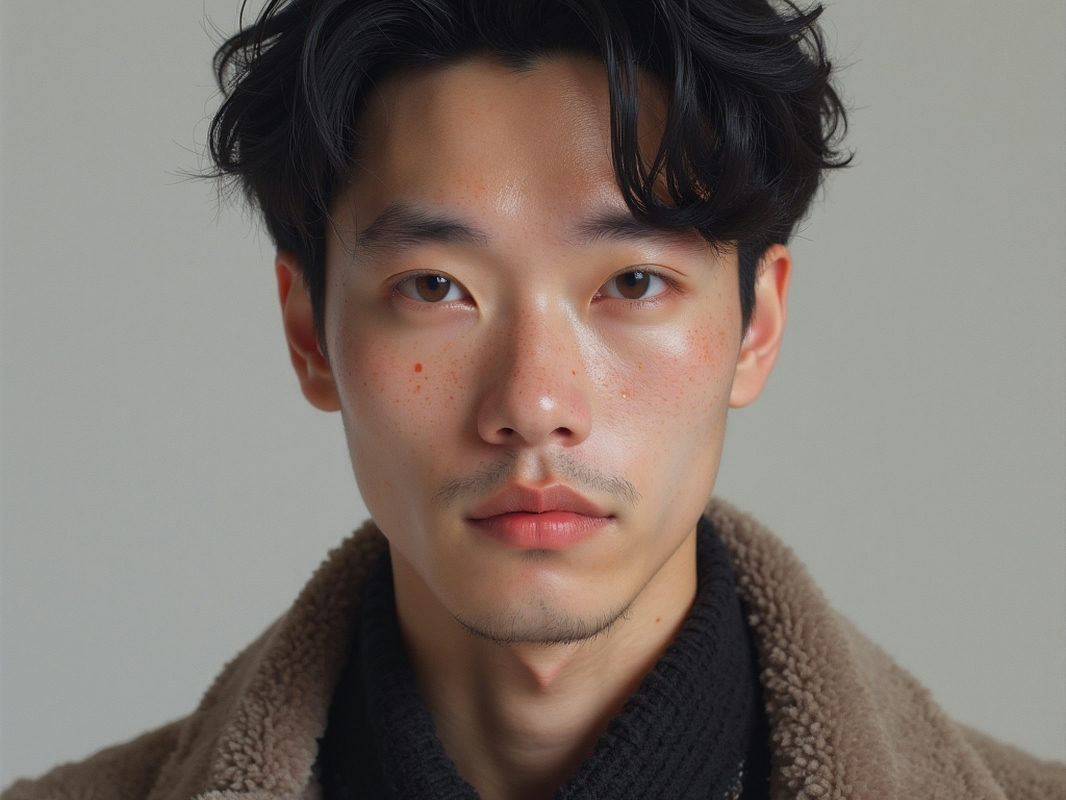
An 800-pixel headshot goes in. Freckles, stubble and the catch-light in each eye come back without the plastic sheen most upscalers leave behind.
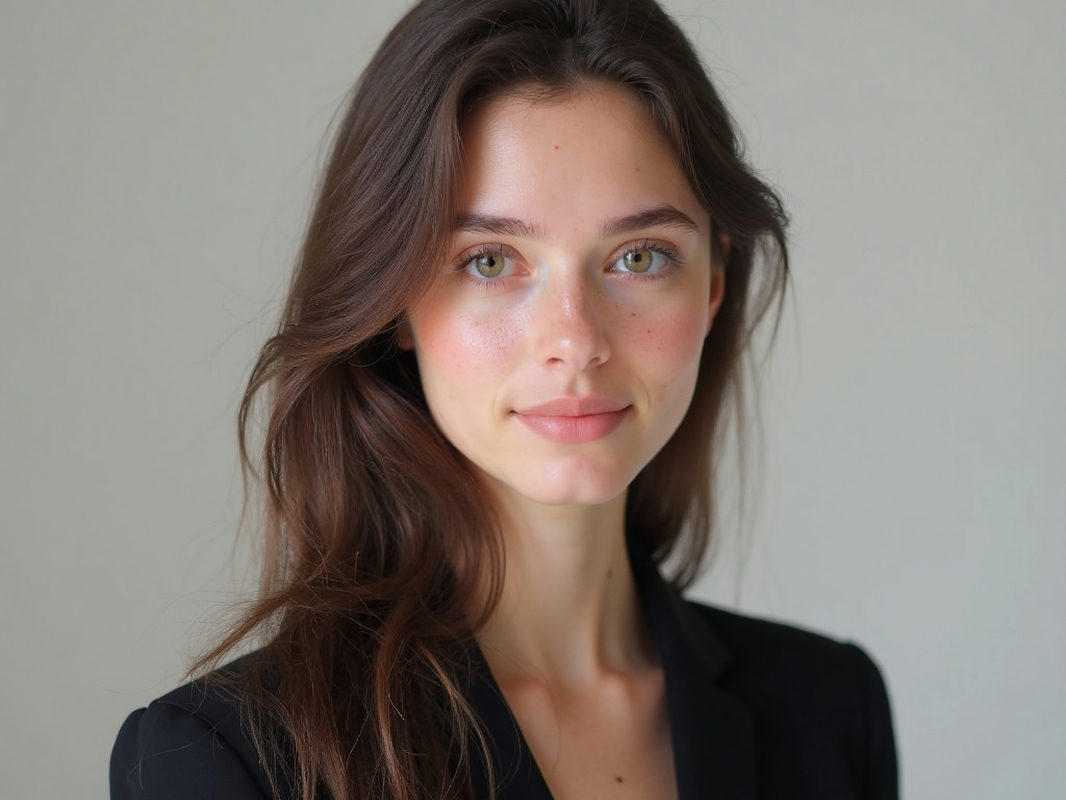
Wind-blown hair is where resamplers give up and smear. One run at 4K and the strands separate again.
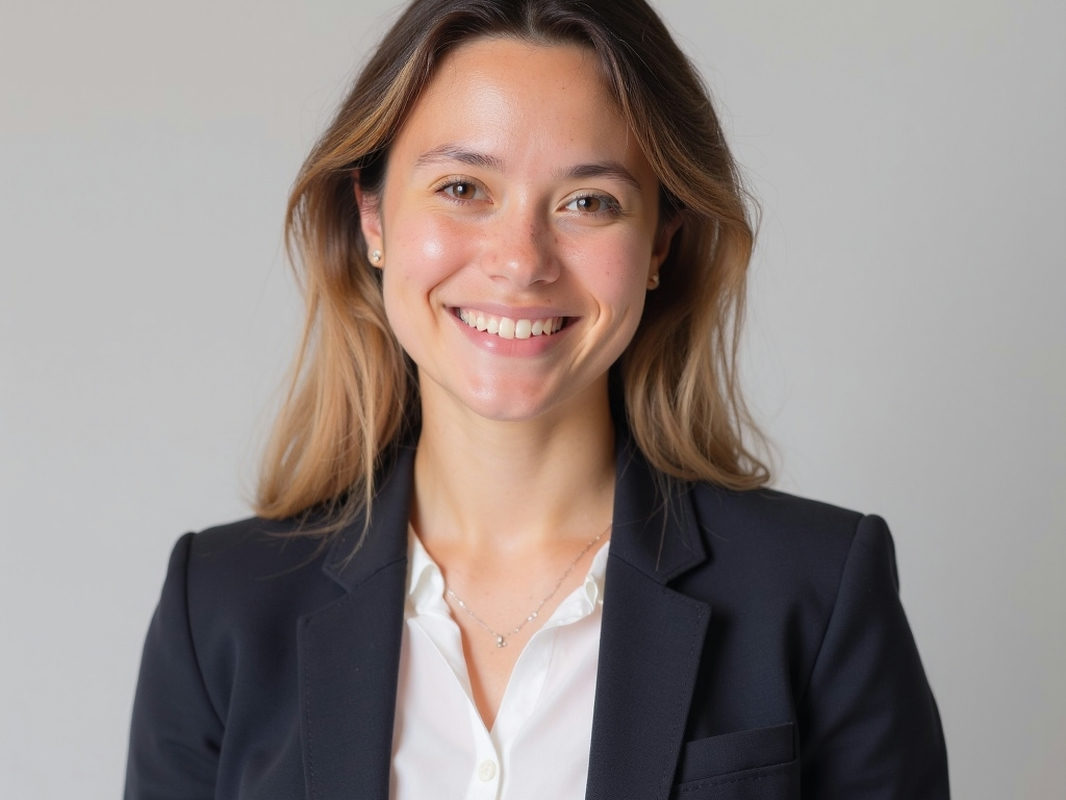
The platform wants 4000 pixels and the photographer sent 1000. A single run gets the headshot past the gate without a reshoot.
UPSCALING IS THE SAME JOB. THE BILLING IS NOT.
The Magnific AI upscaler is a subscription. This one is a meter. Same rebuild, different receipt.
THE SUBSCRIPTION ROUTE
- A monthly fee whether you upscale twice or two hundred times
- Credit tiers sized for studios, oversized for a weekend workload
- Another account, another tab, another tool to learn
- The meter keeps running after the project ends
THE PAY-PER-RUN ROUTE (PIXQUILL)
- Every run priced on screen before you click, from a few credits
- New accounts start with free credits and the daily check-in adds more
- Pack credits never expire while your account is active
- Same console as the rest of PixQuill: uploads and credits carry over
EVERY TOOL, ONE BALANCE
Upscaling is one step of the job. Every other tool shares your uploads and credits.
HEADSHOT IN, POSTER OUT
DROP AN IMAGE HERE, OR CLICK TO BROWSE
PNG / JPG · UP TO 5 MB
DROP THE IMAGE
Any JPG or PNG up to 5 MB. The headshot, the AI render, the old scan: it uploads as is and never gets shrunk first.
- MODELNANO BANANA 2.1SIZE4KFORMATJPGPRICESHOWN UPFRONT
PICK MODEL AND SIZE
4K comes preselected on the engines that reach it; drop to 2K when the destination is smaller. The price of the run is on screen before anything happens.
studio-headshot-4k.jpg✓ 4K · JPG · READY
COMPARE AND KEEP
Runs take 30 to 60 seconds, all on our servers. Drag the slider, zoom to 100%, then download. JPG everywhere, PNG on the models that offer it.
WHAT THE REBUILD COVERS
PORTRAIT DETAIL
Skin keeps its texture: pores and stubble come back as detail, not as the plastic sheen a resample leaves.
4K BY DEFAULT
The console preselects 4K on the engines that reach it. Drop to 2K when the destination doesn't need the weight.
LINE ART STAYS CRISP
Logos, lettering and line art survive the jump to 4K without the halo a bicubic resize leaves behind.
22 ENGINES, ONE CONSOLE
Magnific puts its models behind one subscription. This picker holds 22, from budget JPG jobs to flagships, each with its price shown up front.
NO SUBSCRIPTION
Pay per run. Pack credits never expire while your account is active, so an unused month is never a loss.
HONEST BILLING
The price of a run is on screen before anything happens, and failures on our side refund automatically.
BETTER UPSCALES
- 01Start from the least-compressed version you have. Every artifact in the file gets upscaled too.
- 02Faces need pixels to start from. A 200-pixel thumbnail stays soft; an 800-pixel headshot comes back sharp.
- 03The price follows the model and the size: 4K costs more than 2K on the same engine. The console shows the number before you click.
- 04Judge skin and eyes at 100% zoom before you ship the result.
- 05Screenshots, graphics and line art upscale cleaner than noisy low-light shots.
- 06After the upscale, take the result to the AI Image Editor to relight or retouch it. Same credits, same library.
THE MAGNIFIC AI UPSCALER, AS A METER
Searches for the Magnific AI image upscaler usually come down to one thing: creative upscaling, the kind that re-imagines detail instead of stretching pixels. Magnific, the tool Freepik picked up in 2024, built its name on exactly that. This page is PixQuill's take on the same job. The engine reads what is in your file, then re-renders the scene at the target size with detail it infers from context. Portraits come back with skin that still looks like skin.
The honest differences are about access. Magnific runs on subscriptions aimed at studios. PixQuill prices each run on screen before you click, starts every new account with free credits, and tops them up with the daily check-in. Twenty-two engines share the picker, with Nano Banana 2.1 as the default and 4K preselected where the engine reaches it. No seat to manage, no month to waste, and pack credits never expire while your account is active.
PixQuill is not affiliated with Magnific or Freepik; the name on this page describes the look people come searching for. What you get is the practical outcome you came for: drop the small file, keep the 4K, judge it on the slider. Chain the result with the other tools when the job is bigger. Same credits, same library.
STRAIGHT ANSWERS
▸ What is the Magnific AI image upscaler?
It is an AI upscaler from Magnific, the company Freepik acquired in 2024, known for creative upscaling that invents plausible detail as it enlarges. This page is PixQuill's own take on that job: the same rebuild approach, priced per run instead of by subscription.
▸ Is this tool made by Magnific AI?
No. PixQuill is independent and not affiliated with Magnific or Freepik. The name on this page describes the style of upscaling people are searching for. If you want the original product itself, it lives on magnific.com.
▸ How does PixQuill compare to Magnific AI?
Judge the rebuilding quality on the slider above. The billing is the clearer difference: Magnific runs on monthly subscriptions, while PixQuill charges per run, shows the price before you click, and starts every new account with free credits.
▸ What's the maximum output size?
4K on the engines that reach it, Nano Banana 2.1 and Seedream 5.0 Lite among them; the rest of the picker tops out at 2K. The input can be far smaller, because rebuilding the missing detail is the tool's whole job.
▸ Which model should I pick?
Start with Nano Banana 2.1, the default: it reaches 4K at a budget price. The console shows each engine's price before you commit, so trying another one never costs a surprise.
▸ Is the upscaler free to try?
Yes. New accounts start with free credits and the daily check-in adds more, so you can upscale real images before spending anything.
▸ What images upscale best?
Portraits, AI art, screenshots, graphics and line art respond best: clean structure gives the model something to rebuild. Soft photos get polish, heavy blur stays heavy, and it can't invent a face from ten pixels.
▸ Can I use the upscaled image commercially?
Images you upscale are yours to use, including in commercial projects, within our terms. Rights in anything you upload stay where they were, so only upscale images you own or have permission to use. Details live on the Copyright page.
▸ How long does an upscale take?
Usually 30 to 60 seconds. Everything runs on our servers, so there's nothing to install and your phone works fine.
▸ What if a run fails?
Failures on our side refund their credits automatically. You're only ever charged for results.
▸ Can I relight or edit after upscaling?
Yes. The AI Image Editor relights and retouches the result, and the main Upscaler page covers the same tool in depth. Same credits, same library.
THE MAGNIFIC LOOK, WITHOUT THE MONTHLY BILL
Drop the portrait, keep the 4K, judge it on the slider. New accounts start with free credits.