✦ EFFECTS GALLERY
AI VIDEO EFFECTS GALLERY, TREND READY
Every template on the wall is one of the trends filling your feed. Open one, upload your photos, and the console does the trend for you.
90+ TRENDING EFFECTSPICK ONE, UPLOAD PHOTOSFREE CREDITS TO START

- THE GALLERY
- 90+ EFFECTS, ONE WALL
- THE ORDER
- NEWEST ON TOP
- THE CAST
- YOUR FACE OR YOUR PET
- A RUN TAKES
- ABOUT 5 TO 15 MINUTES
PICK A TREND, MAKE IT YOURS
Every card is one effect with its own console. Open it, upload your photos, and the video lands in your library.
WHAT THE GALLERY GIVES YOU
SEE THE TREND FIRST
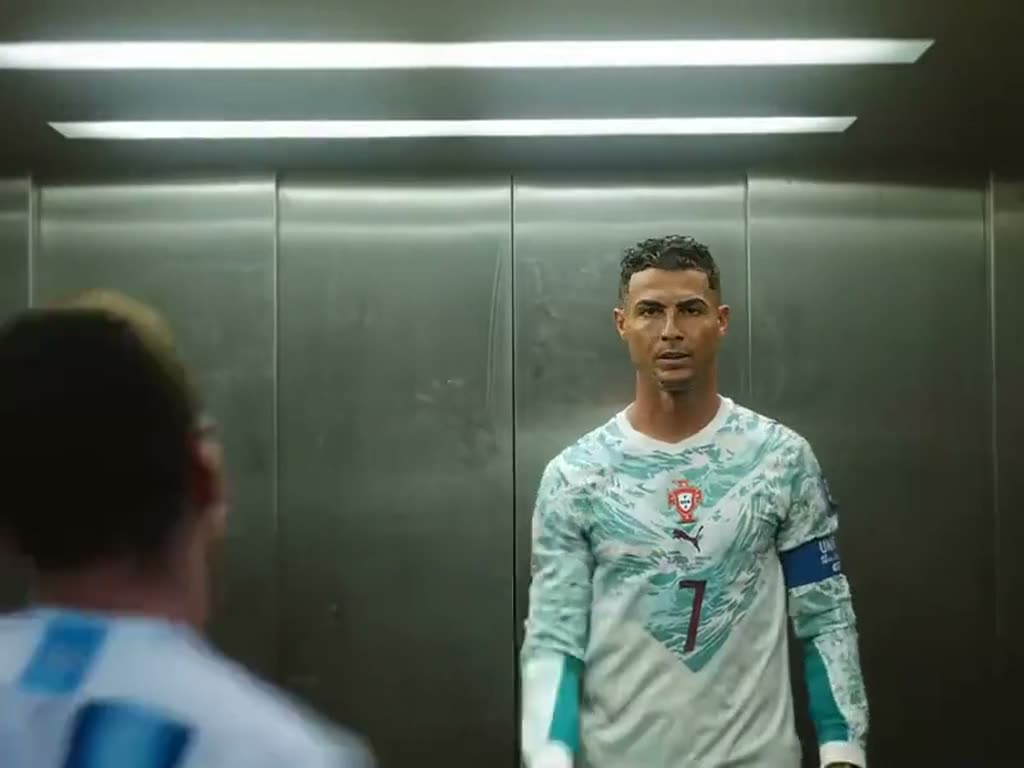
Each card carries a still from the effect itself. You judge a template by what it produces, not by its name, before a single credit moves.
ONE EFFECT, ONE CONSOLE
Every effect has its own page and its own settings. Open a card and the right console loads with the template and the price already in place.
THE LATEST ON TOP
New effects land at the top of the wall the day they go up, so the gallery doubles as a running list of what is trending right now.
SAME CREDITS EVERYWHERE
Credits work across every tool on PixQuill. A run here spends the same balance you use in the Image Maker or the Video Maker.
YOUR PHOTOS STAY YOURS
You upload the photos and you control the cast. Rights in what you upload stay with you, and the finished video downloads ready to post.
ONE AGENT BEHIND IT
The effects run on PixQuill's own video engines, priced per run. New accounts start with free credits, and failed runs come back when it is our fault.
EVERY TOOL, ONE BALANCE
The gallery feeds the rest of PixQuill: every effect runs in its own console, and the finished video drops into the same library as everything else you make.
FROM THE WALL TO YOUR FEED
PICK AN EFFECT
Scroll the wall and open the trend you want. Each card shows the effect still, the name, and one line on what it takes to run.
UPLOAD YOUR PHOTOS
The effect's console opens with the template loaded. Most trends take one photo, duet trends take two, and the price sits on the button before you commit.
GET THE VIDEO
A run usually takes 5 to 15 minutes. The finished video lands in the console and your library, ready to download and post.
PICK WELL, POST IN TIME
- 01Start from the still, not the name. If the card shows a look you like, the trend behaves like that look. The name only tells you which sound and format it borrows.
- 02Mind the photo count before you upload. Most effects take one photo, duet trends take two, and a few cast a pet and a person in separate slots. Match your files to the console.
- 03Sharp, front-facing photos hold up best. Even light, the whole head in view, and the original file beat screenshots. Heavy shadows and sunglasses make the model guess.
- 04One subject per slot. A single pet or a single person per photo works; a group shot in one slot leaves the model guessing who dances.
- 05Check the price and the run length on the console before you spend. Effects run at different lengths, from short stings to full routines, and the cost shows up front.
- 06Post while the trend is alive. A run takes 5 to 15 minutes, so pick the effect early in the day and you can still make the wave before it crests.
WHAT THIS GALLERY IS
This gallery is the index of every AI video effect on PixQuill. Each card is one effect, one trend, one console. The still on the card comes from the effect itself, so you can tell in a second whether the look fits before you open it.
The wall is ordered by recency. New effects go up top the day they land, which makes the gallery the fastest way to see what is trending without digging through the sidebar. TikTok dances, pet memes, interview formats, cinematic duets: it is all here, and every entry keeps its own page with the settings, the pricing and the examples.
Running an effect costs credits, priced per template before you commit. New accounts start with free credits, and if a run fails on our side, the credits return on their own. Browsing costs nothing, and your library keeps every video you finish.
THE GALLERY, ANSWERED
▸ What is the AI video effects gallery?
A single wall of every AI video effect on PixQuill. Each card is one trending template with its own console, ordered newest first, and opening one takes you straight to its page.
▸ Are the effects free to use?
Browsing the gallery costs nothing and needs no account. Generating a video spends credits, and new accounts start with free credits.
▸ How do these trends work?
Each effect is a fixed template: the camera work, the sound and the format are locked, and your photos replace the cast. Upload your photos, run the template, and the video comes back with the sound kept.
▸ What do I need to run an effect?
Photos of whoever is in the video, usually one per person or pet. Most effects take one photo and duet trends take two. The console on each effect page spells out the slots before you upload.
▸ How long does a video take?
A run usually takes 5 to 15 minutes depending on the template. The finished video lands in the console and your library when it is done.
▸ Can I post the videos on TikTok and Instagram?
Yes. Videos you generate are yours to post, including on social platforms, within our terms of service. Rights in the photos you upload stay where they were.
▸ What if a generation fails?
If a run fails on our side, the credits return to your balance on their own, in full. Nothing is lost but the wait.
▸ How often do new effects land?
New effects go up as trends break, and they appear at the top of this wall the day they launch. The gallery is the fastest way to catch them without watching the sidebar.
▸ Where can I see each effect in action?
Every effect page plays the template preview with sound before you upload anything. Open a card and the console shows the previews, the pricing and the slots together.
PICK A TREND, PRESS GENERATE
Open any card, drop in your photos, and the engines handle the trend. New accounts get free credits.