✦ AI EFFECTS
SHOW YOUR STANCE AI VIDEO GENERATOR
Add two photos, the woman first, and get an 11 second Show Your Stance skit with the sound kept. No prompt to write.
TWO PHOTOS, TWO PARTSTHE ASSISTANT STAYS HERSELFAN 11S 9:16 VIDEOUSUALLY 5 TO 15 MINUTES
TEMPLATE
Your video carries this template's own sound.
YOUR PHOTOS
Two clear, front-facing photos, one face in each. The first slot is the woman in the blue dress and the second is the man in the maroon shirt, so uploading the pair the other way around still maps photo one to the woman's part and photo two to the man's part. The shop assistant is not a slot. She keeps her own face from the template, and she is who the hair flip is aimed at.
ASPECT RATIO
Your video lands here
Both customers in their slots, tick the box, then generate.
- WHAT YOU ADD
- Two photos, one per customer
- WHAT YOU PICK
- One 11 second skit
- WHAT COMES BACK
- An 11s 9:16 video, sound kept
- WHAT STAYS PUT
- The shop assistant and her own face
- WHAT IT COSTS
- 700 credits
- IF IT FAILS
- Credits come back, on our side
UP-FRONT PRICING
Recommended packs start at $9.99 and stay valid while your account is active. Memberships start at $4.99 a month. One balance covers every image and video tool. The console shows the fixed price before you render.
Standard Pack
$9.99
700CREDITS
≈ 350images
≈ 30SOTA images
≈ 88svideo
≈ 43sSOTA video
A full issue's worth of art, plus videos for the launch.
ONE PAYMENT · NEVER EXPIRE
Pro Pack
$19.99
1,600CREDITS
≈ 800images
≈ 69SOTA images
≈ 208svideo
≈ 100sSOTA video
Batch season. Whole chapters and the videos that sell them.
ONE PAYMENT · NEVER EXPIRE
STANDARD MEMBERSHIP
$4.99/ month
1,000CREDITS EVERY MONTH
For weekly creators and side projects.
≈ 500images
≈ 43SOTA images
≈ 128svideo
≈ 62sSOTA video
NO LOCK-IN · CANCEL ANY TIME
PRO MEMBERSHIP
$19.99/ month
5,000CREDITS EVERY MONTH
For daily image and video production.
≈ 2,500images
≈ 217SOTA images
≈ 664svideo
≈ 312sSOTA video
NO LOCK-IN · CANCEL ANY TIME
Membership credits are available while the membership is active. Unused membership credits expire when the membership ends.
Image estimates use Flux 3 Klein at 1K, the lowest-priced run on the site. Video estimates use 8-second Veo 3.1 Lite videos at 720p, or Wan 3.0 at 480p for the SOTA row. The console shows the exact cost before every run.
Show Your Stance
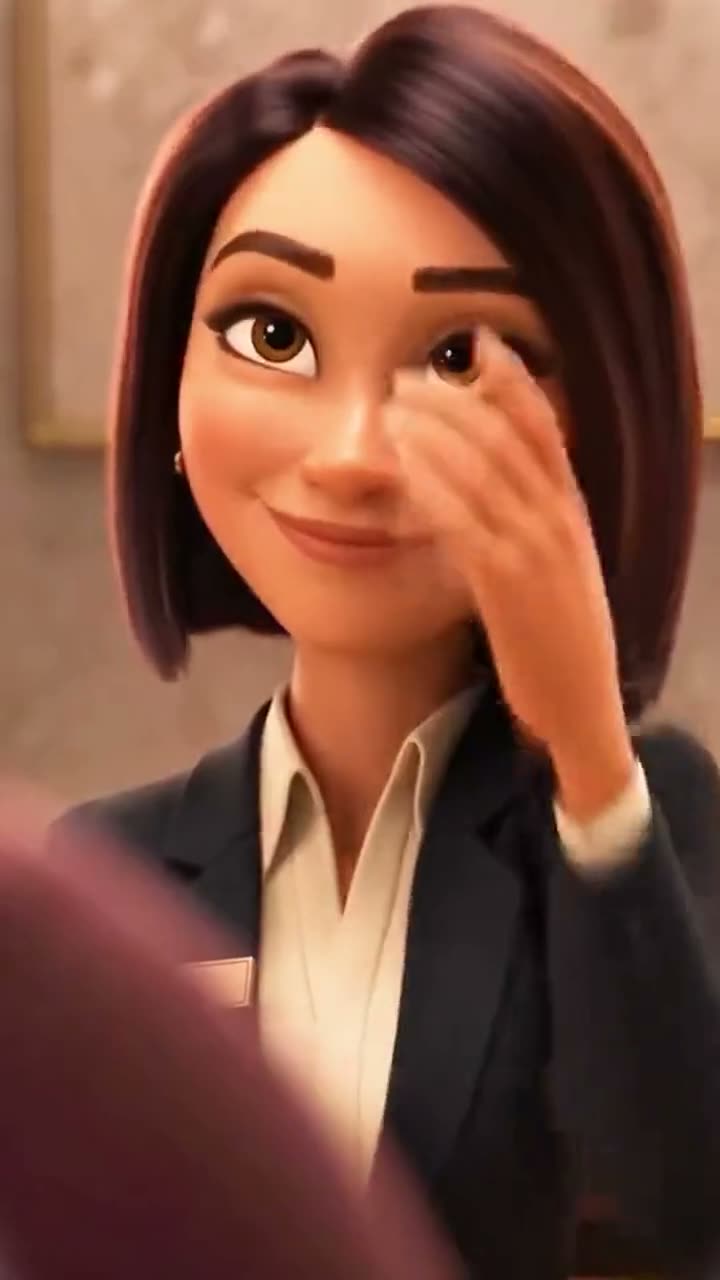
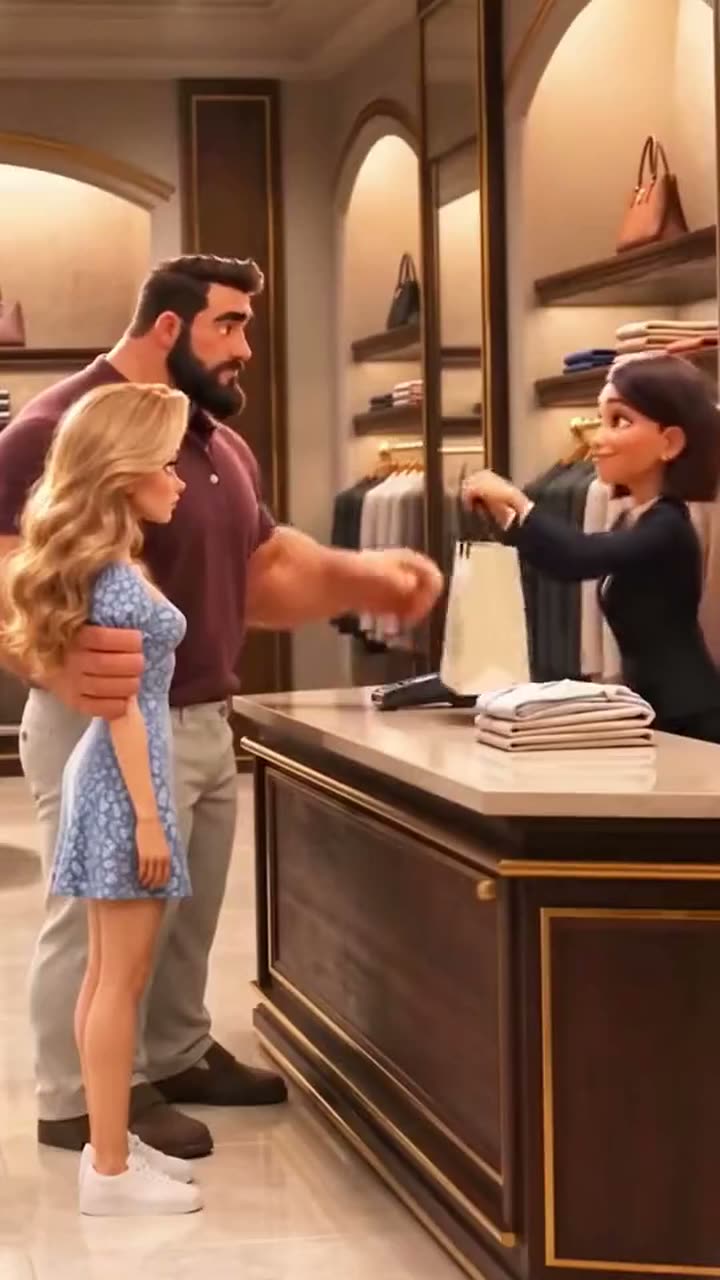
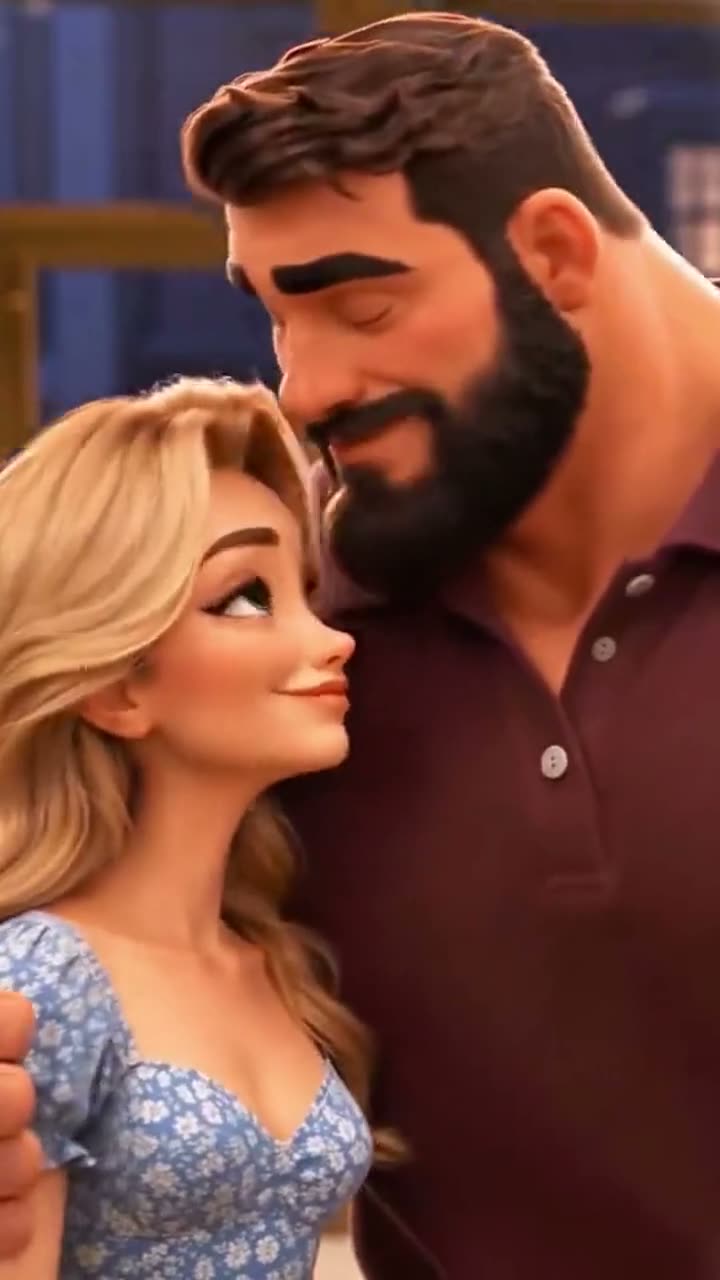
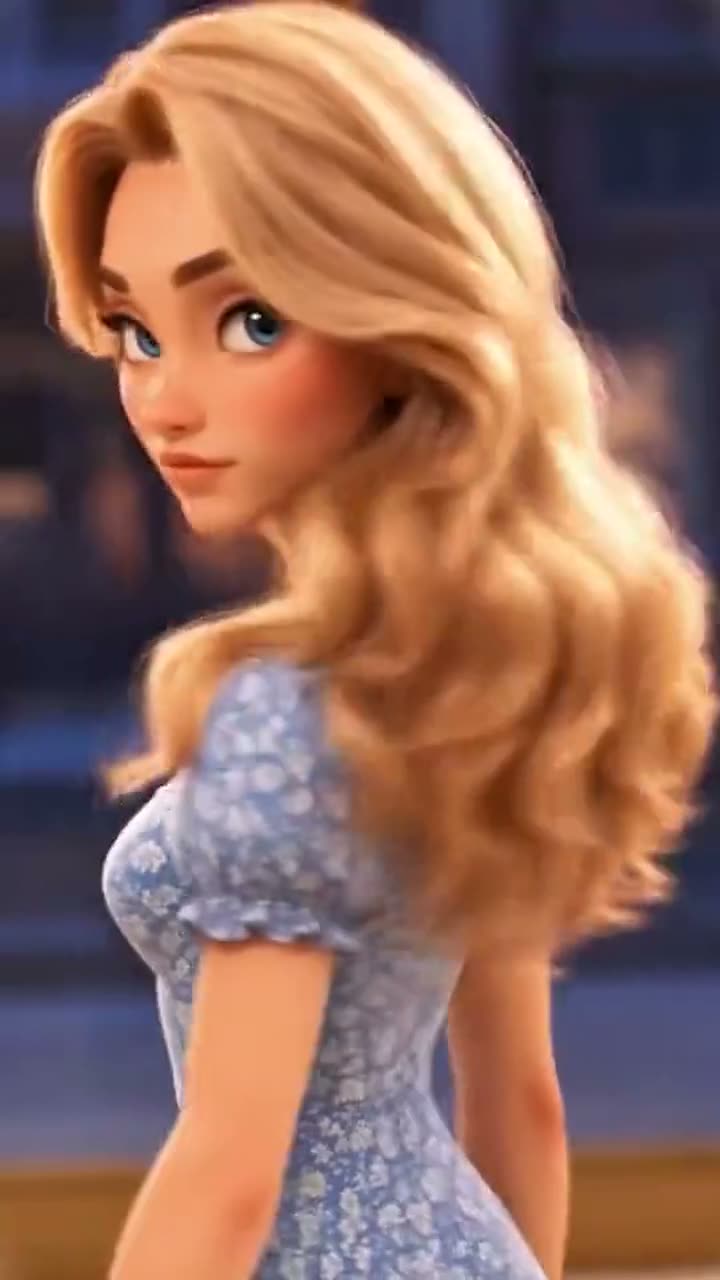
A couple are checking out at a boutique and the shop assistant is working the man: she presses her lips into a smile, touches her own cheek and tucks her bob behind her ear while his arm is still around her girlfriend's waist. Nobody says a word. The two of them take the bag, kiss on the forehead at the counter and walk to the door hand in hand. Then she turns her head back over her shoulder, lets her hair swing with the turn and looks straight at the assistant with her chin up, and the assistant's smile goes out of her face. The shop, the card reader, the camera and the music stay exactly where they were. Only the two customers change, and the assistant stays as drawn.
 01
The assistant gets comfortable
Close on the shop assistant behind the counter, seen over the customer's shoulder. She presses her lips into a smile, lifts a hand to her cheek and tucks her dark bob behind her ear, then lets her hand slide down her neck.
 02
Paying with an arm around her
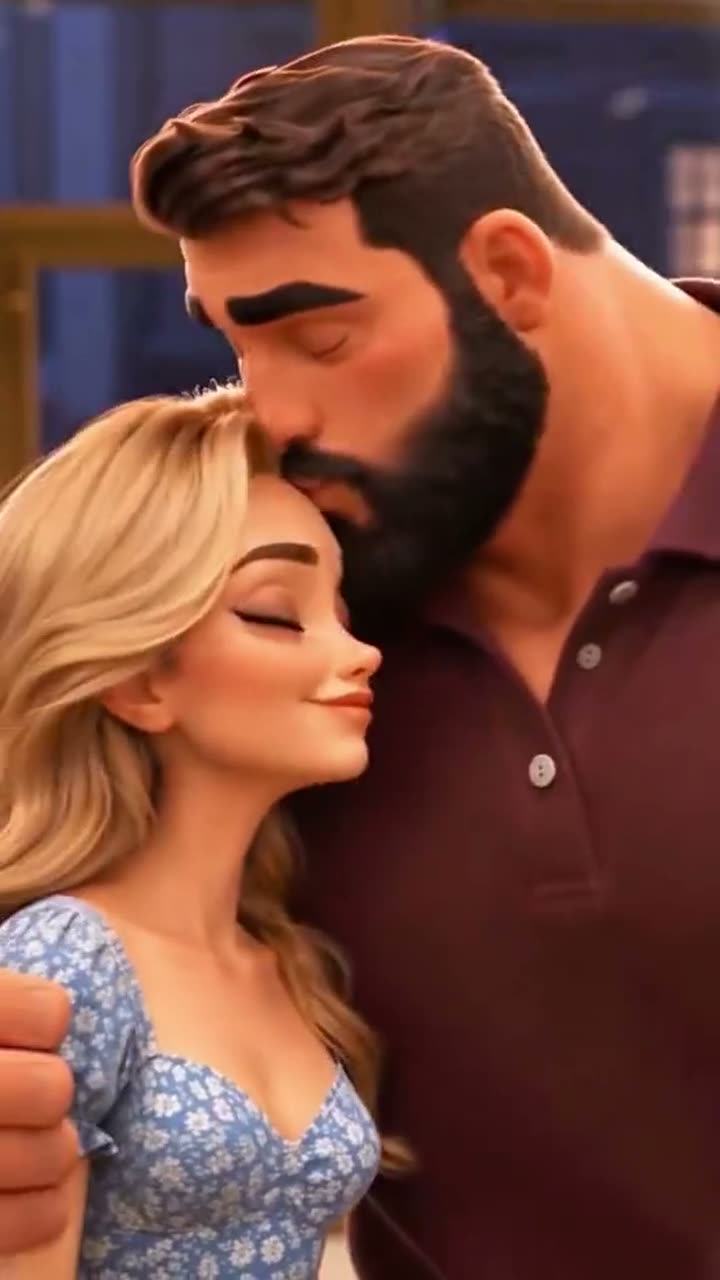
Cut wide at the wood counter. The bearded man in the maroon polo keeps one arm around the waist of the woman in the blue floral dress while he taps his card on the reader and takes the white shopping bag out of the assistant's hand.
 03
Unbothered at the counter
A close two shot. He bends down and kisses the top of her head, her eyes close on a smile, and they stay looking at each other with the bag still in his hand.
 04
The stance
Walking out, the woman turns her head back over her shoulder, long hair swinging with the turn, chin up, looking straight back at the assistant. In the last second of the clip the assistant's smile drops into wide eyes and an open mouth.
One template, three clips
Every clip below comes straight from the template, so the counter, the bag, the framing and the timing you see are what you get back. The first photo goes to the woman in the blue dress and the second to the man in the maroon shirt. The assistant who started the whole thing stays as drawn.
Three steps, no prompt
- COUNTER STANCE SKIT · 11S
RATIO9:16QUALITY480PCheck the slots
One template, 11 seconds in 9:16, two photo slots. Slot one is the woman in the blue dress. Slot two is the man in the maroon shirt. The shop assistant is not a slot: she is part of the template and she keeps her own face.
✓you.jpg
✓your-partner.jpg
✓I own these photos or have permission to edit them
Add both photos
Drag them in or pick them from your library. Each photo wants a front-facing shot with the face clear. Uploading the pair the other way around does not change the parts, so the first photo you pick is always the woman's part.
show-your-stance.mp4✓ 11S · 9:16 · SOUND KEPT
Render it
Tick the permission box, check the price and hit generate. The clip comes back at 11 seconds in 9:16 with the template's own sound, usually inside 15 minutes.
What makes a clean swap
- 01One person per photo, face front and clear, no sunglasses and no hat pulled low.
- 02Photo one goes to the woman's part and photo two to the man's part, whichever order you pick them in. Put the person who should flip the hair in slot one.
- 03The assistant is not up for grabs. She keeps her own drawn face, so the look at the end has somebody to land on.
- 04Shoot the pair in the same light and from about the same height. A noon outdoor photo next to a dim bedroom selfie reads as two different people, and the swap gets weaker.
- 05Shoulders and above, with the face taking a good part of the frame, swaps steadier than a wide full-body shot, because both customers appear in close two shots.
- 06Only use photos of people who agreed to be in it. This skit puts two faces in a very obvious flirting situation, so both of them should be in on the joke.
EVERY TOOL, ONE BALANCE
Every page in this batch is a different skit with its own photo slots, its own camera work and its own track.
Two faces swap, the assistant keeps hers
Show Your Stance is a fixed template skit. Everything in it already exists: the boutique with the wood counter and the marble top, the card reader, the stack of folded clothes, the white shopping bag, the warm downlighters in the wall niches, the glass shopfront on the evening street and the music. Our job is to replace two of the three people inside it.
The model takes your first photo as the only source for the face of the woman in the blue floral dress and your second as the only source for the face of the man in the maroon polo shirt. The third person, the shop assistant in the black blazer who is flirting with him over the counter, is not replaced at all. She keeps her own drawn face, her own hair and her own blank name tag, and the prompt says so in three separate places.
Her face staying put is the point of the trend. The skit is a stand-off between the customer and the assistant, and it needs one face on the template side of the counter. If the assistant also took a reference photo, there would be nobody left to look shocked at the door.
The parts follow the slot numbers, not the photos. The first photo goes to the woman's part and the second to the man's part, so a couple uploaded the other way around still lands the same way. The two faces never trade places, blend together or move onto the assistant. The outfits stay the template's outfits, the camera stays where it was, and the clip stays 11 seconds in 9:16 with no text on screen and the original sound kept.
There is nothing to set up on your machine. Two photos go to our servers, a video model renders the skit there, and the run continues after you close the tab. The clip stays in your account and stays downloadable. If a render fails on our side, the credits go back to your balance.
This is a fan-made effect. It is not tied to any film, studio, artist, shop brand or platform, and the boutique in it is a generic cartoon shop with no logos on anything.
Before you render
▸ Do I have to write a prompt?
No. The prompt is written for this template and locked on our side. You add two photos and press generate.
▸ Who is in the Show Your Stance skit?
Three cartoon people at a boutique counter, one card reader and one paper bag. The shop assistant is flirting with the man while he pays, smiling into her hand and tucking her bob back. His girlfriend answers it on the way out with one look back over her shoulder, hair swinging, chin up, and the assistant's smile goes out of her face in the last second.
▸ Does the shop assistant get one of my photos?
No, and that is deliberate. The assistant in the black blazer is the template's own character and she keeps her drawn face. Your two photos only replace the customers: the woman in the blue dress and the man in the maroon shirt. Without her staying herself there is nobody left to react at the door, so the punchline would disappear.
▸ How many photos do I need?
Two. One for the woman's part, one for the man's part. Both faces need to be clear and front-facing.
▸ What if I upload the two photos the wrong way around?
The parts are fixed to the slots, not to who is in the picture. The first photo always goes to the woman's part and the second always goes to the man's part, so the order you drop them in is the only thing that decides who plays what.
▸ Does the video have a watermark?
There is no stamp of ours on it and no text added: no watermark, no logo, no captions. The assistant's name tag stays blank and any lettering in your photos stays out of the frame.
▸ How long is the result?
Eleven seconds, vertical 9:16, with the template's own sound kept. The length matches the template exactly, so it lines up with the original clip shot for shot.
▸ What does it cost?
700 credits for the skit, printed in the console before you render. New accounts start with free credits, and you can see the balance in pricing.
▸ How long does it take?
The skit usually lands within 5 to 15 minutes. It renders whether or not your tab stays open, so the finished clip is waiting in your account history when you come back.
▸ What if one of the two faces drifts?
Send the same pair through again. The parts stay bound to the slots, so it is a second roll on the same two faces. If a render fails on our side, the credits go back on their own.
▸ Can I use someone else's photo?
Only with their agreement. The console asks you to confirm you own the photo or have permission to edit it, and this skit puts two faces in an obvious flirting scene, so both people should know what they are in for. See the terms and privacy notice for what you can do with renders and what happens to the photos you upload.
Put your faces on the right side of the counter
Two photos, one template, 11 seconds of a boutique stand-off where the assistant keeps her own face and the customer answers with one look back over her shoulder. Free credits on signup, and the price is on screen before you render.