✦ AI EFFECTS
VIKAS EDITOR AI VIDEO FROM ONE PHOTO
Pick a template, upload one photo, and get the classroom attitude edit that is all over reels: your entrance, then the drop into black and white.
2 TEMPLATES28-SECOND VIDEOSNO PROMPT NEEDED
MAIN CHARACTER
Drop your portrait here, or click to browse
PNG / JPG, up to 5 MB
One clear, front-facing portrait with a single face. Sharp and well lit works best.
TEMPLATE
Your video lands here
Pick a template, add your portrait, then hit generate.
- INPUT
- ONE CLEAR PHOTO
- OUTPUT
- A 28-SECOND VIDEO WITH SOUND
- A RUN TAKES
- USUALLY 5 TO 15 MINUTES
- THE ENGINE
- KLING 4.0, FIXED PIPELINE
UP-FRONT PRICING
Recommended packs start at $19.99 and stay valid while your account is active. Memberships start at $19.99 a month. One balance covers every image and video tool. The console shows the fixed price before you render.
Pro Pack
$19.99
1,600CREDITS
≈ 800images
≈ 69SOTA images
≈ 208svideo
≈ 100sSOTA video
Batch season. Whole chapters and the videos that sell them.
ONE PAYMENT · NEVER EXPIRE
PRO MEMBERSHIP
$19.99/ month
5,000CREDITS EVERY MONTH
For daily image and video production.
≈ 2,500images
≈ 217SOTA images
≈ 664svideo
≈ 312sSOTA video
NO LOCK-IN · CANCEL ANY TIME
Membership credits are available while the membership is active. Unused membership credits expire when the membership ends.
Image estimates use Flux 3 Klein at 1K, the lowest-priced run on the site. Video estimates use 8-second Veo 3.1 Lite videos at 720p, or Wan 3.0 at 480p for the SOTA row. The console shows the exact cost before every run.
WHAT IS THE VIKAS EDITOR?
Vikas Editor is the name reels gave to a classroom edit format credited to Editing By Vikas, an Indian creator whose walk-in-and-stare bit became one of the most copied edits on Instagram. The play is always the same: the room hypes up, one person walks in like it was their classroom all along, every head turns, and the color drains into black and white right on the drop. People built these edits by hand, passing around VN codes and CapCut templates to nail the timing.
- 01
THE SETUP
Desks turn into stages and the class hypes the room loud before anyone walks in.
- 02
THE ENTRANCE
One person steps in slow and unbothered, straight through the middle of it.
- 03
THE REACTIONS
Every head turns at once: wide eyes, phones up, nobody plays it cool.
- 04
THE REVEAL
On the drop, color drains into black and white and the close-up holds on the face.
ONE PHOTO, TWO TAKES
What lands in your library is a 28-second video with generated sound, the same length and the same cut as the template you picked. The AI remakes that edit around your face: you play the lead, and the scenes, camera work and pacing stay the template's own. Two templates cover the two moods of the trend, and runs are independent takes, so a reroll is a fresh chance at the entrance, not a touch-up.
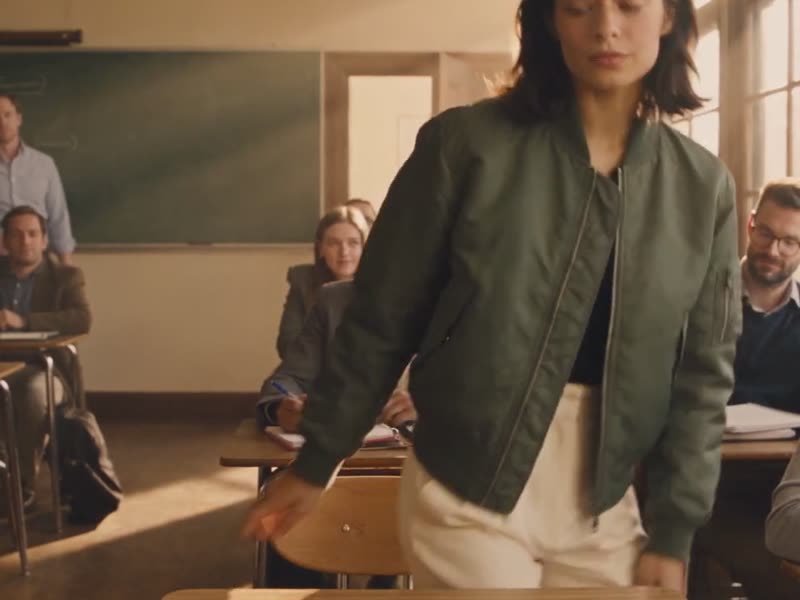
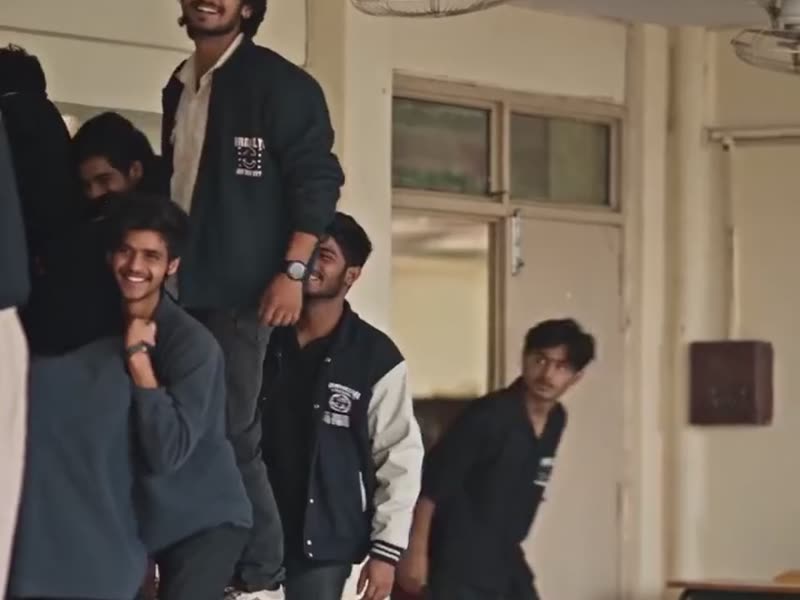
TEMPLATE, PHOTO, VIDEO
✓front-facing-photo.jpg
✓I own this photo or have permission to edit it
UPLOAD ONE PHOTO
A clear, front-facing shot works best. Tick the permission box, and the fixed price sits on the button before you commit.
- CLASSROOM REVEAL
- ORIGINAL TREND
RATIO1:1RESOLUTION720PDURATION28SSOUNDONPICK A TEMPLATE
Classroom Reveal or Original Trend: the AI remake and the trend itself, one frame apart. The beat sheet is already wired into each, so there is nothing to write.
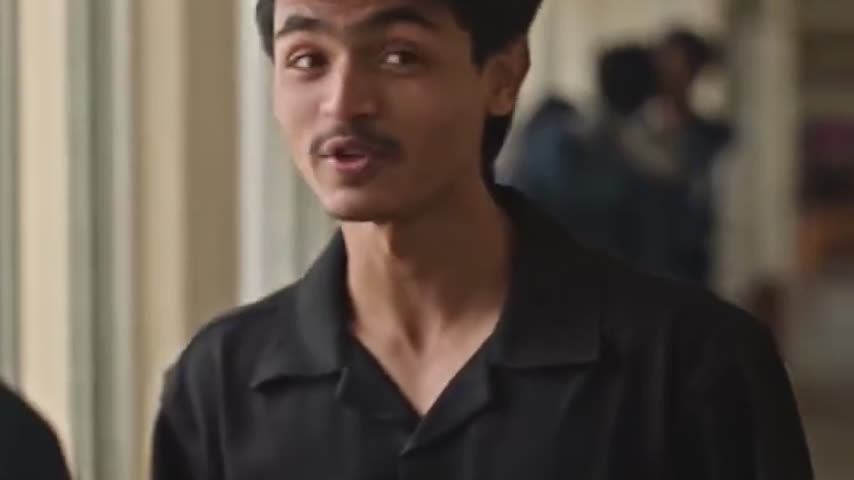
vikas-classroom-reveal.mp4✓ 28S · 720P · READY
GET THE VIDEO
A run usually takes 5 to 15 minutes. The finished video lands in the console and in your library, ready to download and post.
GET A BETTER TAKE
- 01The photo decides the face. A sharp, front-facing shot in even light holds up best through the reveal; sunglasses, hats and heavy shadows make the model guess.
- 02One photo is all the template takes, on purpose. Extra references dilute who the protagonist is, so the console only asks for the one.
- 03Rerolls are independent runs. Same photo, same template, different take; keep the one where the face holds and the reveal lands.
- 04The soundtrack is generated to fit the cut, and it is not the original song. If your post needs the trend audio, add it on the platform when you publish.
EVERY TOOL, ONE BALANCE
The other tools share your uploads and your credit balance. Upscale the frames you like, or hand a bigger job to the Video Maker.
THE TOOL AND THE AGENT
The Vikas Editor is PixQuill's console for the classroom attitude edit: one photo in, the trend's signature video out, no editing app and no template timeline. PixQuill wrote both templates as an original description of a public edit format and credits the style to its creator. PixQuill is not affiliated with and has no endorsement from the original creator.
Under the hood it is one fixed pipeline: Kling 4.0 remakes the template's own video around your photo, a 28-second square cut, sound on, no prompt to write. The only choice is the template, and the price is flat: 1500 credits a video, shown on the button before you commit. The soundtrack is generated to fit the cut, so it is not the trend's original song.
The tool shares everything with the rest of PixQuill: one credit balance across the image consoles and the Video Maker, uploads you can reuse, and one library that keeps every finished file. A run usually takes 5 to 15 minutes on our servers, and a run that fails on our side refunds its credits automatically. If a frame turns out well, the same balance upscales it, removes its background, or sends it to the Video Maker for a bigger job.
STRAIGHT ANSWERS
▸ What is the Vikas Editor style?
A short reel format credited to the Indian creator Editing By Vikas: a loud classroom, reaction shots, a confident walk-in, then a switch from color to black and white on the reveal, cut to the beat. People used to build it by hand with VN codes and CapCut templates. This page is an AI remake of the format at the template's full length, and PixQuill is not affiliated with the original creator.
▸ How does it work without a prompt?
Each template ships with its own video and a fixed shot list: the setup, the entrance, the reveal, the close-ups. The AI uses that video as the reference and remakes it around your photo, keeping the scenes, camera work and pacing. The only input is one photo of a person. You pick the template and the console renders the rest.
▸ What is the difference between the two templates?
Classroom Reveal stages a warm, cinematic classroom: students at desks, your entrance through the door, a slow push-in, then the monochrome reveal. Original Trend follows the original edit's staging: classmates on the desks, a doorway entrance, desk-side moments that flip to black-and-white close-ups, and a hallway chat. Both are AI-generated remakes that end in black and white, and both cost the same.
▸ Which photo should I upload?
One clear, front-facing photo of a person, in even light. The face in the video follows the face in the photo, so sharp input matters. Only upload a photo you own or have permission to edit, and do not use the tool to impersonate anyone. The console asks you to confirm this before generating.
▸ How much does it cost?
A 28-second video costs 1500 credits, flat. The price shows on the button before you generate. Packs and memberships are on the pricing page.
▸ How long does a run take, and what if it fails?
Usually 5 to 15 minutes. You can close the tab; the run keeps going on our servers and lands in your library under Works. If a run fails on our side, the credits refund automatically, in full.
▸ Does the video use the original song?
No. The soundtrack is generated to fit the cut, so nothing from the original trend audio ends up in your file. If your post needs the trending sound, add it in the app when you publish.
▸ Is this the original editor's tool?
No. PixQuill built these templates as an original description of a public edit format, and the trend is credited to its creator. Nothing here is a VN code, a CapCut template, or an official product of the original editor.
▸ The face does not look like me. What now?
Run it again. Every run is an independent take, and likeness holds better with a sharp, well-lit, front-facing photo. This is an AI remake, not a face swap with a guarantee; each reroll is priced like a new run.
▸ Can I use the videos commercially?
Videos you generate are yours to use, including in commercial projects, within our terms of service. Rights in the photo you upload stay where they were, so only use a photo you own or have permission to edit. Details live on the Copyright page.
MAKE YOUR ENTRANCE
Pick a template, drop in one photo, and let the console run the trend. New accounts start with free credits, and runs that fail on our side refund automatically.