✦ AI EFFECTS
SINGING BIRTHDAY CAT AI VIDEO GENERATOR
Pick cat, dog or kitten, add one photo, and the Happy Birthday singing trend stars your pet. Eighteen seconds, sound kept, no prompt to write.
1 PHOTO3 TEMPLATES18 SECOND 9:16 VIDEONO PROMPT NEEDED
TEMPLATE
Your video carries this template's singing.
THE PHOTO
THE SINGER (ONE PHOTO)
Drop a photo of a cat, a dog or a person here, or click to browse
PNG / JPG, up to 5 MB
One clear, front-facing photo of a single cat, dog or person with the face in view. That face is what sings into the camera for all 18 seconds.
Your video lands here
Add the singer's photo, tick the box, then hit generate.
SINGING CAT BIRTHDAY VIDEOS FOR 1500 CREDITSSINGING DOG BIRTHDAY VIDEOS FOR 1500 CREDITSSINGING KITTEN BIRTHDAY VIDEOS FOR 1500 CREDITSPLANS FROM $4.99/MOPACKS FROM $9.99
SEE PRICING →- INPUT
- ONE CLEAR PHOTO OF A PET OR PERSON
- OUTPUT
- AN 18S VERTICAL VIDEO
- A RUN TAKES
- USUALLY 5 TO 15 MINUTES
- THE ENGINE
- FIXED PIPELINE, NO PROMPT
UP-FRONT PRICING
Recommended packs start at $9.99 and stay valid while your account is active. Memberships start at $4.99 a month. One balance covers every image and video tool. The console shows the fixed price before you render.
Standard Pack
$9.99
700CREDITS
≈ 350images
≈ 30SOTA images
≈ 88svideo
≈ 43sSOTA video
A full issue's worth of art, plus videos for the launch.
ONE PAYMENT · NEVER EXPIRE
Pro Pack
$19.99
1,600CREDITS
≈ 800images
≈ 69SOTA images
≈ 208svideo
≈ 100sSOTA video
Batch season. Whole chapters and the videos that sell them.
ONE PAYMENT · NEVER EXPIRE
STANDARD MEMBERSHIP
$4.99/ month
1,000CREDITS EVERY MONTH
For weekly creators and side projects.
≈ 500images
≈ 43SOTA images
≈ 128svideo
≈ 62sSOTA video
NO LOCK-IN · CANCEL ANY TIME
PRO MEMBERSHIP
$19.99/ month
5,000CREDITS EVERY MONTH
For daily image and video production.
≈ 2,500images
≈ 217SOTA images
≈ 664svideo
≈ 312sSOTA video
NO LOCK-IN · CANCEL ANY TIME
Membership credits are available while the membership is active. Unused membership credits expire when the membership ends.
Image estimates use Flux 3 Klein at 1K, the lowest-priced run on the site. Video estimates use 8-second Veo 3.1 Lite videos at 720p, or Wan 3.0 at 480p for the SOTA row. The console shows the exact cost before every run.
WHAT IS THE SINGING BIRTHDAY CAT TREND?
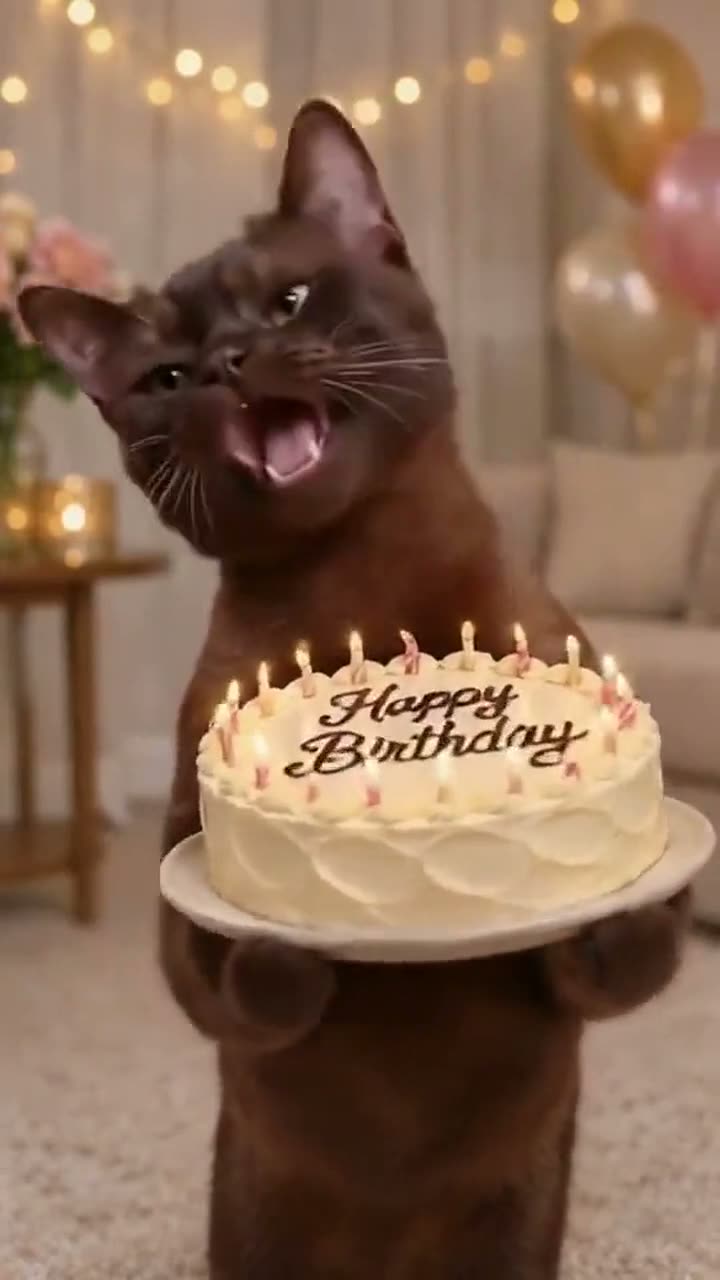
The singing birthday cat trend is one move held for 18 seconds. A pet gets upright in a decorated room, holds a birthday cake out toward the camera with the candles lit, and sings the birthday song straight into the lens, jaw open, head tipped back, eyes shut at the last note. The cat and the kitten do it standing on their hind legs; the dog cut sits up on the floor and sings just as hard. It spread through November 2026 as an AI-made video, and the joke is how seriously the singer commits. A Singing Birthday Cat AI video generator puts your own pet in that spot from one photo, with the singing kept. The three rooms here are studio remakes of that format, and no cat has ever really sung this.
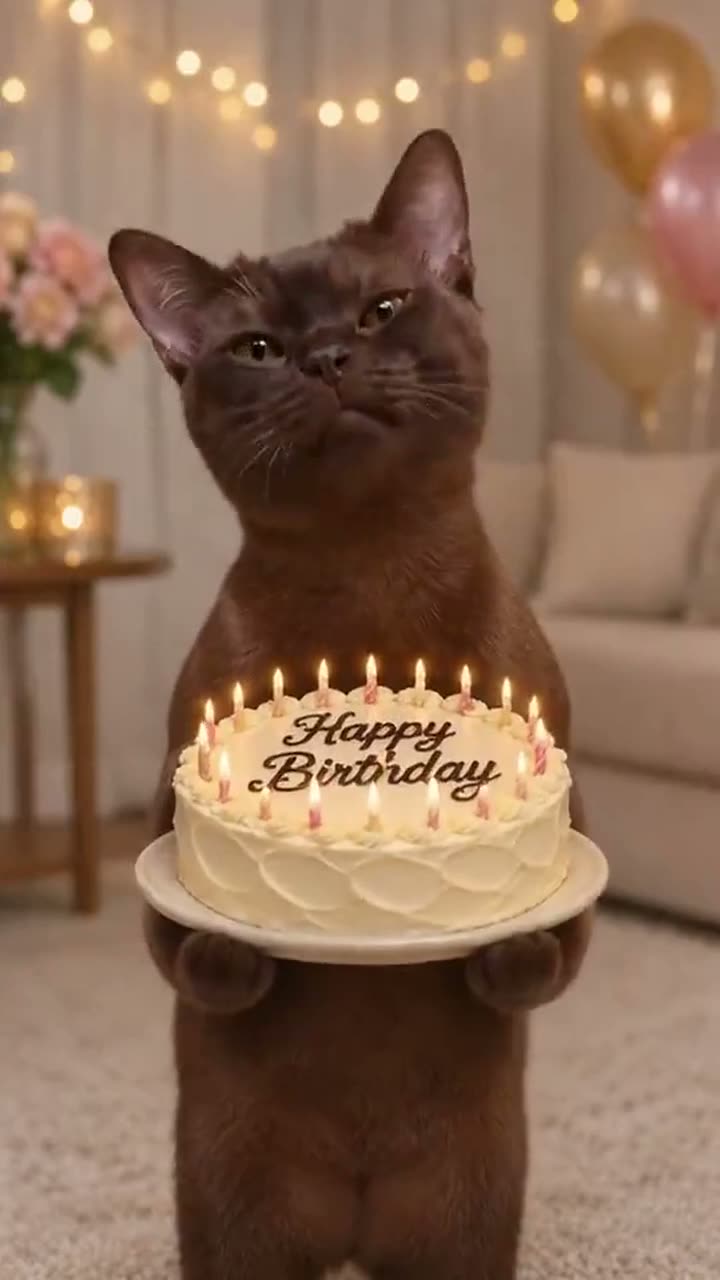 01
THE STAND UP
In the cat cut the singer rises to full height and holds the plate out level, candles lit.
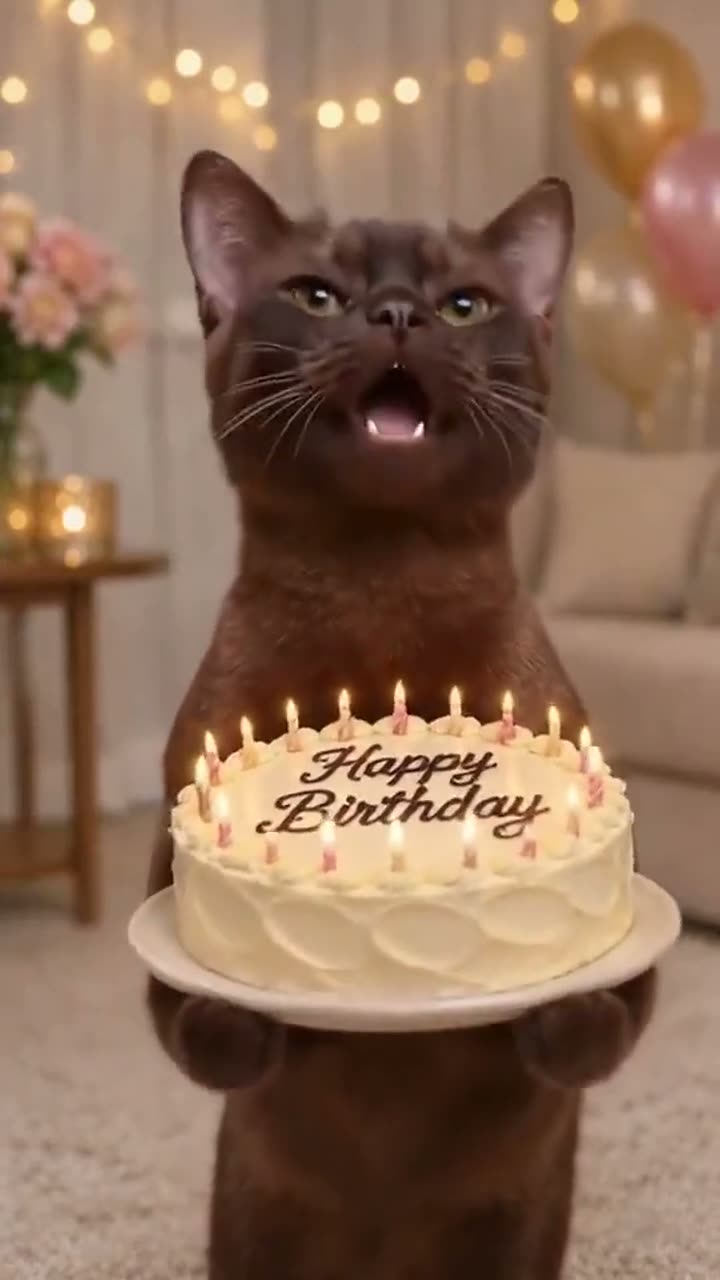 02
THE FIRST LINE
The jaw drops open and the song starts, still facing the lens.
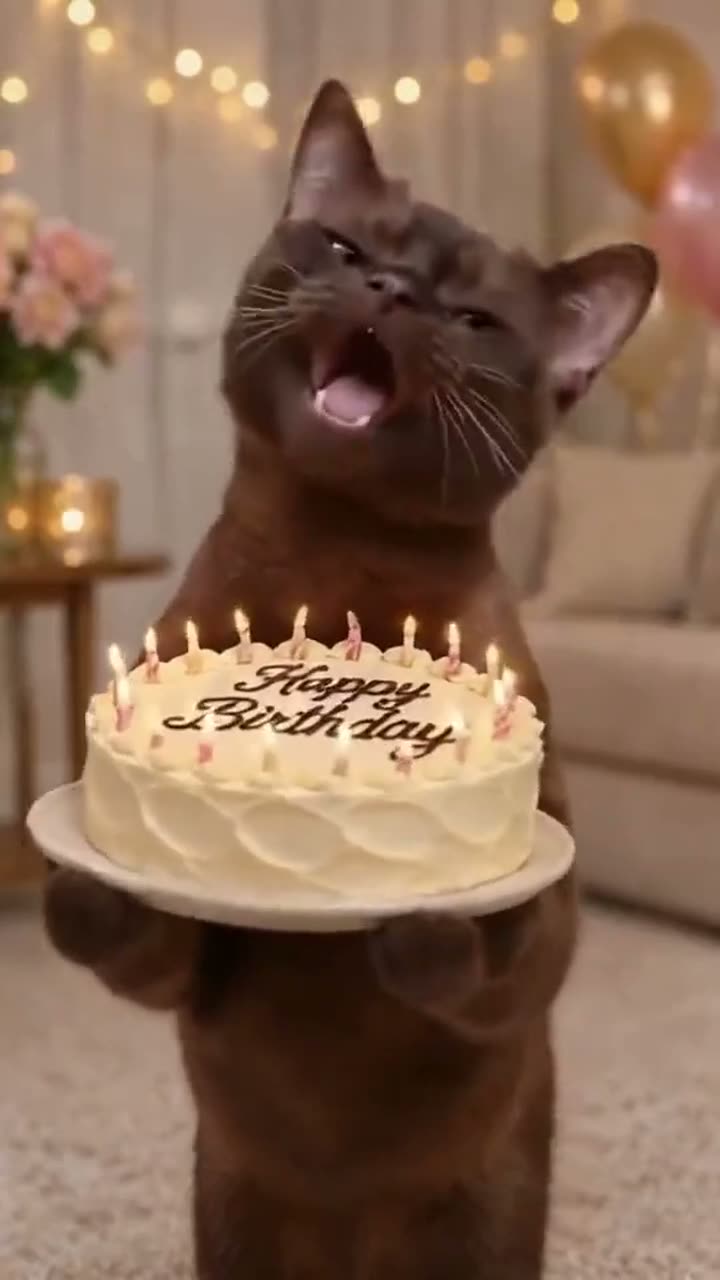 03
THE HEAD BACK
At the loudest part the head goes back and the mouth goes wider.
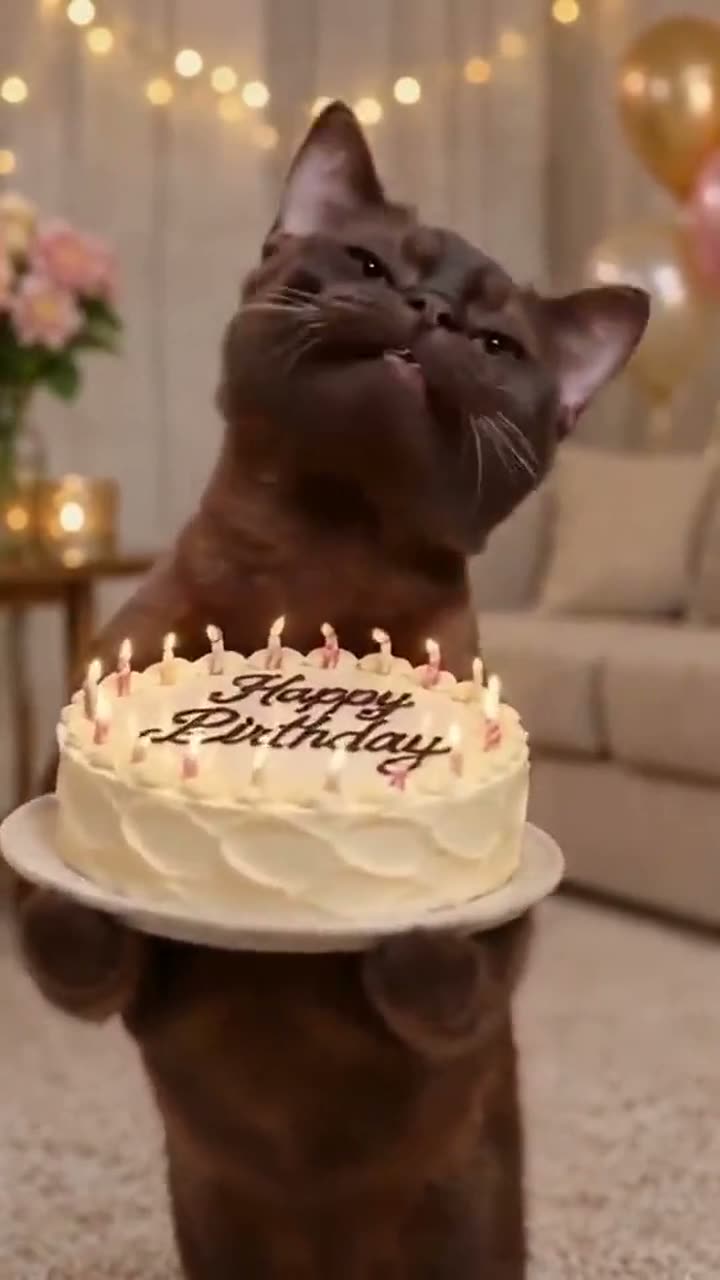 04
THE LAST NOTE
Eyes shut, head tipped, the cake tilting in as the song lands. The dog cut keeps its plate level at the same moment.
YOUR PET, THE CAKE, THE SONG
The Singing Birthday Cat AI video generator hands you a 18 second vertical video with the template's own singing kept: the room you previewed, the cake with its candles lit, the rise to upright, the head thrown back and the closing belt, with your photo's face, coat and body on the singer. The camera, the candles and the voice stay the template's, and no watermark is laid over any of it. Pick the fairy-light room, the banner room or the balloon arch; all three run 18 seconds at the same price. The videos below come straight from the templates, and yours changes only who is holding the cake. A reroll is a separate take, and it is priced separately.
ONE PHOTO, ONE ROOM, ONE SONG
- SINGING BIRTHDAY CAT · 18S
- SINGING BIRTHDAY DOG · 18S
- SINGING BIRTHDAY KITTEN · 18S
RATIO9:16OUTPUT480P · 18SWATERMARKNONEPROMPTNOT NEEDEDPICK THE ROOM
Three templates, three parties: the fairy-light living room, the banner room with the gifts, the balloon arch. All three run 18 seconds in 9:16 and cost the same.
✓singer.jpg
✓I own this photo or have permission to edit it
ADD THE SINGER'S PHOTO
One clear, front-facing photo of your cat, dog or yourself, face in view. The fixed price is already on the button, so tick the permission box and go.
singing-birthday-cat.mp4✓ 480P · 9:16 · READY
GET THE VIDEO
A run usually takes 5 to 15 minutes. The 18 second video arrives in the console and in your library with the singing on it, ready to send.
GET A BETTER BIRTHDAY CUT
- 01The photo decides the singer. A sharp, front-facing shot of one cat, dog or person in even light holds up across all 18 seconds, and the original file beats a screenshot.
- 02One subject only. Two pets in one frame leaves the model guessing who holds the cake, so crop to a single head and chest before you upload.
- 03You do not need a cake photo or a party photo. The template brings the room, the candles and the song; your photo only has to show who is singing, and its own background is left out on purpose.
- 04Leave all 18 seconds in. The payoff is the head thrown back on the last line, and in the cat and kitten rooms the plate tilts toward the camera as it lands. Put singing birthday cat in your caption so people browsing the trend can find yours.
EVERY TOOL, ONE BALANCE
The other tools run on the same uploads and the same balance. Put the photo into another pet trend, sharpen a frame you like, or take a longer idea to the Video Maker.
THE TOOL AND THE AGENT
Singing Birthday Cat AI is PixQuill's console for the cake-and-singing trend: one photo in, a short video out, no editing app, no template link and no prompt writing. The templates are studio-made remakes of a public AI format, and this site is not affiliated with, sponsored by or endorsed by the accounts that posted the originals. Nothing here is real footage either: no pet ever held that cake, and the singing you hear comes from the template's own audio track, not from lyrics written for your video.
Under the hood it is one fixed pipeline. Seedance 2.5 restages the template you picked as an 18 second 480p vertical video priced at 1500 credits, copying the room, the candles, the camera and the pacing, and carrying the template's singing over by instruction. The price shows on the button before you commit, and the singer follows your photo as closely as this format allows.
The tool shares everything with the rest of PixQuill: one credit balance across the image consoles and the Video Maker, uploads you can reuse, and one library that keeps every finished file. A run that fails on our side refunds its credits automatically. The closing frame is worth an upscale, and the same credits cover it.
STRAIGHT ANSWERS
▸ What is the singing birthday cat trend?
An AI-made video format that spread in November 2026. A pet gets upright in a decorated room, holds out a birthday cake with the candles lit and sings the birthday song into the camera for 18 seconds, mouth wide and head thrown back. A Singing Birthday Cat AI video generator restages that from one photo, in the same 18 seconds, with the template's singing kept.
▸ How do I make my cat sing the birthday song?
Pick one of the three rooms, add a clear front-facing photo of your cat, tick the permission box and press generate. The price is on the button before you spend anything, and there is no prompt to write.
▸ Can I do this with a dog instead of a cat?
Yes. The banner room is the dog cut of the trend, and a dog photo works in any of the three templates: it keeps its own muzzle, coat colour and markings and sings the same song with the cake in its paws. Other pets can work too, but the pose is an upright one, so an animal that reads badly sitting or standing on its hind legs is harder to place in the frame.
▸ Can I put my own face in the singing birthday cat video?
Yes. Add a photo of yourself with the face clear. Your face goes onto the singer's head and the body stays the animal body from the template, so you get the cake, the stand up and the song without losing your own likeness. A toy or a cartoon character photo can work as well.
▸ How many photos do I need?
One. Whichever template you pick, that single photo drives the singer's face, head, coat and body for the whole 18 seconds.
▸ What is the difference between the three templates?
Fairy-light room: a brown cat standing in a warm living room, cake ringed with slim pink candles. Banner room: a brown dog sitting up on a hardwood floor with a sprinkle cake, coloured balloons and stacked gifts behind it. Balloon arch: a small tabby kitten in a party room under orange, purple and teal balloons, with one candle burning in the middle of its cake. Same song, same beats, same length.
▸ Where does the singing come from?
From the template's own audio track, which the pipeline is told to keep. The model does not write new lyrics or invent a new voice for your video, so the singing you hear in the preview is what lands in the file. Mouth shapes follow that track, so it is not frame-exact lip sync and a fast line can slip a little.
▸ What are the output specs?
A 18 second MP4 at 480p in vertical 9:16, with the template's own singing and no watermark. All three templates run the same length; only the room, the animal and the cake change.
▸ Is this the original singing birthday cat video?
No, and the viral ones are not real either. Those are AI-made videos of pets that never held a cake, and your video is AI too, built from one still photo. Every app we know of has a setting to label AI-made content, so switch it on when you post.
▸ Are you affiliated with the accounts that posted the originals?
No. This site is not affiliated with, sponsored by or endorsed by the accounts that posted the originals. What we make here is a studio remake of a public AI format, built from your own photo, and the greeting written on the cake belongs to the template rather than to your video.
▸ Which photos work best?
One clear, front-facing photo of a single subject in even light, head and chest in view. The singer's likeness comes out of that one photo, so a sharp one matters. Only upload photos you own or have permission to edit, and do not use the tool to impersonate anyone. The console asks you to confirm this before generating.
▸ Can I send it as a birthday greeting?
That is what most people do with it: pick the room, drop in the birthday photo of the honoree's pet, and the file arrives as a normal video message with the song intact and no watermark to explain where it came from.
▸ How much does the birthday cat generator cost?
All three templates cost 1500 credits per video, flat, because each video runs past the 15 second tier. The price shows on the button before you generate. Packs and memberships are on the pricing page.
▸ Is it free?
Free to start. New accounts get credits that work across the image tools and the video consoles right away, and each birthday video is a flat 1500 credits after that, shown on the button before you commit. If a run fails on our side, the credits come back automatically, in full. Packs and memberships are on the pricing page.
▸ How long does a run take, and what if it fails?
Usually 5 to 15 minutes. The run keeps going on our servers even if you close the tab, and it lands in your library under Works. If a run fails on our side, the credits come back automatically, in full.
▸ Can I post it to TikTok, Reels or Shorts?
Yes. Every video is a vertical 9:16 MP4 with sound, so it fills the screen on TikTok, Reels and Shorts. Take it from the console or your library and post it the way you would any other video, with the AI label switched on.
▸ What else can I make from one pet photo?
The video effects gallery holds every trend template on the site, one card per effect, each with its own console. For a pet filmed from every side instead of singing, the Cat From Every Angle video also runs off one photo.
▸ Does the video have a watermark?
No. What you download is what you post, with no watermark or logo burned into the frame.
▸ Can I use the videos commercially?
Videos you generate are yours to use within our terms of service. Rights in the photos you upload stay where they were, so only use photos you own or have permission to edit. Details live on the Copyright page.
▸ What happens to the photos I upload?
PixQuill uses them to make your video. The photo goes to the AI provider for that run, then stays in your own library next to the finished video. PixQuill does not train AI models on your uploads without your explicit consent. The Privacy Policy has the details.
PUT YOUR PET ON THE CAKE
Pick a room, drop in one photo and the console stages the whole 18 second birthday number, singing and all. New accounts already have credits to spend, and a run that fails on our side puts them back.