✦ BG REMOVER · PET
PET BACKGROUND REMOVER, FUR STAYS FUR
Fluffy edges are where generic removers give up. Cut your pet free and the fur keeps every strand while the couch goes transparent.
SOURCE PHOTO
Drop a photo here, or click to browse
PNG / JPG, up to 5 MB
Your result lands here
Upload a photo, then hit generate.
- MID-YAWN, MID-ZOOMIES, ANY SHOT
- UPLOAD
- WHISKERS AND FLOOF SURVIVE
- CUT
- NATIVE ALPHA, UP TO 4K
- KEEP
- CARDS, MEMES AND KEEPSAKES
- MAKE
UP-FRONT PRICING
Packs start at $1.99 and stay valid while your account is active. Memberships start at $4.99 a month. One balance covers every image and video tool. The console prices every run before you commit.
Starter Pack
$1.99
100CREDITS
≈ 50images
≈ 4SOTA images
≈ 8svideo
≈ 6sSOTA video
A quick test run.
ONE PAYMENT · NEVER EXPIRE
Standard Pack
$9.99
700CREDITS
≈ 350images
≈ 30SOTA images
≈ 88svideo
≈ 43sSOTA video
A full issue's worth of art, plus videos for the launch.
ONE PAYMENT · NEVER EXPIRE
Pro Pack
$19.99
1,600CREDITS
≈ 800images
≈ 69SOTA images
≈ 208svideo
≈ 100sSOTA video
Batch season. Whole chapters and the videos that sell them.
ONE PAYMENT · NEVER EXPIRE
STANDARD MEMBERSHIP
$4.99/ month
1,000CREDITS EVERY MONTH
For weekly creators and side projects.
≈ 500images
≈ 43SOTA images
≈ 128svideo
≈ 62sSOTA video
NO LOCK-IN · CANCEL ANY TIME
Membership credits are available while the membership is active. Unused membership credits expire when the membership ends.
Image estimates use Flux 3 Klein at 1K, the lowest-priced run on the site. Video estimates use 8-second Veo 3.1 Lite videos at 720p, or Wan 3.0 at 480p for the SOTA row. The console shows the exact cost before every run.
FUR AGAINST EVERYTHING
The hardest fur cases, cut for real. Slide each pair and zoom in on the edges.
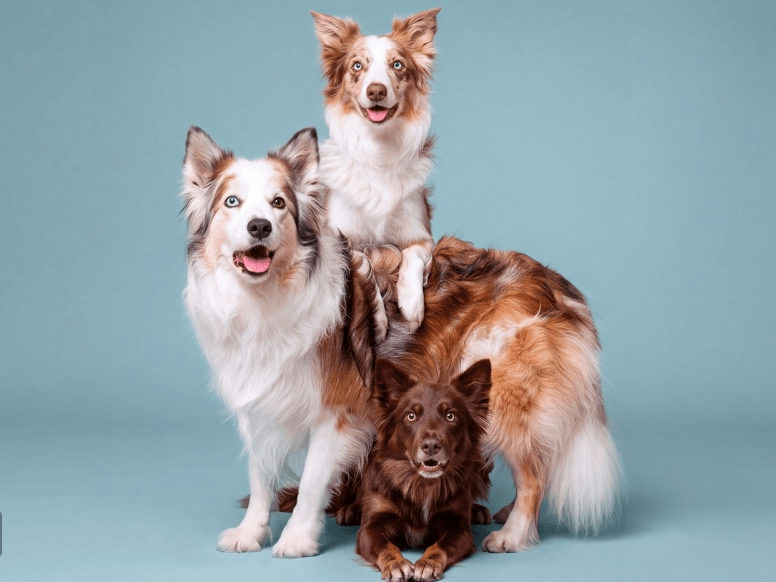
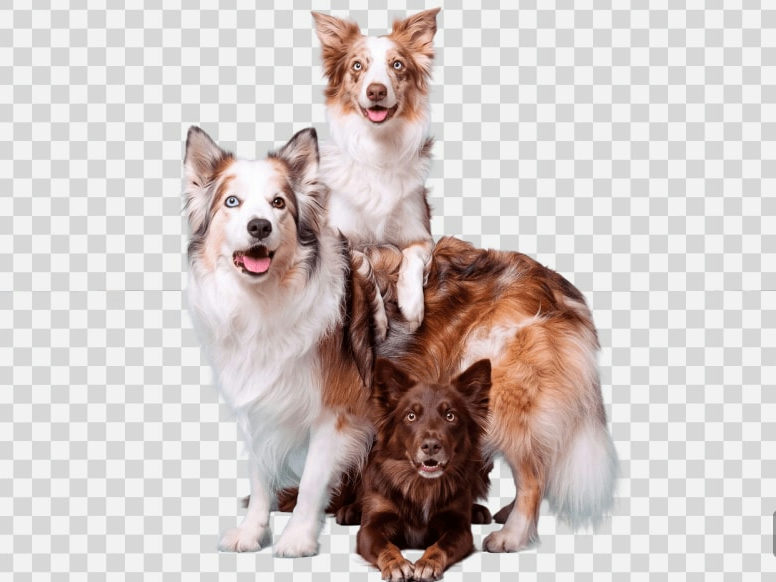
Three Aussies stacked against a flat studio backdrop. The chest fluff and ear fringes survive and the whole backdrop goes transparent.
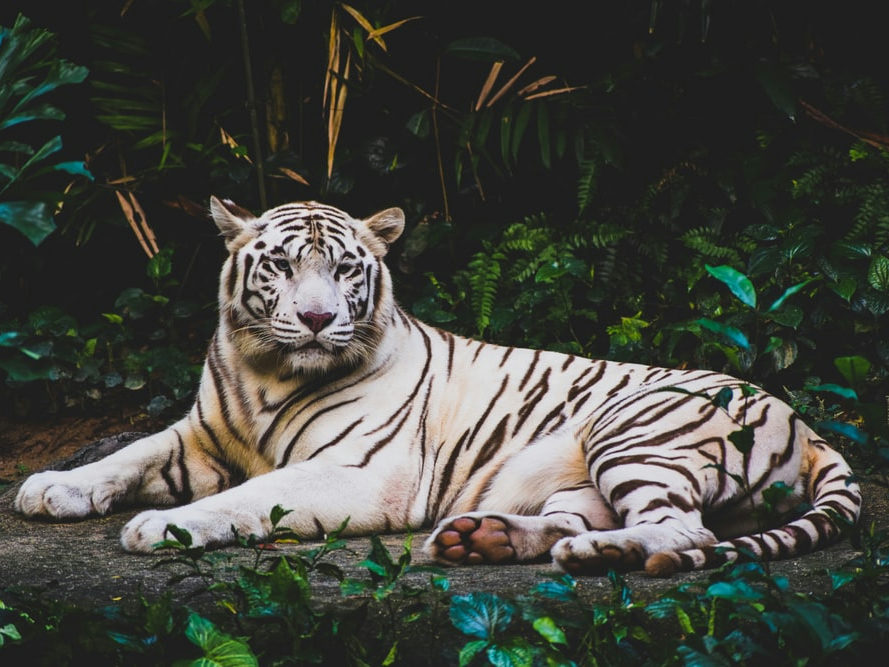
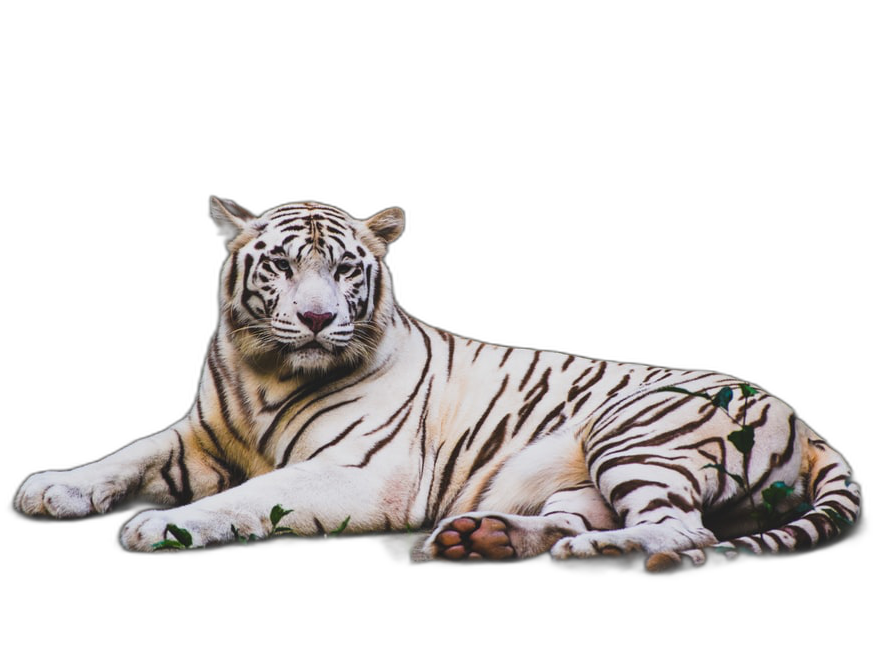
White fur on dense jungle foliage is the worst case for auto picks. The fur stays fur and every leaf behind it goes transparent.

Stray hair against a busy mountain backdrop is where most removers melt. Here the boundary is re-rendered before the cut, so the strands survive.
WHERE PET CUTOUTS GO
GREETING CARDS
Birthday cards from the dog, holiday cards from the cat. A clean cutout drops into any card template.
MEMES AND REACTION IMAGES
The mid-yawn face deserves better than a rectangular crop. Cut it and let it travel.
PORTRAITS AND KEEPSAKES
Put the pet on a studio backdrop next to their human. Same cutout, any wall size.
ADOPTION AND BREEDER LISTINGS
Shelter photos are taken where the animals are. Cut them onto clean plates so faces lead.
STICKERS AND MERCH
Die-cut stickers, mugs, tees. Fur-safe edges are what make pet merch look deliberate.
VET AND GROOMING RECORDS
Coat condition photos read clearer on a plain background, and the cutout takes seconds.
A CUTOUT ENGINE, NOT A REDRAW.
Pets on patterned rugs, dark cats on dark couches, long-haired breeds mid-motion: generic guesses fail exactly there. A dedicated engine segments the fur.
THE WHITE-BACKDROP APPROACH
- Repaints the animal on white and erases the room after
- Whiskers and ear tips leave with the background they sat against
- White fur picks up the plate and turns grey at the edge
- Motion at the outline is resolved into a hard line that was never there
THE DEDICATED CUTOUT ENGINE
- Segments the animal and returns native alpha
- Whiskers, ear tips and flyaway fluff keep their real pixels
- Dark fur on a dark couch stays fur instead of becoming a hole
- The coat comes back at the size you shot, up to 4K
EVERY TOOL, ONE BALANCE
Background removal is usually one step of the job. Every other tool shares your uploads and credits.
UPLOAD, CUT, DOWNLOAD
DROP A PHOTO HERE, OR CLICK TO BROWSE
PNG / JPG · UP TO 5 MB
UPLOAD THE PHOTO
Any JPG or PNG up to 5 MB, long edge 4096 px or less. One photo is the whole input.
THE ENGINE FINDS THE SUBJECT
THE ENGINE CUTS
The engine segments the animal from rug, couch or studio wall. Fur edges stay.
pet-cutout.png✓ PNG · TRANSPARENT
DOWNLOAD THE PNG
About 5 to 20 seconds later you have a transparent PNG at the same resolution as your upload, up to 4K.
CUTOUTS THAT SHIP
FUR-SAFE EDGES
The engine segments the animal on its own pixels, so flyaway fluff keeps its texture instead of dissolving into the backdrop.
STRAND BY STRAND
The boundary is resolved at pixel level, so individual hairs along the coat survive the transition instead of merging into one soft blob.
MOVEMENT IS FINE
A mid-leap or head-turn shot has soft edges by nature. The cut works from what you photographed rather than snapping them shut.
NEW BACKDROP, SAME PET
Native alpha means the cut drops onto a plain color, a garden or a printed canvas without another session on the floor.
NO WATERMARK, EVER
Results download clean. Nothing gets stamped on your image, free credits or paid.
HONEST BILLING
The price shows before the run, and failures on our side refund automatically.
SHARPER CUTOUTS
- 01Get low to the animal and leave the background well behind it. Distance at capture makes every fur edge easier to read.
- 02Groom the coat before the shot. Loose fur is kept, and that is exactly what the cut is being judged on.
- 03Keep files under 5 MB. A high-quality JPG usually fits even at 4K.
- 04The checkerboard preview is your friend: gray squares mean real transparency.
- 05Dark pets on dark sofas are the classic trap. Pick a shot with some contrast if you have one.
- 06Check whiskers and ear tips on the checkerboard before downloading.
FUR IS THE WHOLE BENCHMARK
Ask any generic remover to cut out a long-haired dog on a rug and watch the edge dissolve. Fur is the benchmark because it has no clean boundary to find, and the pets people most want cutouts of are exactly the fluffiest ones. PixQuill's pet background remover uses a dedicated segmentation engine that works from the pixels themselves.
Chest fluff stays feathery, whiskers stay thin, and the cutout composites onto cards, merch and walls without a halo of the old couch. Output follows the source resolution up to 4K, so the same file works for a chat sticker and a framed print.
Runs are priced in credits and shown before they start, and new accounts start with free credits. When the job is the opposite, one chewed slipper gone while the dog stays, the [Object Remover](/object-remover-image) runs on the same uploads and credits.
STRAIGHT ANSWERS
▸ How do I remove the background from a pet photo?
Upload the photo and generate. The engine segments the animal and returns a transparent PNG at the photo's own resolution, up to 4K.
▸ Will the fur edge survive, or turn into a hard cut?
The alpha comes from segmentation on your own pixels, so fluff keeps texture instead of being repainted. Long-haired breeds are exactly the case this engine handles.
▸ Can it handle more than one pet in a photo?
Yes. The engine segments the main subject group, so two pets sitting together come out together.
▸ Is the result really transparent?
Yes. What you download is a PNG with a native alpha channel produced by the cutout engine, so the edges composite cleanly onto any color. The checkerboard in the result view shows the transparency directly.
▸ Is it free to try?
Yes. New accounts start with free credits and the daily check-in adds more, so you can run real images before paying anything. The console shows the exact credit cost of every run upfront, and results come with no watermark.
▸ What files can I upload, and at what size?
Any JPG or PNG up to 5 MB, with a long edge of 4096 px or less and a short edge of at least 256 px. The cutout comes back at the same resolution as your upload, up to 4K, usually in 5 to 20 seconds.
▸ Can I use the cutout commercially?
Images you generate are yours to use, including in commercial projects, within our terms. Rights in anything you upload stay where they were, so only process images you own or have permission to use. Details live on the Copyright page.
THE PET STAYS. THE COUCH GOES.
Upload the photo and check every whisker on the checkerboard. New accounts start with free credits.