✦ BG REMOVER · HEADSHOT
HEADSHOT BACKGROUND REMOVER, STUDIO READY
Keep the face you like, lose the parking lot behind it. The cutout drops onto any studio backdrop your team page needs.
SOURCE PHOTO
Drop a photo here, or click to browse
PNG / JPG, up to 5 MB
Your result lands here
Upload a photo, then hit generate.
- THE HEADSHOT YOU ALREADY LIKE
- UPLOAD
- COLLARS, LAPELS AND HAIR STAY CRISP
- CUT
- NATIVE ALPHA, UP TO 4K
- KEEP
- TEAM PAGES SAME DAY
- SHIP
UP-FRONT PRICING
Packs start at $1.99 and stay valid while your account is active. Memberships start at $4.99 a month. One balance covers every image and video tool. The console prices every run before you commit.
Starter Pack
$1.99
100CREDITS
≈ 50images
≈ 4SOTA images
≈ 8svideo
≈ 6sSOTA video
A quick test run.
ONE PAYMENT · NEVER EXPIRE
Standard Pack
$9.99
700CREDITS
≈ 350images
≈ 30SOTA images
≈ 88svideo
≈ 43sSOTA video
A full issue's worth of art, plus videos for the launch.
ONE PAYMENT · NEVER EXPIRE
Pro Pack
$19.99
1,600CREDITS
≈ 800images
≈ 69SOTA images
≈ 208svideo
≈ 100sSOTA video
Batch season. Whole chapters and the videos that sell them.
ONE PAYMENT · NEVER EXPIRE
STANDARD MEMBERSHIP
$4.99/ month
1,000CREDITS EVERY MONTH
For weekly creators and side projects.
≈ 500images
≈ 43SOTA images
≈ 128svideo
≈ 62sSOTA video
NO LOCK-IN · CANCEL ANY TIME
Membership credits are available while the membership is active. Unused membership credits expire when the membership ends.
Image estimates use Flux 3 Klein at 1K, the lowest-priced run on the site. Video estimates use 8-second Veo 3.1 Lite videos at 720p, or Wan 3.0 at 480p for the SOTA row. The console shows the exact cost before every run.
HEADSHOTS, BACKDROP SWAPPED
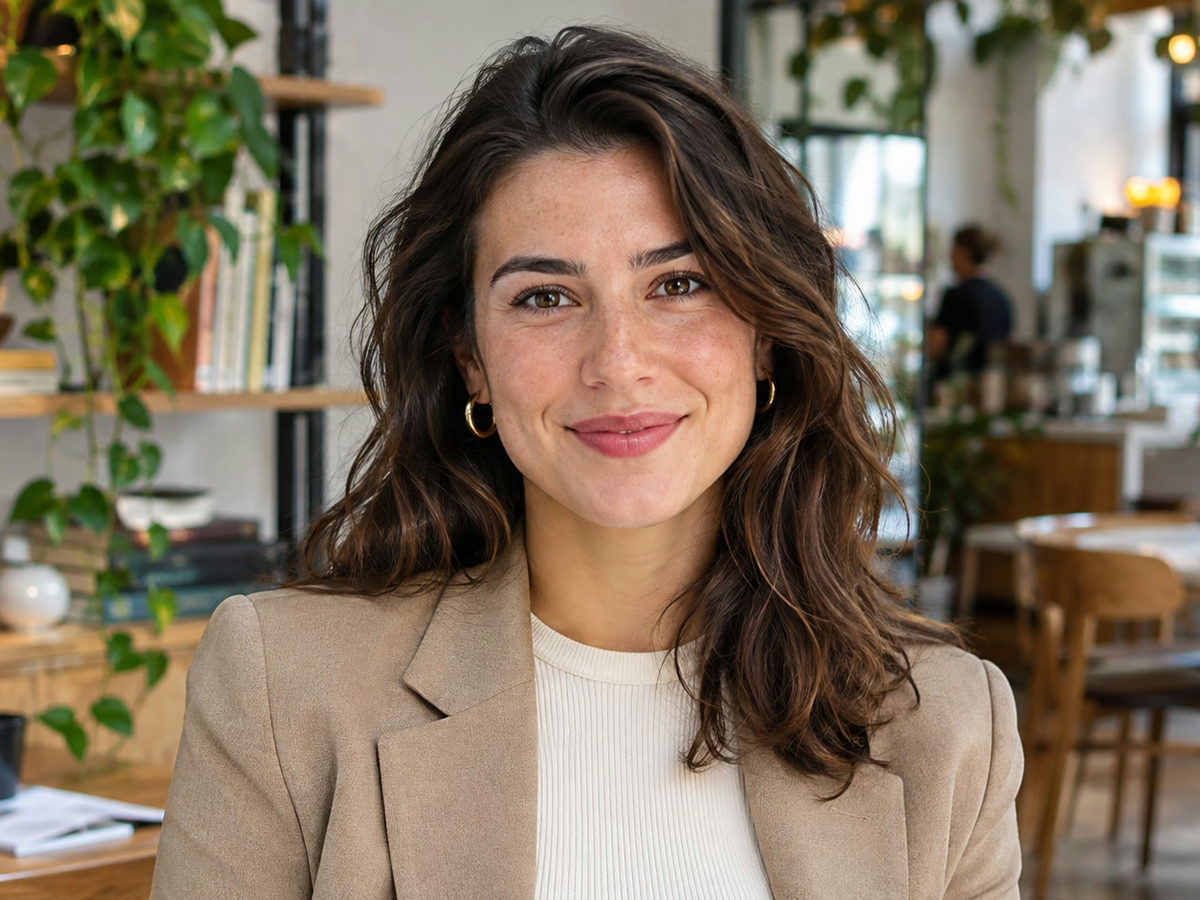
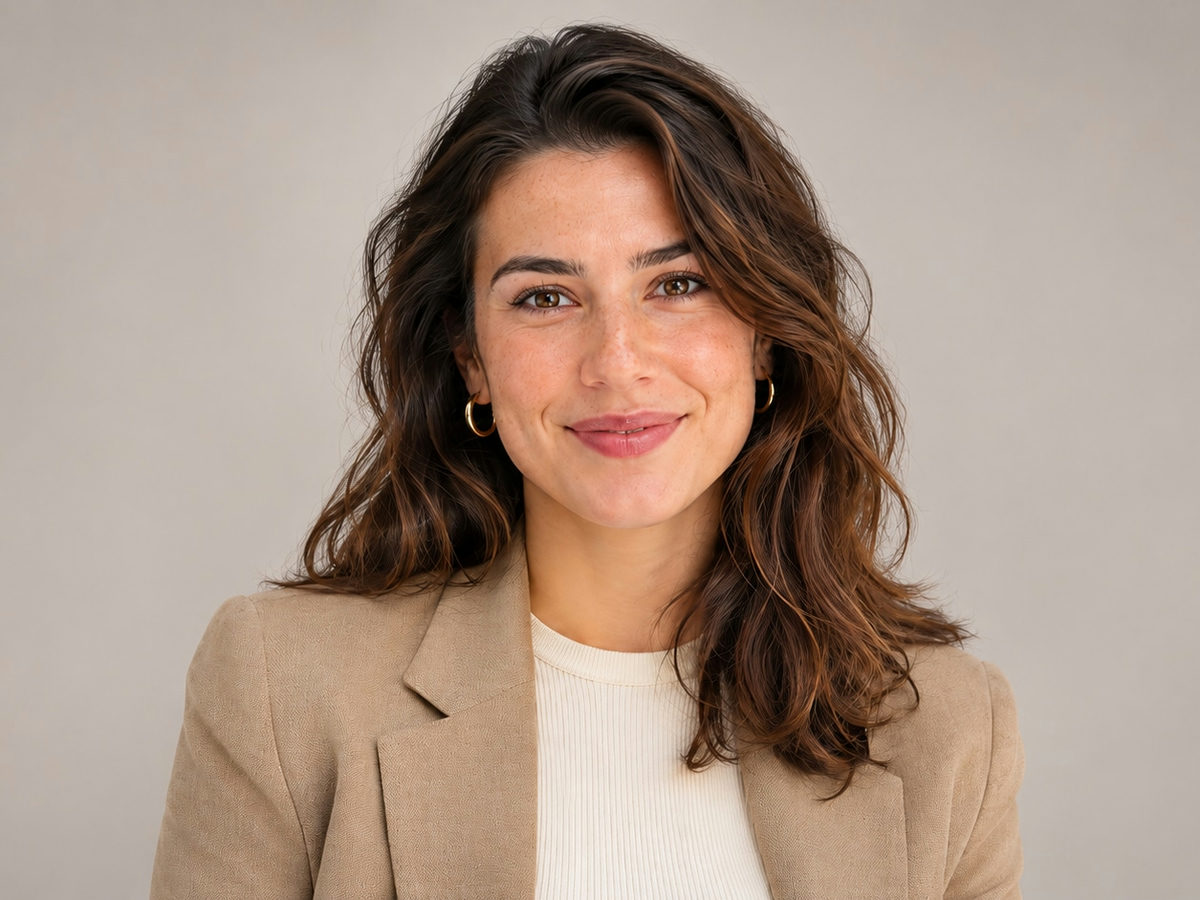
Busy rooms in, clean plates out. Slide each pair and check the collar and hair edges.
Desks, shelves and meeting-room noise behind a good expression. The blazer line survives exactly where it matters.

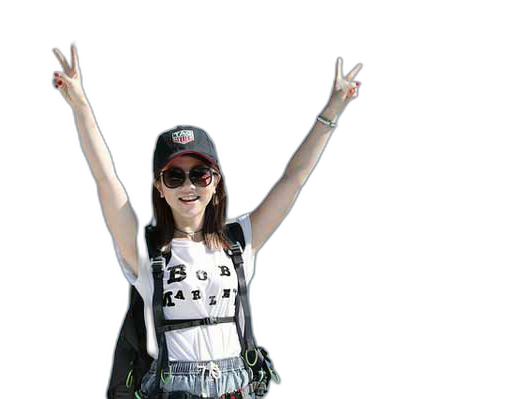
Stray hair against a busy mountain backdrop is where most removers melt. Here the boundary is re-rendered before the cut, so the strands survive.
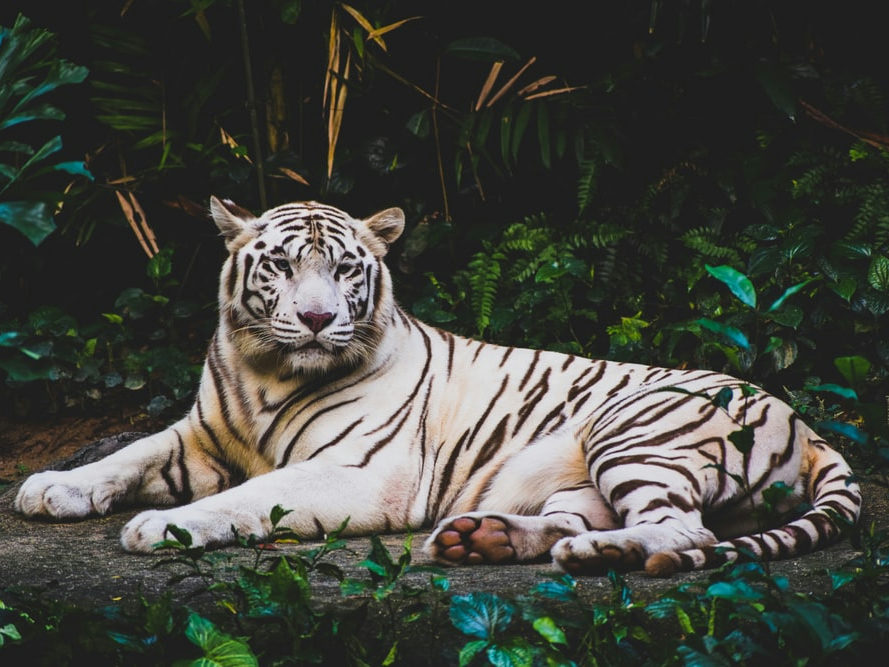
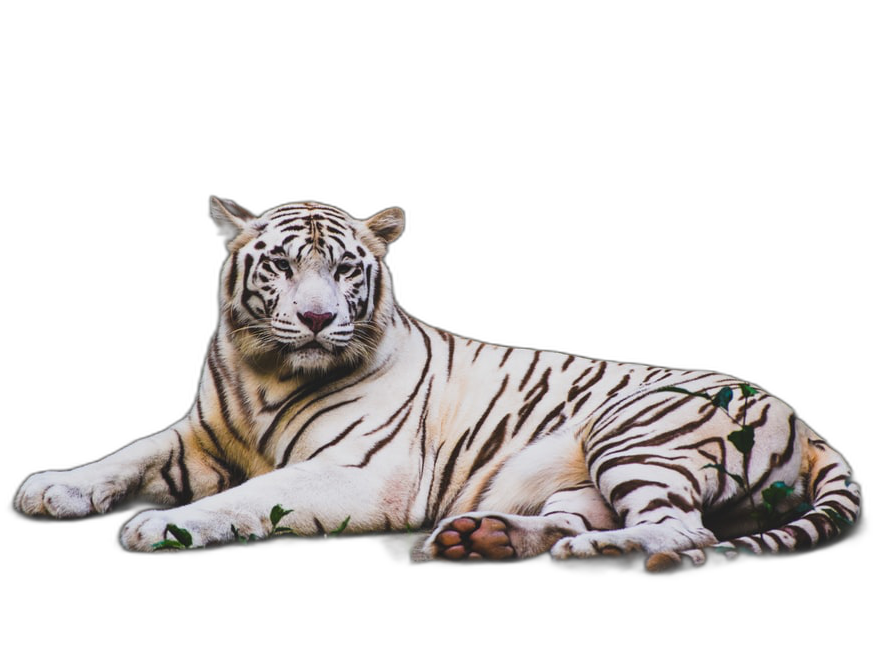
White fur on dense jungle foliage is the worst case for auto picks. The fur stays fur and every leaf behind it goes transparent.
WHERE HEADSHOT CUTOUTS GO
TEAM PAGES
One cutout per person means every face sits on the same backdrop, whatever the original photos looked like.
SPEAKER AND AUTHOR BIOS
Conference kits, journal submissions, book jackets. The cutout fits every template without a reshoot.
EMAIL SIGNATURES
A small circular crop of a clean cutout reads sharper than a square photo with random scenery.
BADGES AND EVENT MATERIALS
Name badges, booth banners, programs. Print holds because resolution follows the source.
PRESS KITS
Hand journalists a transparent PNG and it drops straight into their layout.
ONBOARDING DOCS
New-hire pages and org charts stay consistent when every headshot shares one clean background.
A CUTOUT ENGINE, NOT A REDRAW.
Headshots with flyaway hair, glasses or shoulders leaving the frame are where generic picks slip. A dedicated engine segments the person at pixel level.
THE WHITE-BACKDROP APPROACH
- Repaints the person on white and deletes the room after
- The shoulder line flattens where the plate took the scene
- Crown hair loses strands to the erase pass
- Collar and lapel come back soft at a smaller output
THE DEDICATED CUTOUT ENGINE
- Segments the person as shot and returns native alpha
- Crown hair, jawline and shoulder keep their real pixels
- Your own resolution comes back, up to 4K
- Drop onto studio grey, a blurred office or a brand color
EVERY TOOL, ONE BALANCE
Background removal is usually one step of the job. Every other tool shares your uploads and credits.
UPLOAD, CUT, DOWNLOAD
DROP A PHOTO HERE, OR CLICK TO BROWSE
PNG / JPG · UP TO 5 MB
UPLOAD THE PHOTO
Any JPG or PNG up to 5 MB, long edge 4096 px or less. One photo is the whole input.
THE ENGINE FINDS THE SUBJECT
THE ENGINE CUTS
The engine finds the person and separates them from the room. Hair and collar edges stay.
headshot-cutout.png✓ PNG · TRANSPARENT
DOWNLOAD THE PNG
About 5 to 20 seconds later you have a transparent PNG at the same resolution as your upload, up to 4K.
CUTOUTS THAT SHIP
COLLAR-LEVEL PRECISION
The silhouette usually breaks at the shoulders. Native segmentation keeps the collar and lapel line where the photo had it.
CROPS WITHOUT BREAKING
Team pages, speaker bios and conference badges all crop differently. Full-resolution alpha survives the three of them.
SEPARATED FROM THE ROOM
The clutter behind a candid photo goes. The person, the collar and the hair stay exactly as they were photographed.
NOTHING TO SET FIRST
No model to choose and no resolution to pick. Upload the headshot and the cut comes back at the size it was shot at.
NO WATERMARK, EVER
Results download clean. Nothing gets stamped on your image, free credits or paid.
HONEST BILLING
The price shows before the run, and failures on our side refund automatically.
SHARPER CUTOUTS
- 01Leave clear space above the head and outside each shoulder. Cropping tight against the silhouette gives the edge fewer pixels to work with.
- 02Wear something that differs from the wall behind you. Tone separation you shoot is easier to judge than tone separation you hope for.
- 03Keep files under 5 MB. A high-quality JPG usually fits even at 4K.
- 04The checkerboard preview is your friend: gray squares mean real transparency.
- 05For team pages, cut everyone from their originals and use one backdrop color for consistency.
- 06Shoulders leaving the frame are fine. The edge follows what is in the image border.
THE HEADSHOT YOU KEEP, THE ROOM YOU LOSE
Most people have one photo of themselves they actually like, and it was taken nowhere near a studio. PixQuill's headshot background remover works on that photo: the engine segments the person, and the office, car or conference hall behind them goes transparent.
The pipeline treats the edges as the product. Native alpha means hair keeps its texture and the collar line stays exactly where the photo put it, so the cutout sits on corporate colors without a halo. Output follows the source up to 4K, so a printed badge and a web page use the same file.
Every run shows its credit price upfront, and new accounts start with free credits. For headshots that need a wardrobe change or a scene rebuild, the Image Generator works from the same account; for removing one object while keeping the scene, there is the [Object Remover](/object-remover-image).
STRAIGHT ANSWERS
▸ How do I remove the background from a headshot?
Upload the photo and generate. The cutout engine segments the person and returns a transparent PNG at the photo's own resolution, up to 4K.
▸ Is this enough for a professional profile photo?
For the background, yes: you get a clean transparent cutout that composites onto any corporate backdrop. The face itself is untouched, so the photo reads as you on a better set.
▸ Can I put every teammate on the same background?
That is the usual playbook. Cut each person from their original photo, then composite all the cutouts on one backdrop color or gradient.
▸ Is the result really transparent?
Yes. What you download is a PNG with a native alpha channel produced by the cutout engine, so the edges composite cleanly onto any color. The checkerboard in the result view shows the transparency directly.
▸ Is it free to try?
Yes. New accounts start with free credits and the daily check-in adds more, so you can run real images before paying anything. The console shows the exact credit cost of every run upfront, and results come with no watermark.
▸ What files can I upload, and at what size?
Any JPG or PNG up to 5 MB, with a long edge of 4096 px or less and a short edge of at least 256 px. The cutout comes back at the same resolution as your upload, up to 4K, usually in 5 to 20 seconds.
▸ Can I use the cutout commercially?
Images you generate are yours to use, including in commercial projects, within our terms. Rights in anything you upload stay where they were, so only process images you own or have permission to use. Details live on the Copyright page.
KEEP THE FACE. REPLACE THE ROOM.
Upload the headshot you like and composite the cutout onto any backdrop. New accounts start with free credits.