✦ BG REMOVER · CAR
CAR BACKGROUND REMOVER, SHOWROOM PLATE
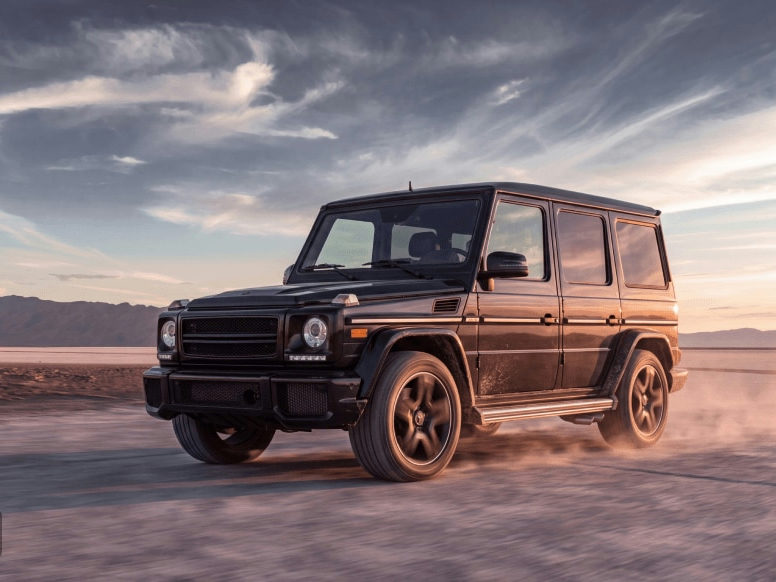
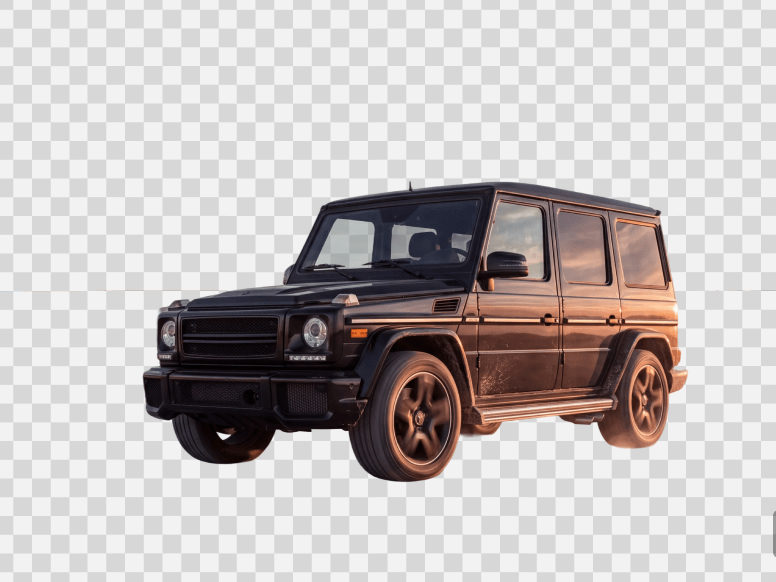
The same SUV shot on a salt flat, a dealer lot and a driveway: cut the car once and every listing, poster and ad starts from one clean plate.
SOURCE PHOTO
Drop a photo here, or click to browse
PNG / JPG, up to 5 MB
Your result lands here
Upload a photo, then hit generate.
- LOT SHOT OR DRIVEWAY PHOTO
- UPLOAD
- MIRRORS, SPOILERS AND ANTENNAE KEPT
- CUT
- PAINT AND TRIM TRUE TO THE SOURCE
- KEEP
- DEALER PAGES AND ADS, SAME DAY
- LIST
UP-FRONT PRICING
Packs start at $1.99 and stay valid while your account is active. Memberships start at $4.99 a month. One balance covers every image and video tool. The console prices every run before you commit.
Starter Pack
$1.99
100CREDITS
≈ 50images
≈ 4SOTA images
≈ 8svideo
≈ 6sSOTA video
A quick test run.
ONE PAYMENT · NEVER EXPIRE
Standard Pack
$9.99
700CREDITS
≈ 350images
≈ 30SOTA images
≈ 88svideo
≈ 43sSOTA video
A full issue's worth of art, plus videos for the launch.
ONE PAYMENT · NEVER EXPIRE
Pro Pack
$19.99
1,600CREDITS
≈ 800images
≈ 69SOTA images
≈ 208svideo
≈ 100sSOTA video
Batch season. Whole chapters and the videos that sell them.
ONE PAYMENT · NEVER EXPIRE
STANDARD MEMBERSHIP
$4.99/ month
1,000CREDITS EVERY MONTH
For weekly creators and side projects.
≈ 500images
≈ 43SOTA images
≈ 128svideo
≈ 62sSOTA video
NO LOCK-IN · CANCEL ANY TIME
Membership credits are available while the membership is active. Unused membership credits expire when the membership ends.
Image estimates use Flux 3 Klein at 1K, the lowest-priced run on the site. Video estimates use 8-second Veo 3.1 Lite videos at 720p, or Wan 3.0 at 480p for the SOTA row. The console shows the exact cost before every run.
VEHICLES, LIFTED OFF THE ROAD
Cars shot in real places, cut for listings and campaigns. Slide each pair.
Moving shot at dusk with dust around the wheels. The body line survives and the landscape goes transparent.
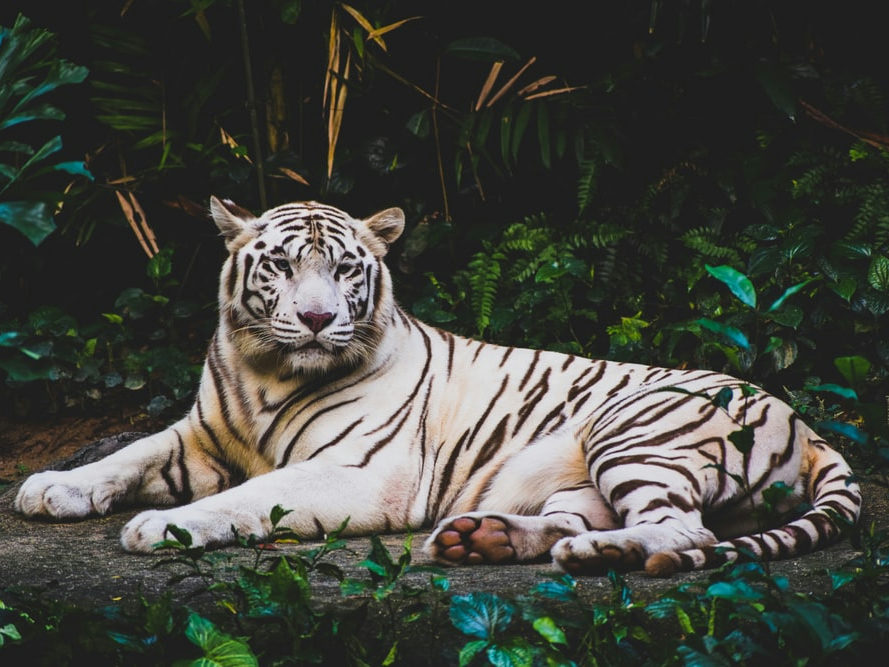
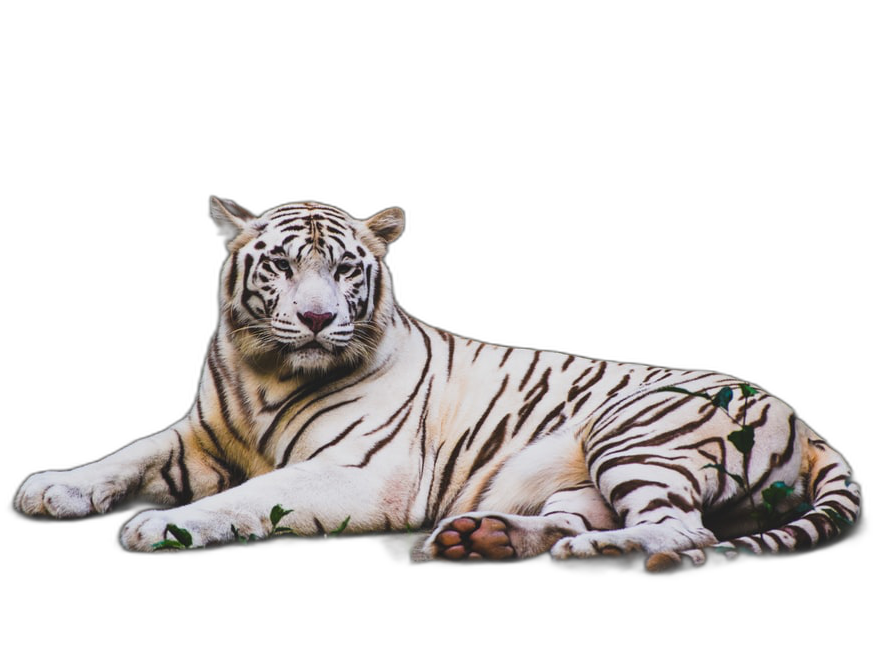
White fur on dense jungle foliage is the worst case for auto picks. The fur stays fur and every leaf behind it goes transparent.

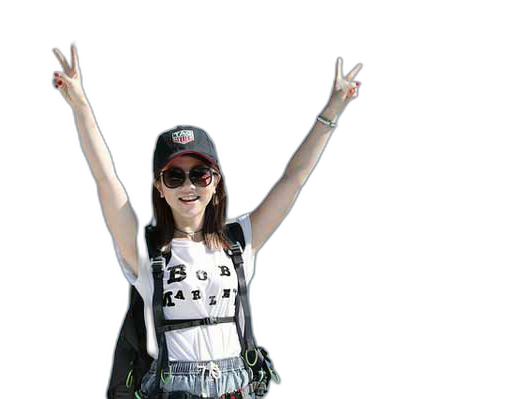
Stray hair against a busy mountain backdrop is where most removers melt. Here the boundary is re-rendered before the cut, so the strands survive.
WHERE CAR CUTOUTS GO
DEALER LISTINGS
Every car on the same clean plate reads as one professional inventory, whatever lot the photo came from.
PRIVATE SALE ADS
Selling your own car? Lift it off the driveway and put it on a neutral backdrop that photographs well.
SHOWROOM BANNERS
Cutouts composite onto showroom graphics, window decals and stage screens at print size.
CONFIGURATOR MOCKUPS
Place the cutout on new paint colors and wheel options without a photoshoot per variant.
SOCIAL AND ADS
Campaign scenes, sale badges, finance offers: the same cutout carries every creative.
INSURANCE AND CLAIMS DOCS
Damage photos read clearer when the car is isolated from the clutter around it.
A CUTOUT ENGINE, NOT A REDRAW.
Cars are hard for generic removers: dark paint on dark asphalt, glass reflecting the scene, racks and mirrors at the silhouette edge. A dedicated engine cuts the body line exactly.
THE WHITE-BACKDROP APPROACH
- Repaints the car on white and erases the lot behind it
- Reflections in the paint read as background and vanish
- Glass goes opaque because the plate behind it was deleted
- Panel gaps and trim lines soften at the smaller output
THE DEDICATED CUTOUT ENGINE
- Segments the body as it is and returns native alpha
- Chrome, glass and paint reflections keep their real pixels
- Your own resolution comes back, up to 4096 px
- One cutout feeds the listing, the poster and the ad
EVERY TOOL, ONE BALANCE
Background removal is usually one step of the job. Every other tool shares your uploads and credits.
UPLOAD, CUT, DOWNLOAD
DROP A PHOTO HERE, OR CLICK TO BROWSE
PNG / JPG · UP TO 5 MB
UPLOAD THE PHOTO
Any JPG or PNG up to 5 MB, long edge 4096 px or less. One photo is the whole input.
THE ENGINE FINDS THE SUBJECT
THE ENGINE CUTS
The engine isolates the vehicle from asphalt, sky and surroundings, thin parts included.
car-cutout.png✓ PNG · TRANSPARENT
DOWNLOAD THE PNG
About 5 to 20 seconds later you have a transparent PNG at the same resolution as your upload, up to 4K.
CUTOUTS THAT SHIP
SILHOUETTE PARTS KEPT
Antennae, roof racks and mirror stalks are thin protrusions that sloppy removers clip. Native segmentation keeps them attached.
REFLECTIONS ARE THE CAR
The shine along a shoulder line and the sky in the windows belong to the subject. They are segmented as paint and glass, not clipped away as scenery.
HOLDS ON A WINDOW POSTER
Dealership banners and print flyers need real pixels. The cutout keeps the size you shot, up to 4096 px on the long edge.
DROP IT ON ANY PLATE
Native alpha means the same file goes onto a studio grey sweep, a showroom floor or a flat white listing without a re-cut.
NO WATERMARK, EVER
Results download clean. Nothing gets stamped on your image, free credits or paid.
HONEST BILLING
The price shows before the run, and failures on our side refund automatically.
SHARPER CUTOUTS
- 01Park clear of other cars, poles and railings. Overlap at the silhouette is what any remover misreads.
- 02Shoot in open shade. A bright foreground reflects straight into the doors and reads as scenery rather than paint.
- 03Keep files under 5 MB. A high-quality JPG usually fits even at 4K.
- 04The checkerboard preview is your friend: gray squares mean real transparency.
- 05Decide the ground shadow by cropping it out before upload, since the tool cuts the whole frame as the car.
- 06Check the tire contact area on the checkerboard; dark tires on dark lots are the classic miss.
ONE CUT, EVERY BACKDROP
Car photography is background-dependent by nature: the same vehicle photographs completely differently on a dealer lot, a mountain road and a customer's driveway. PixQuill's car background remover decouples the car from the setting in one step and hands you native alpha.
The edges that matter are unforgiving. Tire contact patches, mirror stalks and roof racks are thin, and an edge that gets replanted instead of preserved shows immediately. Because the engine segments your own pixels, every protrusion keeps its shape, and the cutout sits clean on showroom graphics.
An honest note on wheels: the contact shadow is part of the image, so crop it out before upload if you want a floating studio plate. Runs are priced upfront and new accounts start with free credits to test the whole lot.
STRAIGHT ANSWERS
▸ How do I remove the background from a car photo?
Upload the photo and generate. The cutout engine isolates the vehicle and returns a transparent PNG at the photo's own resolution, up to 4K.
▸ Will mirrors and roof racks survive the cut?
Yes. The engine segments the actual silhouette, so thin protrusions stay attached instead of being trimmed like automatic guesses do.
▸ Can I use the cutout on my dealership pages?
Yes. The cutout is a clean transparent PNG you can composite on any showroom backdrop. Only process photos of vehicles you own or have permission to use.
▸ Is the result really transparent?
Yes. What you download is a PNG with a native alpha channel produced by the cutout engine, so the edges composite cleanly onto any color. The checkerboard in the result view shows the transparency directly.
▸ Is it free to try?
Yes. New accounts start with free credits and the daily check-in adds more, so you can run real images before paying anything. The console shows the exact credit cost of every run upfront, and results come with no watermark.
▸ What files can I upload, and at what size?
Any JPG or PNG up to 5 MB, with a long edge of 4096 px or less and a short edge of at least 256 px. The cutout comes back at the same resolution as your upload, up to 4K, usually in 5 to 20 seconds.
▸ Can I use the cutout commercially?
Images you generate are yours to use, including in commercial projects, within our terms. Rights in anything you upload stay where they were, so only process images you own or have permission to use. Details live on the Copyright page.
THE CAR STAYS. THE LOT GOES.
Upload the shot and put the vehicle on any backdrop the campaign needs. New accounts start with free credits.