✦ AI EFFECTS
VILLAIN TREND AI VIDEO GENERATOR
Add one photo, pick the person chair or the pet chair, and get a 6 or 9 second Villain Trend clip with the caption kept.
ONE PHOTO6S OR 9S, 9:16SOUND AND CAPTION KEPTUSUALLY 5 TO 15 MINUTES
TEMPLATE
Your video carries this template's own sound and the caption line already printed in it.
YOUR PHOTO
One clear, front-facing photo. The office cut wants a person. The gaming chair cut wants your pet, face toward the camera, and it keeps its own species, muzzle, ears and coat. Only the subject changes. The chair, the room and the caption line already printed in the clip stay as they are.
ASPECT RATIO
Your video lands here
Pick a chair, add one photo, tick the box, then generate.
THE OFFICE CHAIR CUT FOR 700 CREDITSTHE GAMING CHAIR CUT FOR 700 CREDITSPLANS FROM $4.99/MOPACKS FROM $9.99
SEE PRICING →- WHAT YOU ADD
- One photo
- WHAT YOU PICK
- Villain Chair You or Villain Chair Pet
- WHAT COMES BACK
- A 6s or 9s 9:16 video, sound kept
- WHAT IT COSTS
- 700 credits, either cut
- HOW LONG IT TAKES
- Usually 5 to 15 minutes
- IF IT FAILS
- Credits come back, on our side
UP-FRONT PRICING
Recommended packs start at $9.99 and stay valid while your account is active. Memberships start at $4.99 a month. One balance covers every image and video tool. The console shows the fixed price before you render.
Standard Pack
$9.99
700CREDITS
≈ 350images
≈ 30SOTA images
≈ 88svideo
≈ 43sSOTA video
A full issue's worth of art, plus videos for the launch.
ONE PAYMENT · NEVER EXPIRE
Pro Pack
$19.99
1,600CREDITS
≈ 800images
≈ 69SOTA images
≈ 208svideo
≈ 100sSOTA video
Batch season. Whole chapters and the videos that sell them.
ONE PAYMENT · NEVER EXPIRE
STANDARD MEMBERSHIP
$4.99/ month
1,000CREDITS EVERY MONTH
For weekly creators and side projects.
≈ 500images
≈ 43SOTA images
≈ 128svideo
≈ 62sSOTA video
NO LOCK-IN · CANCEL ANY TIME
PRO MEMBERSHIP
$19.99/ month
5,000CREDITS EVERY MONTH
For daily image and video production.
≈ 2,500images
≈ 217SOTA images
≈ 664svideo
≈ 312sSOTA video
NO LOCK-IN · CANCEL ANY TIME
Membership credits are available while the membership is active. Unused membership credits expire when the membership ends.
Image estimates use Flux 3 Klein at 1K, the lowest-priced run on the site. Video estimates use 8-second Veo 3.1 Lite videos at 720p, or Wan 3.0 at 480p for the SOTA row. The console shows the exact cost before every run.
Villain Trend
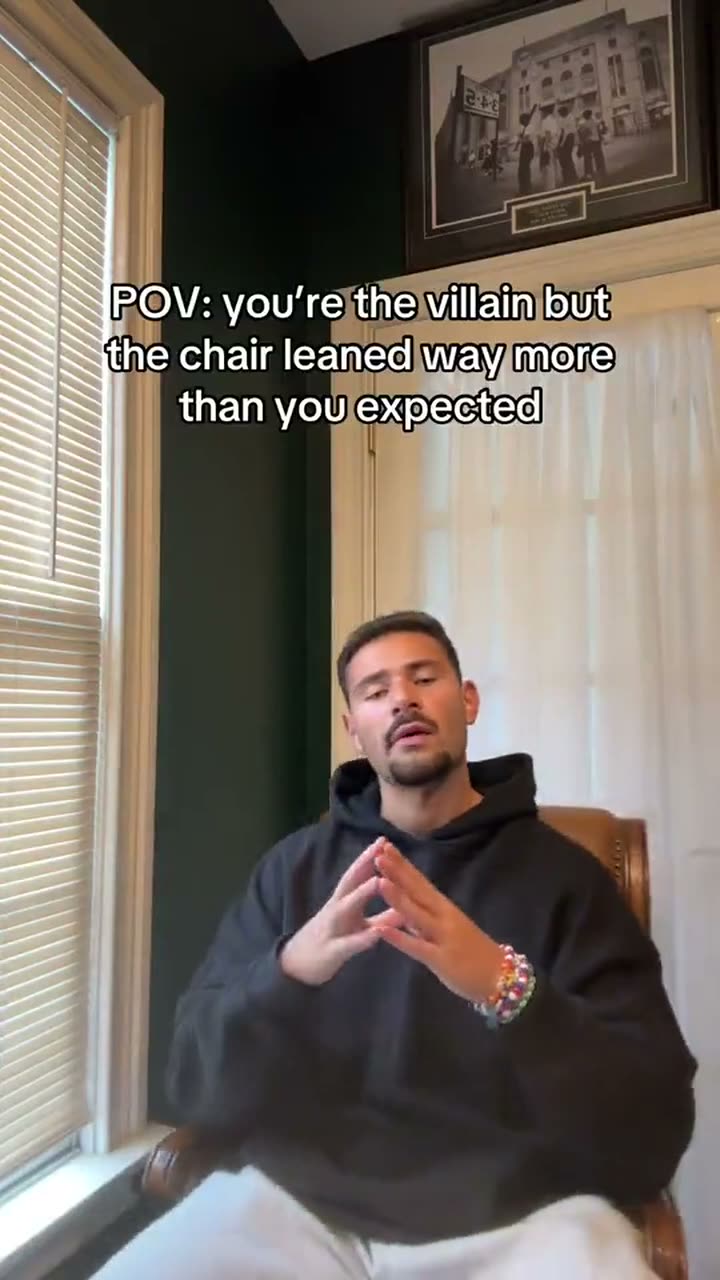
A short skit cut, filmed in one fixed shot: someone sits in a rolling chair with their hands pressed together, working on their villain face, and the chair tips back much further than they expected. The room, the chair, the camera, the sound and the POV caption line already printed at the top of the frame are all part of the clip. The only thing that changes is who is sitting in the chair. The beats below are the frames the template actually lands on.
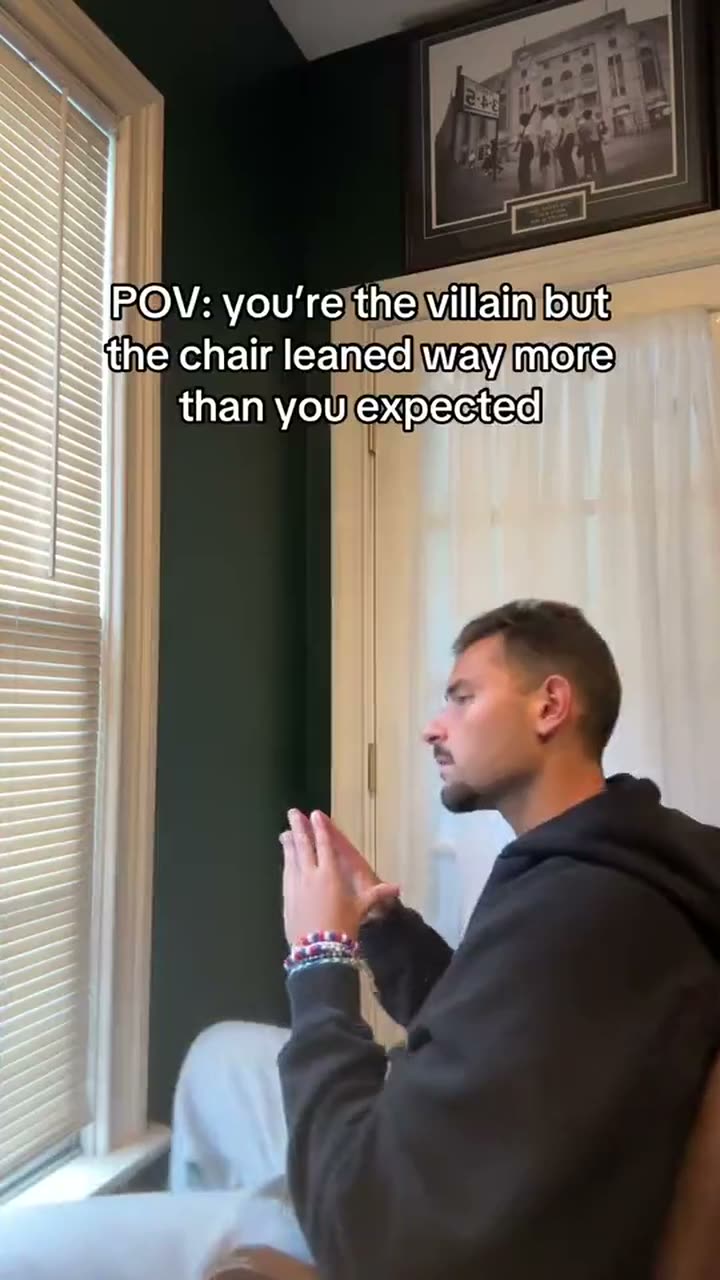 01
The Warm-Up
The person sits square to the camera with both palms pressed together in front of the chest, fingertips up, feet flat on the floor. The green wall, the window with its blinds and the framed print behind the chair are already there, and so is the caption box across the top.
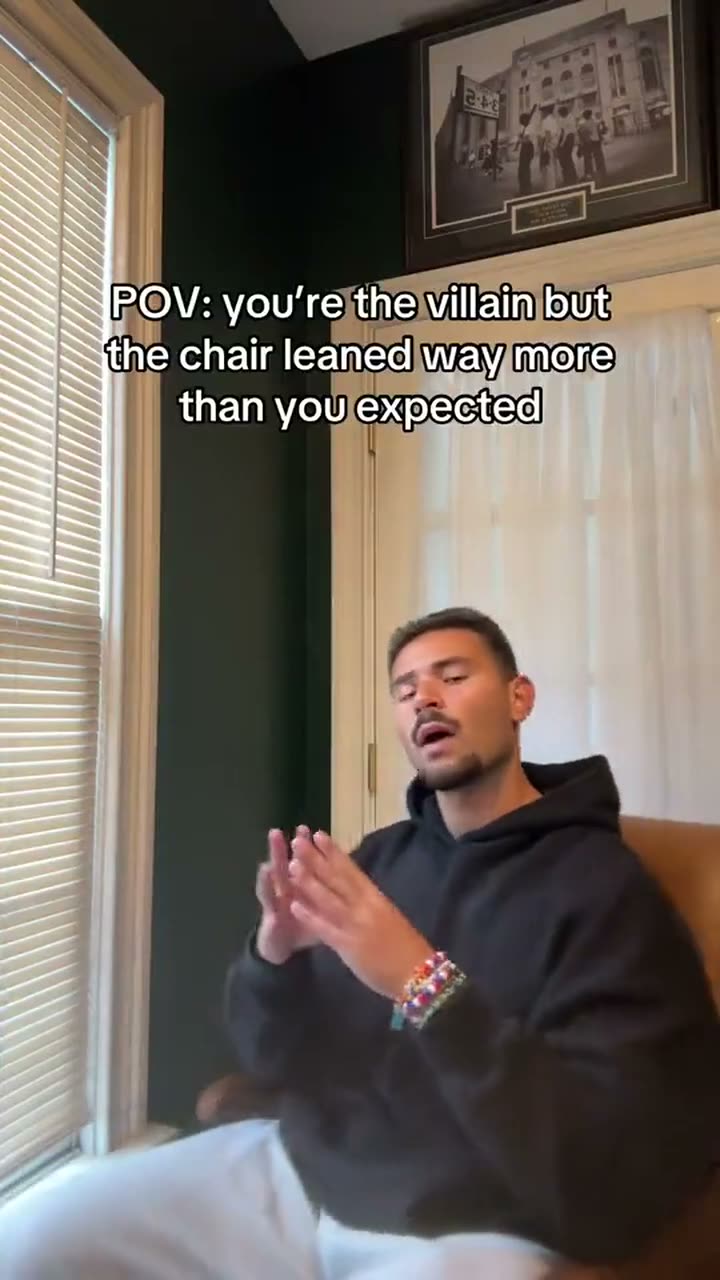 02
The Villain Face
The turn to the side and back has happened. Now the fingers are laced in front of the chin, the head is tilted and the eyes drop, the whole face doing its best menace.
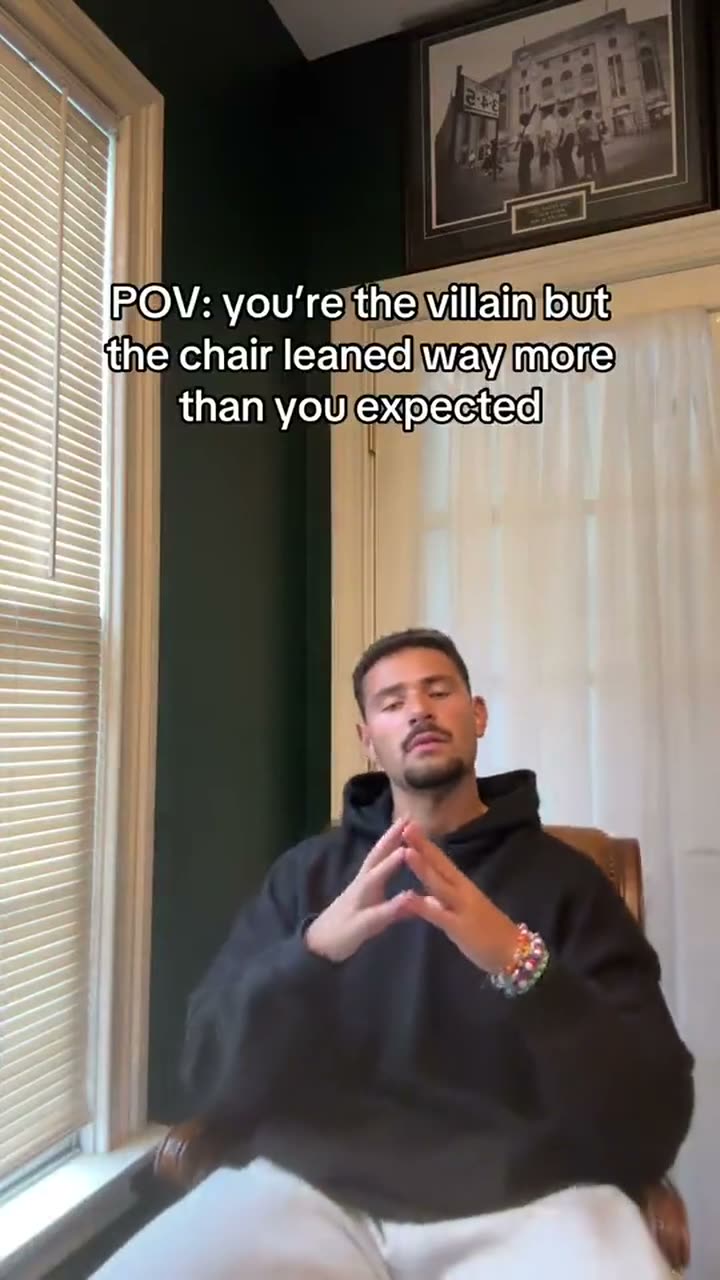 03
The Chair Goes
The chair has tipped. The body is thrown back, both hands fly up beside the face with the fingers spread, and the knees have come off the floor. The frame is blurred from how fast it happened.
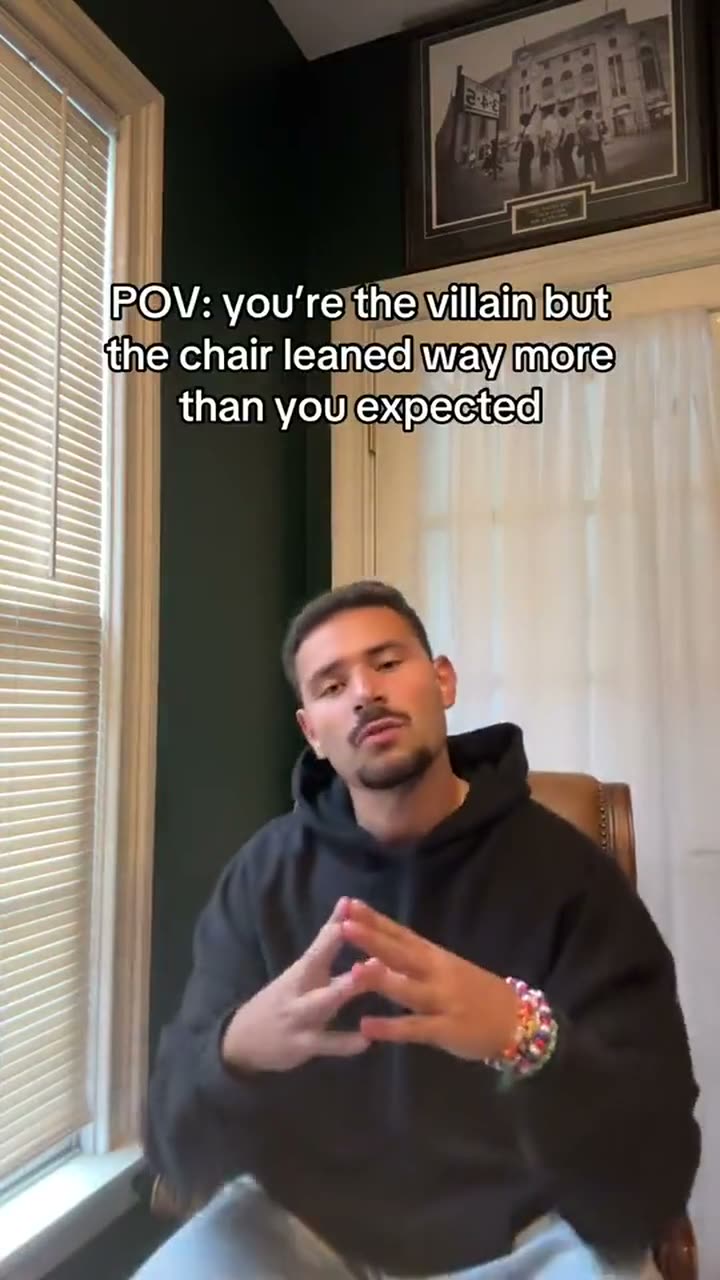 04
Composure Restored
The chair is back down and the feet are on the floor again. The hands are clasped in front of the chest, the face is back under control, and the clip ends with the same villain look it started with.
One office cut, one gaming chair cut
Both clips below come straight from the templates, so the chair, the room, the camera and the timing are what you get back. Villain Chair You is the 6 second office version: hands together, chair flips, hands together again. Villain Chair Pet is the 9 second living room version, where the chair starts turned away from the camera and your animal keeps its own face all the way through the flip.
Three steps, no prompt
- VILLAIN CHAIR YOU · 6S · 9:16
- VILLAIN CHAIR PET · 9S · 9:16
RATIO9:16QUALITY480PPick the chair
Villain Chair You is the 6 second office cut. Villain Chair Pet is the 9 second living room cut. Both are 9:16 at 480p, both take one photo, both cost the same.
✓your-photo.jpg
✓I own this photo or have permission to edit it
Add your photo
One clear, front-facing shot. The office cut wants a person. The gaming chair cut wants your pet with its face toward the camera, and the animal keeps its own species, muzzle, ears and coat. It does not turn into the husky in the template.
villain-chair.mp4✓ 6S · 9:16 · SOUND KEPT
Render it
Tick the permission box, check the price and hit generate. You get the template's own sound and its own caption line, the same shots and the same length, usually inside 15 minutes.
What makes a clean swap
- 01Face the camera squarely, with the light on the face rather than behind it. Sunglasses, a low hat brim or a shot taken from the back all cost you identity.
- 02The office cut only needs you from the waist up: the chair covers the body, and the frame reads the head and the hands.
- 03For the gaming chair cut, use a photo where the animal's face is turned toward the camera. The first second and a half of that clip has the chair facing away, so the face matters from about 2.3 seconds on.
- 04The hardest frames are the ones where the chair is tipped far back and the subject is at an odd angle. A plain photo with the light on the face holds the identity through those better than a busy one.
- 05Own the photo you upload: your own face, your own children, your own animal, or somebody who agreed to be in a chair doing the villain face.
EVERY TOOL, ONE BALANCE
The rest of this batch is one fixed skit per page: its own slots, its own camera, its own audio, and one thing swapped.
The chair, the room and the caption line stay
Villain Trend is a fixed template effect. The green room with its blinds and framed print, the office chair, the living room with its sofa and floor lamp, the gaming chair, the camera, the pacing, the color grade and the sound are all already in the clip. The model has one job: put your subject in the chair.
Your photo is the only source for that face. The outfit stays the template's outfit, the chair keeps its own shape and its own lean-back arc, and the clip keeps its length, 6 seconds or 9. A pet photo in the gaming chair cut gives you your own animal, still its own species, muzzle, ear shape and coat. It does not become the husky in the template and it does not become a person.
Both template clips already carry the trend's own caption line, printed across the top of the picture in a white box, and the two cuts word it slightly differently. That line is part of the clip, so it stays in your result. We do not add anything on top of it, and we do not rewrite, move or translate it. No new caption, no subtitle, no added logo, no watermark.
Your device runs no part of this: no install, no plugin, nothing to leave open. A video model renders the clip on our servers, so the job finishes even after the tab is closed. Clips stay in your account and stay downloadable, and if a render fails on our side the credits go back to your balance.
This is a fan-made effect. It has no connection to, and no endorsement from, any platform or the person who filmed the original clip. It recreates the look of the gag, not a specific account or video.
Before you render
▸ Do I have to write a prompt?
No. Each chair cut has its own prompt, written and locked on our side. You add one photo, pick Villain Chair You or Villain Chair Pet, and press generate.
▸ Why does the chair tip back in the Villain Trend?
Someone sits in a rolling chair with both palms pressed together in front of the chest, working on the menace, and the chair goes back much further than they meant. Both hands fly up beside the head, the knees leave the floor, then the chair is upright again and the hands are clasped like nothing happened. The office cut runs 6 seconds and the pet cut runs 9, and both keep the white caption box printed across the top of the frame.
▸ Is there text on screen in the result?
Yes, and we would rather tell you here than let you find out after. The trend's own caption line is already printed in the template clip, so it stays in your result exactly where it is. We add nothing on top of it and we do not rewrite it.
▸ Does the video have a watermark?
No watermark and no added logo. The model is told to keep the frame the way the template shot it, to leave the caption line that is already there alone, and to add no lettering of its own.
▸ What is the difference between the two cuts?
Villain Chair You is 6 seconds: a person in a mesh office chair in a green room, and the chair comes back upright at the end. Villain Chair Pet is 9 seconds: a gaming chair that starts turned away from the camera, swivels around, and stays leaned back with the subject in it. Same one photo, same price.
▸ Does the gaming chair cut work with my pet?
Yes, and that cut is built for it. The animal keeps its own species, muzzle, ear shape, eye marking and coat, and it stays your animal through the frames where the chair is tipped far back. A person photo in that slot keeps their own face and stays fully clothed.
▸ Do I get my own room in the video?
No. Nothing from your photo survives except the face and head. The green office wall with its blinds and print, and the living room with its sofa and floor lamp, both come from the template.
▸ What if the subject stops looking like your photo?
Run it again with the same photo and the same cut. Identity drifts most often on the tipped-back frames, so a plain front-facing shot fixes more than a settings change would. If the render fails on our side the credits return to your balance automatically.
▸ Is there an app or a program to download?
No. One photo goes up from this page and the video model runs on our servers; the clip is in your account history when it is done. Your device installs nothing.
▸ What does it cost?
700 credits for the 6 second office cut and 700 for the 9 second gaming chair cut. The console shows both figures before you render. New accounts start with free credits, and the packs are in pricing.
▸ How long does it take?
Around 5 to 15 minutes, and you are not chained to the page for it. The render finishes without you, and the clip is waiting in your account history when you look again.
▸ Is this an official product or someone else's clip?
No. It is a fan-made recreation of a viral gag and has no affiliation with any platform or the creator of the original. See the terms and privacy notice for what you can do with renders and what happens to the photos you upload.
Put your face in the chair
One photo, one template, 6 or 9 seconds of doing the villain face and then losing the argument with a chair. Free credits on signup, and the price is on screen before you render.