✦ AI EFFECTS
KUNG FU TURKEY AI VIDEO GENERATOR
Add one photo and get a 10 second Kung Fu Turkey clip: the carve, the strike, the turkey winning at the end. No prompt.
ONE PHOTOTHE TURKEY STAYS ITSELFA 10S 9:16 VIDEOUSUALLY 5 TO 15 MINUTES
TEMPLATE
Your video carries this template's own sound.
YOUR PHOTO
One clear, front-facing photo. Waist up is enough. That face goes on the person holding the knife. A pet photo works too and keeps its own species. The turkey is part of the template and stays the turkey.
ASPECT RATIO
Your video lands here
Drop the carver's photo in, tick the box, then generate.
- WHAT YOU ADD
- One photo, person or pet
- WHAT YOU PICK
- Carving Fight, one cut
- WHAT COMES BACK
- A 10s 9:16 video, sound kept
- WHAT IT COSTS
- 700 credits
- HOW LONG IT TAKES
- Usually 5 to 15 minutes
- IF IT FAILS
- Credits come back, on our side
UP-FRONT PRICING
Recommended packs start at $9.99 and stay valid while your account is active. Memberships start at $4.99 a month. One balance covers every image and video tool. The console shows the fixed price before you render.
Standard Pack
$9.99
700CREDITS
≈ 350images
≈ 30SOTA images
≈ 88svideo
≈ 43sSOTA video
A full issue's worth of art, plus videos for the launch.
ONE PAYMENT · NEVER EXPIRE
Pro Pack
$19.99
1,600CREDITS
≈ 800images
≈ 69SOTA images
≈ 208svideo
≈ 100sSOTA video
Batch season. Whole chapters and the videos that sell them.
ONE PAYMENT · NEVER EXPIRE
STANDARD MEMBERSHIP
$4.99/ month
1,000CREDITS EVERY MONTH
For weekly creators and side projects.
≈ 500images
≈ 43SOTA images
≈ 128svideo
≈ 62sSOTA video
NO LOCK-IN · CANCEL ANY TIME
PRO MEMBERSHIP
$19.99/ month
5,000CREDITS EVERY MONTH
For daily image and video production.
≈ 2,500images
≈ 217SOTA images
≈ 664svideo
≈ 312sSOTA video
NO LOCK-IN · CANCEL ANY TIME
Membership credits are available while the membership is active. Unused membership credits expire when the membership ends.
Image estimates use Flux 3 Klein at 1K, the lowest-priced run on the site. Video estimates use 8-second Veo 3.1 Lite videos at 720p, or Wan 3.0 at 480p for the SOTA row. The console shows the exact cost before every run.
Kung Fu Turkey
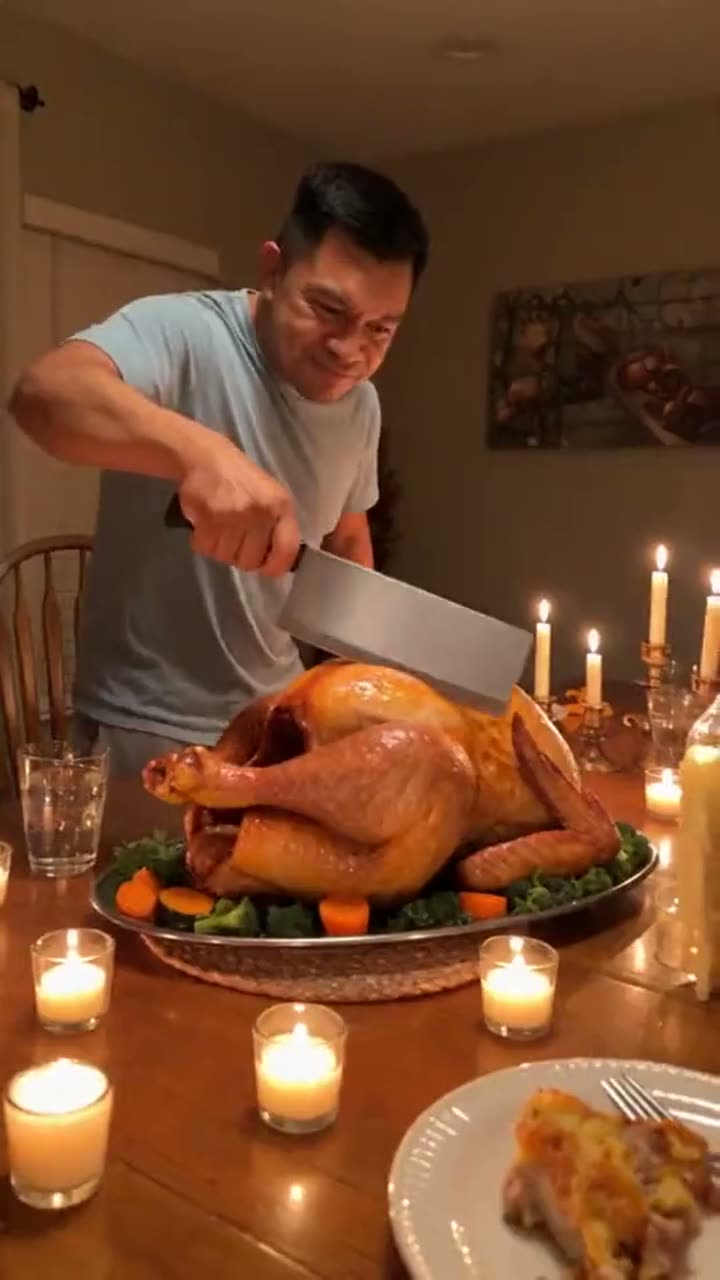
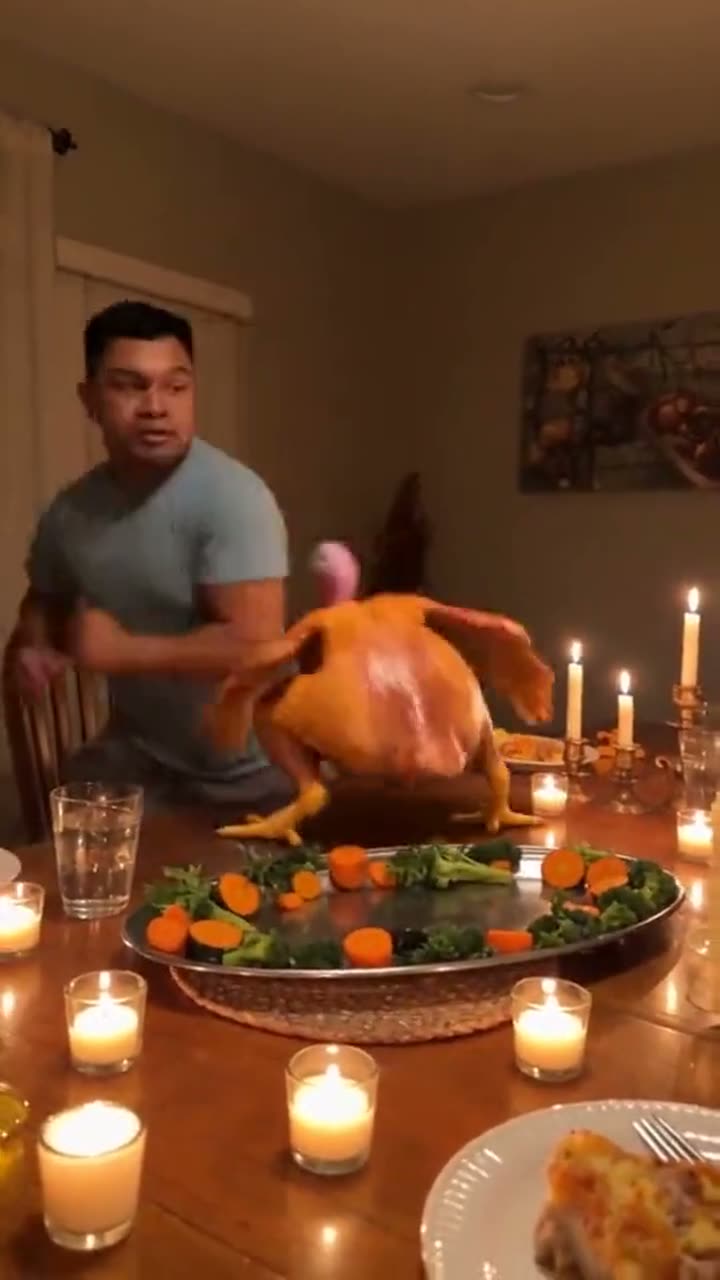
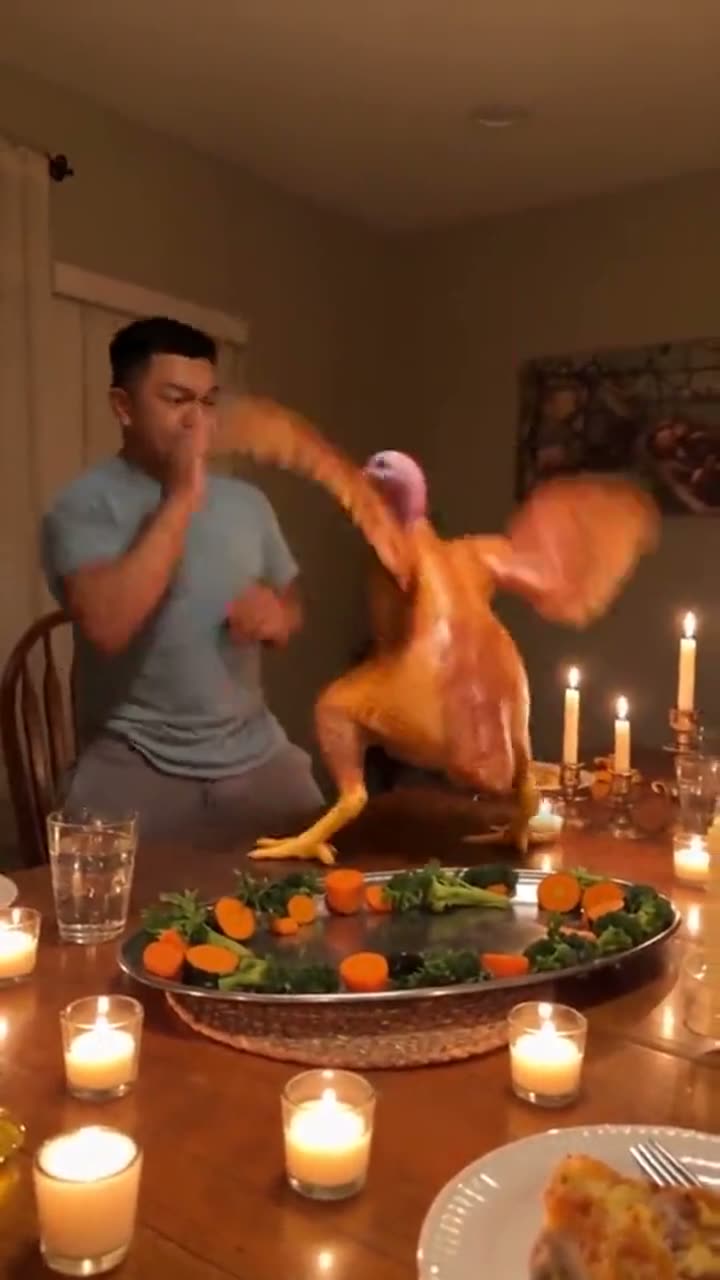
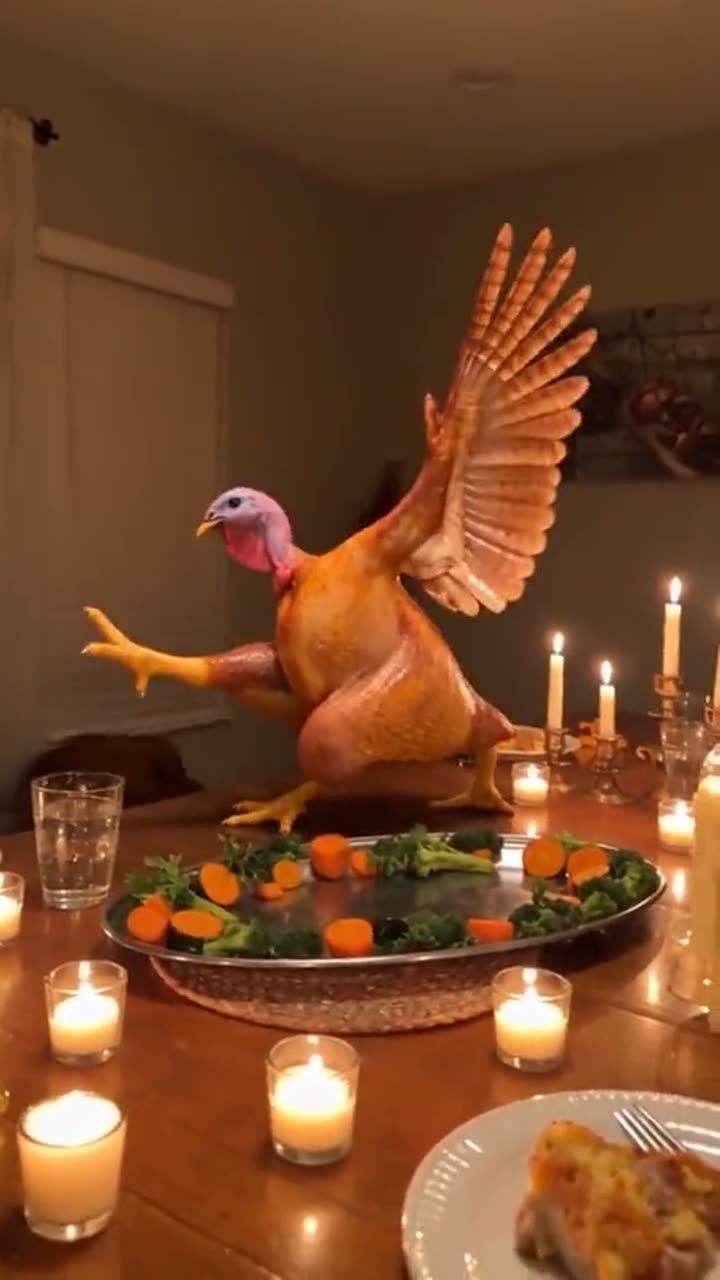
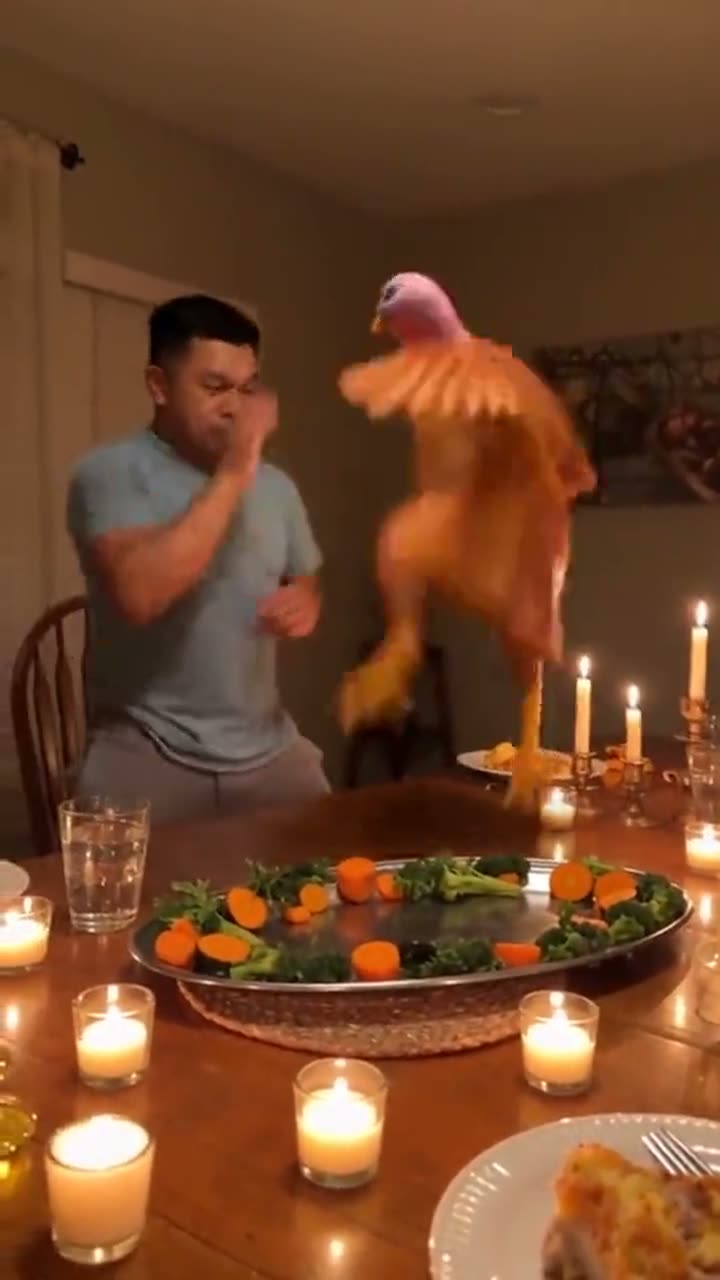
A man leans over a candlelit dining table and puts a wide knife into the roast turkey. The turkey lifts itself off the silver platter, stands up with both wings spread, and beats him until he is flat in his chair. Then it lies back down among the carrots like nothing happened. The room, the candles, the food, the camera and the sound are all already in the clip. The only thing that changes is who is holding the knife.
 01
The Carve
One hand on a wide cleaver, the man leans over the table and drives the knife into the roast turkey on the hammered silver platter. Broccoli and carrots ring the bird and the candles around it are all lit.
 02
Squaring Up
The turkey is off the platter now, down on the tabletop behind it, crouched low with its wings half out. The carver has backed to the left of the frame with both fists up.
 03
The Strike
The turkey rears up with one wing cocked and stretches its neck and beak at the man's face. He turns in and blocks it with a forearm across his eyes. The knife is out of his hand by this point.
 04
The Winner
The man is out of the frame. The turkey stands alone over the empty platter with one wing still raised and its beak open, then settles back down into an ordinary roast for the last second.
One cut, 10 seconds
The clips below come straight from the template, so the dining room, the candles, the platter, the knife and the timing are what you get back. Your photo replaces the person holding the knife in every shot. The turkey, the food and the room stay exactly as the template filmed them.
Three steps, no prompt
- CARVING FIGHT · 10S · 9:16
RATIO9:16QUALITY480PCheck the cut
This page has one cut: Carving Fight, 10 seconds in 9:16 at 480p. The template sets the length, the ratio and the price, so there is nothing to choose.
✓your-photo.jpg
✓I own this photo or have permission to edit it
Add your photo
One clear, front-facing photo, waist up. A person photo gives you a person at the knife. A pet photo gives you that animal, still its own species, standing where the carver stood. The turkey is part of the template and never takes your photo.
kung-fu-turkey.mp4✓ 10S · 9:16 · SOUND KEPT
Render it
Tick the permission box, check the price and hit generate. You get the template's own sound, the same shots and the same length, usually inside 15 minutes.
What makes a clean swap
- 01A sharp, front-facing photo of one face with the light on it. No sunglasses, no hat over the brow, no back-of-head shot.
- 02Waist up is enough. The template only shows the carver from about the hips up, and the wider set-up makes the head small in the frame.
- 03A pet photo works too, and the animal keeps its own species, muzzle and coat. It will not become the turkey, and the turkey will not become it.
- 04The carver is fully clothed in the template and stays that way in the result.
- 05Ask before you upload. Your own face, your own children, your own animal, or a photo from somebody who agreed to be knocked around the table by a bird.
EVERY TOOL, ONE BALANCE
The other trend pages here each ship one locked skit of their own, with its own slots, its own shot list and its own audio.
What changes at the carving knife
Kung Fu Turkey is a fixed template effect. The dining room, the lit candles, the hammered silver platter with broccoli and carrots around the edge, the side plate in the foreground, the knife, the turkey and the sound are all already in the clip. The model has one job: put your face on the person holding the knife.
Your photo is the only source for that face and hair. The outfit stays the template's outfit, the camera stays where it was, the cut at about 1.3 seconds keeps its place and the clip stays 10 seconds long. The turkey is the template's own character: it keeps its own plumage, head, wattle, legs and shape, and no photo is applied to it. That is the whole joke, which is why a pet photo gives you a pet at the knife rather than a second turkey.
Nothing is added to the frame: no captions, no new props, no extra food, no new music. The strikes are the ones the template already films. Its own audio track is what comes back, so the hit and the fall land where the trend had them.
No app, no plugin and nothing to install. One photo goes up, a video model does the render on our servers, and the job keeps going after you close the tab. The finished clip stays downloadable in your account, and a render that fails on our side puts the credits back.
This is a fan-made effect. It has no connection to, and no endorsement from, any platform or the owner of the original clip. The fight is a cartoon one: the bird is a roast, and the man only ends up flat in his chair.
Before you render
▸ Do I have to write a prompt?
No. The prompt for Carving Fight is written and locked on our side. You add one photo and press generate.
▸ What happens in the Kung Fu Turkey clip?
A man leans over a candlelit Thanksgiving table and puts a wide knife into the roast turkey. The bird climbs off the hammered silver platter, stands up with its wings out and beats him until he is flat in his chair, then lies back down as an ordinary roast. Your photo only goes on the one holding the knife.
▸ Does the turkey change?
No, and it should not. The turkey is the character of the template: its feathers, head, wattle, legs and shape come from the clip itself, and your photo is never applied to it. Only the person holding the knife is replaced.
▸ Can the person at the knife be my pet?
Yes. The animal keeps its own species, muzzle and coat, stands where the carver stood and moves the same way. It does not become the turkey, and the turkey does not become it.
▸ Does my own background come along?
No. The model takes the face and hair from your photo and nothing else. The room stays the template's dining room, and the table stays laid with the platter, the candles and the side plates.
▸ Why does it end with the turkey back on the platter?
Because that is how the template is cut. Around the 9 second mark the bird settles down into an ordinary roast and the table goes still. We keep the shot order instead of trimming the punchline.
▸ Does the video have a watermark?
It stays clean. The render adds no watermark, no logo and no caption of its own, because its instruction is to keep the frame the way the template shot it.
▸ Do I need an app or any software for this?
No. You drop one photo into this page, our servers run the video model, and the finished clip shows up in your account history. Nothing is installed on your device.
▸ What does it cost?
700 credits for the 10 second cut, and that figure sits in the console before you generate. New accounts start with free credits, and the packs are in pricing.
▸ How long does it take?
Plan on 5 to 15 minutes. The render is not tied to your open tab, so you can walk off and the clip will be sitting in your account history when you get back.
▸ What if the carver's face drifts?
Render it again with the same photo. The shots do not move between takes, so a second run is a fresh roll on the same face, and a front-facing shot with the light on it fixes most of it. If the render fails on our side the credits return to your balance automatically.
▸ Can I post it commercially?
See the terms and privacy notice for what you can do with renders and what happens to the photos you upload.
Put yourself at the carving knife
One photo, one template, 10 seconds of a roast turkey standing up off the platter and winning. Free credits on signup, and the price is on screen before you render.