✦ AI EFFECTS
BIGXTHAPLUG GIVE IT ALL AI TREND GENERATOR FROM ONE PHOTO
Upload one photo and the console runs the hanging-mic cut: the grin at the mic, the point at the camera, the hand wave, the close-up finish, sound kept.
1 PHOTO4 SECOND VIDEONO PROMPT NEEDED
TEMPLATE
Your video carries this template's sound.
CASTING
THE PERFORMER
Drop a portrait here, or click to browse
PNG / JPG, up to 5 MB
One clear photo of the subject you want on the mic, a single subject in it. Sharp and well lit works best.
Your video lands here
Add your photo, then hit generate.
- INPUT
- ONE CLEAR PHOTO
- OUTPUT
- A 4 SECOND VIDEO WITH ITS OWN SOUND
- A RUN TAKES
- USUALLY 5 TO 15 MINUTES
- THE ENGINE
- SEEDANCE 2.5, FIXED PIPELINE
UP-FRONT PRICING
Recommended packs start at $9.99 and stay valid while your account is active. Memberships start at $4.99 a month. One balance covers every image and video tool. The console shows the fixed price before you render.
Standard Pack
$9.99
700CREDITS
≈ 350images
≈ 30SOTA images
≈ 88svideo
≈ 43sSOTA video
A full issue's worth of art, plus videos for the launch.
ONE PAYMENT · NEVER EXPIRE
Pro Pack
$19.99
1,600CREDITS
≈ 800images
≈ 69SOTA images
≈ 208svideo
≈ 100sSOTA video
Batch season. Whole chapters and the videos that sell them.
ONE PAYMENT · NEVER EXPIRE
STANDARD MEMBERSHIP
$4.99/ month
1,000CREDITS EVERY MONTH
For weekly creators and side projects.
≈ 500images
≈ 43SOTA images
≈ 128svideo
≈ 62sSOTA video
NO LOCK-IN · CANCEL ANY TIME
PRO MEMBERSHIP
$19.99/ month
5,000CREDITS EVERY MONTH
For daily image and video production.
≈ 2,500images
≈ 217SOTA images
≈ 664svideo
≈ 312sSOTA video
NO LOCK-IN · CANCEL ANY TIME
Membership credits are available while the membership is active. Unused membership credits expire when the membership ends.
Image estimates use Flux 3 Klein at 1K, the lowest-priced run on the site. Video estimates use 8-second Veo 3.1 Lite videos at 720p, or Wan 3.0 at 480p for the SOTA row. The console shows the exact cost before every run.
WHAT IS THE GIVE IT ALL AI TREND?
The hook is the four-second loop: grin, point, wave, close-up. A cartoon performer at a vintage microphone in a neon cinema lobby, redrawn from your photo. This template uses the four-second cut; the full trend runs longer. One photo in, four shots out, the lobby and the mic from the template.
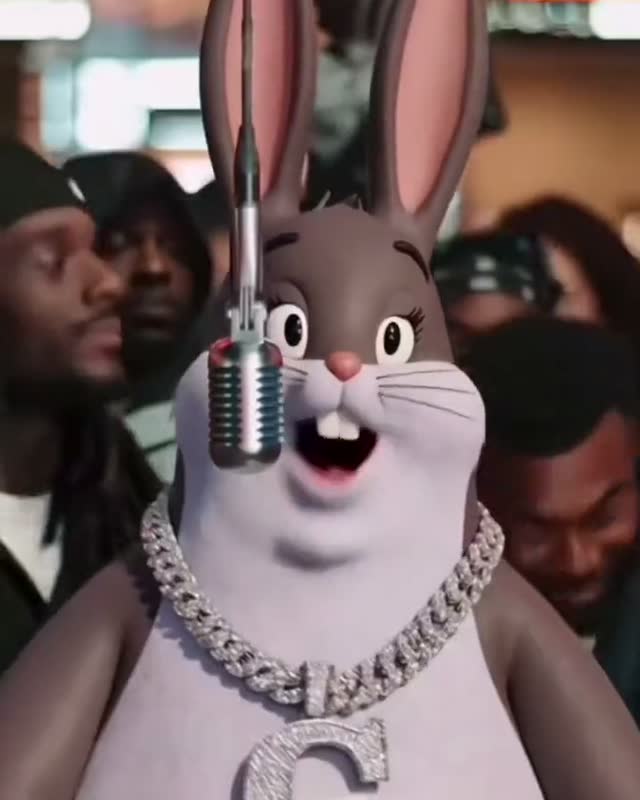 01
THE GRIN
Straight on at the hanging mic, the performer opens with a full grin into the lens while the lobby neon holds the frame.
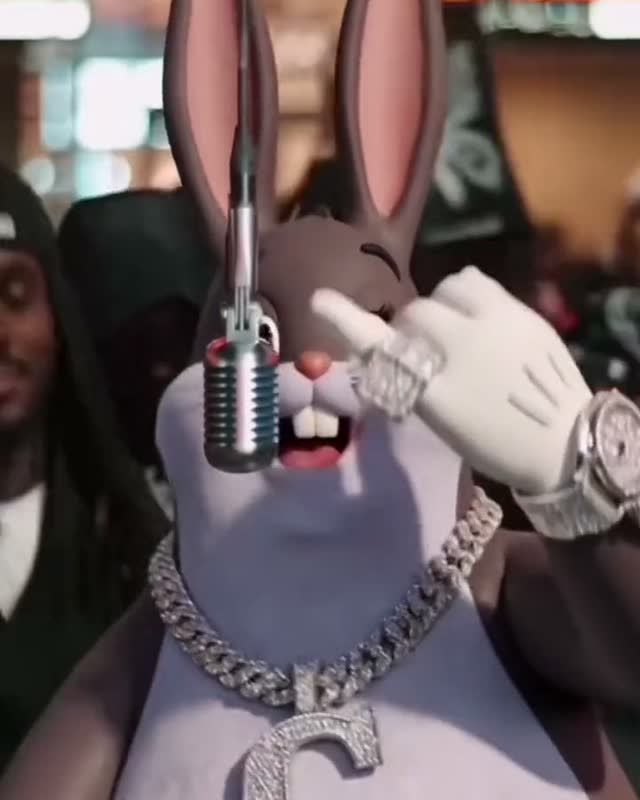 02
THE POINT
Mid-bar, the performer swings an arm and points straight at the camera.
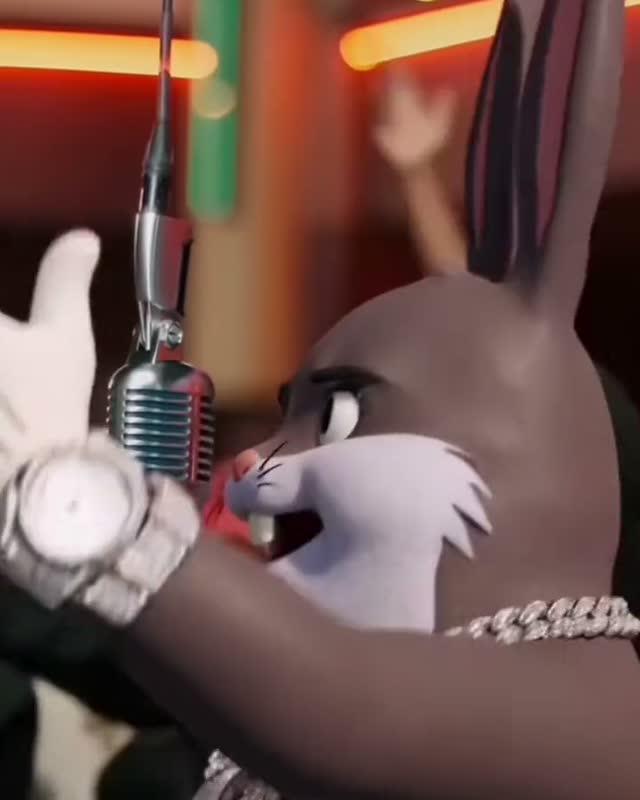 03
THE HAND WAVE
The camera cuts to a side angle and the performer waves through the bar.
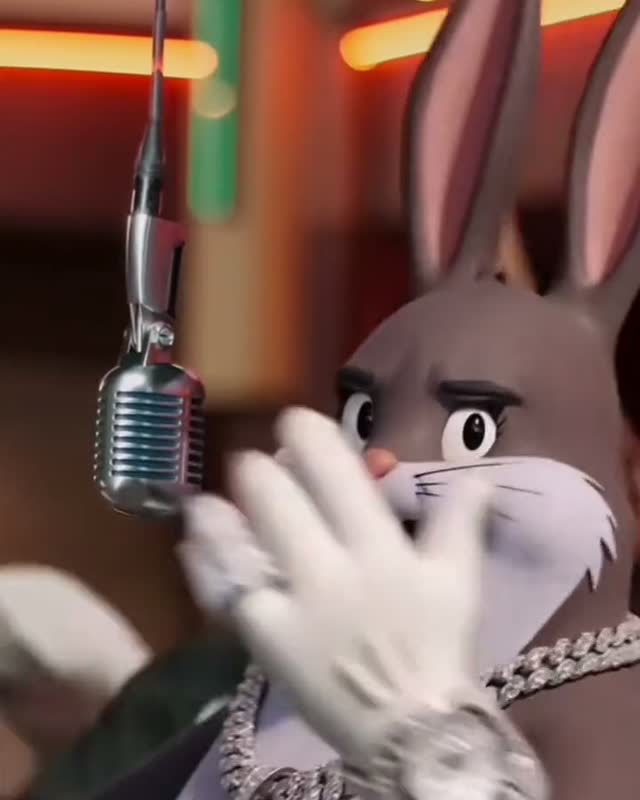 04
THE CLOSE-UP
One tight finish: the performer fills the frame at the mic and the bit lands.
YOUR PERFORMER ON THE MIC
What lands in your library is a video with the template's own sound kept: the same neon lobby, the same hanging mic and the same four shots you previewed, with your photo's performer taking over the role. This is a full replacement, not a face swap: a person keeps the outfit from their photo, an animal raps in its own fur, and no trace of the cartoon character's design stays behind. The shots, camera work and pacing stay the template's own, and lip sync is best effort, not guaranteed. The cuts below come straight from the template; yours swaps the performer and keeps the sound. Each run is a new take, so a reroll starts from scratch.
TEMPLATE, PHOTO, VIDEO
- HANGING MIC RAP
RATIO9:16RESOLUTION480PDURATION4SSOUNDORIGINALSEE THE TEMPLATE
One fixed template: the hanging-mic cut, four seconds, preview playing right in the card with its own sound.
✓your-performer.jpg
✓I own this photo or have permission to edit it
UPLOAD ONE PHOTO
One clear photo of your performer in the single slot; the lobby, the mic and the shot list come with the template. Tick the permission box, and the fixed price sits on the button before you commit.
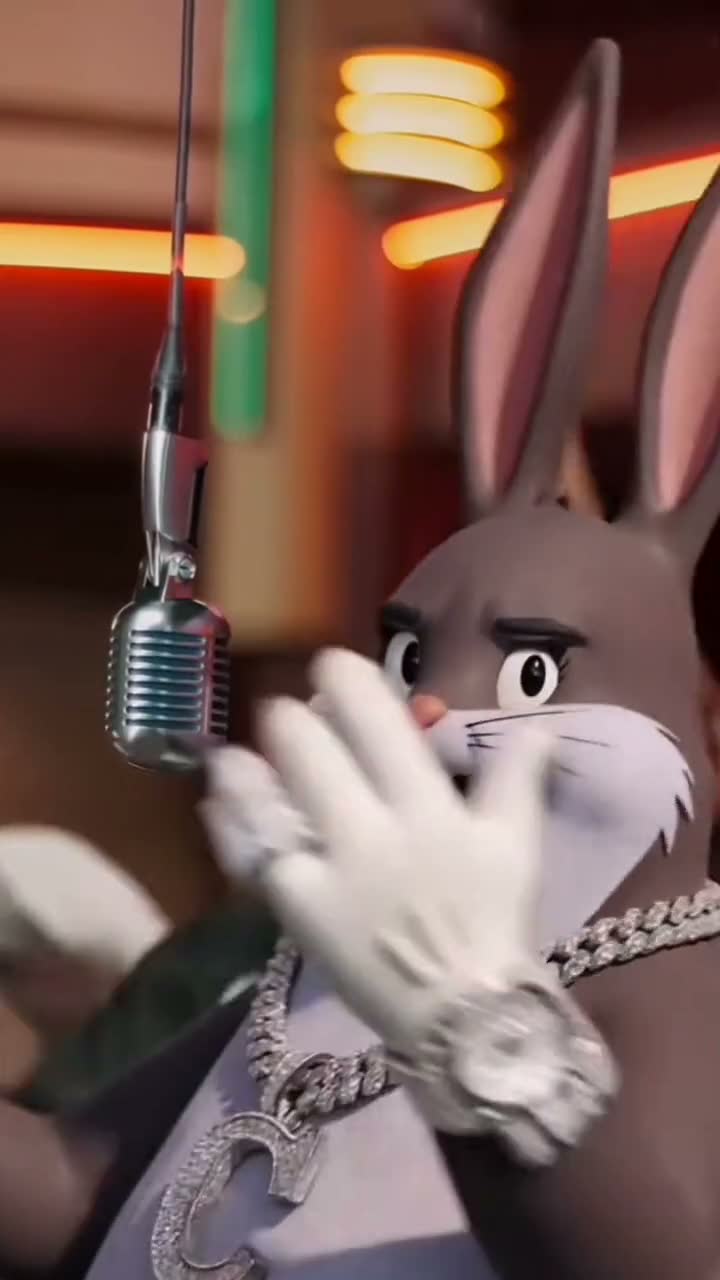
hanging-mic-cut.mp4✓ 4S · 480P · READY
GET THE VIDEO
A run usually takes 5 to 15 minutes, even for a 4-second cut. The finished video lands in the console and in your library, ready to download and post.
GET A BETTER TAKE
- 01The photo decides the performer. A sharp, well-lit shot of the whole performer holds up best through the cuts, and the original file beats a screenshot; heavy shadows and busy backgrounds make the model guess.
- 02Any performer can take the mic. A person keeps the outfit from their photo, and an animal raps upright on its own legs in its own fur; either way the hanging mic and the lobby come with the template.
- 03Rerolls are independent runs. Same photo, same template, different take; keep the one where your performer holds through all four shots.
- 04The soundtrack comes from the template, and the model is instructed to keep it as is. If your post needs captions or a voiceover on top, add them in the app when you publish.
EVERY TOOL, ONE BALANCE
The other tools share your uploads and your credit balance. Upscale the frames you like, or hand a bigger job to the Video Maker.
THE TOOL AND THE AGENT
BigXthaPlug Give It All AI Trend is PixQuill's console for the hanging-mic rap trend: one photo in, the trend's rap video out, no editing app and no template timeline. PixQuill built the template as an original AI remake of a public video format. PixQuill is not affiliated with the artist or rights holders behind the song the trend is named after. The template's soundtrack comes with the template, and PixQuill does not claim rights in the original recording.
Under the hood it is one fixed pipeline: Seedance 2.5 remakes the template's own video around your photo, a four-second vertical cut at 480p. The model is instructed to carry the template's soundtrack over untouched. Pricing is flat: 700 credits a run, shown on the button before you commit. The performer follows the photo as closely as the model can manage, and lip sync is best effort, not a guarantee.
The tool shares the PixQuill balance: the same credits cover the image consoles and the Video Maker, uploads can be reused, and every finished file lands in one library. A run usually takes 5 to 15 minutes on our servers, and a run that fails on our side refunds its credits automatically. If a frame turns out well, the same balance upscales it or sends it to the Video Maker for a bigger job.
STRAIGHT ANSWERS
▸ What is the BigXthaPlug Give It All AI trend?
A short video format built on a rap bit: a performer raps at a vintage microphone hanging from the ceiling of a neon cinema lobby, with four quick beats, the grin at the mic, the point at the camera, the side-angle hand wave and the close-up finish. This page remakes that cut from one photo. PixQuill is not affiliated with the artist or rights holders behind the song the trend is named after.
▸ How does it work without a prompt?
The template ships with its own video and a fixed shot list: the grin, the point, the hand wave, the close-up. The AI uses that video as the reference and remakes it around your photo, keeping the lobby, the hanging mic, the camera work and the pacing. The only input is one photo. You drop it in the slot and the console renders the rest.
▸ Why is the cut only four seconds?
The template is the four-second loop, not the full-length trend video. The four shots land fast: grin, point, wave, close-up. If you want a longer cut, the same photo can be run again, but each run is a separate four-second take.
▸ What happens to the cartoon character?
It is replaced entirely. Your subject is redrawn from head to toe as the performer: a person keeps the outfit and the look from their photo, an animal raps upright on its own legs in its own fur, and no trace of the cartoon character's design stays behind in any shot. The lobby, the hanging mic and the crowd are the only parts that stay from the template.
▸ Which photo should I upload?
One clear, well-lit photo of your performer, one person or pet in it. The performer in the video follows the photo as closely as the model can manage, so sharp input matters. Only upload photos you own or have permission to edit, and do not use the tool to impersonate anyone. The console asks you to confirm this before generating.
▸ Does the real artist appear in my video?
No. The real person does not appear in your video by default. Your video shows the template's lobby with the performer fully redrawn from your photo. The template carries its own soundtrack, and PixQuill does not claim rights in the original recording.
▸ Is this the original video?
No. The template is an original AI remake of a public video format, staged to match the lobby setup everyone recognizes. It is not the original footage, and it does not use any original performer's name or likeness. The template carries its own soundtrack, and PixQuill does not claim rights in the original recording.
▸ How much does it cost?
700 credits a run, flat, for the four-second hanging-mic cut. The price shows on the button before you generate. Packs and memberships are on the pricing page.
▸ Is it free?
You start free: new accounts get free credits that work across the image tools right away. Each rap video is a flat 700 credits, and the price sits on the button before you commit. If a run fails on our side, the credits refund automatically, in full. Packs and memberships are on the pricing page.
▸ How long does a run take, and what if it fails?
Usually 5 to 15 minutes, even though the finished cut is only four seconds; the render runs on the same pipeline as every video here. You can close the tab; the run keeps going on our servers and lands in your library under Works. If a run fails on our side, the credits refund automatically, in full.
▸ Does the video keep the original sound?
The model is instructed to keep the template's own track, so your file comes back with the same beat the preview plays, so the cut lands on the sound everyone expects. What the model changes is the picture: your performer replaces the template's performer. If your post needs captions on top, add them in the app when you publish.
▸ Will my subject look exactly like the photo?
It follows the photo as closely as the model can manage, and likeness holds best with sharp, well-lit shots of the whole performer. Mouth movement is matched to the beat as best effort and is not guaranteed. This is an AI remake, not a swap with a guarantee; each reroll is priced like a new run.
▸ Can I use the videos commercially?
Videos you generate are yours to use, including in commercial projects, within our terms of service. Rights in the photos you upload stay where they were, so only use photos you own or have permission to edit. Details live on the Copyright page.
MAKE YOUR MIC CUT
Drop in one photo, hit generate, and let the console run the hanging-mic cut for you. New accounts start with free credits, and runs that fail on our side refund automatically.