✦ AI CLOTHES CHANGER
CHANGE THE OUTFIT, KEEP THE PERSON
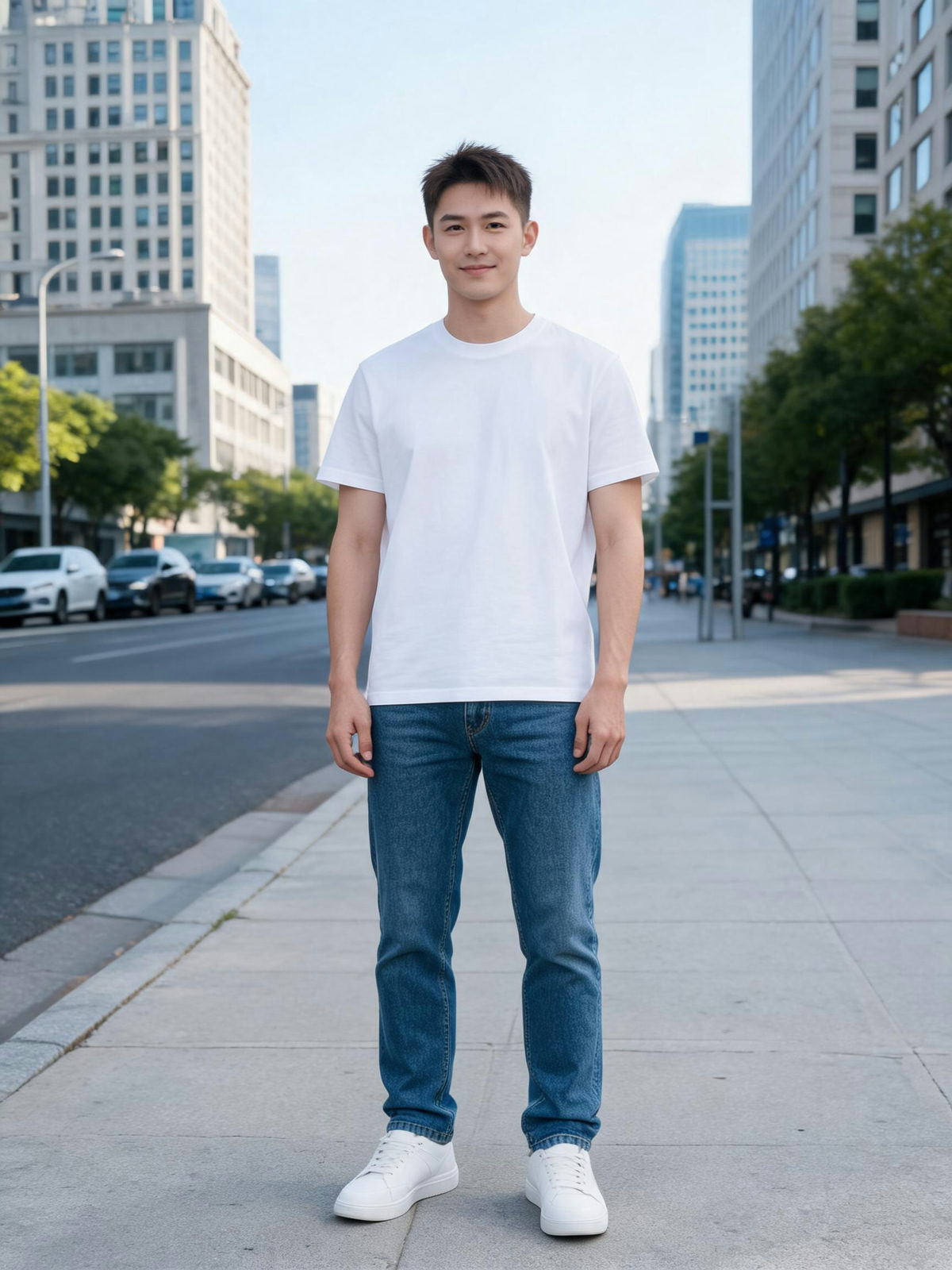
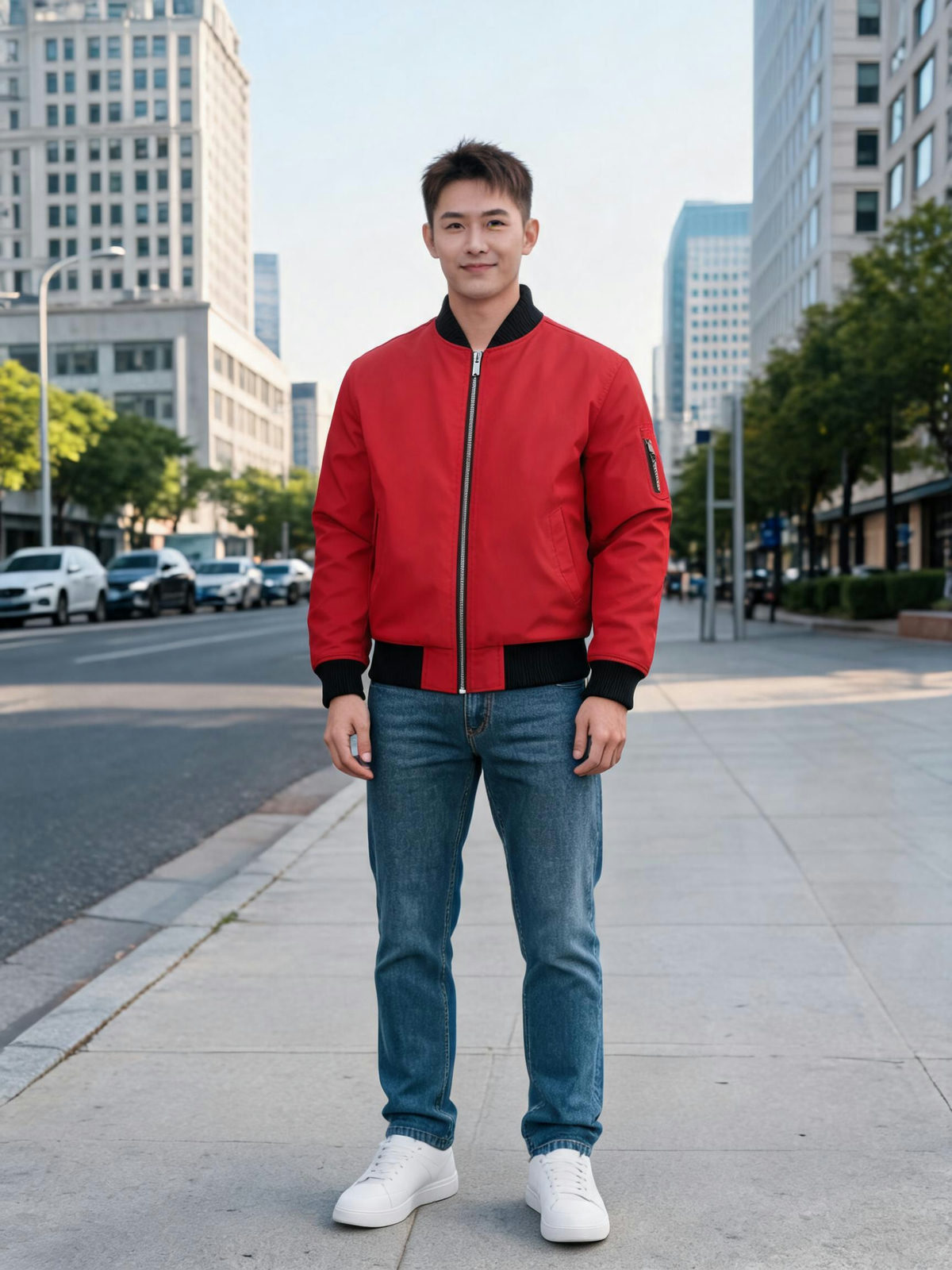
Two photos in, one result out. The AI clothes changer keeps the face, pose and background; only the outfit changes.
 OUTFIT
TWO PHOTOS IN
01 /THE PERSON
Stays exactly as shot
Drop the person here, or click to browse
PNG / JPG, up to 5 MB
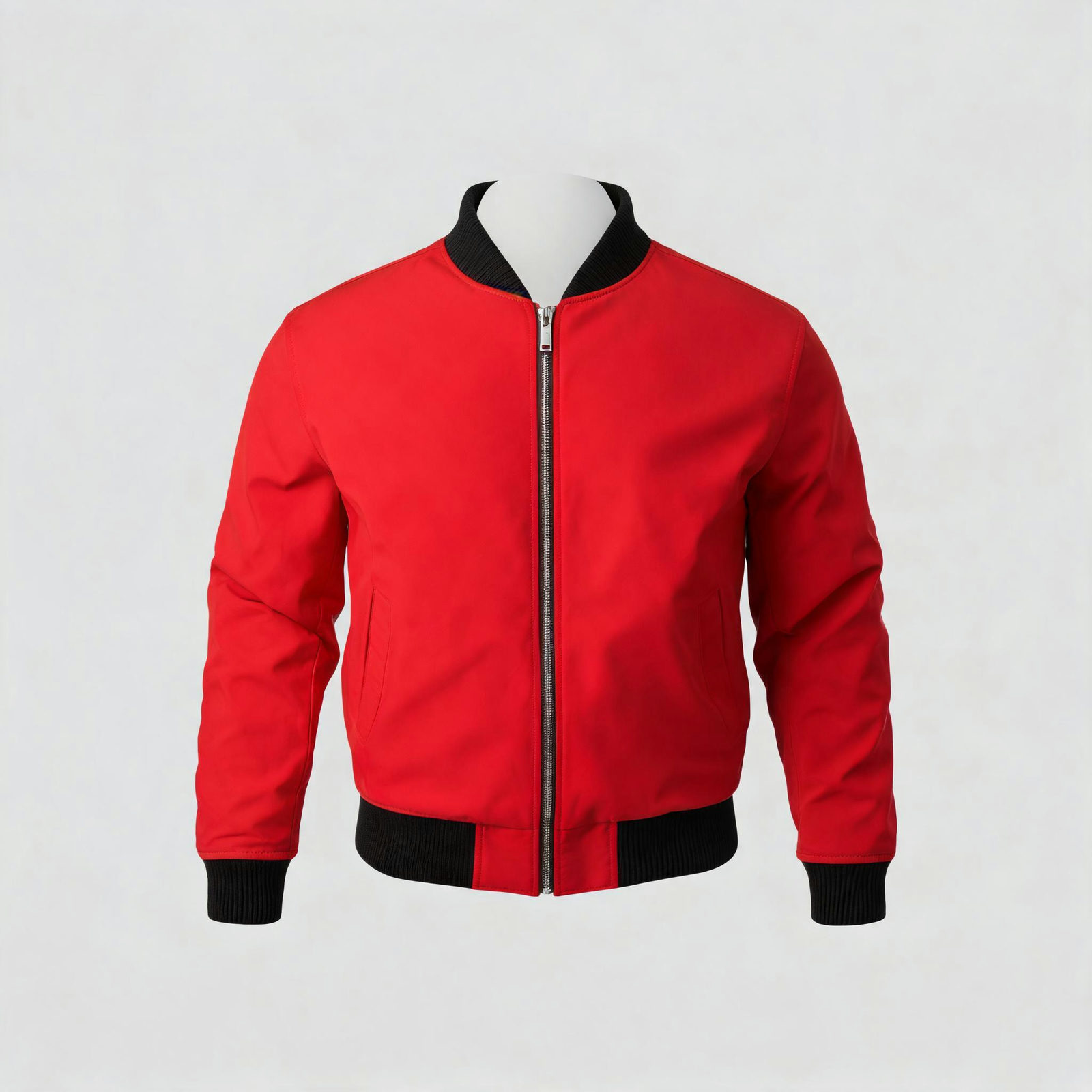
02 /THE OUTFIT
Only the outfit is taken
Drop the outfit here, or click to browse
PNG / JPG, up to 5 MB
Or pick a preset
MODEL
Your result lands here
Pick a model and resolution, then hit generate.
- THE PERSON, THEN THE OUTFIT
- UPLOAD
- THE OUTFIT, NOTHING ELSE
- CHANGE
- FACE, POSE AND BACKGROUND INTACT
- KEEP
- UP TO 4K, READY FOR PRINT AND POST
- SHIP
ONE PHOTO, EVERY OUTFIT
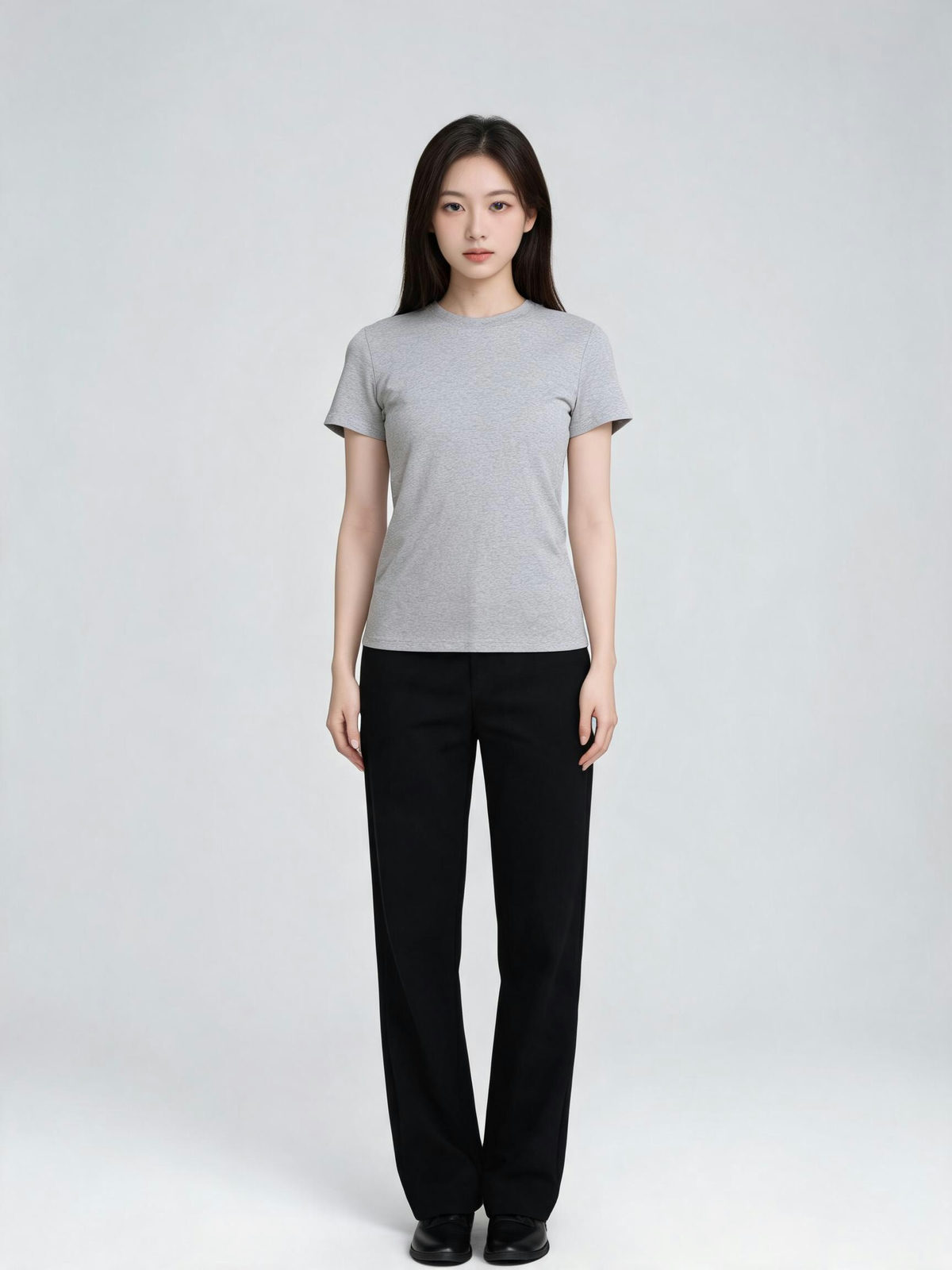
Every card is one real run: the person's photo on the left, the same person wearing the reference garment on the right. Drag the handle. Nothing retouched.
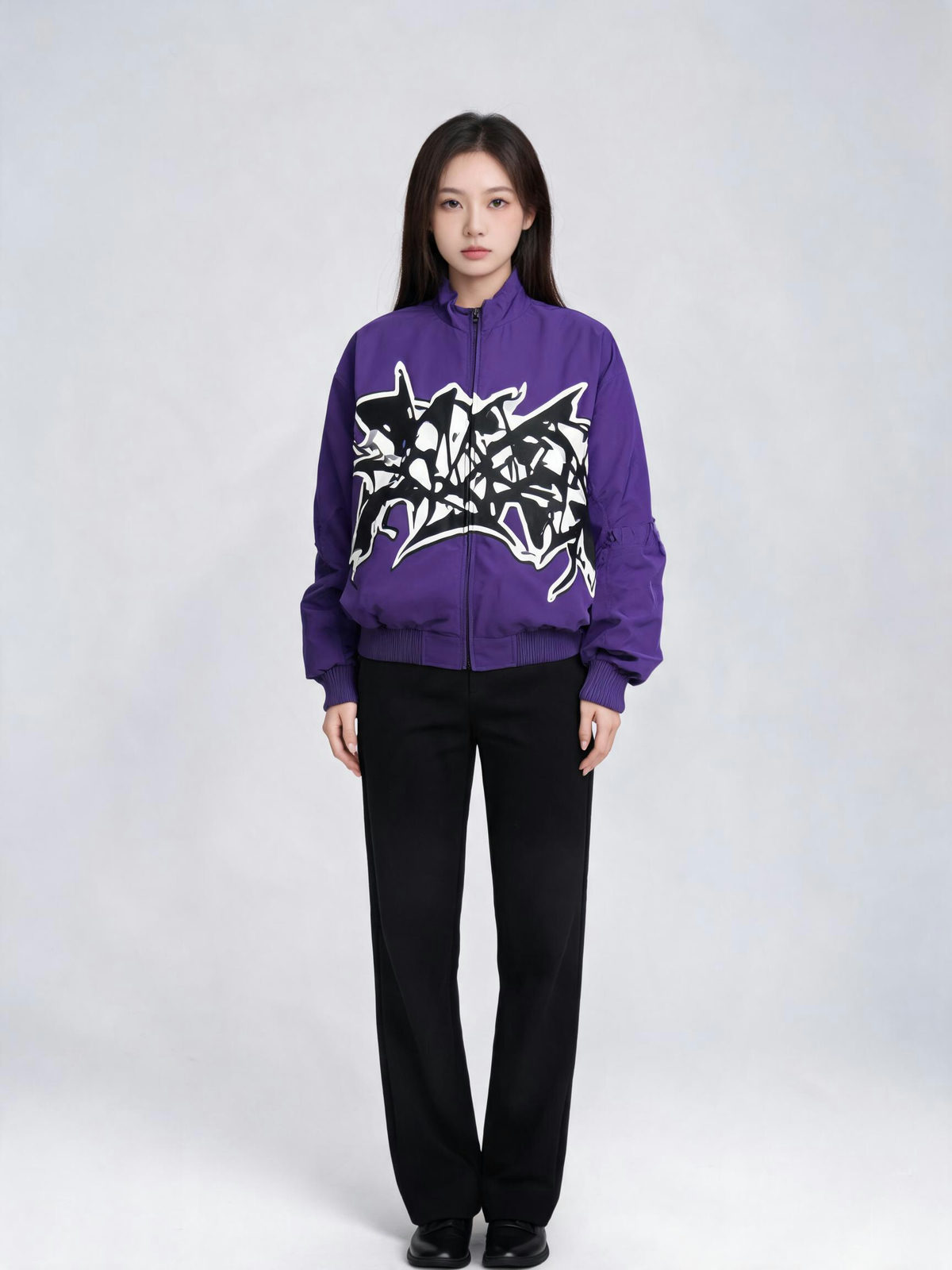
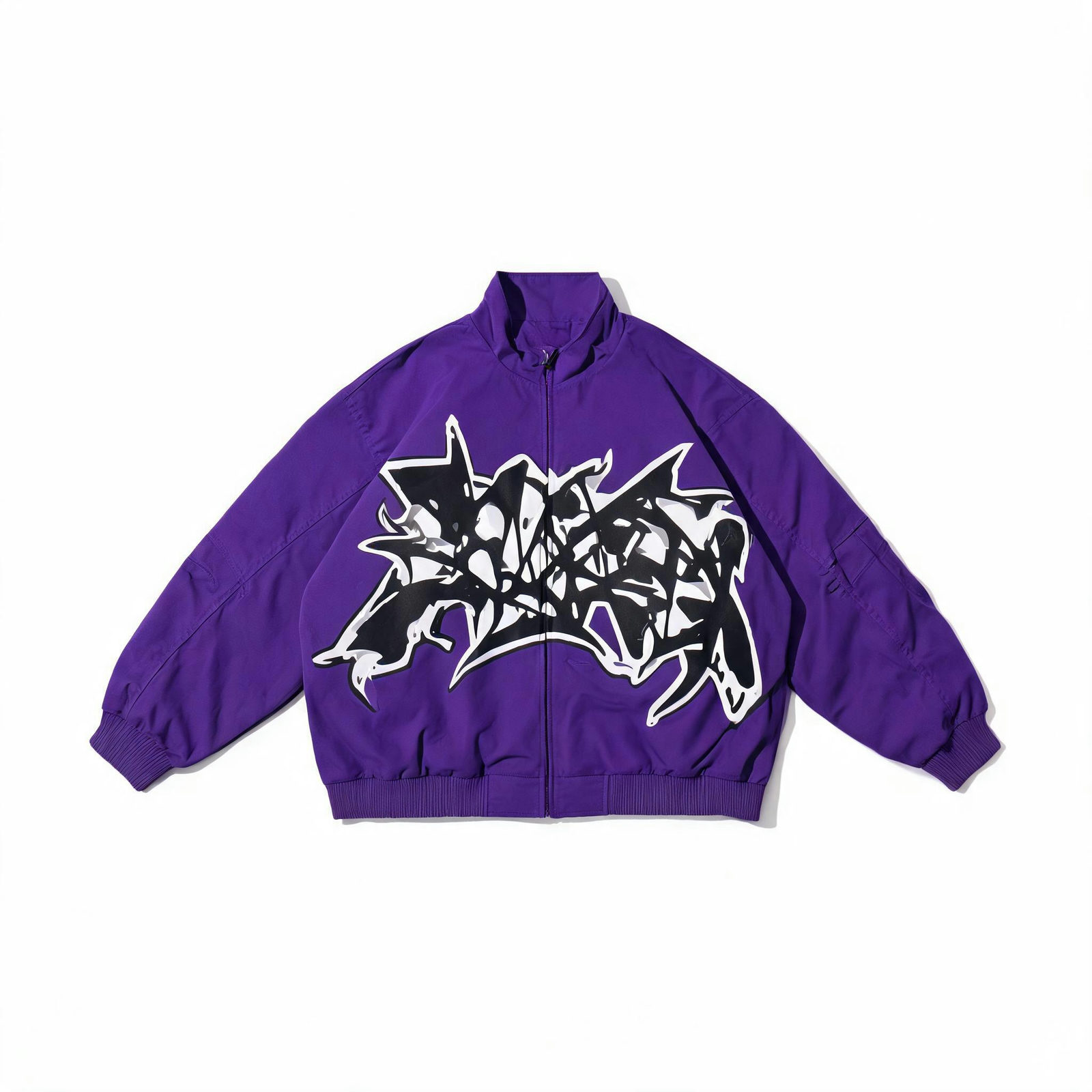 OUTFIT
A plain studio tee becomes the purple streetwear jacket. Same person, same backdrop, louder silhouette.
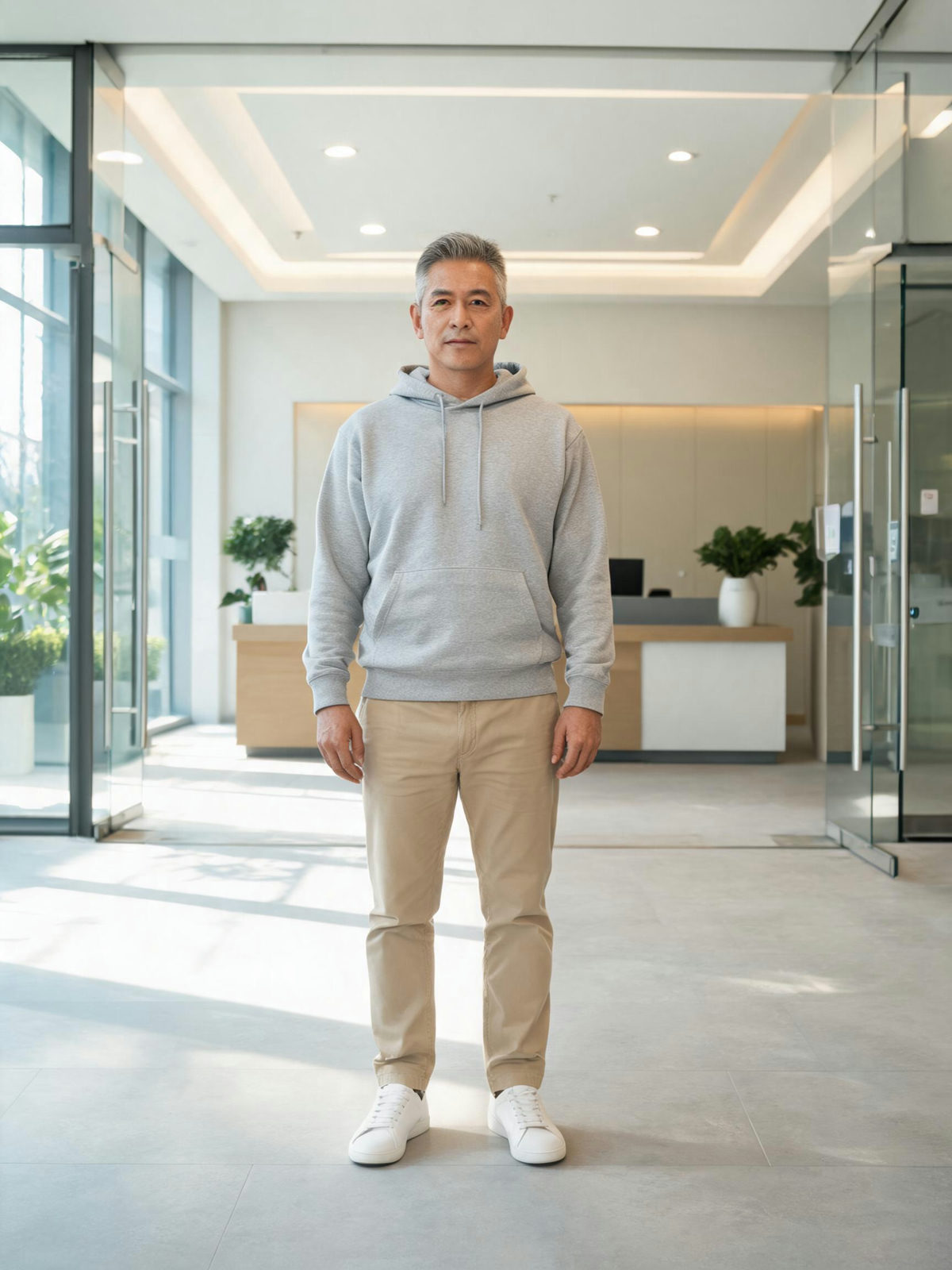

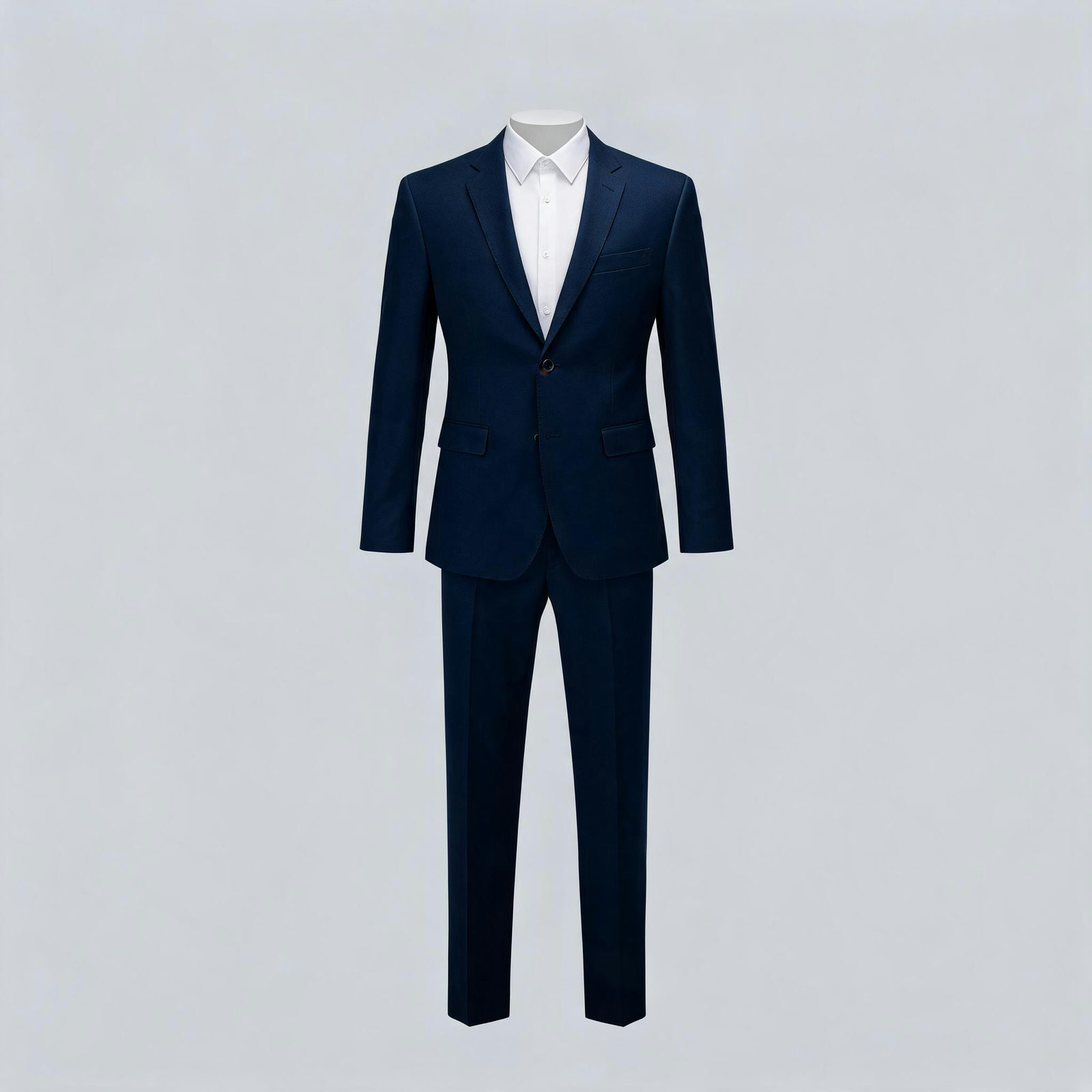 OUTFIT
Office lobby, and the grey hoodie gives way to the navy two-piece. The interview photo without the rental.
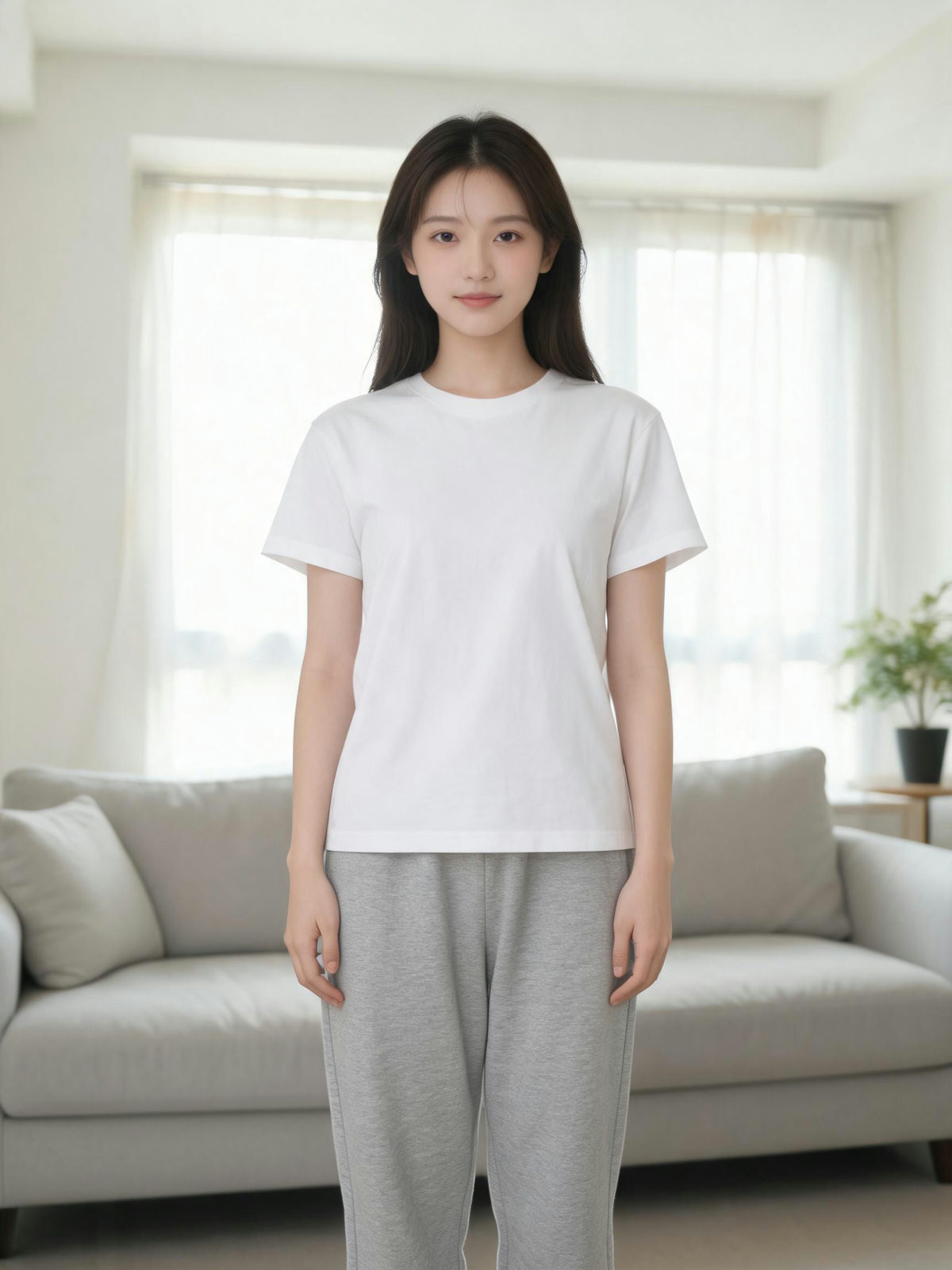
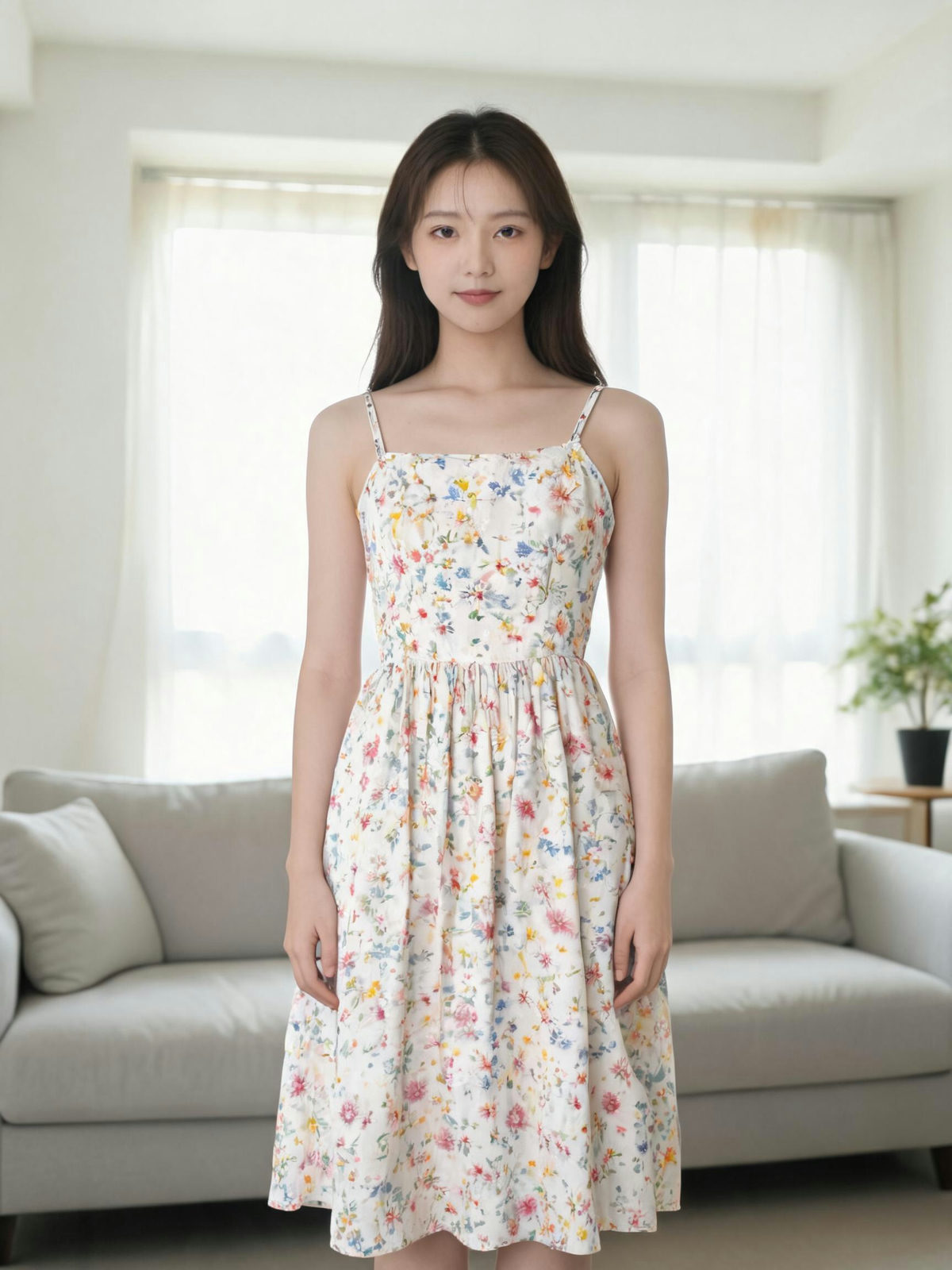
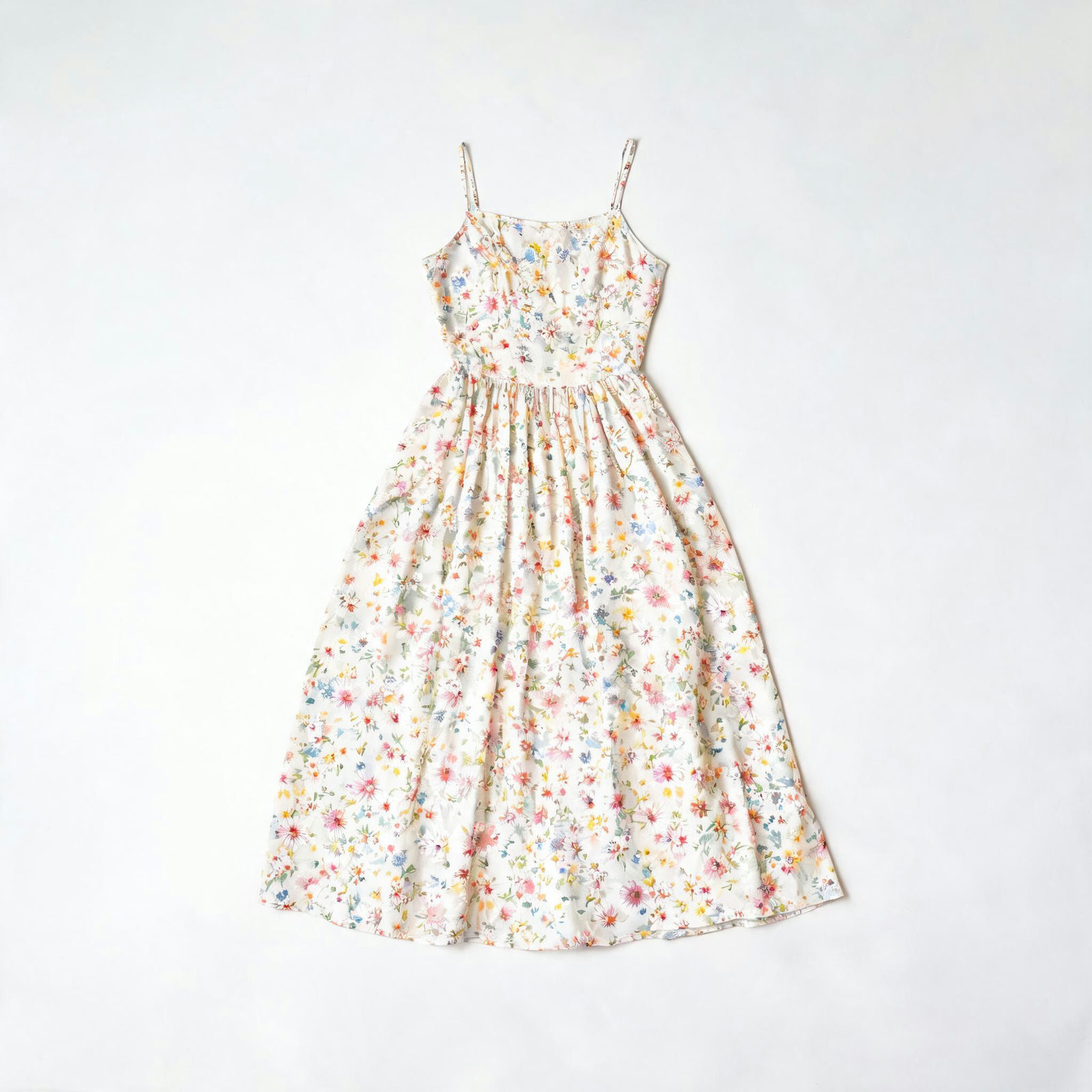 OUTFIT
The floral midi goes from flat lay to worn, hem and drape landing where the body says they should.
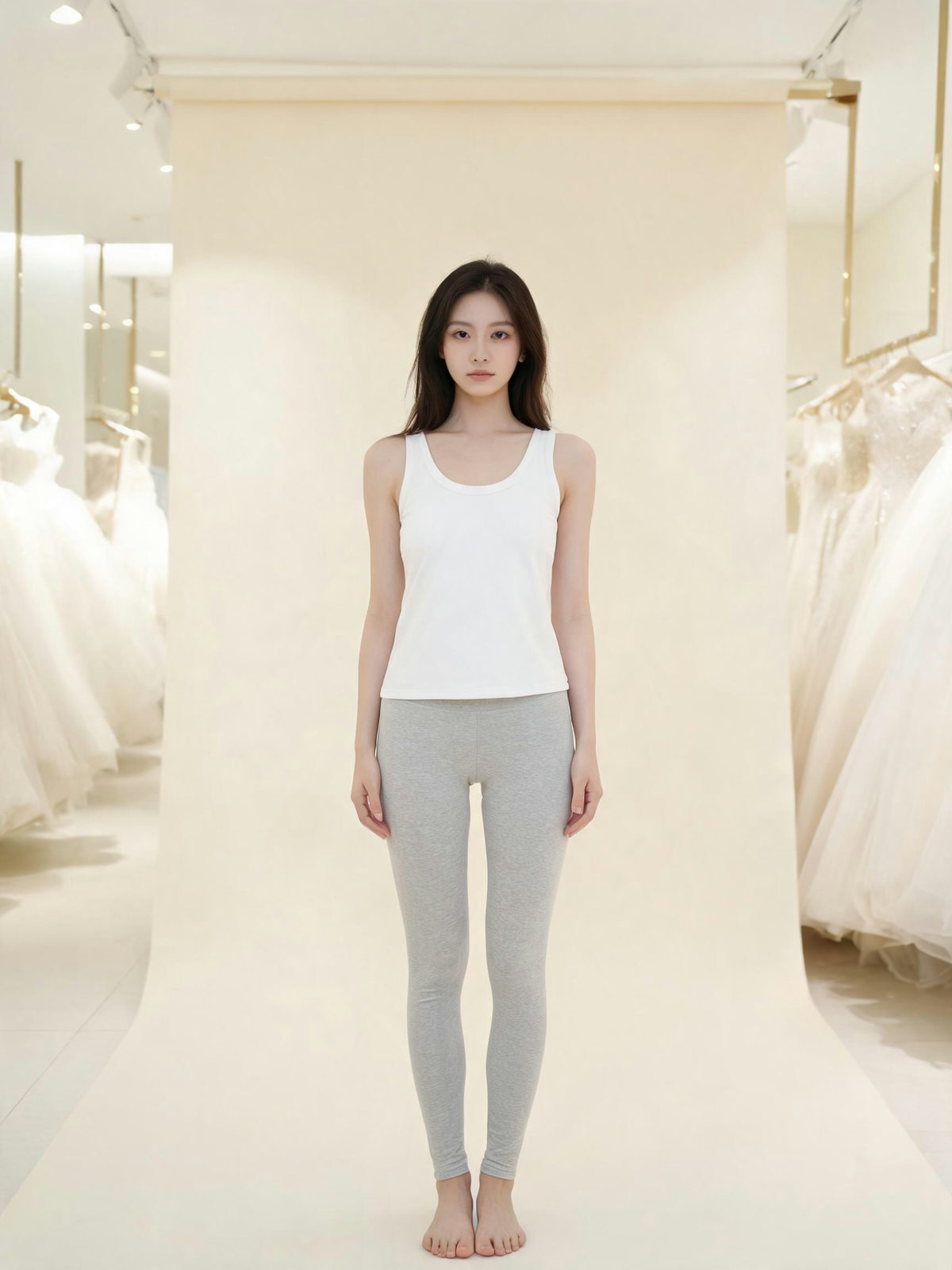
 OUTFIT
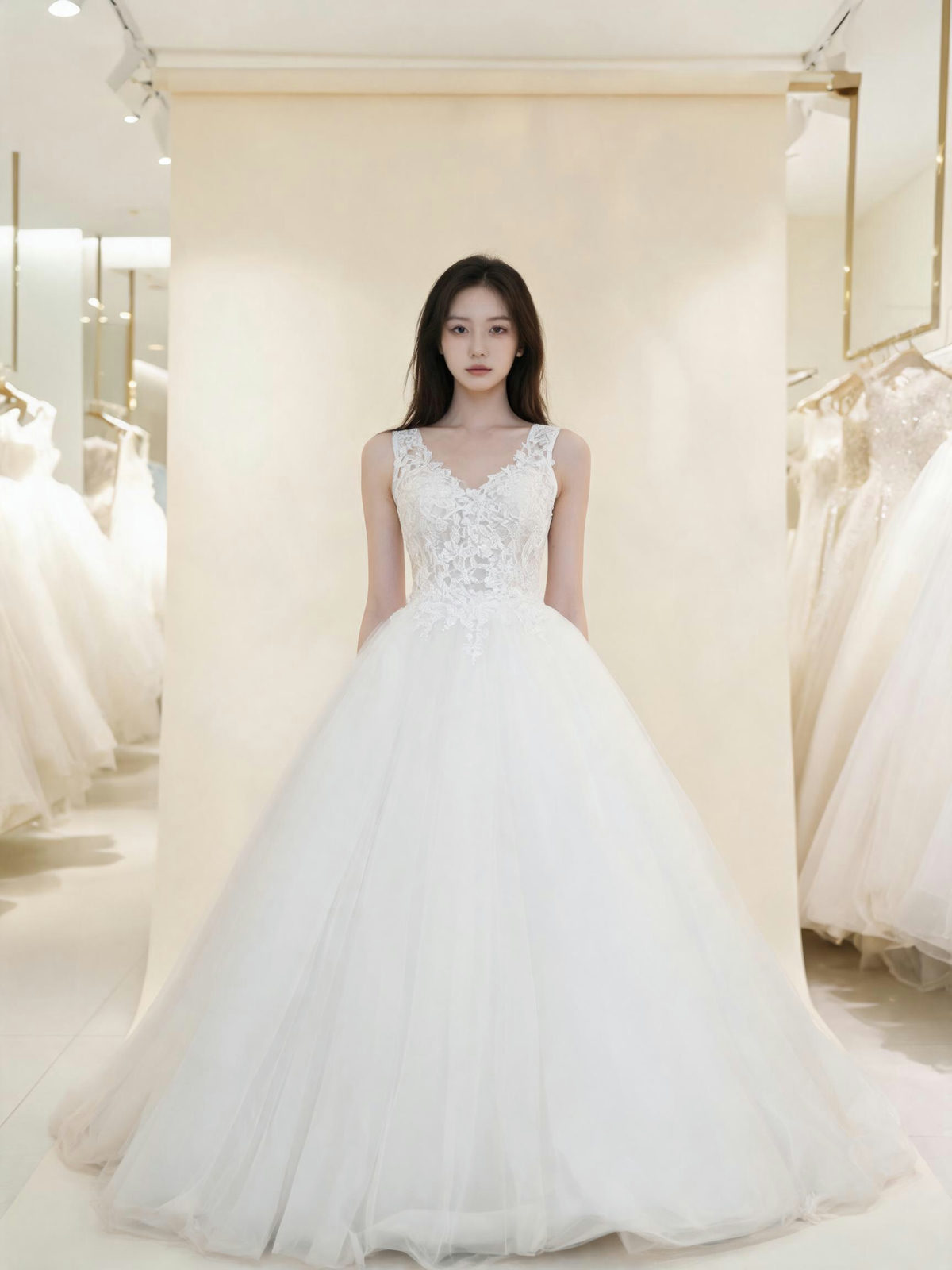
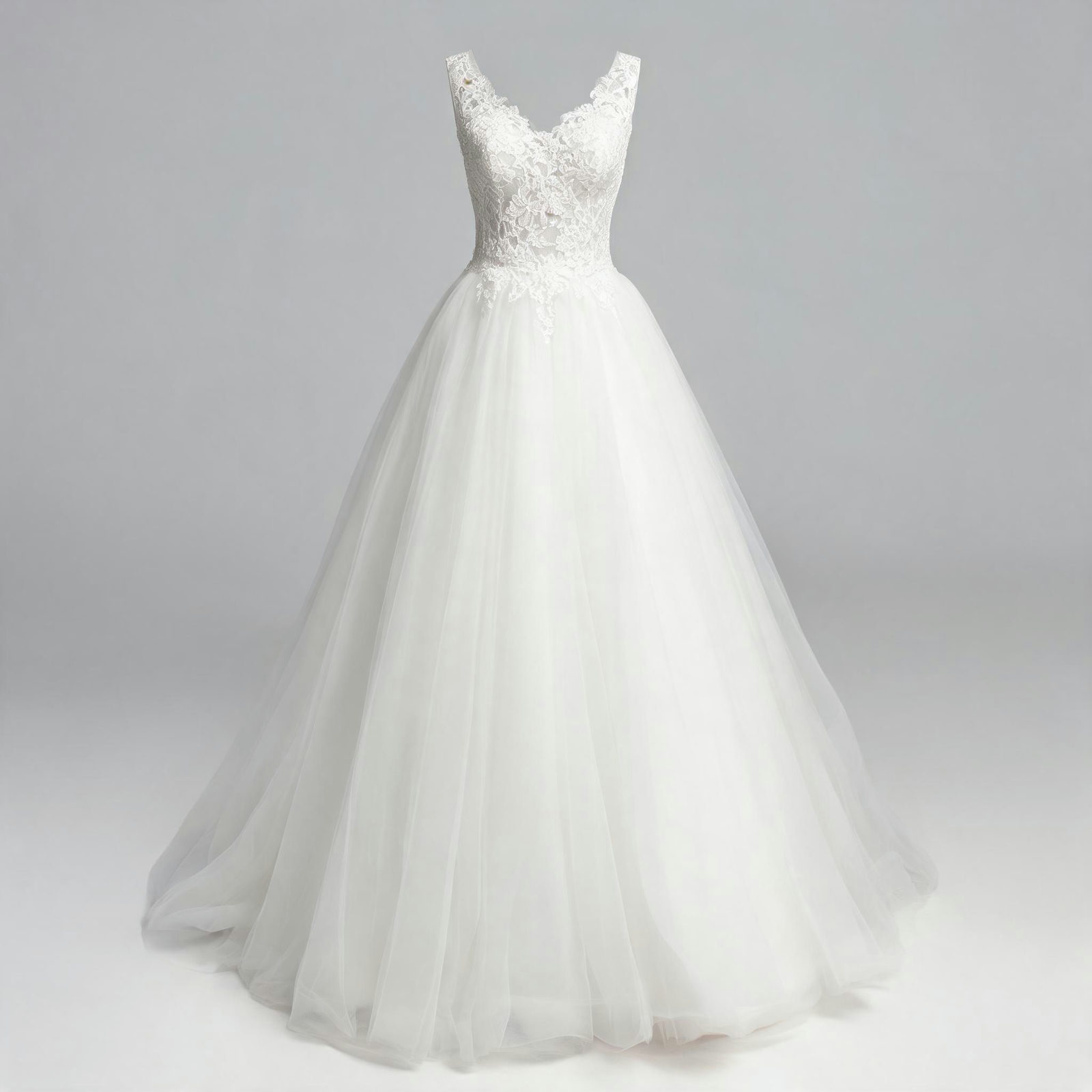
A boutique snapshot turns into the lace A-line. The dress budget can wait until the silhouette is right.
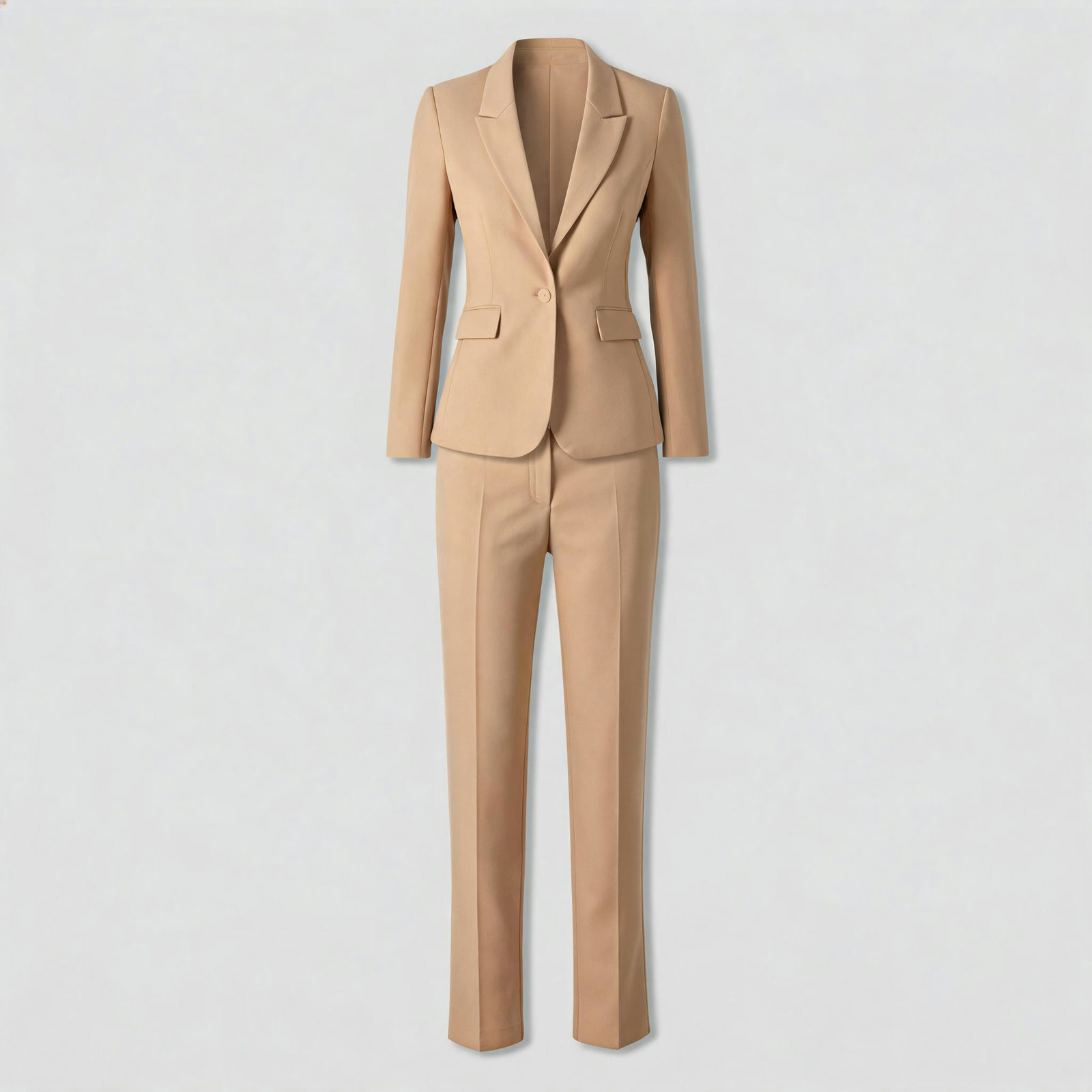 OUTFIT
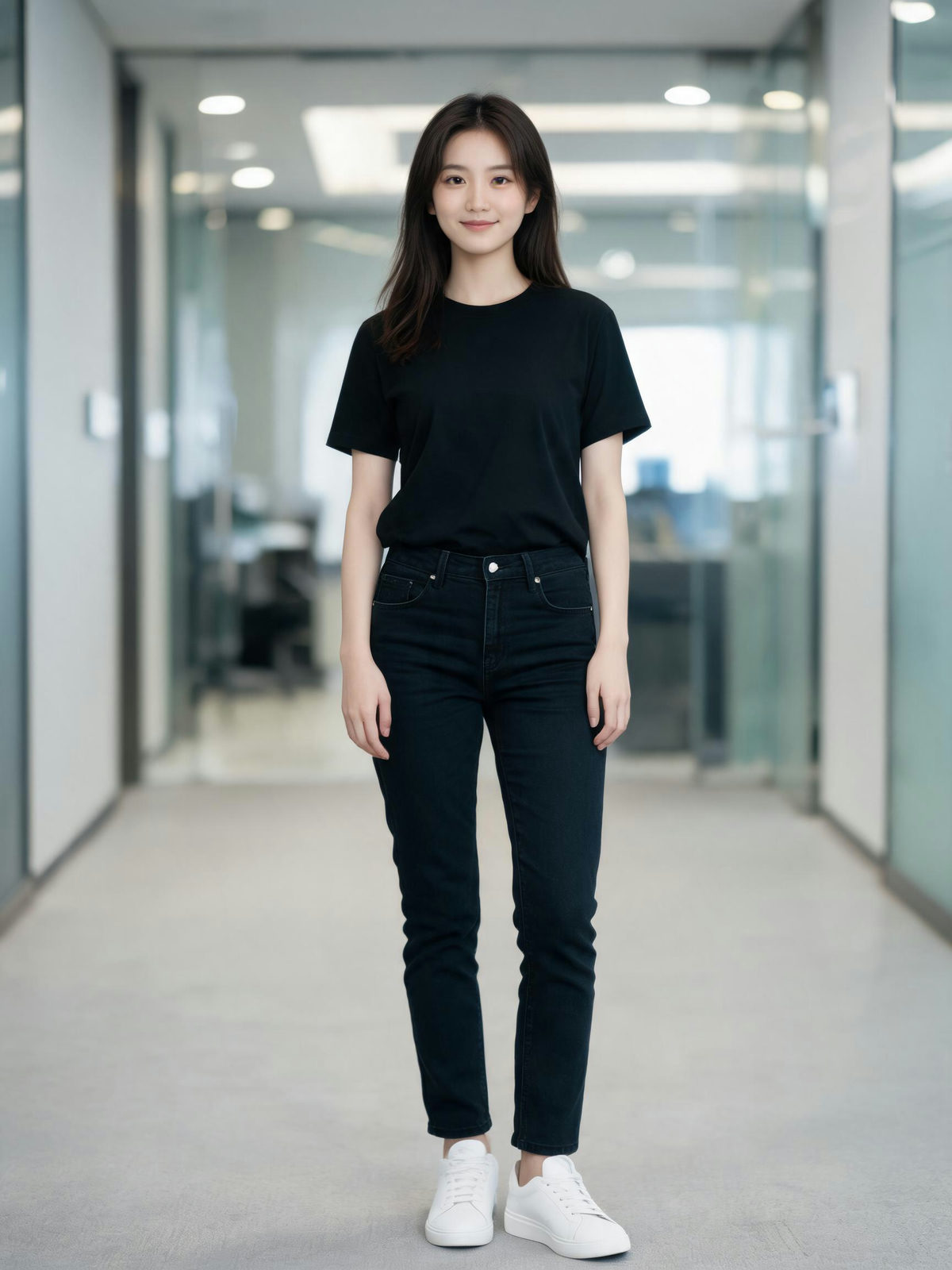
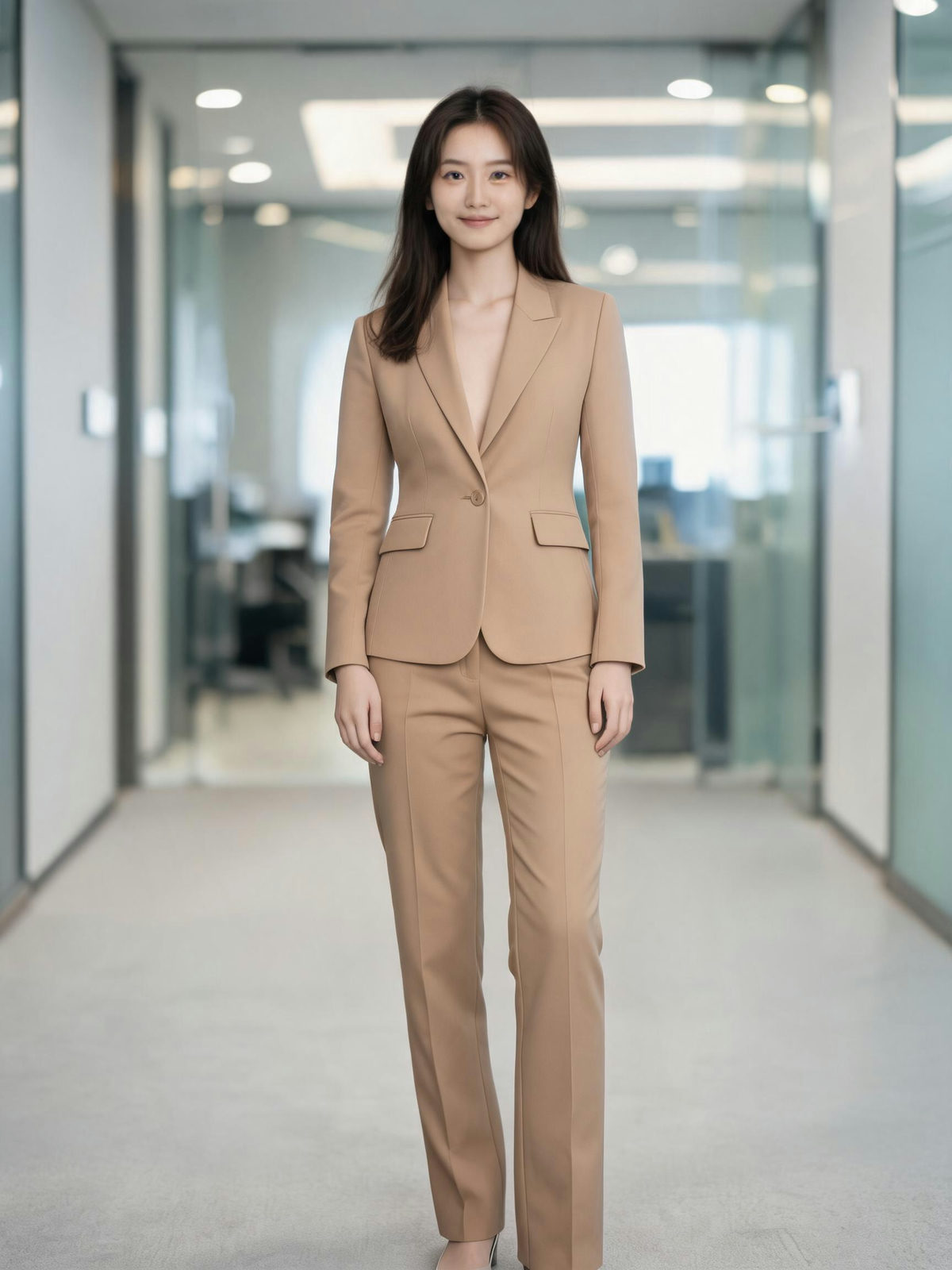
Black tee and jeans out, tailored camel set in. One hallway photo covers the whole workweek.
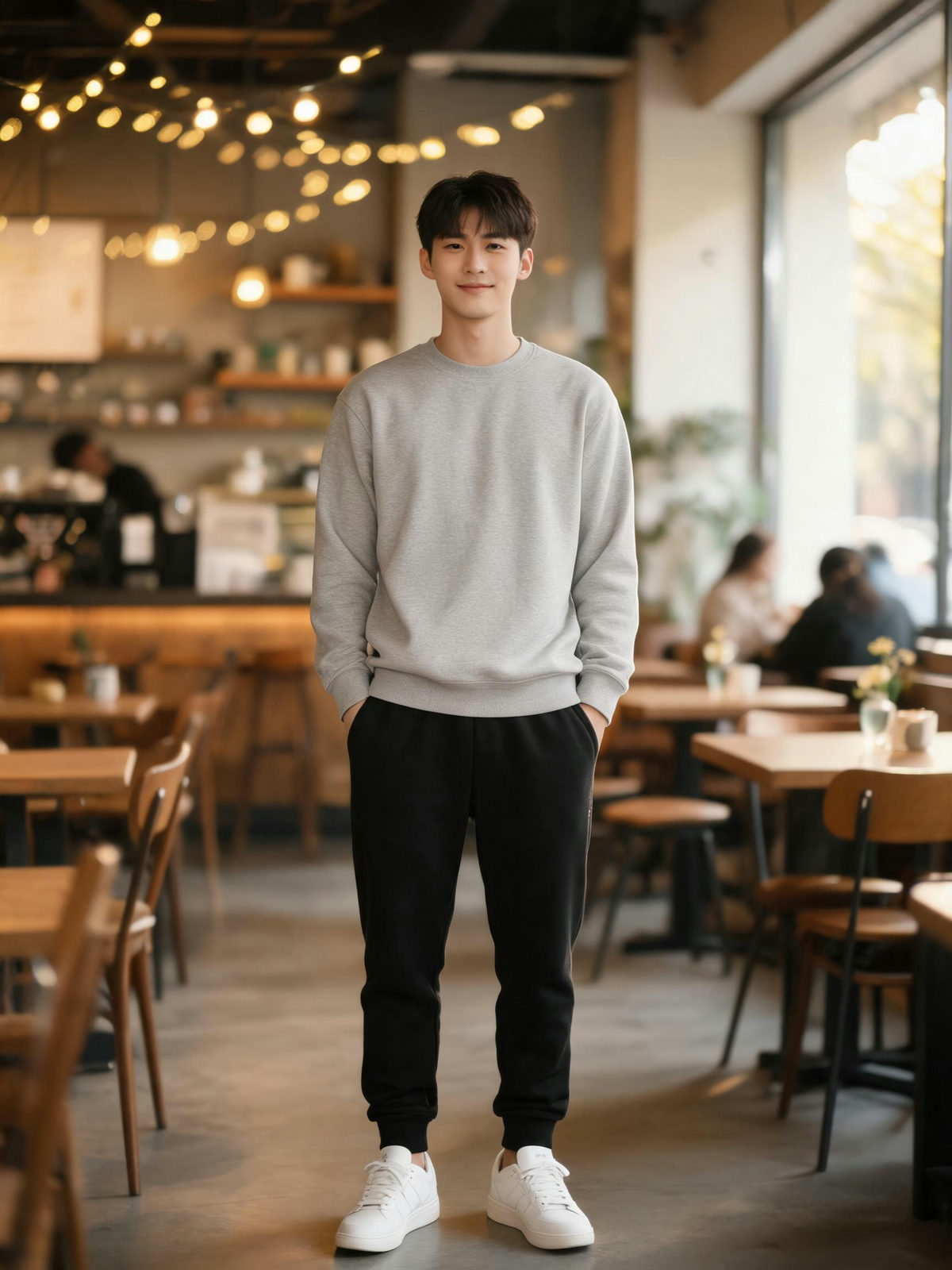
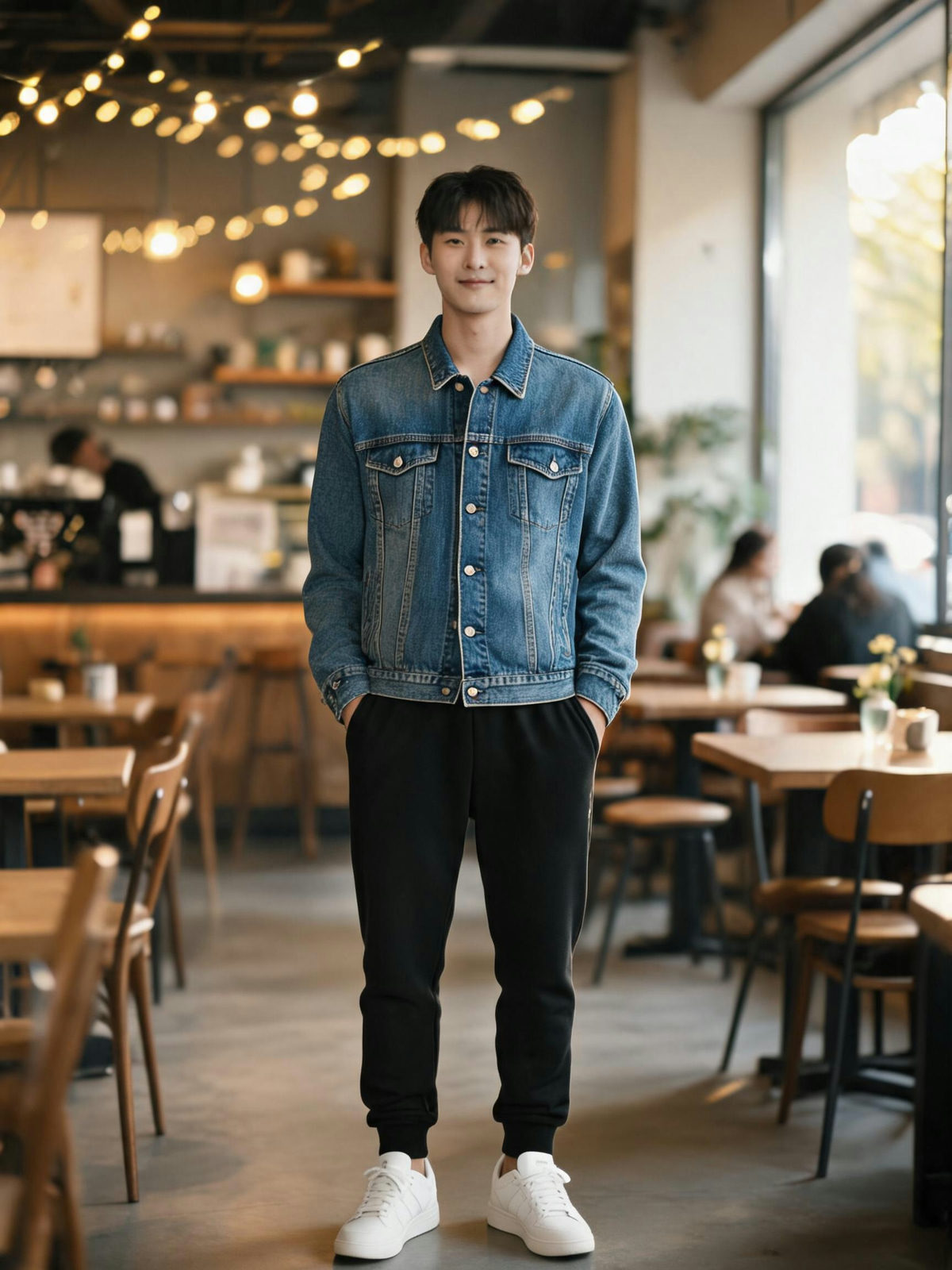
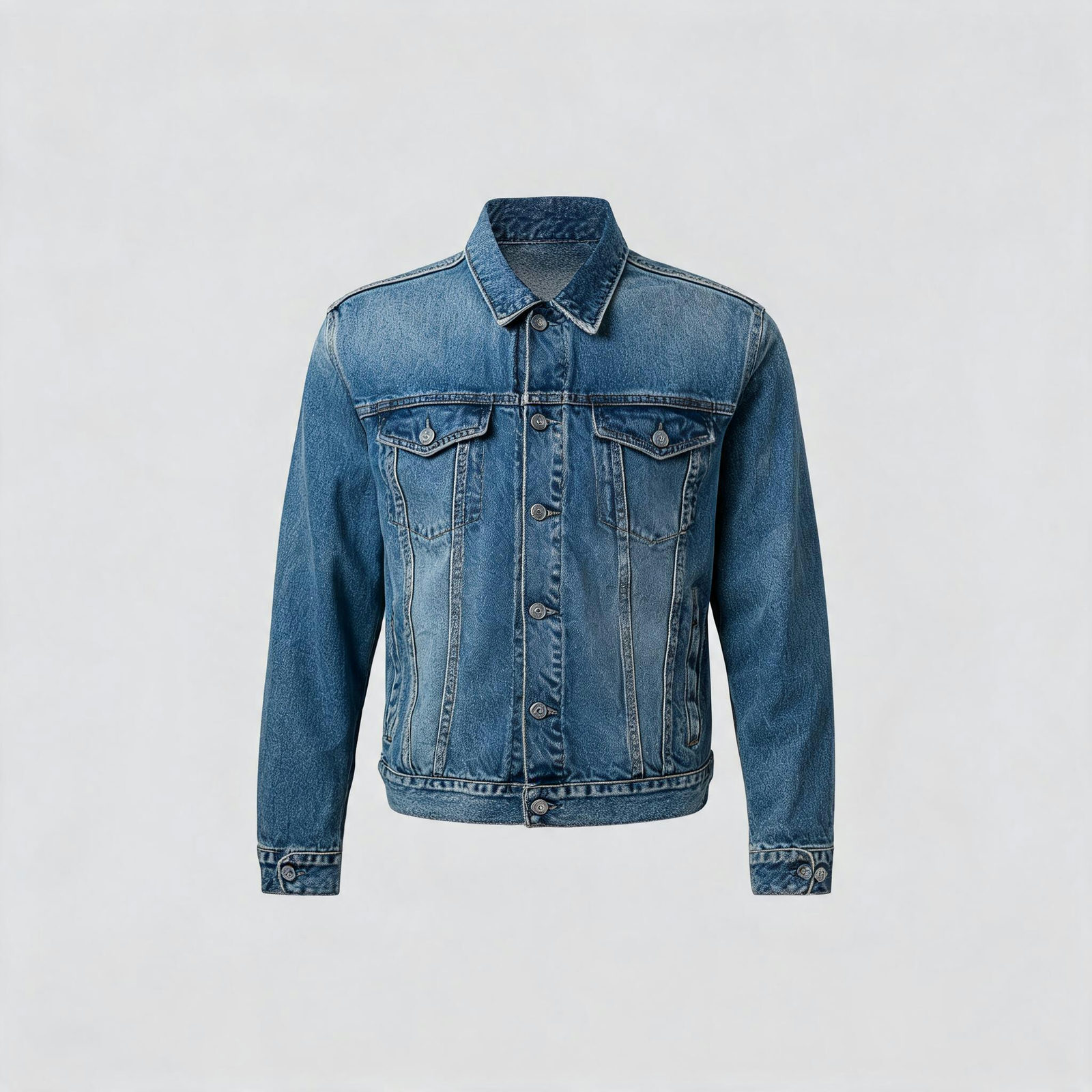 OUTFIT
The coffee-shop sweatshirt trades places with the trucker jacket. Cuffs, buttons and wash all survive.
WHERE AN OUTFIT CHANGE PAYS FOR ITSELF
LISTINGS WITHOUT A RESHOOT
One model photo, a season of garments. Change the reference, re-run, and the product page gets a worn shot for every SKU.
TRY BEFORE YOU BUY
Paste the garment from the store page onto your own photo. See the cut on your shoulders before you check out, not after the parcel lands.
THE INTERVIEW PHOTO
A blazer over your casual shot reads better than a webcam crop. The face stays yours, the collar does the talking.
COSPLAY TEST FITS
Check whether the costume works on your frame before you order the wig. Change the outfit, judge, move on to the next candidate.
WARDROBE PLANNING
One afternoon photo becomes a week of outfits. Restyle the same shot until the suitcase packs itself.
UGC AD VARIANTS
Same creator, same shot, a different outfit per placement. Variants for testing without another day on set.
THE FITTING ROOM, MINUS THE QUEUE
Both roads end at a worn garment. Only one starts from your own photo.
THE OLD WAY
- A reshoot or a fitting room, booked and paid for
- Hours of clone stamping per garment in an editor
- Fit guessed from a size chart and a model who is not you
- Every new outfit means starting over
THE PIXQUILL WAY
- Two uploads and one run, straight from the browser
- The model renders fabric, drape and fold on its own
- The garment lands on the actual person in the photo
- Same photo, next outfit: change the reference and re-run
EVERY TOOL, ONE BALANCE
The fitting is usually one step of the job. Clean the background, upscale the shot, or keep editing, all in the same studio.
A FITTING IN THREE STEPS
01 / PERSON
Stays exactly as shot
02 / OUTFIT
Only the outfit is taken
UPLOAD THE PERSON
A clear, front-facing photo where the current outfit is visible. Even light helps.
PERSON + OUTFIT, ONE RUN
UPLOAD THE OUTFIT
A product shot, a flat lay, a screenshot from a store. Anything where the garment reads clearly works.
bomber-fitting-4k.jpg✓ 4K · JPG · READY
CHANGE THE OUTFIT
Runs take 30 to 60 seconds. The result lands next to both inputs, ready to download as JPG or PNG.
BUILT FOR TRY-ON
IDENTITY PRESERVED
Face, pose, hands, background and lighting come from your photo. The model touches the outfit and nothing else.
ANY GARMENT SOURCE
Product pages, flat lays, screenshots, a photo of a friend. If the garment is visible, it works as a reference.
FABRIC THAT READS
Texture, pattern, drape and fold direction carry over. Denim reads as denim, lace reads as lace.
UP TO 4K OUTPUT
Nano Banana 2.1, Nano Banana Pro and Seedream 5.0 Lite reach 4K; most of the picker caps at 2K. Sharp enough for lookbooks and product pages either way.
THE RIGHT ENGINE, PRICED UPFRONT
Nano Banana 2.1 is the default all-rounder, with 10+ alternatives from Google, ByteDance, OpenAI and more behind it. The price sits on the console before you commit a credit.
HONEST BILLING
A run that fails on our side refunds its credits automatically. You only pay for results.
CLEANER OUTFIT CHANGES
- 01Loose garments take the change better than tight ones. The model has room to drape.
- 02Match coverage: a long-sleeve reference onto a tank-top photo forces invented arms.
- 03Front-facing, evenly lit person photos produce the cleanest fits.
- 04Crisp garment references beat blurry ones. Product shots are ideal.
- 05Keep the pose simple. Crossed arms over the chest fight the new garment.
- 06A weird sleeve or collar? Re-run once before touching the inputs; the model varies a little from run to run.
WHY VIRTUAL TRY-ON HERE
Most try-on tools repaint the whole photo and hope the face survives. PixQuill's Clothes Changer treats the person as the fixed layer: your first photo defines everything except the outfit, and the second photo only ever supplies the new garment. That split is why results keep the person you started with.
The engines behind the console cover different jobs. Nano Banana 2.1 is the default: reaches 4K and takes multiple references. Thirteen more models share the picker, from 4-credit Flux 3 Klein for budget swaps to Nano Banana Pro for hero shots. The console names the engine and the price before every run, so the choice is never a guess.
It's built for sellers mocking up listings, shoppers checking a silhouette before buying, and creators restyling a shoot they already have. For anything an outfit change can't fix (a stray object, a busy background), the studio's remover tools pick up where this one stops.
STRAIGHT ANSWERS
▸ How does the AI clothes changer work?
You supply two photos: the person and the garment. The model keeps everything in the first photo (face, pose, background) and renders the person wearing the garment from the second. One run usually takes 30 to 60 seconds.
▸ What photos work best?
A clear, front-facing photo of the person with even light, and a clean shot of the garment. Product photos make the strongest references; wrinkled or occluded garments carry their flaws into the result.
▸ Is the AI clothes changer free to try?
Yes. New accounts start with free credits and the daily check-in adds more, so you can run real fittings before spending anything. The console shows the exact price of every run upfront, and packs on the pricing page stay valid while your account is active.
▸ Can it change only part of an outfit?
The change targets the dominant garment. For fine-grained edits (a sleeve, a logo, a hem), open the result in the AI Image Editor and describe exactly what should change.
▸ How long does a run take?
Usually 30 to 60 seconds on our servers. Nothing to install, nothing to configure.
▸ What resolution and format do I get back?
That depends on the model you pick. Nano Banana 2.1, Nano Banana Pro and Seedream 5.0 Lite reach 4K; most of the picker tops out at 2K. Format options follow the model: JPG or PNG where the model offers the choice. Either way, results hold up on product pages and in print.
▸ Does the result show the real fit?
Treat it as a visual preview, not a sizing guarantee. The model renders how the garment reads on the person; it cannot tell you how the fabric feels or whether the cut runs small.
▸ Does it work on my phone?
Yes. Nothing to install: upload both photos from your phone, the fitting runs on our servers, and the result downloads back.
▸ Can I use the results commercially?
Images you generate are yours to use, including in commercial projects, within our terms. Rights in anything you upload stay where they were, so only process images you own or have permission to use. Details live on the Copyright page.
▸ What if the run fails?
Runs that fail on our side refund their credits automatically. You can also adjust either photo and re-run; both stay loaded.
▸ Can I clean up the background afterwards?
Yes. The Object Remover takes out anything that should not be in the frame, and the Background Remover returns a transparent PNG of the final look.
SAME YOU, NEW OUTFIT
Upload the person, add the garment, judge the fit against your own photo. New accounts start with free credits.