✦ BG REMOVER · GROUP PHOTO
GROUP PHOTO BACKGROUND REMOVER, EVERYONE STAYS
Families, teams, graduating classes. Cut the group free of the park, the hall or the gym wall and land them on a clean plate.


SOURCE PHOTO
Drop a photo here, or click to browse
PNG / JPG, up to 5 MB
Your result lands here
Upload a photo, then hit generate.
- ONE GROUP SHOT, NOT ONE PER FACE
- UPLOAD
- THE GROUP, WITH FACES KEPT
- CUT
- GAPS BETWEEN PEOPLE TRANSPARENT
- KEEP
- CARDS, BANNERS AND REUNION POSTERS
UP-FRONT PRICING
Packs start at $1.99 and stay valid while your account is active. Memberships start at $4.99 a month. One balance covers every image and video tool. The console prices every run before you commit.
Starter Pack
$1.99
100CREDITS
≈ 50images
≈ 4SOTA images
≈ 8svideo
≈ 6sSOTA video
A quick test run.
ONE PAYMENT · NEVER EXPIRE
Standard Pack
$9.99
700CREDITS
≈ 350images
≈ 30SOTA images
≈ 88svideo
≈ 43sSOTA video
A full issue's worth of art, plus videos for the launch.
ONE PAYMENT · NEVER EXPIRE
Pro Pack
$19.99
1,600CREDITS
≈ 800images
≈ 69SOTA images
≈ 208svideo
≈ 100sSOTA video
Batch season. Whole chapters and the videos that sell them.
ONE PAYMENT · NEVER EXPIRE
STANDARD MEMBERSHIP
$4.99/ month
1,000CREDITS EVERY MONTH
For weekly creators and side projects.
≈ 500images
≈ 43SOTA images
≈ 128svideo
≈ 62sSOTA video
NO LOCK-IN · CANCEL ANY TIME
Membership credits are available while the membership is active. Unused membership credits expire when the membership ends.
Image estimates use Flux 3 Klein at 1K, the lowest-priced run on the site. Video estimates use 8-second Veo 3.1 Lite videos at 720p, or Wan 3.0 at 480p for the SOTA row. The console shows the exact cost before every run.
WHOLE GROUPS, ONE CUT
Busy scenes behind whole sets of people. Slide each pair and count the heads that survived.
Three generations squeezed into one park photo at golden hour. The whole group lifts off clean while the foliage goes transparent.
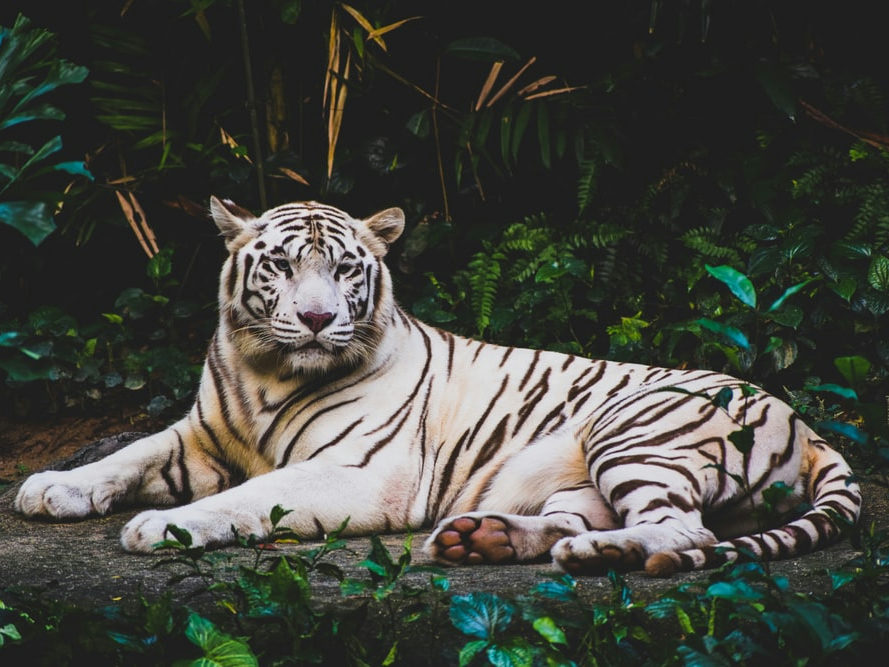
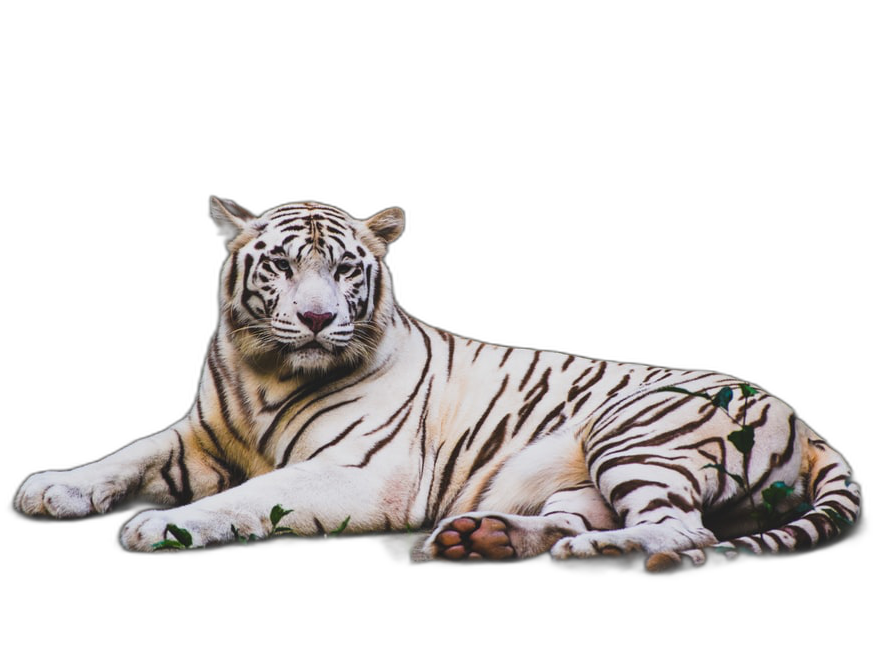
White fur on dense jungle foliage is the worst case for auto picks. The fur stays fur and every leaf behind it goes transparent.
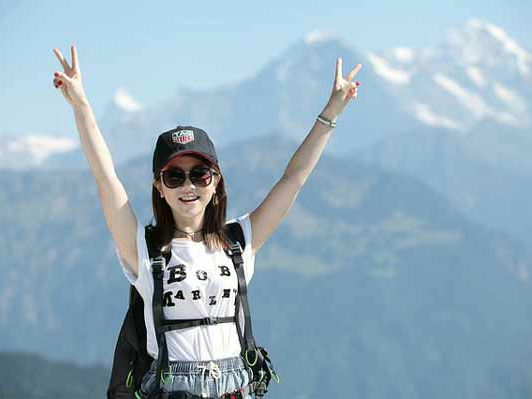
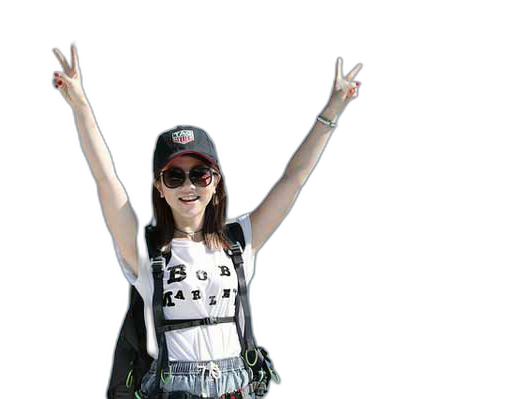
Stray hair against a busy mountain backdrop is where most removers melt. Here the boundary is re-rendered before the cut, so the strands survive.
WHERE GROUP CUTOUTS GO
TEAM AND DEPARTMENT PAGES
Cut the department photo once and composite the row onto the company backdrop for a consistent page.
EVENT BANNERS
Conference crowds and wedding parties drop onto banners and stage screens without their original rooms.
GRADUATION AND REUNION CARDS
The class photo you love, minus the gym wall. Cards and keepsakes come together faster.
YEARBOOKS AND ALBUMS
Group cutouts stack into collage layouts with no white boxes breaking the grid.
SPORTS AND CLUBS
Team lineups land on brand colors for posters, jerseys and social posts.
PARTIAL GROUPS
Only three of the eight belong in the new banner? Crop to those three before upload.
A CUTOUT ENGINE, NOT A REDRAW.
Group photos are the hardest case for automatic guesses: several subjects, close together, sometimes touching. A dedicated engine segments the whole group as one subject.
THE WHITE-BACKDROP APPROACH
- Repaints the scene on white and erases the park after
- The person at either end gets read as scenery
- Overlapping shoulders merge into one shape at the cut line
- Faces are re-rendered wherever the white plate took over
THE DEDICATED CUTOUT ENGINE
- Segments the whole group as one subject, then returns alpha
- Everyone in frame comes out, including the back row
- The space between two heads goes transparent, not white
- Your own resolution comes back, up to 4K for a printed card
EVERY TOOL, ONE BALANCE
Background removal is usually one step of the job. Every other tool shares your uploads and credits.
UPLOAD, CUT, DOWNLOAD
DROP A PHOTO HERE, OR CLICK TO BROWSE
PNG / JPG · UP TO 5 MB
UPLOAD THE PHOTO
Any JPG or PNG up to 5 MB, long edge 4096 px or less. One photo is the whole input.
THE ENGINE FINDS THE SUBJECT
THE ENGINE CUTS
The engine segments everyone in the frame as one subject and drops the scene behind them.
group-cutout.png✓ PNG · TRANSPARENT
DOWNLOAD THE PNG
About 5 to 20 seconds later you have a transparent PNG at the same resolution as your upload, up to 4K.
CUTOUTS THAT SHIP
MULTI-PERSON KEPT WHOLE
The engine segments the main group as one subject, so faces are not dropped one by one.
ENDS OF THE ROW KEPT
The person at either end usually sits half against the scenery. Segmentation treats the whole group as the subject, not just the centre of it.
CLEAN BETWEEN PEOPLE
The gap between two shoulders should end up transparent. A repainted white plate leaves a seam there that shows on any backdrop.
PRINT-SIZED OUTPUT
Class portraits and team banners print large. The cutout keeps your upload's resolution, up to 4096 px on the long edge.
NO WATERMARK, EVER
Results download clean. Nothing gets stamped on your image, free credits or paid.
HONEST BILLING
The price shows before the run, and failures on our side refund automatically.
SHARPER CUTOUTS
- 01Stand the back row higher than the front. Clear space around each head gives the edge something to resolve.
- 02Look for a plain stretch of wall, sky or grass behind the group. Busy scenery behind a shoulder is the hard case.
- 03Keep files under 5 MB. A high-quality JPG usually fits even at 4K.
- 04The checkerboard preview is your friend: gray squares mean real transparency.
- 05Crop to the people who belong in the final image before upload; the cut follows the frame.
- 06Check the gaps between people on the checkerboard. They should be transparent, not white.
GROUP CUTS ARE A FRAMING PROBLEM
Automatic removers treat group photos as a puzzle: how many subjects, where does one end and the next begin, is that arm yours or hers. PixQuill's group photo background remover skips the puzzle: the engine segments the people in your frame as the subject, and the scene behind them goes transparent.
Everything in the frame is kept at native alpha, including the gaps between people, which is what makes banners and collage layouts work: real transparency between heads instead of white patches. Resolution follows the source, up to 4K, so a stage screen still holds.
The console shows the engine price before every run, and new accounts start with free credits. For a single-person cut the same tool handles it; for removing one object while the group stays, use the [Object Remover](/object-remover-image).
STRAIGHT ANSWERS
▸ How do I remove the background from a group photo?
Upload the photo and generate. The engine segments the group as the subject and returns a transparent PNG at the photo's resolution, up to 4K.
▸ Can I keep only some people in the photo?
Crop the photo to the people who stay before upload. The engine cuts what is in the frame, so the crop defines the group.
▸ What about people standing close together?
The engine segments the whole group at once. Overlapping shoulders and arms stay; the scenery between people turns transparent.
▸ Is the result really transparent?
Yes. What you download is a PNG with a native alpha channel produced by the cutout engine, so the edges composite cleanly onto any color. The checkerboard in the result view shows the transparency directly.
▸ Is it free to try?
Yes. New accounts start with free credits and the daily check-in adds more, so you can run real images before paying anything. The console shows the exact credit cost of every run upfront, and results come with no watermark.
▸ What files can I upload, and at what size?
Any JPG or PNG up to 5 MB, with a long edge of 4096 px or less and a short edge of at least 256 px. The cutout comes back at the same resolution as your upload, up to 4K, usually in 5 to 20 seconds.
▸ Can I use the cutout commercially?
Images you generate are yours to use, including in commercial projects, within our terms. Rights in anything you upload stay where they were, so only process images you own or have permission to use. Details live on the Copyright page.
THE GROUP STAYS. THE GYM WALL GOES.
Upload the group shot and check every edge on the checkerboard. New accounts start with free credits.