✦ AI EFFECTS
GLOVE KNOCK AI VIDEO GENERATOR
Add one photo, pick the person cut or the pet cut, and get a 6 second Glove Knock clip in 9:16 with the sound kept.
ONE PHOTOYOU CUT OR PET CUT6S EACH, SAME PRICEUSUALLY 5 TO 15 MINUTES
TEMPLATE
Your video carries this template's own sound.
YOUR PHOTO
One clear, front-facing photo of one face, head and shoulders is enough. That face takes the punch for all 6 seconds. For the pet cut, show the animal whole: it keeps its own species, muzzle and coat. The red and blue gloves belong to the template and never change.
ASPECT RATIO
Your video lands here
Pick your cut, add a photo, press generate.
GLOVE KNOCK YOU CUTS FOR 700 CREDITSGLOVE KNOCK PET CUTS FOR 700 CREDITSPLANS FROM $4.99/MOPACKS FROM $9.99
SEE PRICING →- WHAT YOU ADD
- One photo, person or pet
- WHAT YOU PICK
- Glove Knock You or Glove Knock Pet
- WHAT COMES BACK
- A 6s vertical clip with the face squashed
- WHAT IT COSTS
- 700 credits, either cut
- HOW LONG IT TAKES
- Usually 5 to 15 minutes
- IF IT FAILS
- Credits come back, on our side
UP-FRONT PRICING
Recommended packs start at $9.99 and stay valid while your account is active. Memberships start at $4.99 a month. One balance covers every image and video tool. The console shows the fixed price before you render.
Standard Pack
$9.99
700CREDITS
≈ 350images
≈ 30SOTA images
≈ 88svideo
≈ 43sSOTA video
A full issue's worth of art, plus videos for the launch.
ONE PAYMENT · NEVER EXPIRE
Pro Pack
$19.99
1,600CREDITS
≈ 800images
≈ 69SOTA images
≈ 208svideo
≈ 100sSOTA video
Batch season. Whole chapters and the videos that sell them.
ONE PAYMENT · NEVER EXPIRE
STANDARD MEMBERSHIP
$4.99/ month
1,000CREDITS EVERY MONTH
For weekly creators and side projects.
≈ 500images
≈ 43SOTA images
≈ 128svideo
≈ 62sSOTA video
NO LOCK-IN · CANCEL ANY TIME
PRO MEMBERSHIP
$19.99/ month
5,000CREDITS EVERY MONTH
For daily image and video production.
≈ 2,500images
≈ 217SOTA images
≈ 664svideo
≈ 312sSOTA video
NO LOCK-IN · CANCEL ANY TIME
Membership credits are available while the membership is active. Unused membership credits expire when the membership ends.
Image estimates use Flux 3 Klein at 1K, the lowest-priced run on the site. Video estimates use 8-second Veo 3.1 Lite videos at 720p, or Wan 3.0 at 480p for the SOTA row. The console shows the exact cost before every run.
Glove Knock
Someone is lying on a bed and two cartoon boxing gloves on coil springs are waiting at the bottom of the frame. They shoot up one after the other and punch the sleeper in the face. The two cuts differ: the person cut is filmed from straight above and the red glove lands first, the pet cut sits level with the bedding and the blue one goes first. The cheek flattens, a red mark comes up, and the face never goes back to normal before the clip ends. The bed, the light, the camera and both gloves are already in the clip. The only thing that changes is whose face takes the punch.
 01
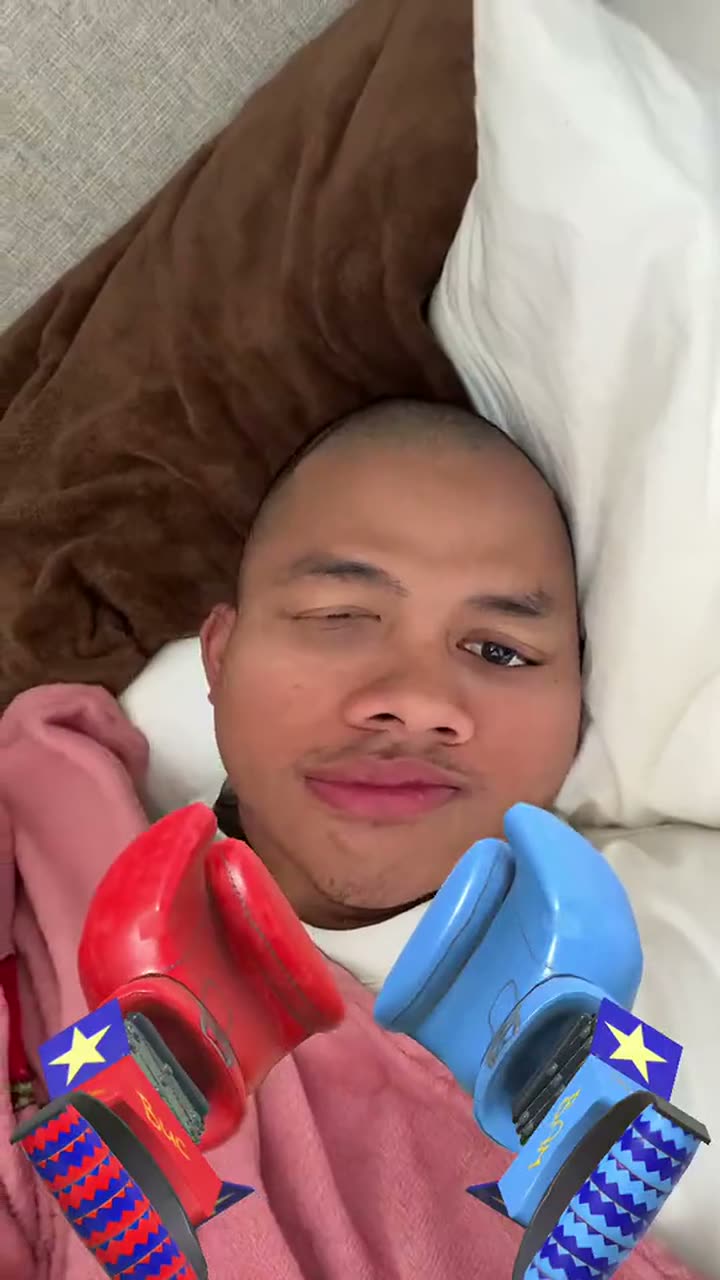
Flat On The Bed
The sleeper lies on their back on the white pillows, looking up at the camera, while both gloves sit low at the bottom edge with their springs compressed.
 02
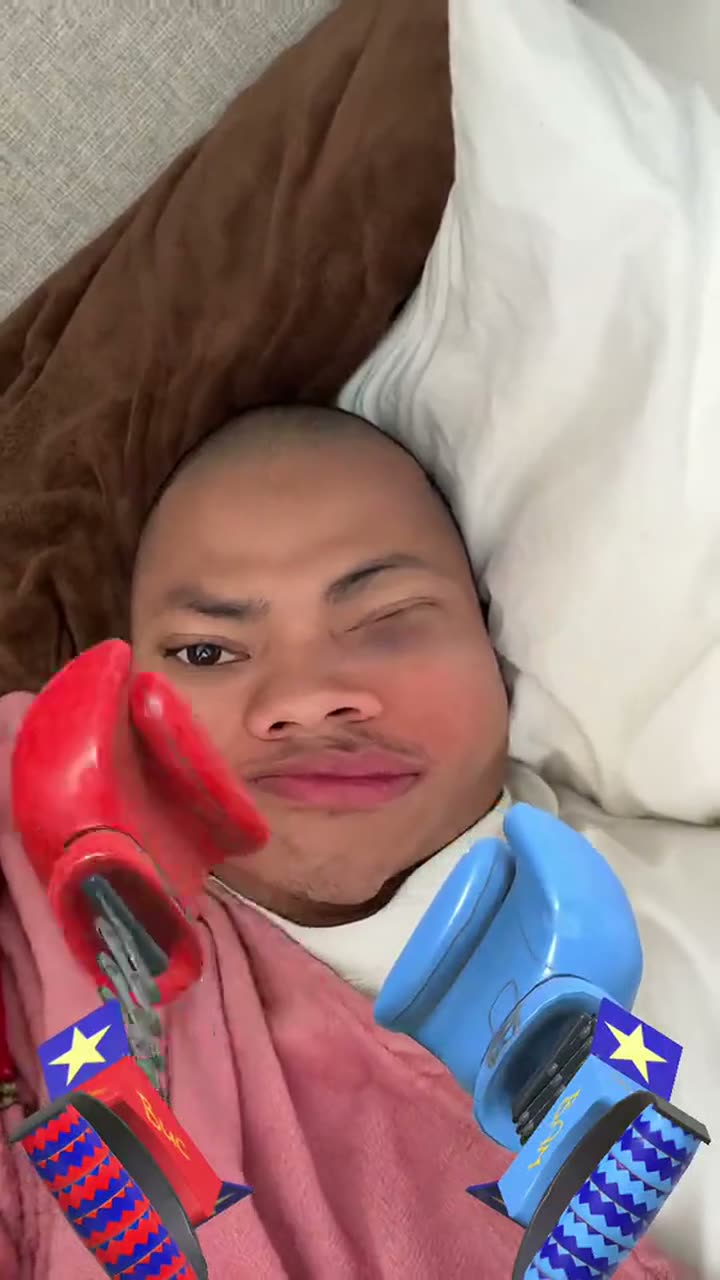
The Red One Comes Up
Near the 2 second mark the red glove shoots up on its coil and lands on the side of the face, and the cheek starts flattening under it.
 03
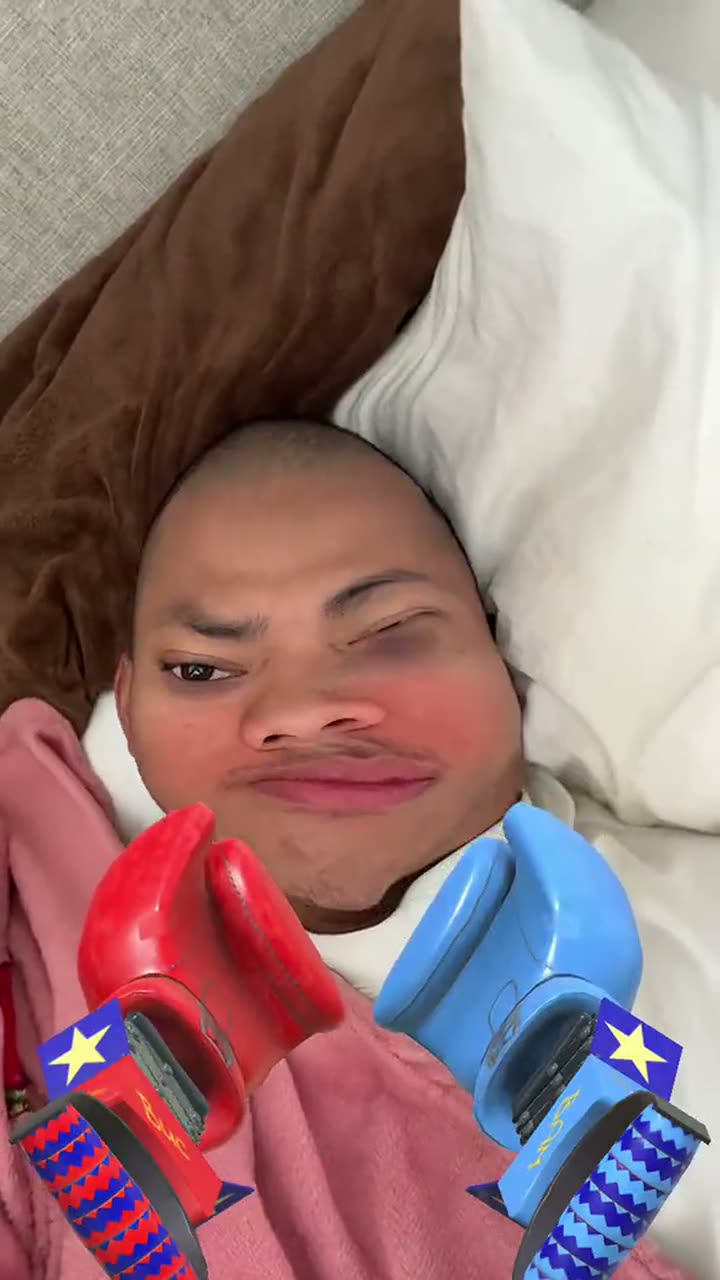
Squashed And Marked
By about 3.5 seconds the whole face is pushed sideways, one eye is squeezed shut, and a flat red mark is spreading across the cheek.
 04
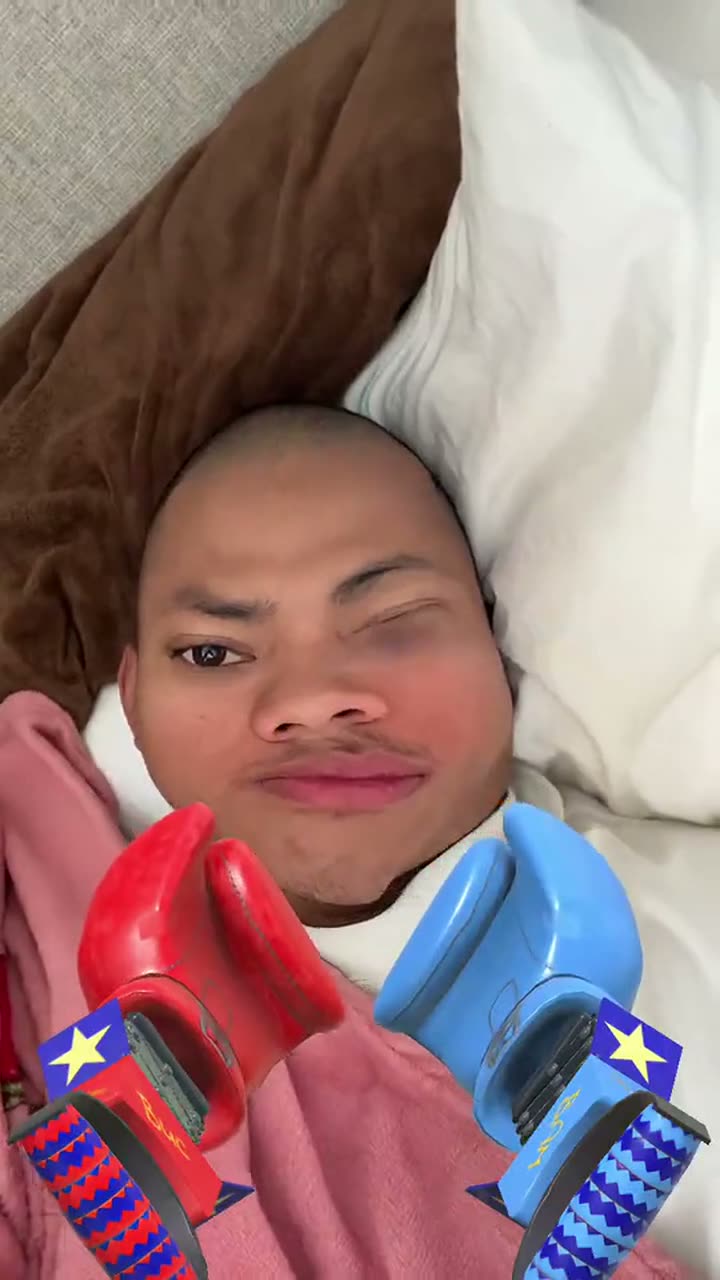
Still Flat At The End
Near 5 seconds the red glove is up at the chin again with the blue one rising beside it. The face does not go back to normal on the way out, it stays squashed with one eye shut.
One you cut, one pet cut
Both clips below come straight from the templates, so the bed, the gloves and the timing are what you get back. Glove Knock You is the 6 second overhead bed shot with a person. Glove Knock Pet is the same 6 seconds at the foot of a bed with your animal on the patterned cover, and it keeps its own species, muzzle and coat.
Three steps, no prompt
- GLOVE KNOCK YOU · 6S · 9:16
- GLOVE KNOCK PET · 6S · 9:16
RATIO9:16QUALITY480PPick the cut
Glove Knock You takes the overhead bed shot with a person. Glove Knock Pet puts your animal on a patterned cover with the camera low at the foot of the bed. Both are 6 seconds in 9:16, both want one photo, both cost the same.
✓you.jpg
✓I own this photo or have permission to edit it
Add your photo
One clear front-facing shot. For the pet cut, show the animal whole with its face turned toward you. The gloves belong to the template, so nothing from your photo goes onto them.
glove-knock.mp4✓ 6S · 9:16 · SOUND KEPT
Render it
Tick the permission box, check the price and hit generate. You get the template's own sound, the same punch beats and the same 6 seconds, usually inside 15 minutes.
What makes a clean swap
- 01A sharp, front-facing photo of one face in good light. No sunglasses, no hand over the face.
- 02Head and shoulders are enough. The template only shows the face clearly, so a normal selfie crop works.
- 03For the pet cut, photograph the animal whole with its face toward the camera. A cat photo gives a cat and a dog photo gives a dog.
- 04Only send photos of yourself, of animals you keep, or of people who said yes to the bit.
- 05Six seconds is short on purpose. The gag is the squash, so the clip ends while the face is still flat instead of running on.
EVERY TOOL, ONE BALANCE
Other template pages run the same way: upload a photo, choose the cut, download the result.
One thing swaps: the face on the pillow
Glove Knock is a fixed template effect. The bed, the pillows, the cover, the wall, the window, the camera angle, the color grade, the two cartoon gloves and their sound are all already in the clip. The model has one job: put your face on the sleeper.
Your photo is the only source for that face and hair. The red glove and the blue glove are props from the template, so they keep their own colors, their own coil springs and their own punch path, and nothing from your photo is put on them. The clip stays 6 seconds in 9:16, the punches land at the same beats, and the squash happens on your face rather than replacing it.
The pet cut works the same way with an animal. Your cat keeps being your cat: same muzzle, same ears, same coat and markings. A dog photo gives a dog, and the animal never turns into the black cat from the template or into a person. Put a person in that slot instead and they keep their own face and stay fully clothed. The punch is a cartoon flattening, with no blood and no injury beyond it.
You get no additions in the frame: no captions, no extra logos, no new text on the gloves or the bedding, and no new music. The template's own audio track is what comes back, so the punches land where they land in the preview you watched.
This is a fan-made effect. It has no tie to whoever started the spring-glove bit, and no platform, studio or creator endorses this page. The gloves are drawn props in a bedroom gag, and the only thing taken from your photo is the face on the sleeper.
The video model runs on our servers, so there is nothing to install and nothing to leave open. Close the tab and the six-second clip still finishes, waits in your account history and stays downloadable. If a render fails on our side, the credits go back to your balance.
Before you render
▸ Do I have to write a prompt?
No. Each cut has its own prompt, written and locked on our side. You add one photo, pick Glove Knock You or Glove Knock Pet, and press generate.
▸ What is the Glove Knock trend?
A bedroom punchline. Two cartoon boxing gloves mounted on coil springs rise from the foot of the bed and hit a sleeping person, or a cat or dog, straight in the face. The cheek flattens under the glove and a red mark blooms, and the clip ends before the face recovers. It runs as a short vertical clip, about six seconds.
▸ How long is the result?
Six seconds, vertical 9:16, which is the exact length of the template. It is short on purpose: the joke is the punch and the flattened face, so the clip stops before the gag wears out.
▸ Do the gloves change to match my photo?
No. They are part of the template: one red glove, one blue glove, star cuffs, coil springs, same way up and same punch. Only the face in the bed comes from your photo.
▸ Can I use a photo of my cat or dog?
Yes, that is what the pet cut is for. The animal keeps its own species, muzzle, ear shape and coat, and it never becomes the cat in the template or a human.
▸ What if I put a person in the pet cut?
The person keeps their own face and stays fully clothed, lying where the template animal lies. The bedroom, the cover and both gloves stay as they are.
▸ Does the video have a watermark?
No watermark, no caption, no site logo. The model keeps the bedroom exactly as the template shot it and adds no mark of its own.
▸ Is the punch too rough?
It reads as a cartoon: a spring glove flattening a face, with a red mark on the cheek in the person cut and no blood or injury in either cut. The face still looks like the photo while it is squashed.
▸ What does it cost?
Either cut costs the same 700 credits, priced on the console before the render begins. Free credits come with every new account, and pack sizes are listed in pricing.
▸ How long does it take?
Expect 5 to 15 minutes. The page polls while it is open, but you can also shut it and collect the finished clip from your account history.
▸ What if the punched face is not quite yours?
Run it again. Same photo, same cut, a different pass. If the render fails on our side the credits return to your balance automatically.
▸ Is the sound from the template kept?
Yes. The template's own audio track carries into your clip, so the timing of the punches matches what you saw on this page.
▸ Can I post it commercially?
See the terms and privacy notice for what you can do with renders and what happens to the photos you upload.
Put your face on the punchline
One photo, one cut, six seconds of two cartoon spring gloves flattening your face on a bed. Free credits on signup, and the price is on screen before you render.