✦ AI IMAGE EDITOR
MARK THE SPOT, EDIT THE PHOTO
Mark the exact spot, say the change in plain words. The rest of the photo stays put.
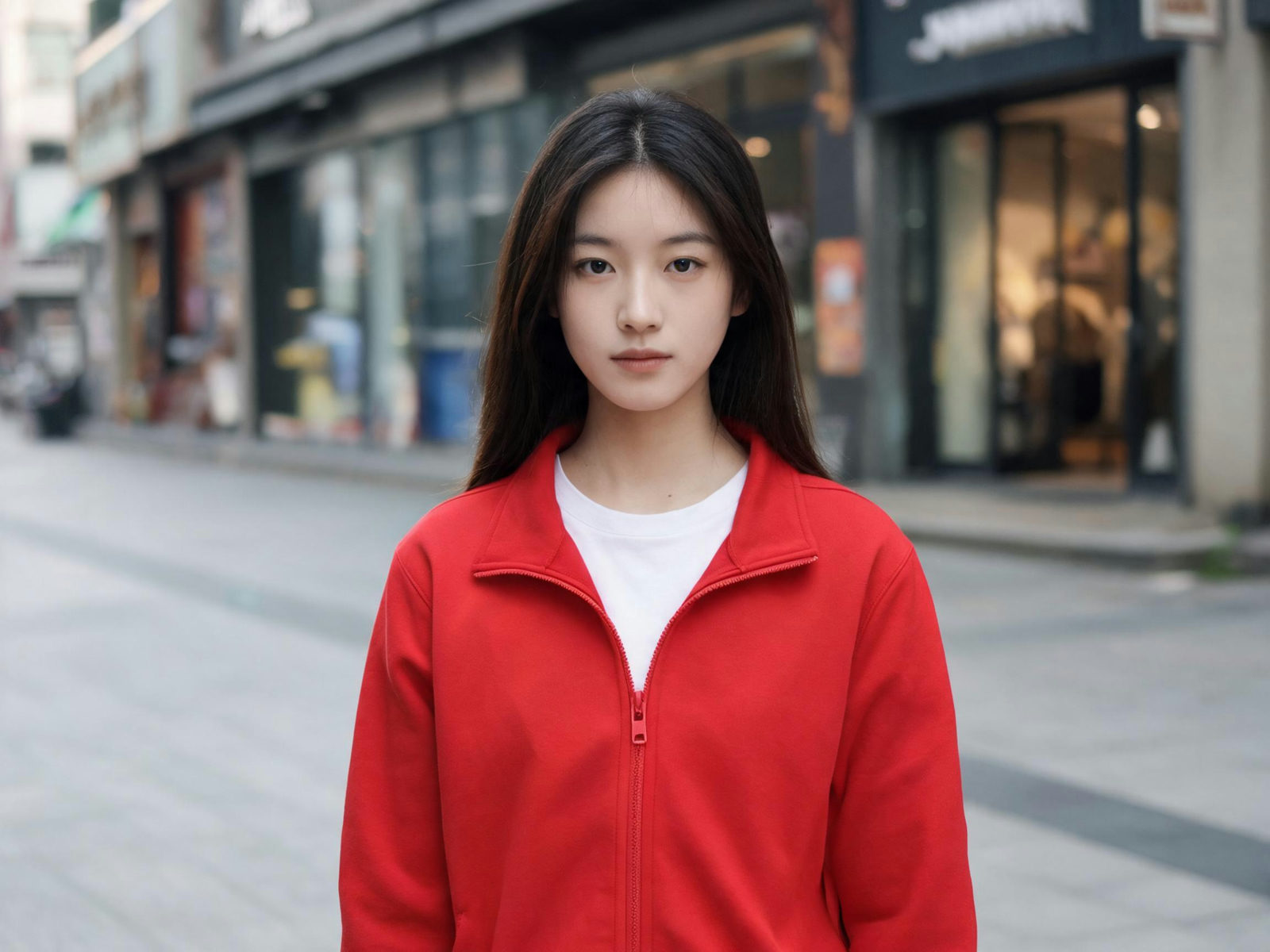
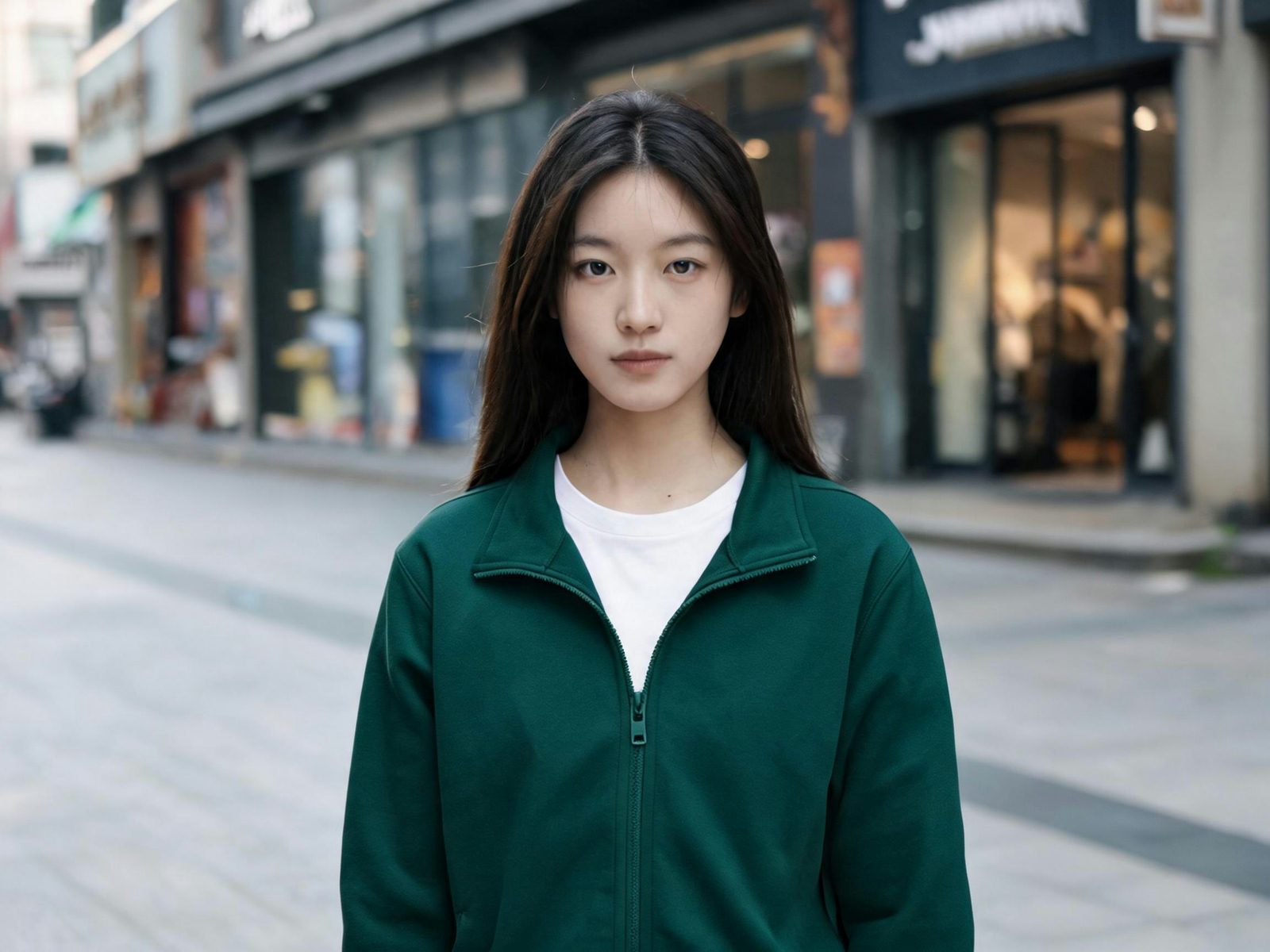
PROMPT ▸make the jacket in [Box 1] deep green
BASE PHOTO
Drop a photo here, or click to browse
PNG / JPG, up to 5 MB
- POINT, BOX OR BRUSH: YOU NAME THE TARGET
- MARK
- ONLY THE MARKED AREA CHANGES
- EDIT
- EVERY RESULT BECOMES THE NEXT BASE
- ITERATE
- EVERY VERSION KEPT, UP TO 2K OUTPUT
- SAVE
ONE MARK, ONE SENTENCE
Everyday edits, each driven by one mark and one prompt. The rest of the photo stays put.
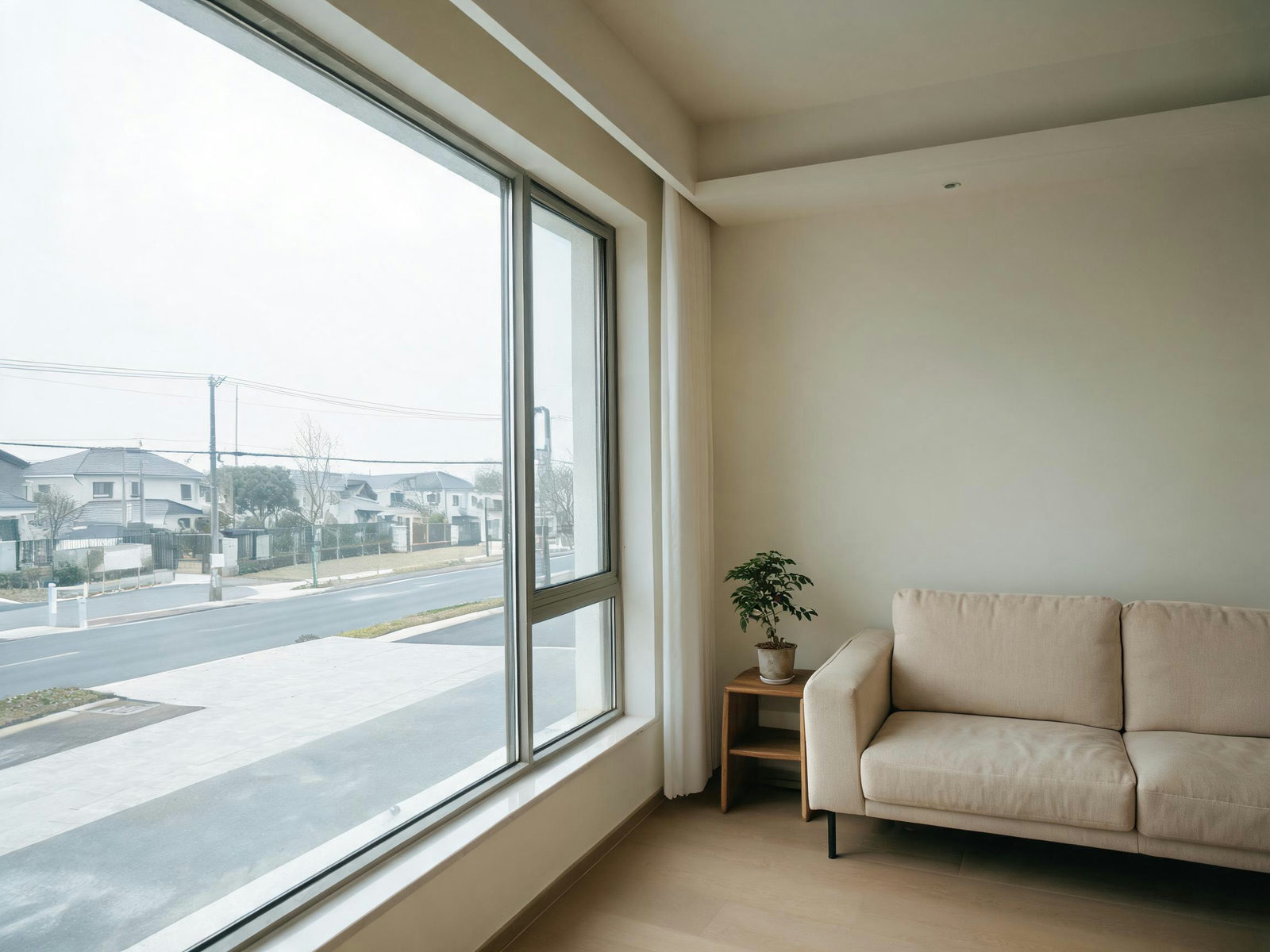
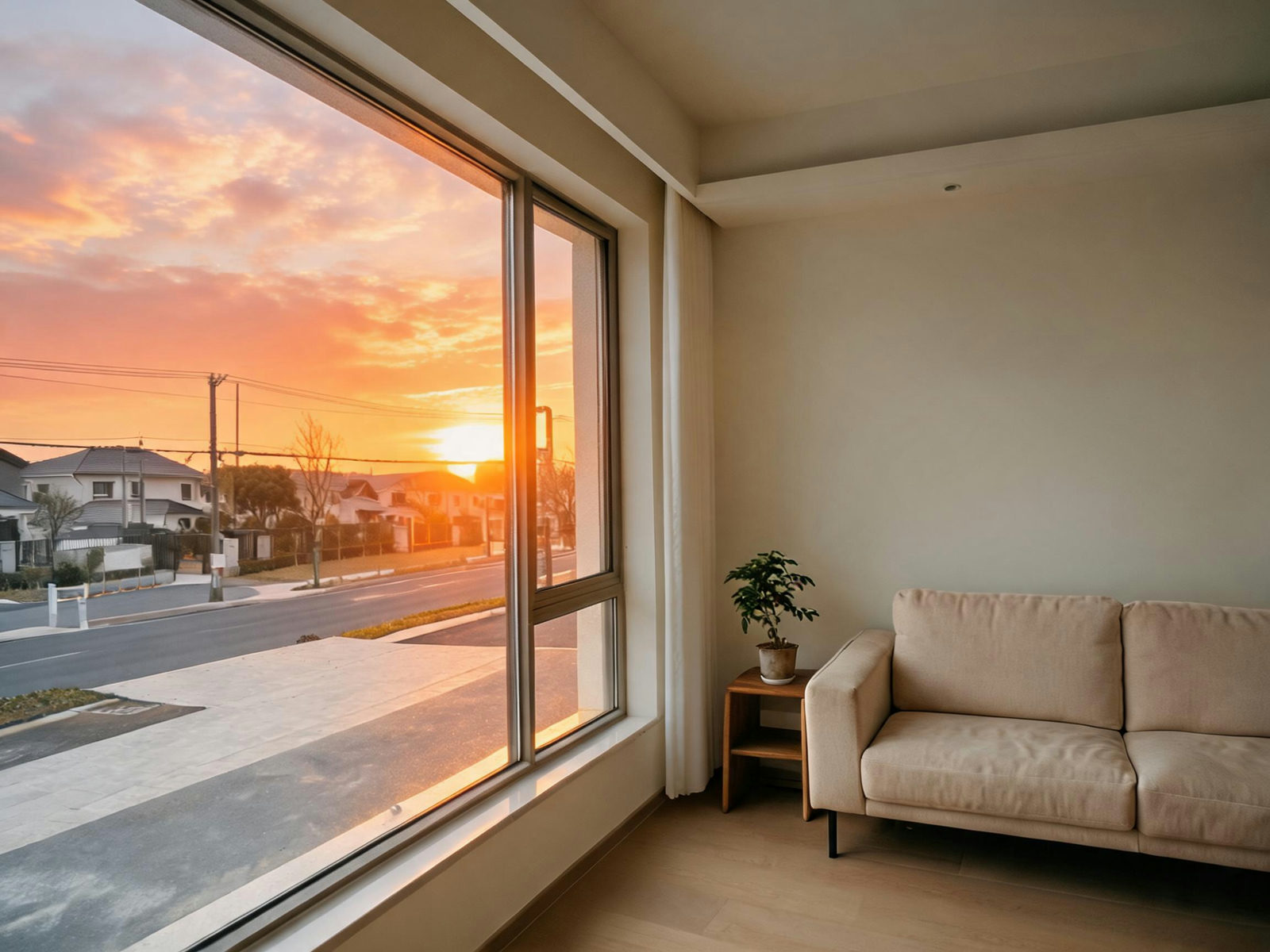
PROMPT ▸swap the sky outside the window to a sunset
One brush stroke over the glass, one sentence. The room, the frame and the reflections hold still.

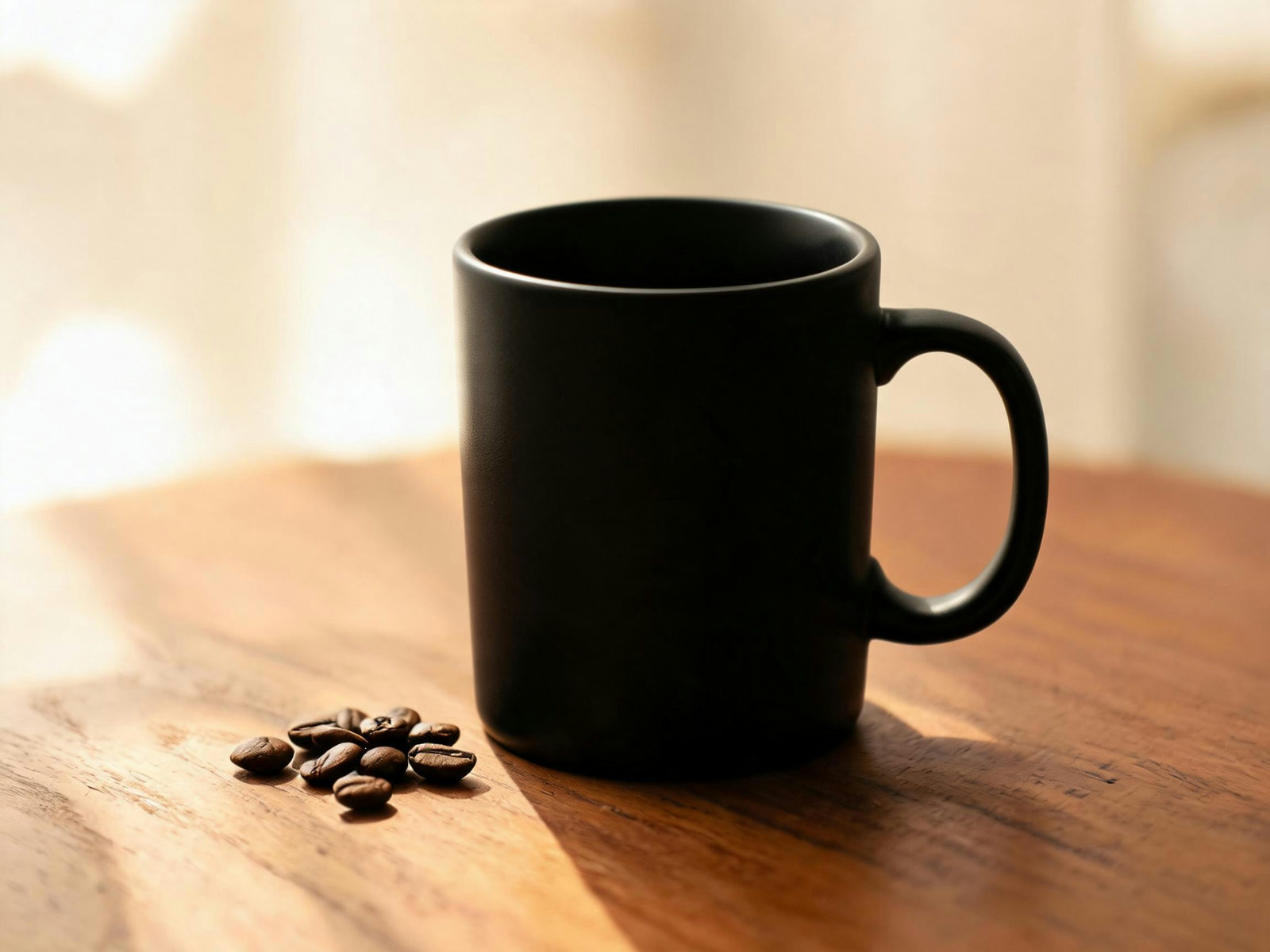
PROMPT ▸make the mug at [Point 1] matte black
A point is enough for small targets. The model reads the object, not the pixels around it.
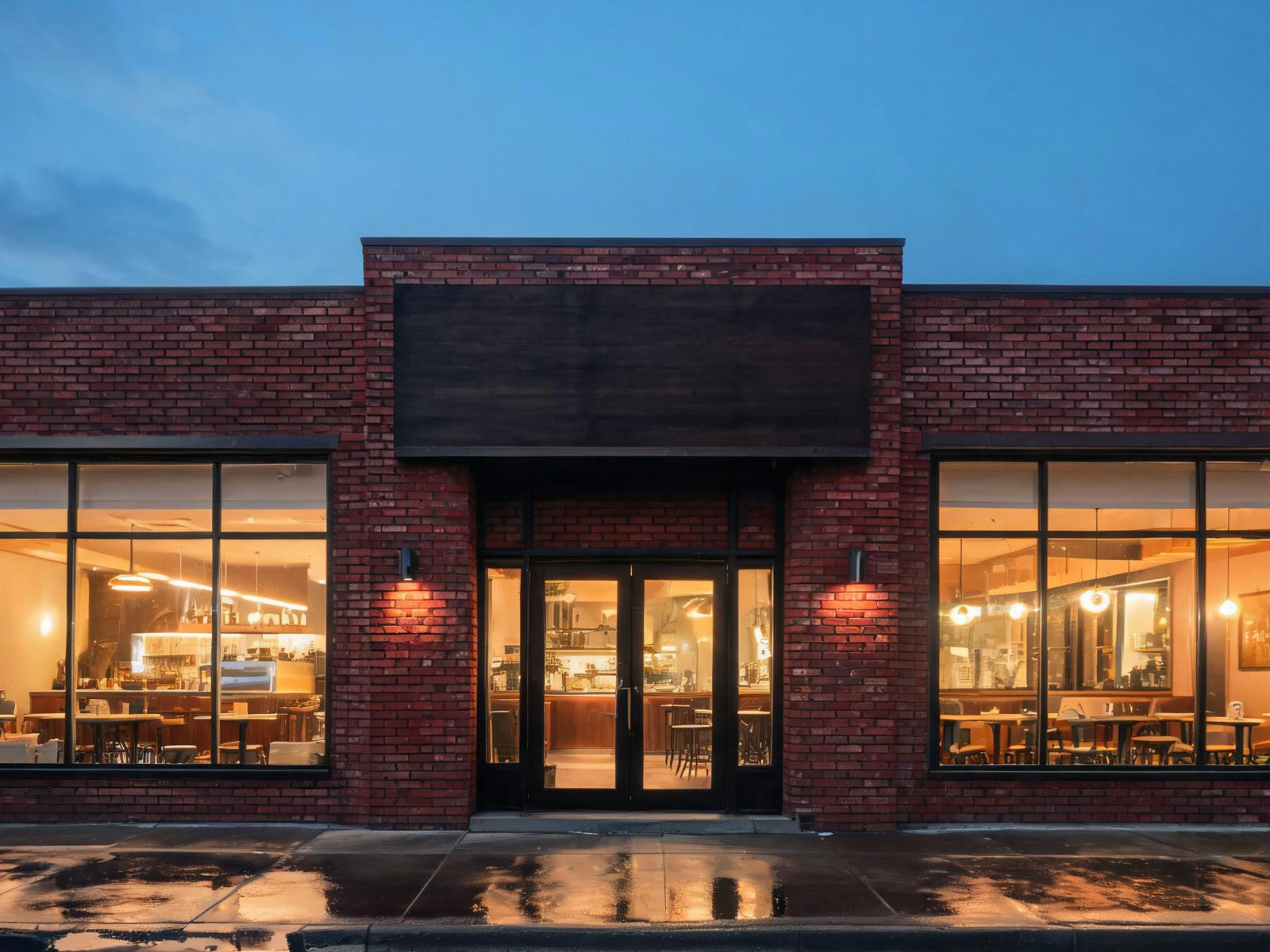
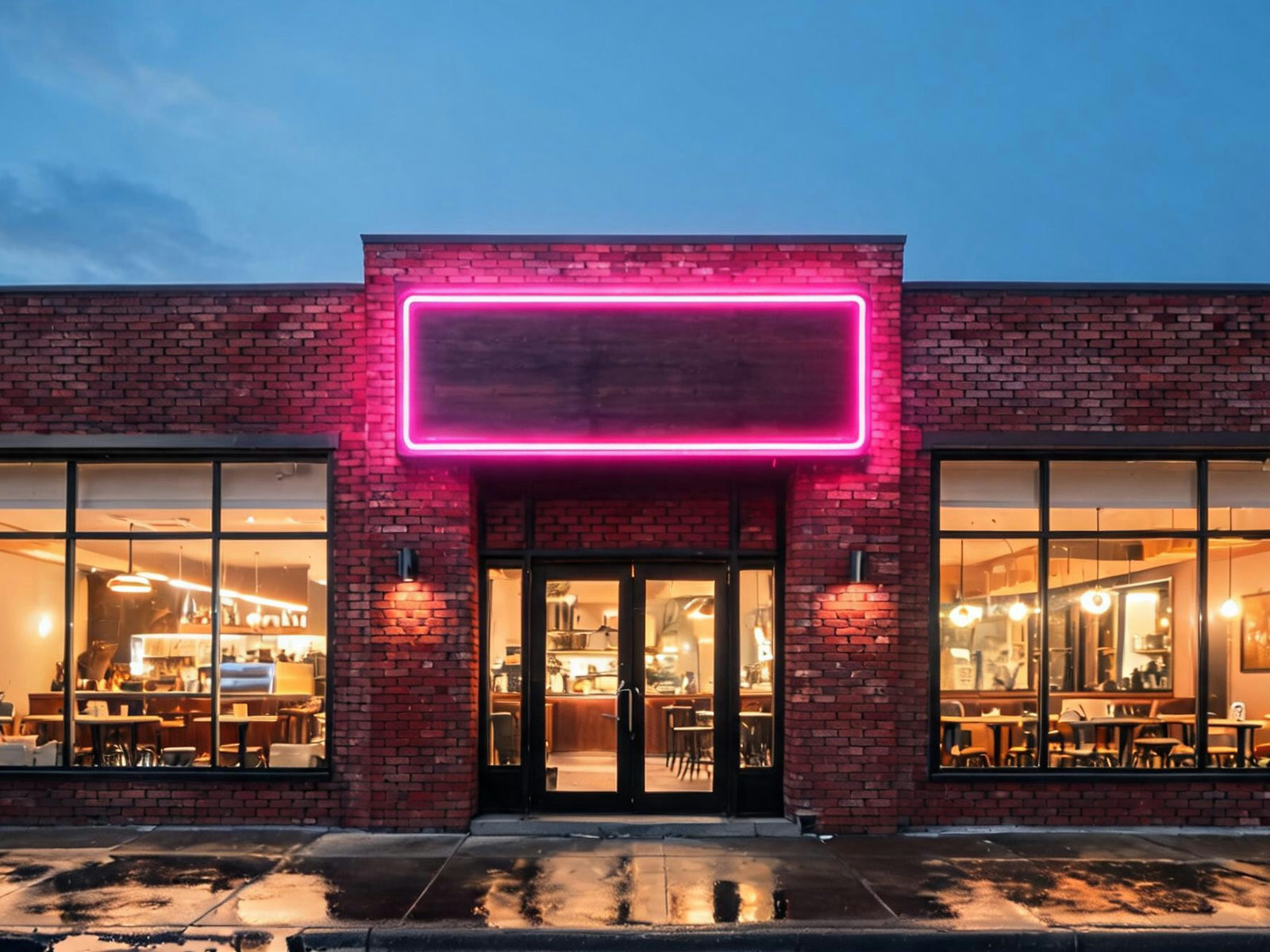
PROMPT ▸turn the storefront sign in [Box 1] into a neon sign
Box the sign and restyle it in place. Perspective and lighting follow the street.
EVERY RESULT IS THE NEXT BASE
Two rounds on one photo. The output of round one is the input of round two, and every version stays in the strip.
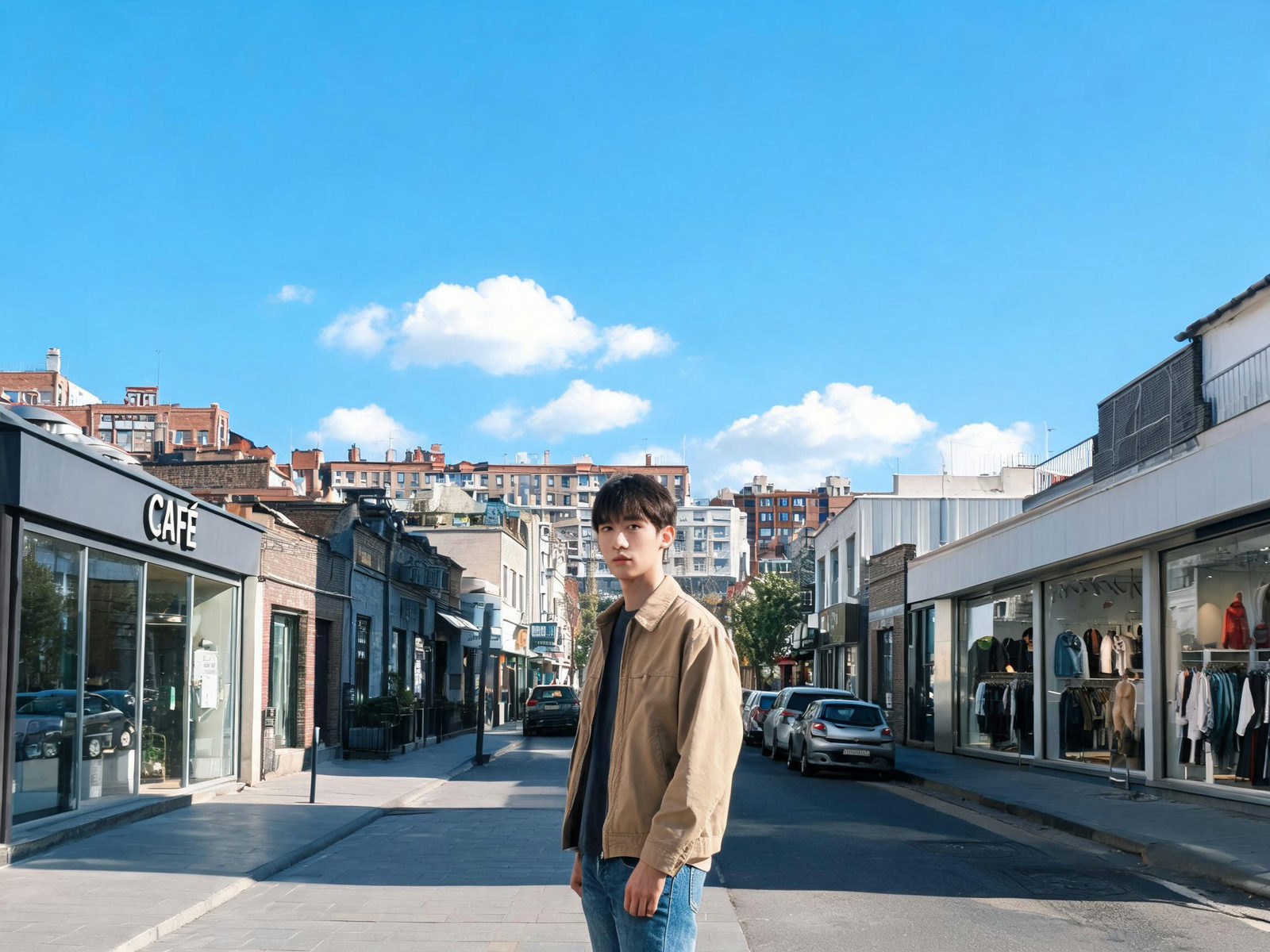 V0 · BASE
The upload. Marks and prompts attach here.
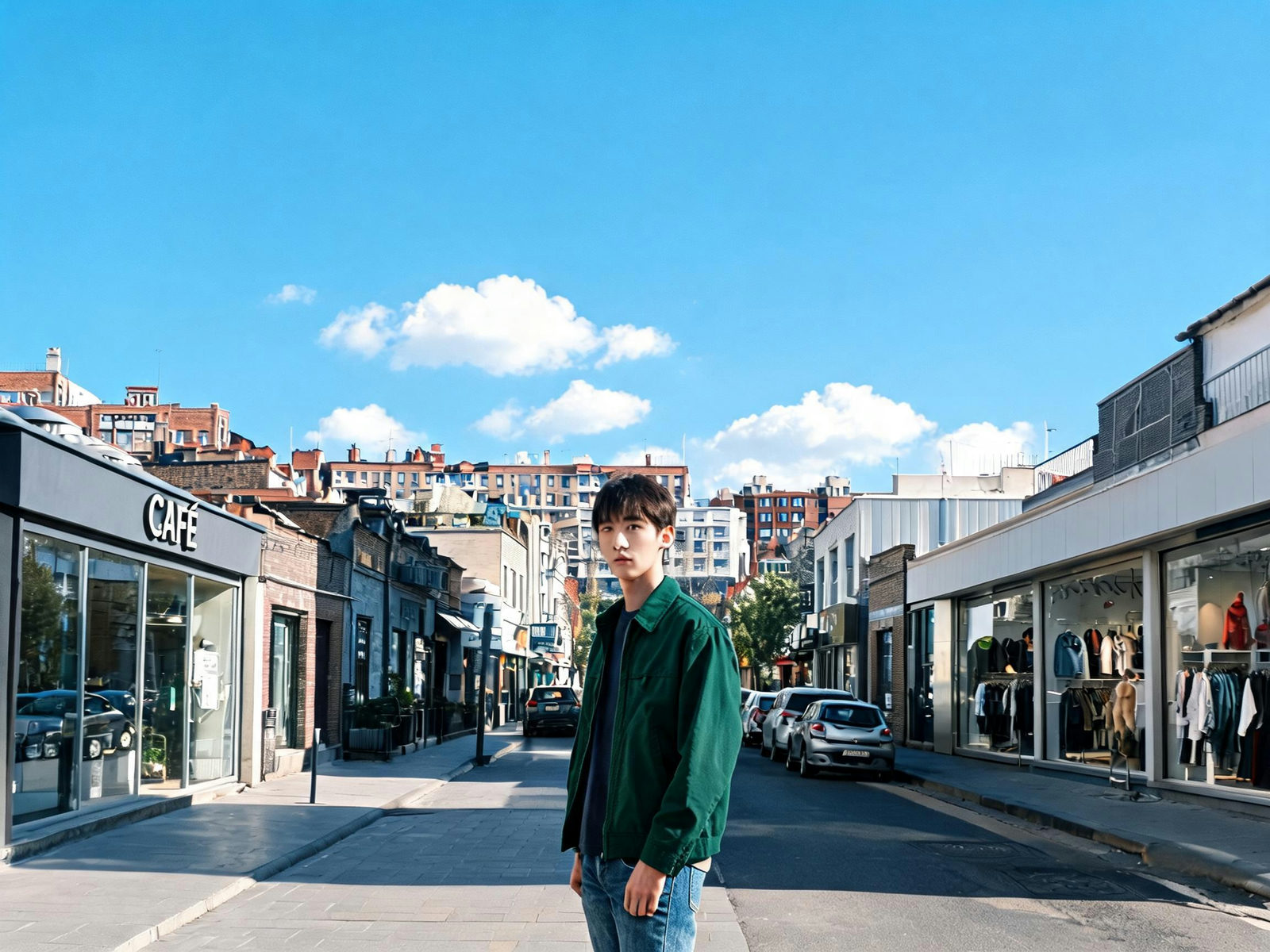 V1
V1make the jacket in [Box 1] deep green
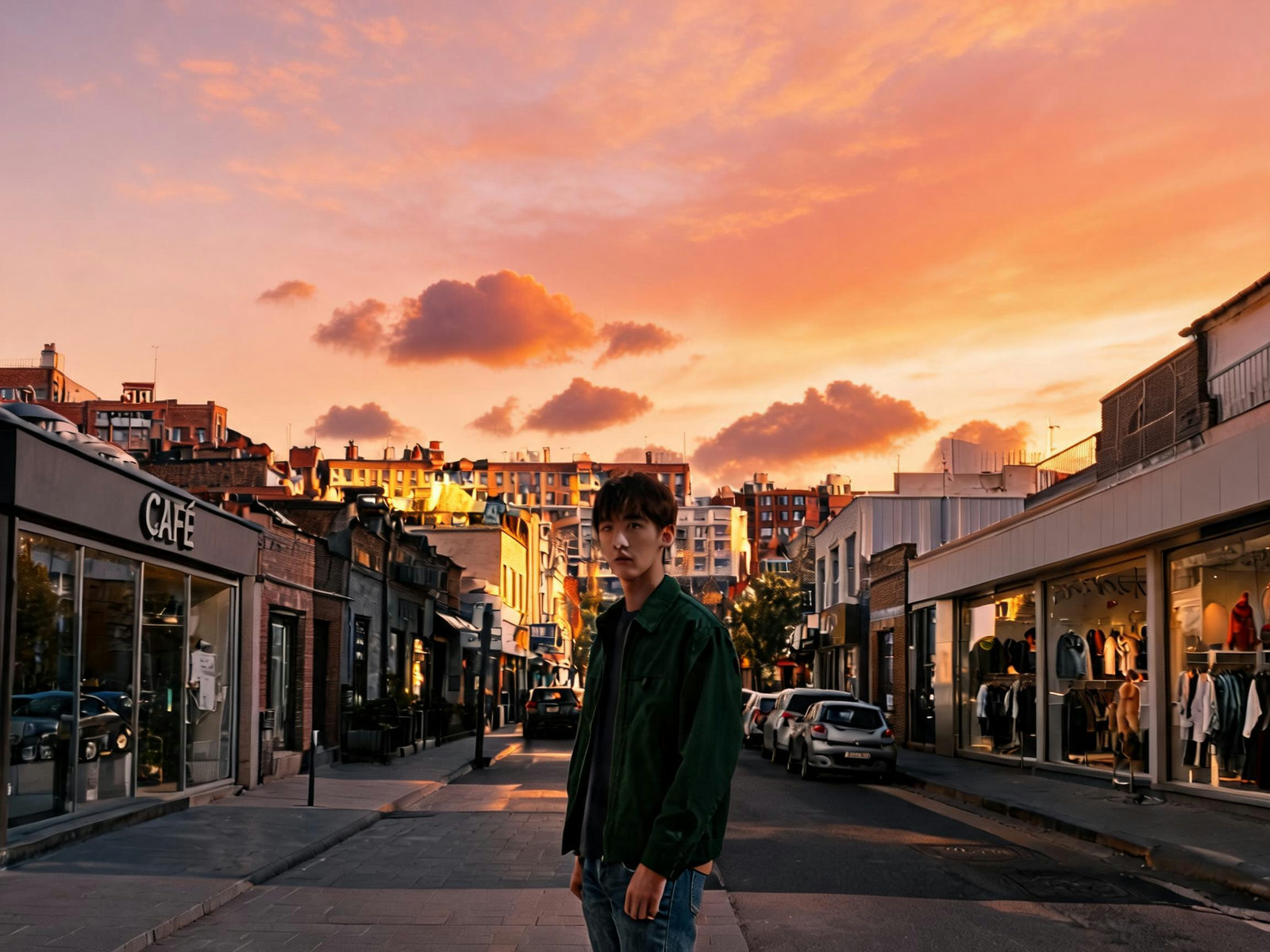 V2
V2swap the sky to a sunset
ONE EDITOR, EVERY JOB
PRODUCT SHOTS
Recolor packaging, swap a prop, restyle the backdrop, no reshoot. Try: 'make the box in [Box 1] matte black'.
PORTRAITS
Fix the shirt color, tame a busy backdrop, warm the light on one side. Try: 'soften the background behind the subject'.
INTERIORS AND LISTINGS
Test a wall color or swap the sky through the window before anyone lifts a brush. Try: 'paint the wall in [Box 1] sage green'.
SOCIAL AND THUMBNAILS
Punch up a flat frame or restyle a sign so the series matches. Try: 'make the title on the sign bright yellow'.
MARKETING AND ADS
Iterate one hero image per channel instead of booking another shoot. Try: 'swap the background to a studio gradient'.
MOOD AND GRADE
Describe a mood and regrade the scene around your subject. Try: 'grade the scene like faded 70s film'.
WORDS ALONE GUESS. MARKS DECIDE.
Text-only editors guess what 'the sign' means. This one asks you to point first.
TEXT-ONLY EDITING (PROMPT-ONLY TOOLS)
- 'The flower' in a field of flowers is anyone's guess
- Ambiguous prompts reroll the whole photo, not the spot
- Every retry is a fresh run, a fresh wait, a fresh cost
- Unmarked areas drift while the model regenerates
MARKED EDITING (PIXQUILL)
- The point, box or brush stroke names the target exactly
- Only the marked area changes; the rest of the photo holds still
- Each result becomes the next base, so retries branch, not restart
- The exact price of the round shows before you generate
EVERY TOOL, ONE BALANCE
Editing is usually one step of the job. The rest of the studio shares your uploads and credits.
LOAD, MARK, EDIT
DROP A PHOTO HERE, OR CLICK TO BROWSE
PNG / JPG · UP TO 5 MB
LOAD THE PHOTO
Any JPG or PNG up to 5 MB. It lands on the canvas as V0, the base of every round.
MARK THE SPOT, THEN DESCRIBE IT
MARK AND DESCRIBE
Drop a point, drag a box or brush an area, then write the change: 'make the wall in [Box 1] brick red'.
street-portrait-v2-2k.jpg✓ 2K · JPG · V2
EDIT IN ROUNDS
Runs take 30 to 60 seconds. The result comes back as the new base; branch off any earlier version any time.
A REAL EDITING DESK
POINT, BOX AND BRUSH
On Seedream 5.0 Pro, the default, marks compile into interactive-edit coordinates. The model edits where you pointed, not everywhere.
CITABLE MARKS
Every mark is numbered and stable: '[Box 1]', '[Point 2]'. Cite them in the prompt and the target stops being a guess.
VERSION STRIP
The original plus every round, one click apart. Jump back three versions and branch from there.
DRAFT AT 1K, FINISH AT 2K
Every round is priced by model and tier, from 2 credits up. Explore cheap, finish at 2K. The console shows the price first.
ZOOM TO 400%
Pixel-peep with the pan tool and zoom slider; marks keep their precision at any magnification.
HONEST BILLING
The round's price is on screen before you generate; failures on our side refund automatically.
EDIT LIKE A PRO
- 01One change per round beats a paragraph of changes. You can always iterate.
- 02Cite your marks in the prompt: 'the jacket in [Box 1]' leaves nothing to guess.
- 03Brush for areas (a stain, a sky), boxes for objects, points for tiny targets.
- 04Draft at 1K while exploring; switch to 2K for the final round.
- 05A wrong turn is cheap: jump back in the version strip and branch off the last good version.
- 06Need an object gone with the scene rebuilt behind it? That is the Object Remover's job, not this one's.
WHY POINTING BEATS PROMPTING
Text-only editing has an ambiguity problem: 'the sign' in a street of signs, 'the flower' in a field. The AI Image Editor removes the guessing. You mark the target on the canvas, the mark becomes coordinates in the model's native interactive-edit format, and the change lands where you aimed.
Because every result returns as the next base photo, editing becomes a conversation instead of a lottery. Draft at 1K, finish at 2K, and branch off any earlier version when a direction stops working.
The default engine is Seedream 5.0 Pro, the one model that reads point, box and brush coordinates natively. The picker holds 20+ alternatives from Google, OpenAI, Alibaba, Ideogram and more for prompt-driven edits. The editor is built for changing what is in the photo, not for wiping it: when the job is pure removal or a clean cutout, the Object Remover and the Background Remover share your uploads and your credits.
STRAIGHT ANSWERS
▸ How do I edit a photo with AI here?
Upload the photo, mark the spot with a point, box or brush stroke, describe the change in plain words, and generate. A round usually takes 30 to 60 seconds, and the result lands back on the canvas as the new base version.
▸ Why mark the spot myself?
Because you know which sign, which flower, which jacket. One mark removes the ambiguity that makes text-only editors reroll the whole photo.
▸ How do the points and boxes work?
With the default Seedream 5.0 Pro, marks you drop on the canvas are converted to normalized coordinates in its interactive-edit format and appended to your prompt automatically. You can also cite them in words ('[Box 1]', '[Point 2]'), since the numbering is stable. The other models in the picker edit from your prompt alone.
▸ What can I edit?
Anything you can point at and describe: recolor objects, swap skies and backdrops, restyle signs, change materials, regrade the mood. One area per round works best, and rounds stack.
▸ What can't it do?
Full-scene rewrites (a new photo wearing the old one's outfit) are the Image Agent's job, and pure object removal with the scene rebuilt belongs to the Object Remover. The editor is strongest when most of the photo should stay exactly as it is.
▸ Is the AI Image Editor free to try?
Yes. New accounts start with free credits and the daily check-in adds more, so you can edit real photos before spending anything. The console shows the exact price of every round upfront.
▸ What does each round cost?
One result per round, priced by model and resolution: from 2 credits on Flux 3 Klein to 10 for Seedream 5.0 Pro at 2K, with flagships higher. The console shows the exact price before you generate, and failed rounds on our side refund automatically.
▸ What files can I upload, and what do I get back?
Upload any JPG or PNG up to 5 MB. Results come back at 1K or 2K. The format follows the model: JPG or PNG where the model offers the choice.
▸ How long does a round take?
Usually 30 to 60 seconds. The result lands back on the canvas as the new working version, and the version strip keeps every round one click away.
▸ Can I undo marks?
Yes. Undo and redo cover brush strokes, points, boxes and clears, ten steps deep. The trash button clears everything after a confirmation.
▸ Which model powers the editor?
Seedream 5.0 Pro is the default, the one model with native interactive editing: it reads point, box and brush coordinates directly. The picker also holds 20+ image-to-image models, from Nano Banana to GPT Image to Flux to Ideogram, for prompt-driven edits at their own prices. Output runs at 1K or 2K, and the console prices every round before you generate.
▸ Does it work on my phone?
Yes. Nothing to install: upload from your phone, the edit runs on our servers, and the result downloads back.
▸ Can I use the edited photos commercially?
Photos you generate are yours to use, including in commercial projects, within our terms. Rights in anything you upload stay where they were, so only process photos you own or have permission to use. Details live on the Copyright page.
YOUR NEXT EDIT IS ONE SENTENCE
Upload a photo, mark the spot, and describe the change. New accounts start with free credits.