✦ AI EFFECTS
GTA WANTED POSTER AI VIDEO GENERATOR
Add one photo and get a 15 second GTA Wanted Poster clip in 4:3, your face walking and on the poster too. No prompt.
ONE PHOTO, TWO PLACESONE CUT, ONE PRICEA 15S 4:3 VIDEOUSUALLY 5 TO 15 MINUTES
TEMPLATE
Your video carries this template's own sound.
YOUR PHOTO
One clear, front-facing photo with the whole face in view. That one face goes on the walker and on the printed mugshot, and it holds for all 15 seconds.
ASPECT RATIO
Your video lands here
Drop the photo in, tick the box, press generate. One run fills the walker and the poster.
- WHAT YOU ADD
- One photo, one face
- WHAT CHANGES
- The walker and the mugshot
- WHAT COMES BACK
- A 15s 4:3 video, sound kept
- WHAT IT COSTS
- 700 credits
- HOW LONG IT TAKES
- Usually 5 to 15 minutes
- IF IT FAILS
- Credits come back, on our side
UP-FRONT PRICING
Recommended packs start at $9.99 and stay valid while your account is active. Memberships start at $4.99 a month. One balance covers every image and video tool. The console shows the fixed price before you render.
Standard Pack
$9.99
700CREDITS
≈ 350images
≈ 30SOTA images
≈ 88svideo
≈ 43sSOTA video
A full issue's worth of art, plus videos for the launch.
ONE PAYMENT · NEVER EXPIRE
Pro Pack
$19.99
1,600CREDITS
≈ 800images
≈ 69SOTA images
≈ 208svideo
≈ 100sSOTA video
Batch season. Whole chapters and the videos that sell them.
ONE PAYMENT · NEVER EXPIRE
STANDARD MEMBERSHIP
$4.99/ month
1,000CREDITS EVERY MONTH
For weekly creators and side projects.
≈ 500images
≈ 43SOTA images
≈ 128svideo
≈ 62sSOTA video
NO LOCK-IN · CANCEL ANY TIME
PRO MEMBERSHIP
$19.99/ month
5,000CREDITS EVERY MONTH
For daily image and video production.
≈ 2,500images
≈ 217SOTA images
≈ 664svideo
≈ 312sSOTA video
NO LOCK-IN · CANCEL ANY TIME
Membership credits are available while the membership is active. Unused membership credits expire when the membership ends.
Image estimates use Flux 3 Klein at 1K, the lowest-priced run on the site. Video estimates use 8-second Veo 3.1 Lite videos at 720p, or Wan 3.0 at 480p for the SOTA row. The console shows the exact cost before every run.
GTA Wanted Poster
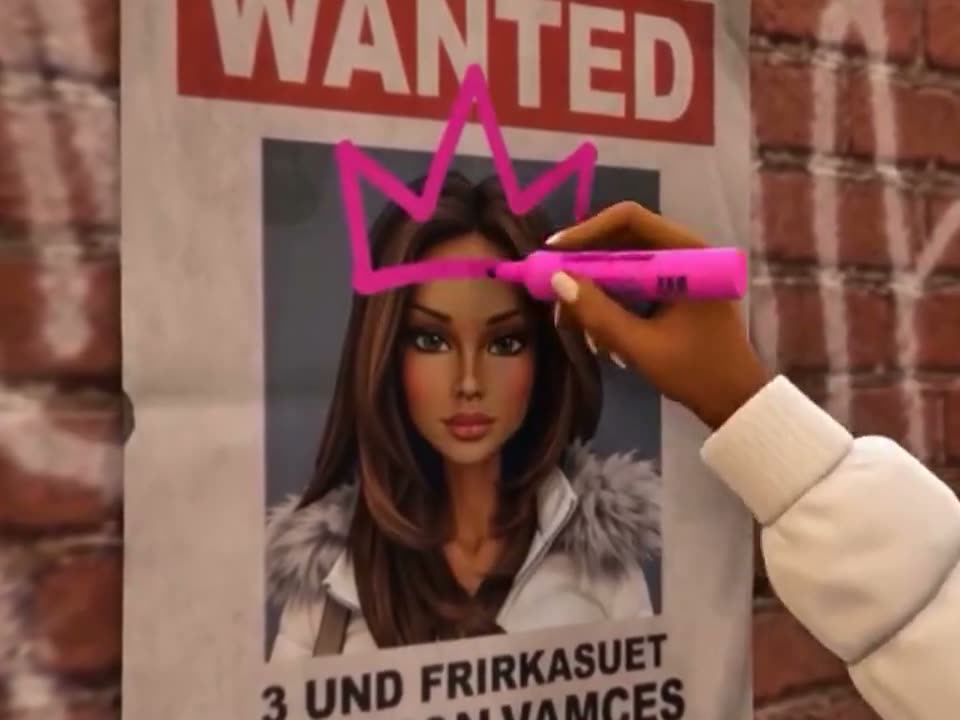
A photo goes in and shows up twice in the same video: once as the person walking a dusk city street, once as the mugshot printed on the WANTED poster on the brick wall. The wall, the graffiti, the palms, the parked cars, the red headline and the music all stay where they were. Then a hand reaches in with a pink marker and draws a crown over the printed face. Only who is in the frame changes.
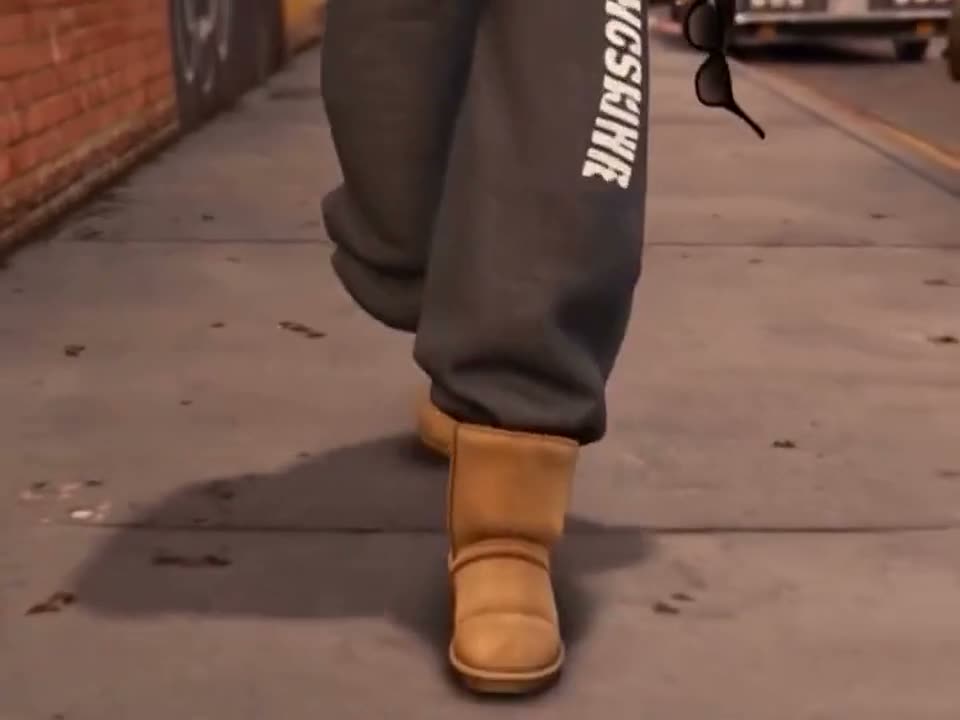 01
The walk starts low
The clip opens on legs: gray sweatpants with a print down one leg, tan boots, concrete moving under a low camera beside a tagged brick wall.
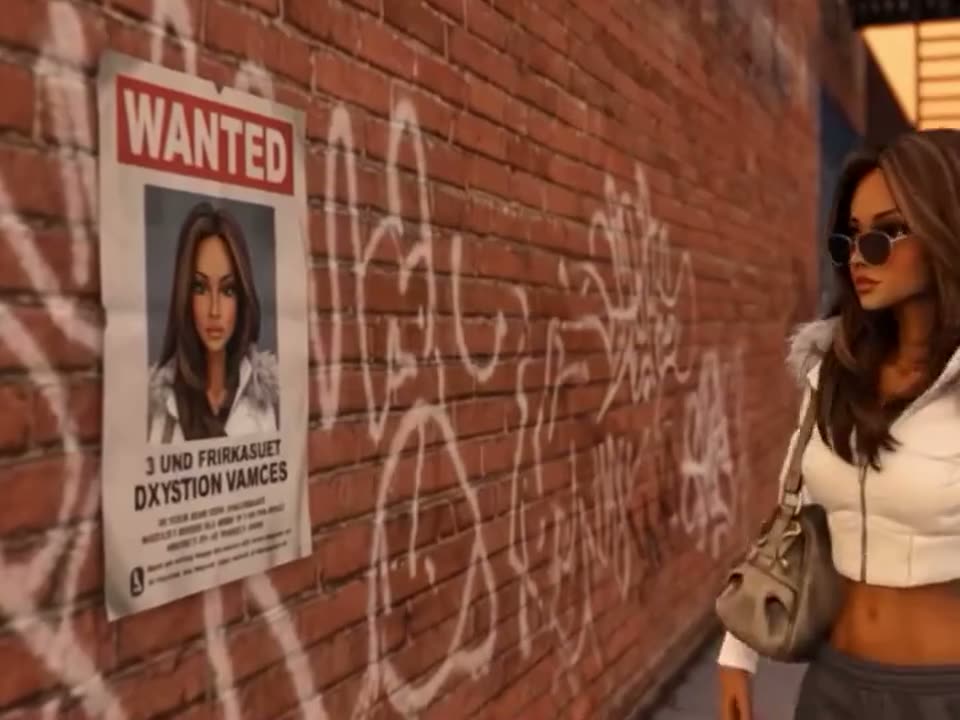 02
The poster on the bricks
The camera finds a paper WANTED poster with a red headline pasted to the wall, and the portrait on it is the same person who is walking. The shot moves in close enough for a hand to draw a pink crown above that portrait.
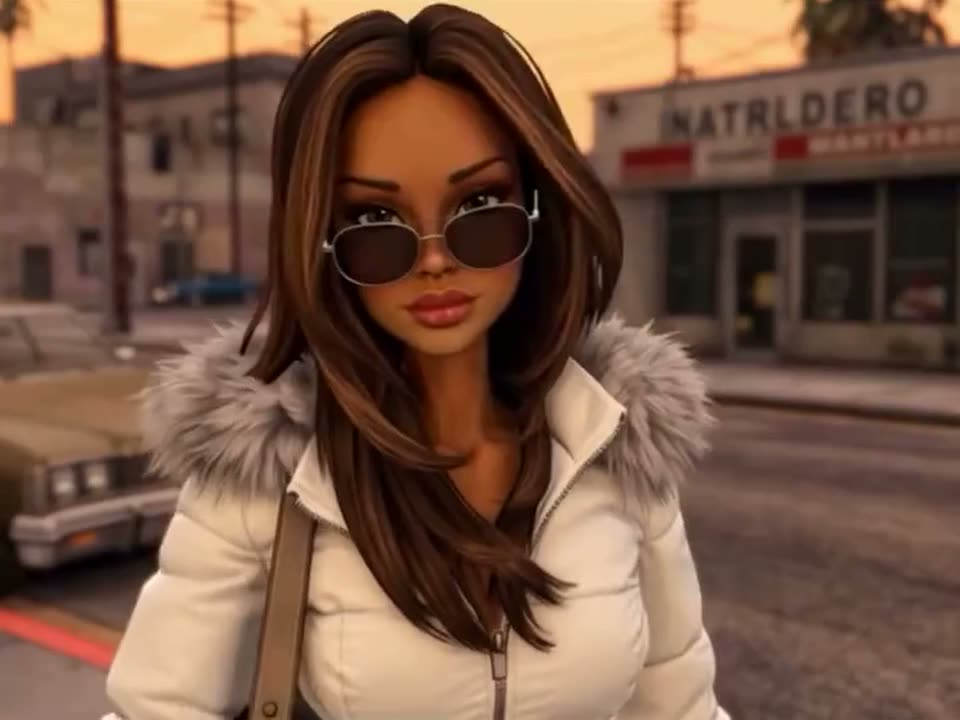 03
The face close-up
A tight shot of the walker behind round dark sunglasses in the white cropped puffer jacket with the fur-trimmed hood, the dusk sky and the shopfronts blurred behind her.
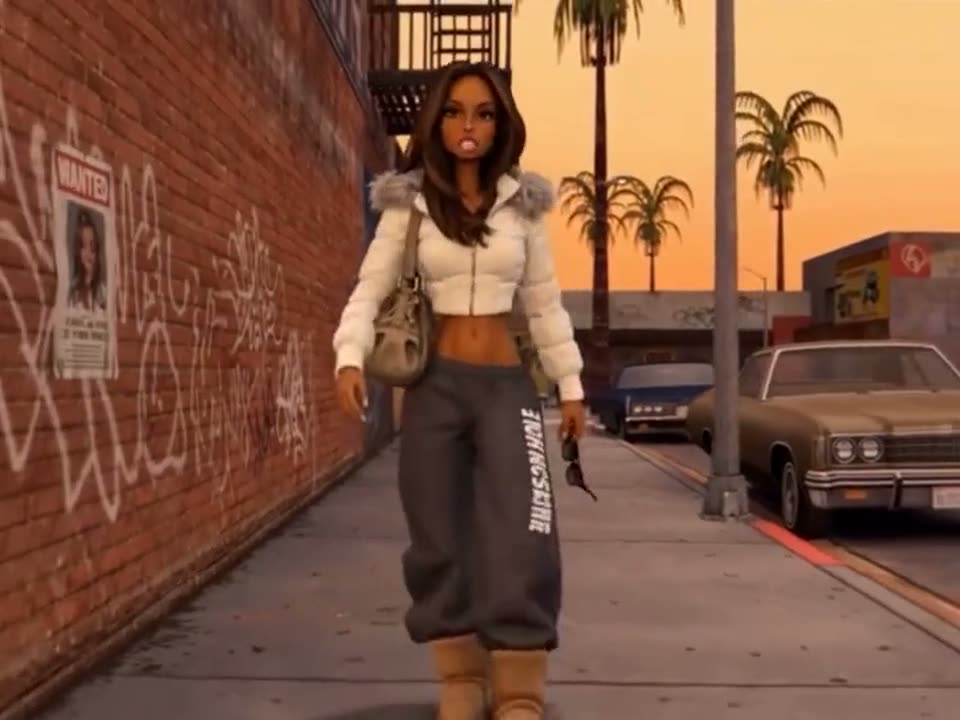 04
The full length finish
The camera pulls back to her whole body walking past the wall, the poster at her shoulder, and the video ends with a pink bubblegum bubble blown across her face.
One cut, two places
Every video below comes straight from the template, so the street, the wall, the cuts and the timing are what you get back. The three segments are one 15 second render split in three. One photo goes in and your face lands in two places in it: the woman walking the sidewalk and the portrait printed on the poster.
Three steps, no prompt
- WANTED WALK · 15S
RATIO4:3QUALITY480POpen the console
One template, one fixed cut: 15 seconds in 4:3 at 480p. The card shows the price before you commit, and there is nothing to configure.
✓your-photo.jpg
✓I own this photo or have permission to edit it
Add your photo
Drag a photo in or pick one from your library. One person, face front and clear, whole head in frame. That single file feeds the walk and the printed portrait, so a cropped shot breaks both.
wanted-poster-walk.mp4✓ 15S · 4:3 · SOUND KEPT
Render it
Tick the permission box, check the price and hit generate. The clip comes back at 15 seconds in 4:3 with the template's own sound, usually inside 15 minutes.
What makes a clean swap
- 01One person per photo, face front, even light, no sunglasses and nothing over the forehead. The printed portrait comes from the same file, so a clean face gives you two clean faces.
- 02The swap happens in two places at once: the walker and the mugshot on the poster. A photo cropped at the chin or taken from behind usually breaks on the paper first.
- 03The outfit is not yours. The white puffer jacket, the gray sweatpants, the boots and the sunglasses belong to the template and stay as they are.
- 04Send a photo of someone who said yes. The console makes you confirm that before it generates, and the poster puts their face on a criminal sheet.
- 05Good light beats high resolution. A sharp daylight photo swaps steadier than a dark 4K one, and the original file beats a screenshot.
EVERY TOOL, ONE BALANCE
More fixed template pages here: one photo in, one finished trend clip out, price on screen before you render.
The street stays, the face lands twice
GTA Wanted Poster AI is PixQuill's console for the wanted poster walk format: one photo in, a short video out, no editing app and no prompt writing. The template is a studio-made remake of the public format, and this site is not affiliated with, sponsored by or endorsed by any game publisher, studio or the accounts that started the trend. Nothing here uses game assets: the street, the wall, the poster and the cars are our own template footage.
The model changes who is in the clip, not where the clip is set. Your photo is the only source for the face, and that face appears twice in the same video: on the person walking the sidewalk and on the mugshot printed on the poster. The red headline, the lines under the portrait and the rest of the paper layout stay exactly as the template has them.
Everything else is fixed: the dusk street, the tagged brick wall, the palms, the parked cars, the pink crown drawn over the portrait, the bubblegum finish, the 15 second length and the 4:3 frame. The sound is the template's own, carried over by instruction. The site adds no watermark and draws no extra lettering on the frame.
Nothing installs on your device and nothing runs in the browser: the photo goes to a video model on our servers, so the job keeps going after you close the tab. Finished clips stay in your account and remain downloadable. If a render fails on our side, the credits go back to your balance.
Before you render
▸ Do I have to write a prompt?
No. The prompt is written for the template and locked on our side. You add one photo and press generate.
▸ What is the GTA wanted poster walk?
Someone strolls a dusk city street in a puffer jacket while a paper WANTED poster on the brick wall beside them carries their own mugshot. Near the end a hand comes in with a pink marker and draws a crown above that printed face. This page rebuilds that edit from one photo: 15 seconds, 4:3, the template's own sound.
▸ Why does my face appear twice?
That is the format. Your photo is the only source for the walker and for the printed portrait, and both are drawn from the same file, so they match each other instead of turning into two different people.
▸ Does the text on the poster change?
No. The red headline, the lines under the portrait and the layout of the paper stay as the template has them. Only the portrait is redrawn from your photo, and nothing is added to the paper.
▸ Does the video have a watermark?
The site adds no watermark, no caption and no logo of its own. Lettering that already sits inside the template, on the poster and on the street signs, stays part of the frame.
▸ How long is the result?
Fifteen seconds, in a 4:3 frame at 480p, with the template's own sound kept. The length matches the template exactly, so it lines up with the clip you previewed.
▸ What does it cost?
700 credits for the walk and the poster in one render. The console quotes that before you press generate, new accounts start with free credits, and the packs sit on pricing.
▸ How long does it take?
Expect 5 to 15 minutes on most runs. Staying on the page is optional: the render finishes on our side and the clip waits in your account history.
▸ What if the printed mugshot does not match?
Run the same photo again. Walker and poster are bound to one source, so a clean pass fixes both, and the face holds across the crown shot and the close-up. If a render fails on our side, the credits go back on their own.
▸ Is this an official GTA tool?
No. It is a fan-made template that recreates a trend look. It uses no game assets and has no affiliation with, sponsorship from or endorsement by any game publisher.
▸ Can I post it commercially?
See the terms and privacy notice for what you can do with renders and what happens to the photos you upload.
Put your face on the poster
One photo, one fixed cut, 15 seconds of you walking past your own WANTED poster. Free credits on signup, and the price is on screen before you render.