✦ BG REMOVER · PORTRAIT
PORTRAIT BACKGROUND REMOVER, HAIR INTACT
Put the person on a clean plate without touching a single strand. Native alpha keeps the hairline and hands the file to any backdrop.


SOURCE PHOTO
Drop a photo here, or click to browse
PNG / JPG, up to 5 MB
Your result lands here
Upload a photo, then hit generate.
- STUDIO, OUTDOOR OR PHONE PORTRAIT
- UPLOAD
- HAIR, GLASSES AND COLLARS STAY CRISP
- CUT
- NATIVE ALPHA, UP TO 4K
- KEEP
- PROFILES, POSTERS AND PRINT, READY
- SHIP
UP-FRONT PRICING
Packs start at $1.99 and stay valid while your account is active. Memberships start at $4.99 a month. One balance covers every image and video tool. The console prices every run before you commit.
Starter Pack
$1.99
100CREDITS
≈ 50images
≈ 4SOTA images
≈ 8svideo
≈ 6sSOTA video
A quick test run.
ONE PAYMENT · NEVER EXPIRE
Standard Pack
$9.99
700CREDITS
≈ 350images
≈ 30SOTA images
≈ 88svideo
≈ 43sSOTA video
A full issue's worth of art, plus videos for the launch.
ONE PAYMENT · NEVER EXPIRE
Pro Pack
$19.99
1,600CREDITS
≈ 800images
≈ 69SOTA images
≈ 208svideo
≈ 100sSOTA video
Batch season. Whole chapters and the videos that sell them.
ONE PAYMENT · NEVER EXPIRE
STANDARD MEMBERSHIP
$4.99/ month
1,000CREDITS EVERY MONTH
For weekly creators and side projects.
≈ 500images
≈ 43SOTA images
≈ 128svideo
≈ 62sSOTA video
NO LOCK-IN · CANCEL ANY TIME
Membership credits are available while the membership is active. Unused membership credits expire when the membership ends.
Image estimates use Flux 3 Klein at 1K, the lowest-priced run on the site. Video estimates use 8-second Veo 3.1 Lite videos at 720p, or Wan 3.0 at 480p for the SOTA row. The console shows the exact cost before every run.
PEOPLE, LIFTED OFF THE SCENE
Three cuts that usually break generic removers. Slide each one and judge the edges yourself.
Cafe tables, plants and glass behind the subject. The blouse line and the curls both survive the cut.

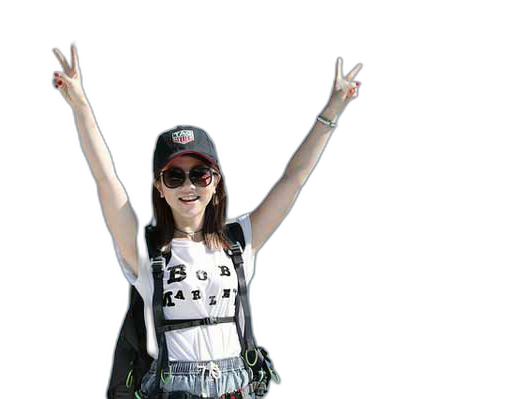
Stray hair against a busy mountain backdrop is where most removers melt. Here the boundary is re-rendered before the cut, so the strands survive.
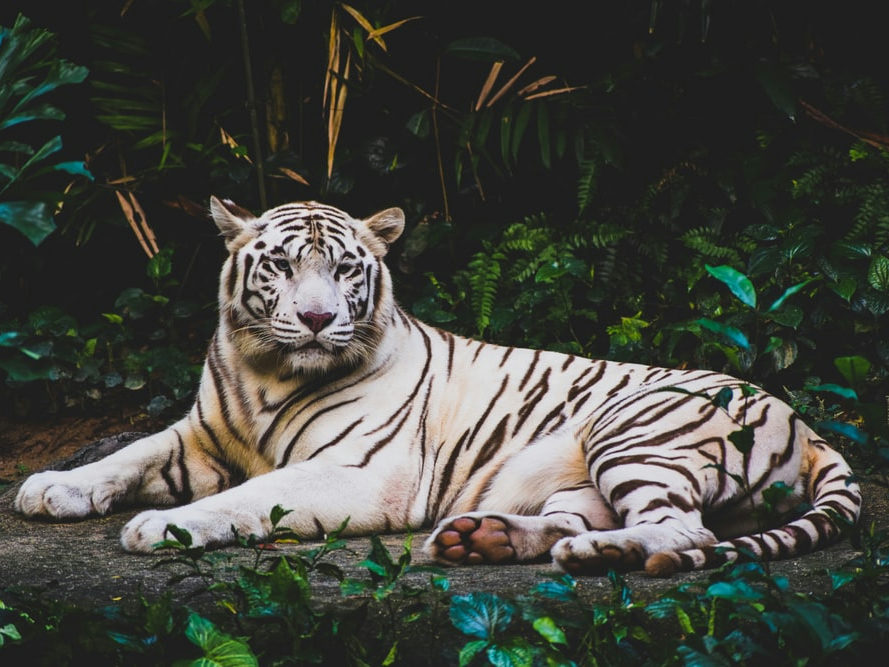
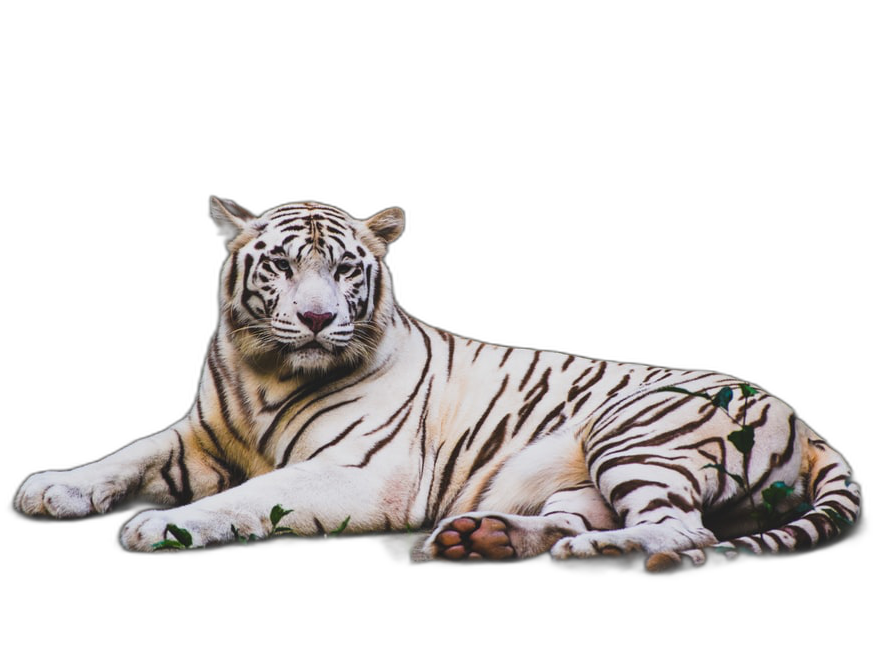
White fur on dense jungle foliage is the worst case for auto picks. The fur stays fur and every leaf behind it goes transparent.
WHERE PORTRAIT CUTOUTS GO
PROFILES AND BIOS
Team pages, speaker bios, podcast guests. Lift the person off the office clutter and set them on brand colors or a studio gradient.
GRADUATION AND FAMILY CARDS
A portrait cut from the crowd shot drops straight into card templates and photo collages.
POSTERS AND EVENT GRAPHICS
Cut the subject once and composite onto posters, flyers and stream overlays without a reshoot.
ACTOR AND MODEL PORTFOLIOS
Casting sheets want the person, not the location. One cutout covers every layout.
BACKDROP SWAPS
Put the same portrait on white, gray or a full scene. A transparent cutout composites onto anything.
PRINT AT FULL SIZE
Resolution follows the source up to 4K, so the cutout holds on posters and standees.
A CUTOUT ENGINE, NOT A REDRAW.
Portraits with raised arms, props or two people close together are where generic picks slip. Segmentation takes the silhouette from the photo itself.
THE WHITE-BACKDROP APPROACH
- Repaints the person on white and deletes the setting after
- Backlit hair loses its halo during the erase pass
- A moving skirt hem gets a hard edge it never had
- Skin tone shifts wherever the plate replaced the scene
THE DEDICATED CUTOUT ENGINE
- Segments the silhouette the photo itself shows
- Curls, braids and flyaways keep their individual shape
- The glow around the head survives as real pixels
- Your own resolution comes back, up to 4K for a print
EVERY TOOL, ONE BALANCE
Background removal is usually one step of the job. Every other tool shares your uploads and credits.
UPLOAD, CUT, DOWNLOAD
DROP A PHOTO HERE, OR CLICK TO BROWSE
PNG / JPG · UP TO 5 MB
UPLOAD THE PHOTO
Any JPG or PNG up to 5 MB, long edge 4096 px or less. One photo is the whole input.
THE ENGINE FINDS THE SUBJECT
THE ENGINE CUTS
The engine separates the person from the scene, hair and shoulder lines included.
portrait-cutout.png✓ PNG · TRANSPARENT
DOWNLOAD THE PNG
About 5 to 20 seconds later you have a transparent PNG at the same resolution as your upload, up to 4K.
CUTOUTS THAT SHIP
HAIRLINE FIRST
The engine resolves the boundary on your own pixels, so curls, braids and flyaways keep their shape instead of being repainted.
BACKLIT HAIR HOLDS
The glow around a head against a window is the hardest edge in a portrait. It is segmented rather than painted out.
MOVEMENT KEPT
A turning shoulder or a lifted hem has soft edges in the frame. The cut preserves that softness instead of snapping it shut.
ANY SETTING AFTERWARDS
Drop the portrait onto a studio sweep, a painted backdrop or a plain color without calling the session back in.
NO WATERMARK, EVER
Results download clean. Nothing gets stamped on your image, free credits or paid.
HONEST BILLING
The price shows before the run, and failures on our side refund automatically.
SHARPER CUTOUTS
- 01Ask for slow movement. A sharp frame gives the edge more to hold onto than a blurred one does.
- 02Judge the cut at full size on both a light and a dark plate. A hairline that reads fine on grey can fail on black.
- 03Keep files under 5 MB. A high-quality JPG usually fits even at 4K.
- 04The checkerboard preview is your friend: gray squares mean real transparency.
- 05Two people in frame? Crop to the one who stays before upload.
- 06Shooting new material? A little distance between subject and background makes every cut easier.
A PORTRAIT REMOVER BUILT AROUND THE EDGE
Portrait cuts fail in familiar ways: the top of the head goes flat, a shoulder gets clipped, hair turns into a plastic halo. Those are artifacts of generative repainting. PixQuill's portrait background remover uses a dedicated segmentation engine instead, so the boundary comes from your photo rather than a redraw.
Hair keeps its texture, glasses keep their rims, and the cutout composites onto any color without fringing. Output follows the source resolution up to 4K, which covers print, profiles and poster work from the same file.
The console shows the exact credit price before every run, and new accounts start with free credits. When the job is the opposite, one object gone while the room stays, the [Object Remover](/object-remover-image) shares your uploads and credits.
STRAIGHT ANSWERS
▸ How do I remove the background from a portrait photo?
Upload the portrait and generate. The cutout comes back as a transparent PNG at the photo's own resolution, up to 4K, usually in 5 to 20 seconds.
▸ Will the hair edges survive the cut?
That is the part this engine is built for. Segmentation resolves the boundary on your actual pixels, so curls and flyaways keep their texture instead of turning into a halo.
▸ Can it cut out two people from one photo?
The engine segments the main subject it reads. For two people, upload a crop that contains both and the group is treated as the subject.
▸ Is the result really transparent?
Yes. What you download is a PNG with a native alpha channel produced by the cutout engine, so the edges composite cleanly onto any color. The checkerboard in the result view shows the transparency directly.
▸ Is it free to try?
Yes. New accounts start with free credits and the daily check-in adds more, so you can run real images before paying anything. The console shows the exact credit cost of every run upfront, and results come with no watermark.
▸ What files can I upload, and at what size?
Any JPG or PNG up to 5 MB, with a long edge of 4096 px or less and a short edge of at least 256 px. The cutout comes back at the same resolution as your upload, up to 4K, usually in 5 to 20 seconds.
▸ Can I use the cutout commercially?
Images you generate are yours to use, including in commercial projects, within our terms. Rights in anything you upload stay where they were, so only process images you own or have permission to use. Details live on the Copyright page.
THE PERSON STAYS. THE REST IS OPTIONAL.
Upload a portrait and check the edges on the checkerboard. New accounts start with free credits.