✦ AI EFFECTS
WINTER DRIFT AI VIDEO GENERATOR
Add one photo of your whole car and get a 15 second Ice Drift clip: set down as a model, then drifting at full size. No prompt.
ONE PHOTO OF YOUR CARMODEL SHOT AND FULL SIZE DRIFTA 15S 9:16 VIDEOUSUALLY 5 TO 15 MINUTES
TEMPLATE
Your video carries this template's own sound.
YOUR PHOTO
One photo of your whole car, nothing cut off. Daylight, from a corner, so one end and one side are both readable. That car goes into every shot, in the hand and at full size.
ASPECT RATIO
Your video lands here
Photo of the whole car in, permission box ticked, then generate.
- WHAT YOU ADD
- One photo of your whole car
- WHAT YOU PICK
- Snow Drift, one cut
- WHAT COMES BACK
- A 15s 9:16 video, sound kept
- WHAT IT COSTS
- 700 credits
- HOW LONG IT TAKES
- Usually 5 to 15 minutes
- IF IT FAILS
- Credits come back, on our side
UP-FRONT PRICING
Recommended packs start at $9.99 and stay valid while your account is active. Memberships start at $4.99 a month. One balance covers every image and video tool. The console shows the fixed price before you render.
Standard Pack
$9.99
700CREDITS
≈ 350images
≈ 30SOTA images
≈ 88svideo
≈ 43sSOTA video
A full issue's worth of art, plus videos for the launch.
ONE PAYMENT · NEVER EXPIRE
Pro Pack
$19.99
1,600CREDITS
≈ 800images
≈ 69SOTA images
≈ 208svideo
≈ 100sSOTA video
Batch season. Whole chapters and the videos that sell them.
ONE PAYMENT · NEVER EXPIRE
STANDARD MEMBERSHIP
$4.99/ month
1,000CREDITS EVERY MONTH
For weekly creators and side projects.
≈ 500images
≈ 43SOTA images
≈ 128svideo
≈ 62sSOTA video
NO LOCK-IN · CANCEL ANY TIME
PRO MEMBERSHIP
$19.99/ month
5,000CREDITS EVERY MONTH
For daily image and video production.
≈ 2,500images
≈ 217SOTA images
≈ 664svideo
≈ 312sSOTA video
NO LOCK-IN · CANCEL ANY TIME
Membership credits are available while the membership is active. Unused membership credits expire when the membership ends.
Image estimates use Flux 3 Klein at 1K, the lowest-priced run on the site. Video estimates use 8-second Veo 3.1 Lite videos at 720p, or Wan 3.0 at 480p for the SOTA row. The console shows the exact cost before every run.
Ice Drift
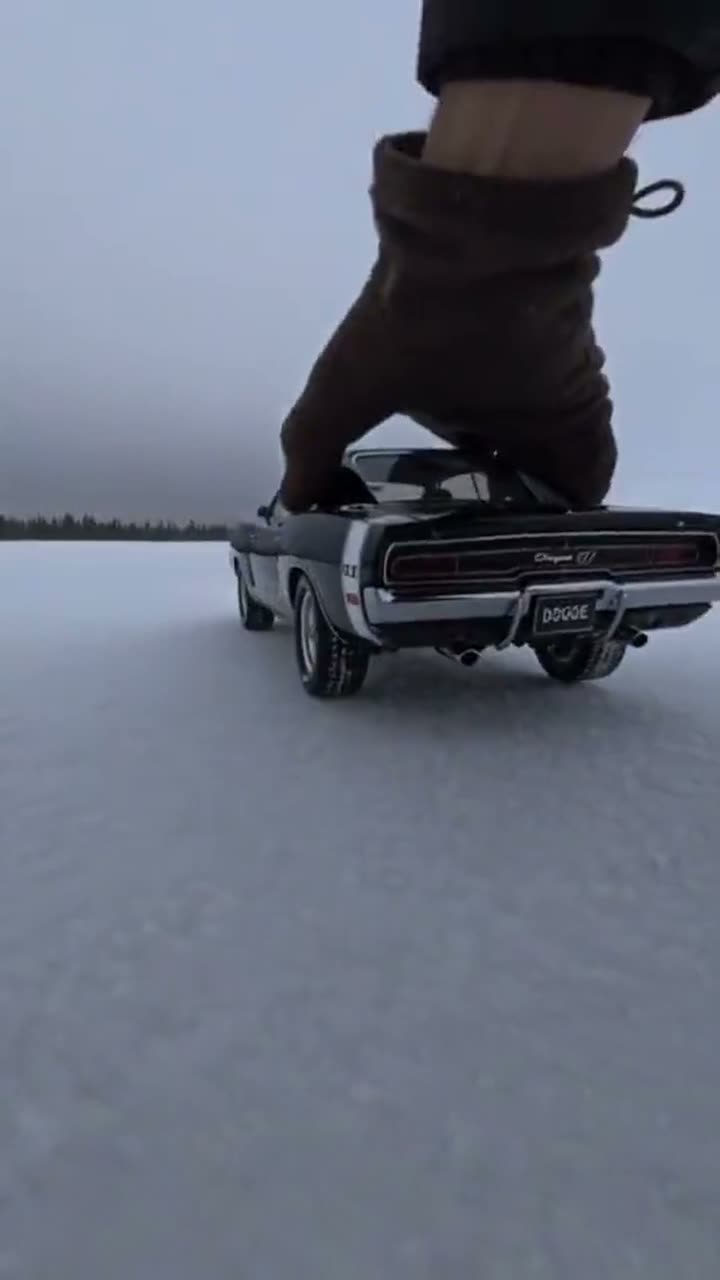
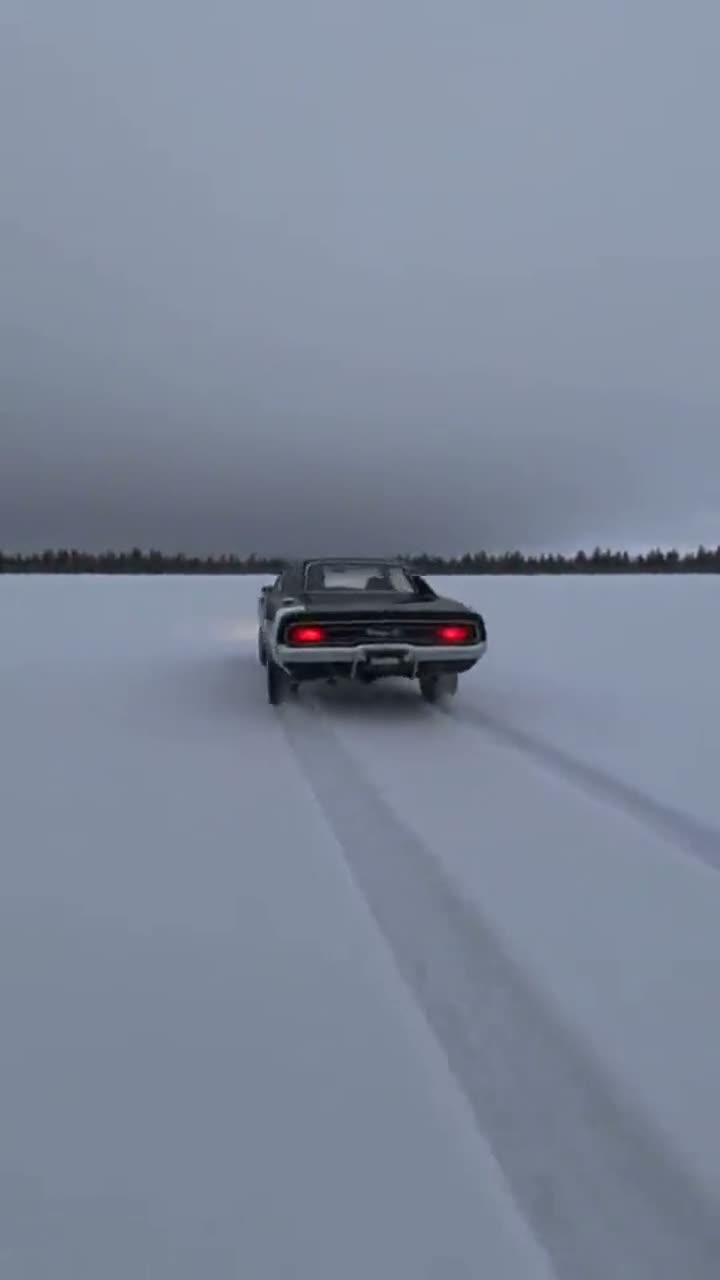
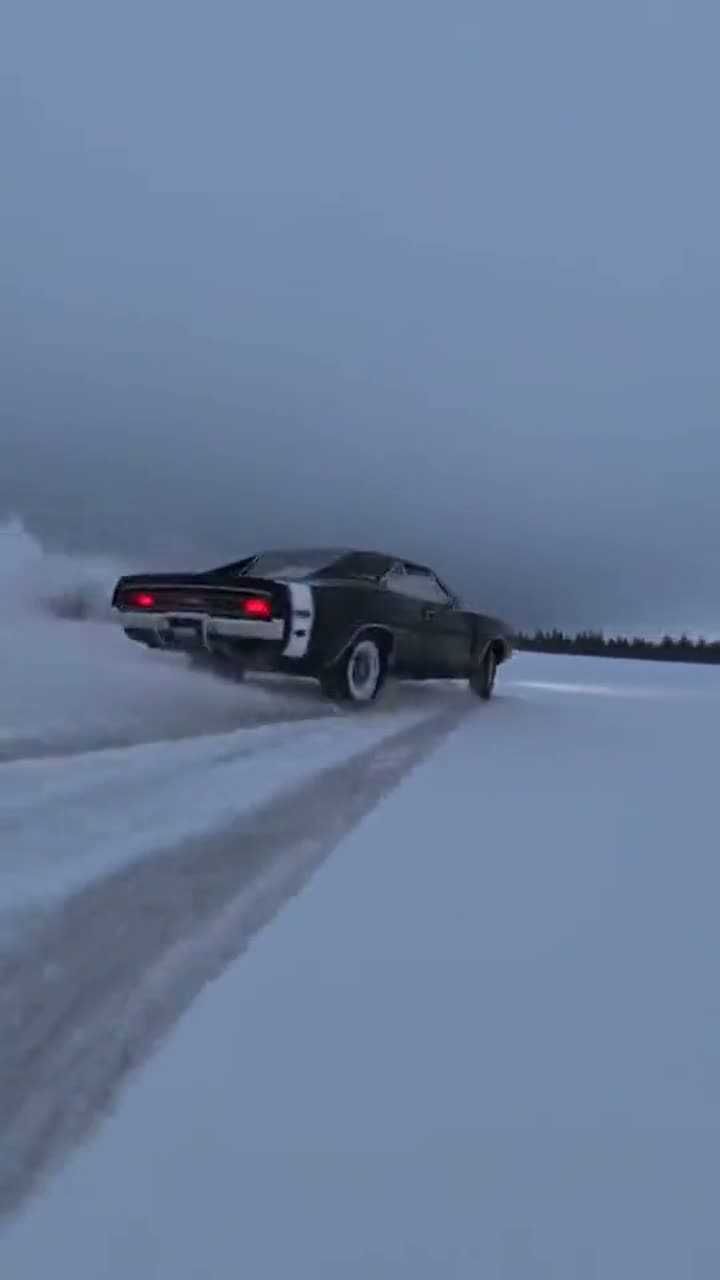
The winter drift cut starts with a gloved hand putting a car down on a frozen field. The car drives off and leaves two tracks in the snow, then it is full size and drifting circles with snow spraying off the wheels. The field, the tree line, the dusk light, the camera and the sound are all already in the clip. The only thing that changes is which car it is.
 01
Set Down
A gloved hand lowers the car into frame from above and puts it on the snow, shot from a low camera behind the rear quarter.
 02
Two Tracks
The car drives away from the camera across the open snow and leaves two parallel tire tracks behind it, with the tree line low on the horizon.
 03
The Drift
The same car at full size breaks traction, steps out sideways and throws a plume of snow up behind the rear wheels.
 04
The Arc
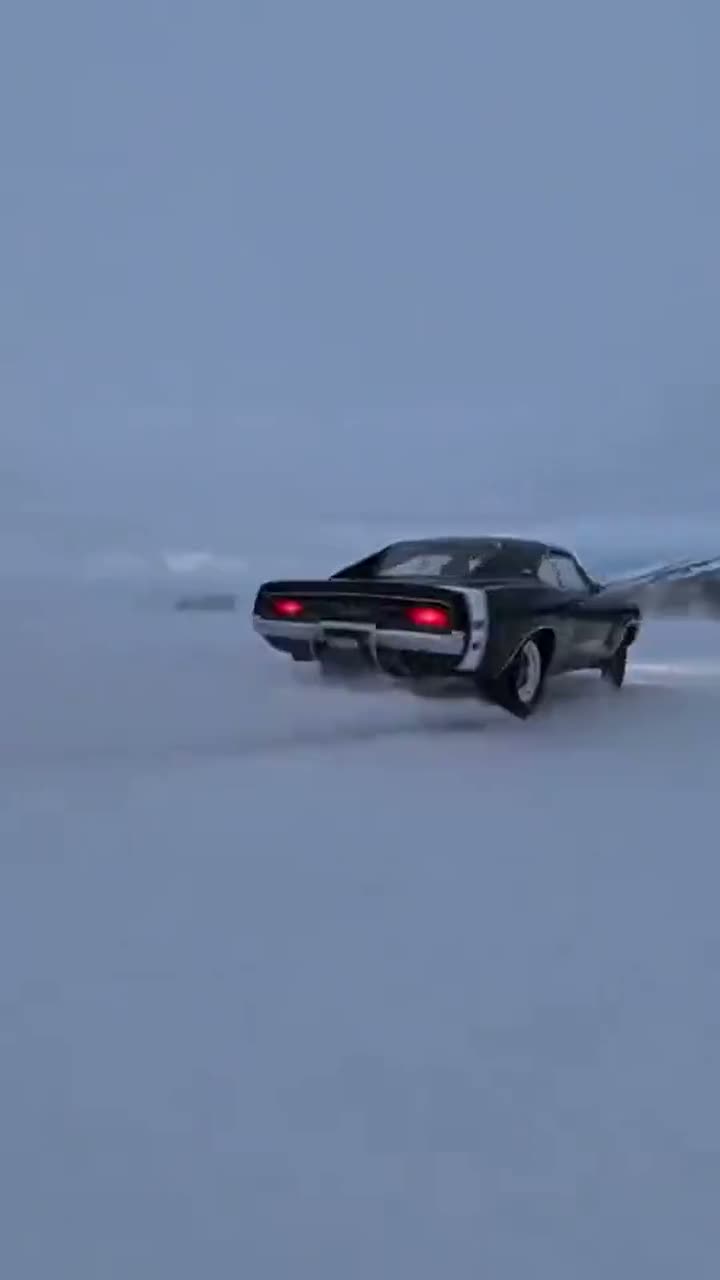
It keeps carving the circle to the last second, and the tracks it leaves sweep into an arc across the field.
One cut, 15 seconds
The clips below come straight from the template, so the field, the light, the camera positions and the timing are what you get back. Your car replaces the one in the template in every shot, in the hand at the start and at full size in the drift.
Three steps, no prompt
- SNOW DRIFT · 15S · 9:16
RATIO9:16QUALITY480PCheck the cut
This page has one cut: Snow Drift, 15 seconds in 9:16 at 480p. The template sets the length, the ratio and the price, so there is nothing to choose.
✓your-car.jpg
✓I own this photo or have permission to edit it
Add a photo of your car
One photo with the whole car in frame and nothing cut off. That photo is the only source for the car, both as the model in the hand and as the full size car in the drift.
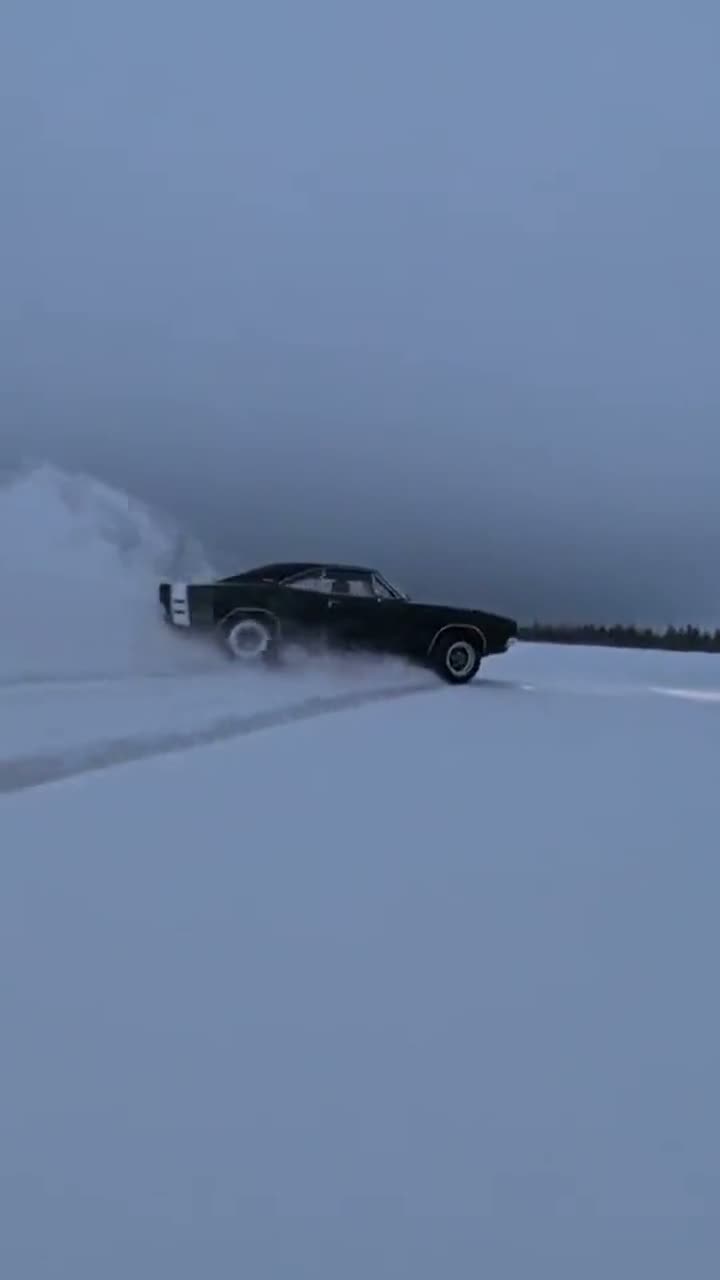
snow-drift.mp4✓ 15S · 9:16 · SOUND KEPT
Render it
Tick the permission box, check the price and hit generate. The clip comes back 15 seconds long in 9:16 with the template's own audio, the same shots and the same dusk light, usually inside 15 minutes.
What makes a clean car swap
- 01Photograph the whole car, with nothing cropped at the edge of the frame and no motion blur on the body.
- 02Shoot it in daylight from a corner, so one end and one side are both readable in the same photo.
- 03Keep people, other cars and clutter out of what the car is standing in front of. The background of your photo does not come into the video, but it does get in the way of a clean read of the body.
- 04The paint has to be visible. A photo taken at dusk or under sodium light makes the color come back flat or wrong.
- 05One car per photo. If two cars are in the frame, crop to the one you mean instead of hoping the model picks right.
EVERY TOOL, ONE BALANCE
Other fixed template pages on this site: one photo in, one finished trend clip out, one price shown up front.
One photo changes the car in both shots
Ice Drift is a fixed template effect. The frozen field, the line of trees on the horizon, the blue dusk light, the camera positions, the tire tracks and the drift arc are all already in the clip, and so is its sound. The model has one job: make the car in it your car.
Your photo is the only source for that car: paint color, body lines, the front and rear ends, the wheels and rims, and any stripe or livery on it. The car appears twice, first as the small model a gloved hand sets down and then at full size in the drift, and both come from the one photo. The rest of your photo, including where the car was standing and anything parked next to it, does not come into the video.
The rest of the frame stays where it was. The hand stays a gloved hand, the clip does not add a person or a second car, and it does not carry the writing on the template car onto yours. You get no captions, no added logos, no new parts and no new music, because the template's own audio track is what comes back.
Nothing installs on your phone or laptop: the photo goes up and a video model on our servers carries the render through, so the job finishes even after you close the tab. Clips stay in your account and remain downloadable. If a render fails on our side, the credits go back to your balance.
This is a fan-made effect. It has no connection to, and no endorsement from, any car maker, film studio or platform, and it does not recreate a specific licensed vehicle. It recreates the look of a viral snow drift clip, with your car in it.
Before you render
▸ Do I have to write a prompt?
No. The prompt for Snow Drift is written and locked on our side. You add one photo of your car and press generate.
▸ What is the Ice Drift car video?
A snow clip that starts small and ends wide. A hand puts a model car down on a frozen field, it drives off leaving two lines in the snow, then the same car comes back at full size and drifts circles while snow sprays off the wheels. Your car goes into both halves of it here: 15 seconds in 9:16, template audio kept.
▸ Which car does my photo replace?
Both of them. The clip opens on a gloved hand setting down a small model car, and the same car comes back at full size for the drift. Your photo is the source for both, so the model is never a toy version of a different car.
▸ Does the video have a watermark?
Nothing gets stamped on the clip: no watermark, no captions and no added logo. The finished car carries no lettering that your photo did not already have.
▸ Can I use a photo of a car I do not own?
Only with permission to edit it. The box on the console covers that, and the same rule applies here as for any photo you send to the AI provider.
▸ Will my badges and number plate stay on the car?
The paint, body lines, wheels and any stripe or livery in your photo come through. Lettering is the weak spot: the model is told to add none of its own and to leave the plate area plain, so small script badges and plate text may read differently or drop out.
▸ Can I change the snow, the sky or the camera?
No. The field, the tree line, the dusk light, the shots and the pacing are part of the template, and keeping them is what makes the result match the trend. Your photo changes the car and nothing else.
▸ What does it cost?
700 credits cover the model shot and the full size drift in one render. The console shows that before you press generate, new accounts start with free credits, and the packs are listed in pricing.
▸ How long does it take?
Allow 5 to 15 minutes. The clip renders on our side, so you can close the tab and come back to find it sitting in your account history.
▸ What if the car comes out wrong?
Run it again with the same photo. Every pass is a fresh roll on the same car, and a daylight shot from a corner fixes more than a settings change would. If a render fails on our side, the credits come back to your balance automatically.
▸ Can I post it commercially?
See the terms and privacy notice for what you can do with renders and what happens to the photos you upload.
Put your car in the drift
One photo, one template, 15 seconds of your car going from a model in the hand to a full size drift on open snow. Free credits on signup, and the price is on screen before you render.